json5 review
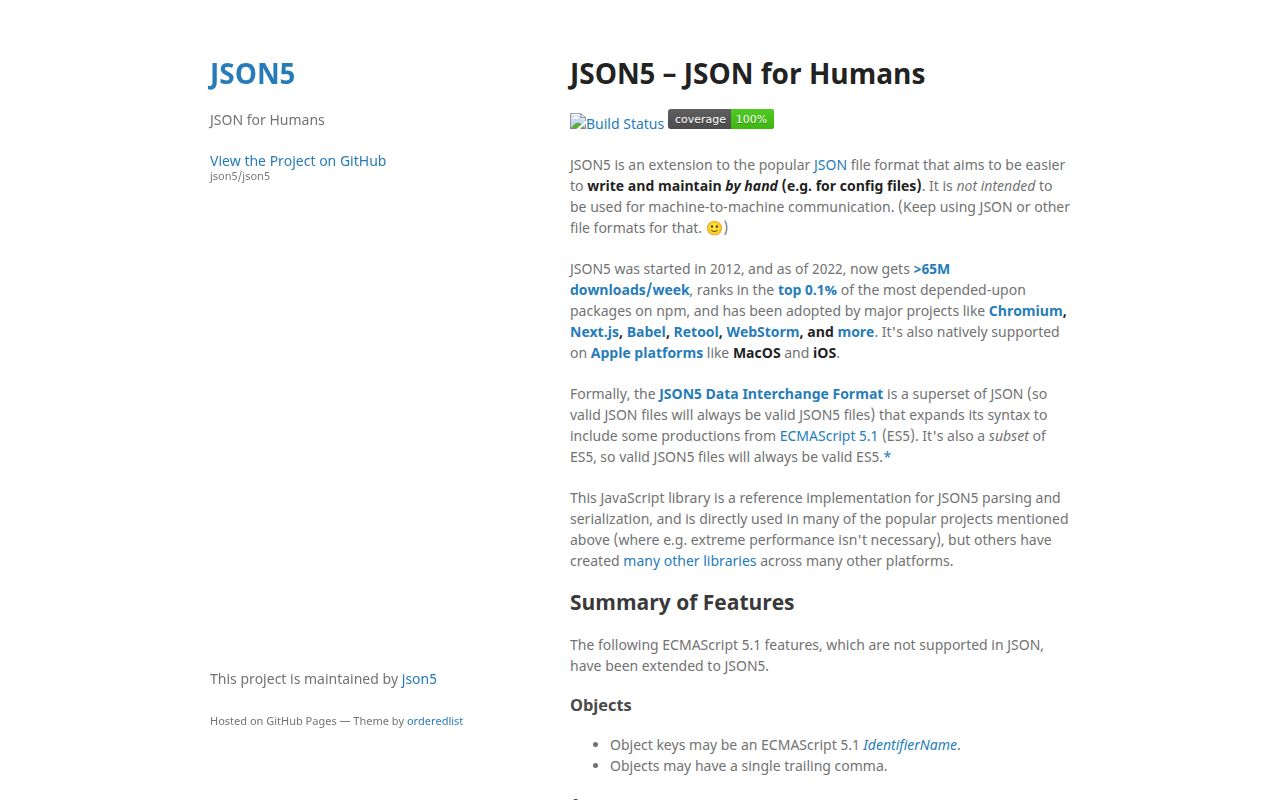
JSON5 2.2.3 parses and writes a JSON-shaped format intended for configuration that people edit. It accepts comments, trailing commas, identifier keys without quotes, single-quoted strings, hexadecimal numbers, explicit plus signs, Infinity, and NaN. parse and stringify mirror the native JSON callbacks, and the package includes a validation and conversion CLI. Version 2.2.3 did not change the grammar or parser; it corrected the npm latest tag for the 2.x line. Our install found a dependency-free CommonJS package with bundled declarations and a 9.6 KB gzipped browser build.
JSON5 2.2.3 installed in 0.3 seconds as one 1 MB package and bundled to 9.6 KB gzipped in our sandbox, with 0 audit findings. It fits hand-edited configuration, but strict JSON is the safer exchange format and comment-preserving editors need a syntax-tree parser.
We installed it
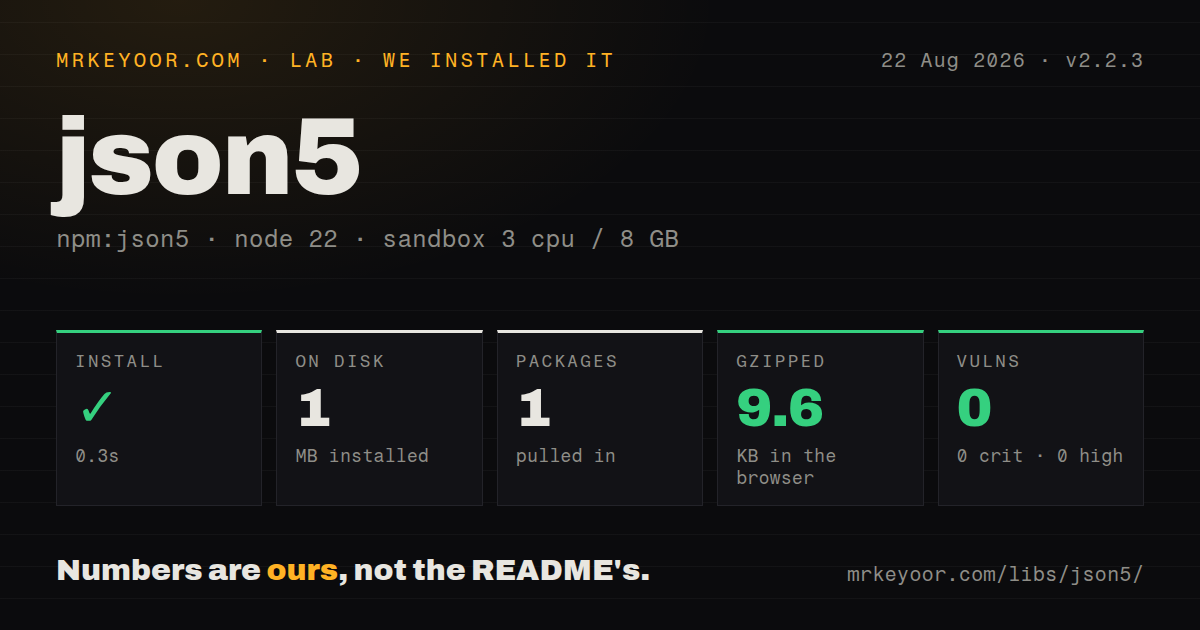
| Install | ✓ · 0.3s | 1 package on disk · 1 MB |
| Import | ✓ | ESM import works · require() works · CommonJS package |
| Browser | 9.6 KB | gzipped (31.6 KB minified), bundled with esbuild |
| Types | ✓ | TypeScript types bundled |
| Known vulns | 0 | 0 critical · 0 high · 0 moderate · 0 low (npm audit) |
Answers from our run
Does json5 install cleanly?
Yes. In a fresh container with an empty cache, npm install json5 finished in 0.3s, leaving 1 package and 1 MB on disk. npm audit reported no known vulnerabilities.
How much does json5 add to a browser bundle?
9.6 KB gzipped (31.6 KB minified) when the whole package is bundled for the browser with esbuild. Importing only part of it is usually smaller.
Does json5 work with both ESM and CommonJS?
Yes. Both import 'json5' and require('json5') worked in Node 22 in our run. The package is published as CommonJS.
Does json5 include TypeScript types?
Yes, type declarations ship inside the package, so no @types install is needed.
json5 or jsonc-parser: which should you use?
jsonc-parser: Choose it for JSON with comments, editor diagnostics, and text edits that target JSONC files. JSON5 2.2.3 installed in 0.3 seconds as one 1 MB package and bundled to 9.6 KB gzipped in our sandbox, with 0 audit findings.
When should you not use json5?
The data crosses a service boundary. The project README reserves JSON5 for human-edited files and recommends JSON for machine exchange.
Discussed on
- hnJSON5 – JSON for Humans364 points
- hnIgnore the haters, and other lessons learned from creating JSON5233 points
- hnJSON5 is a proposed extension to JSON143 points
- hnJSON5 Data Interchange Format100 points
- hnShow HN: JSON5 — modern JSON64 points
Use it if
- People maintain configuration by hand and need comments and trailing commas without moving to YAML's type system.
- A compiler, browser, or existing project already defines .json5 as its input format.
- Code should keep the JSON data model and familiar reviver or replacer callbacks while accepting friendlier source text.
- A build needs a small CLI that validates JSON5 syntax or converts a checked-in file to strict JSON.
- The data crosses a service boundary. The project README reserves JSON5 for human-edited files and recommends JSON for machine exchange.
- The consumer expects JSONC, as tsconfig.json and VS Code settings do. JSON5 accepts single quotes and bare keys that those parsers can reject.
- An editor must retain comments and exact layout after programmatic changes. JSON5.parse returns values and discards source trivia.
- Fast upstream fixes are a requirement. The latest release dates to December 2022 and the last repository push was in October 2024.
- Generated output must always pass JSON.parse. JSON5.stringify can emit trailing commas, unquoted keys, Infinity, NaN, and single quotes.
Setup reality
We installed JSON5 2.2.3 in a fresh Node 22 Bookworm sandbox. npm completed in 0.3 seconds and left one package using 1 MB. The package itself was 296 KB unpacked, with 0 direct dependencies and 0 peers. npm audit reported 0 known vulnerabilities. JSON5 declares support for Node 6+, ships as CommonJS without an exports map, includes TypeScript declarations, and loaded through both require() and ESM import in our test.
There are no credentials, peer packages, native compilation, or project files to configure. CommonJS can require('json5'), while ESM uses the documented default import. The json5/lib/register entry installs a process-wide .json5 require hook. That shortcut does not apply to ESM and can affect unrelated CommonJS loading, so reusable code is easier to reason about when it reads text and calls JSON5.parse directly.
Parsing produces ordinary JavaScript values and drops comments, whitespace, and quote choices. A read-modify-write tool therefore reformats the document and cannot preserve comments. Pretty JSON5.stringify output adds trailing commas and may omit quotes around identifier keys. Selecting double quotes only changes string delimiters. Run the parsed value through JSON.stringify when the next consumer requires strict JSON.
Infinity and NaN are valid JSON5 numeric literals, yet JSON.stringify turns non-finite numbers into null. Validate those values before conversion or storage. Syntax errors expose line and column information, but the parser does not enforce required keys or application types. Our namespace browser bundle measured 31.6 KB minified and 9.6 KB gzipped. Version 2.2.3 merely fixed npm release tagging, so current behavior is the established 2.2 parser rather than a feature update.
Patterns
Parse a JSON5 config file read-config-file
import { readFile } from 'node:fs/promises';
import JSON5 from 'json5';

const source = await readFile(new URL('./app.json5', import.meta.url), 'utf8');
const config = JSON5.parse(source);
The returned value carries no comments or original formatting from the source file.
Accept comments and trailing commas use-json5-syntax
const config = JSON5.parse(`{
  // local endpoint
  host: '127.0.0.1',
  ports: [3000, 3001,],
  mask: 0xff,
}`);
An unquoted key must be a valid ECMAScript IdentifierName; keys with spaces or punctuation still need quotes.
Transform a value while parsing revive-selected-values
const value = JSON5.parse(`{started: '2026-08-26'}`, (key, item) => {
  return key === 'started' ? new Date(item) : item;
});
The reviver follows JSON.parse semantics. Returning undefined deletes that property from the result.
Display a parse location report-syntax-position
try {
  JSON5.parse('{ port: }');
} catch (error) {
  if (error instanceof SyntaxError) {
    console.error(error.message, error.lineNumber, error.columnNumber);
  }
}
Check the error class before using the parser's lineNumber and columnNumber properties in typed code.
Serialize readable JSON5 write-indented-json5
const text = JSON5.stringify(
  { host: 'localhost', ports: [3000, 3001] },
  null,
  2,
);
Indented JSON5 output includes trailing commas, so JSON.parse may reject the resulting text.
Prefer double-quoted strings choose-double-quotes
const text = JSON5.stringify(
  { message: 'ready', 'content-type': 'text/plain' },
  { space: 2, quote: '"' },
);
Identifier-shaped keys can still be bare. Use JSON.stringify if every token must follow strict JSON.
Serialize selected properties whitelist-output-keys
const publicText = JSON5.stringify(
  { name: 'worker', token: 'secret', port: 8080 },
  ['name', 'port'],
  2,
);
The replacer array follows JSON.stringify behavior and keeps only the named properties.
Remove secrets during serialization omit-secret-values
const text = JSON5.stringify(settings, (key, value) => {
  return key === 'password' || key === 'token' ? undefined : value;
}, 2);
A key-name filter can miss credentials stored elsewhere, so build an explicit public object at sensitive boundaries.
Produce strict JSON convert-to-json
const value = JSON5.parse(source);
const json = JSON.stringify(value, null, 2);
JSON.stringify converts Infinity and NaN to null. Reject non-finite numbers before conversion if that change is unacceptable.
Validate syntax from the CLI validate-cli-input
npx json5 --validate config.json5The command checks JSON5 grammar only; it does not verify required properties or value types.
Generate JSON in a build step build-json-output
npx json5 config.json5 --out-file build/config.json --space 2Keep one editable JSON5 source and regenerate the strict JSON artifact instead of maintaining both by hand.
Load .json5 through CommonJS register-commonjs-loader
require('json5/lib/register');

const config = require('./config.json5');
Registration changes CommonJS loading for the process and has no equivalent ESM loader. Explicit parsing keeps the effect local.
Alternatives
| Package | Registry | Pick it when |
|---|---|---|
| jsonc-parser | npm | Choose it for JSON with comments, editor diagnostics, and text edits that target JSONC files. |
| comment-json | npm | Choose it when a program must rewrite JSON-like config while retaining comments. |
| hjson | npm | Choose it when both ends accept a format that removes more punctuation than JSON5. |
More utils guides
lru-cache · type-fest · ajv · zod · p-limit · find-up · the whole shelf →
How this guide is made: grounded in the library's documentation, release notes, changelog, and issue history, on a fixed rubric — not a hands-on install of every release. The 50 most-downloaded entries are additionally install-verified in clean containers. Corrections: contact the desk.