happy-dom review
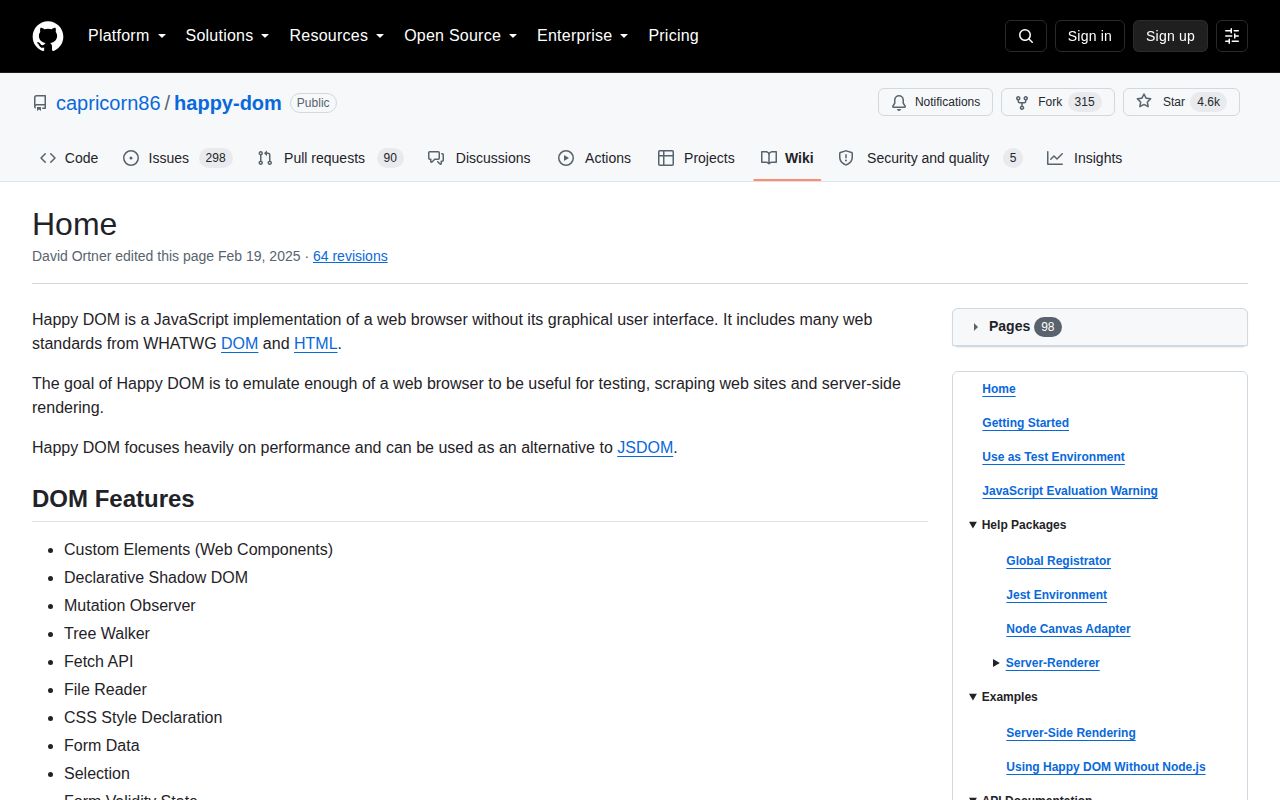
happy-dom 20.11.6 supplies a browser-like Window, Document, custom elements, shadow DOM, events, MutationObserver, fetch, and related web APIs inside Node. Its main job is giving unit and component tests a DOM without launching Chrome. It can be selected directly by Vitest, connected to Jest through @happy-dom/jest-environment, or created as isolated Window and Browser objects in scripts. It does not draw pixels or reproduce a browser layout engine. Our browser-targeted esbuild run could not build the package, which confirms that it belongs in Node test tooling. The 20.11.6 release changes documentation for the global registrator package, with no runtime feature listed.
happy-dom 20.11.6 installed in 2.9 seconds and used 23 MB across 9 packages with 0 audit findings, while our browser bundle failed. Use it for fast Node DOM tests, then reserve a real browser for layout, compatibility, and security boundaries.
We installed it
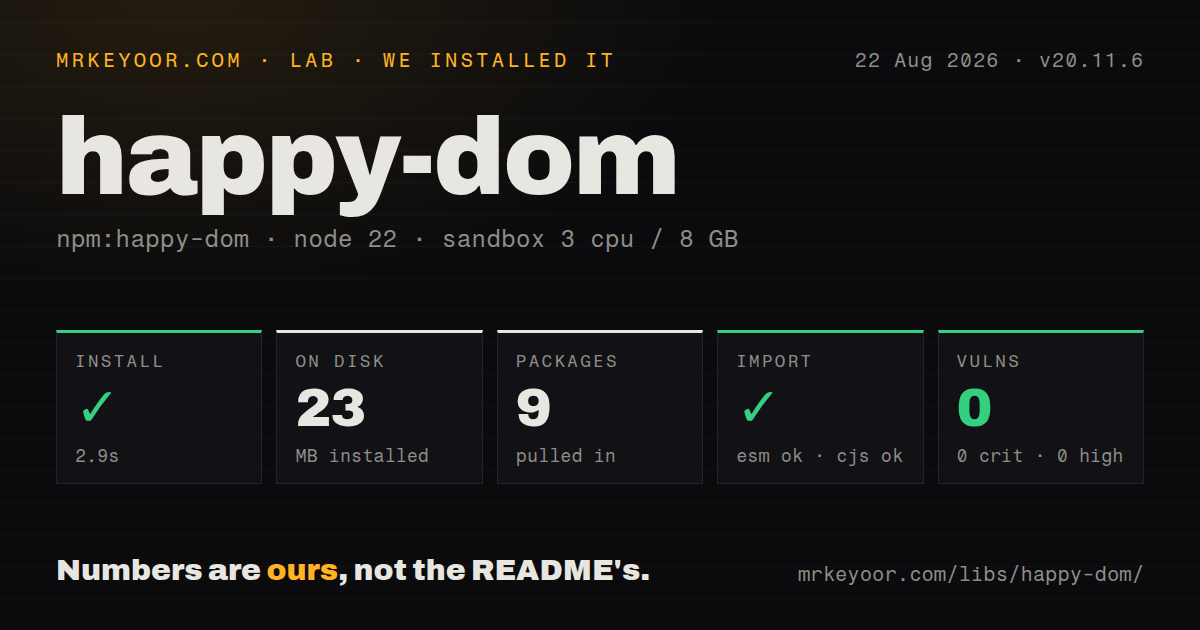
| Install | ✓ · 2.9s | 9 packages on disk · 23 MB |
| Import | ✓ | ESM import works · require() works · ESM package |
| Browser | n/a | could not be bundled for the browser (Node-only code, most likely) |
| Types | — | no TypeScript types found |
| Known vulns | 0 | 0 critical · 0 high · 0 moderate · 0 low (npm audit) |
Answers from our run
Does happy-dom install cleanly?
Yes. In a fresh container with an empty cache, npm install happy-dom finished in 3 seconds, leaving 9 packages and 23 MB on disk. npm audit reported no known vulnerabilities.
Can happy-dom run in a browser?
Not directly: esbuild could not bundle it for the browser in our run, which normally means it depends on Node built-ins. Use it on the server, or find a browser-targeted alternative.
Does happy-dom work with both ESM and CommonJS?
Yes. Both import 'happy-dom' and require('happy-dom') worked in Node 22 in our run. The package is published as ESM.
Does happy-dom include TypeScript types?
No type declarations were found in our install, so TypeScript users need their own declarations.
happy-dom or jsdom: which should you use?
jsdom: Use it when your framework or test tooling assumes jsdom and its compatibility tradeoffs are already understood. happy-dom 20.11.6 installed in 2.9 seconds and used 23 MB across 9 packages with 0 audit findings, while our browser bundle failed.
When should you not use happy-dom?
Your assertion depends on layout boxes, CSS painting, screenshots, font metrics, or real focus behavior. happy-dom has no rendering engine.
Use it if
- Vitest tests need document, events, custom elements, or shadow roots and do not assert rendered geometry.
- A Node utility needs selectors and DOM mutation against controlled HTML without opening a real browser.
- Most component behavior can run in a fast simulated DOM while a smaller Playwright suite covers browser boundaries.
- Tests benefit from separate Window instances with controlled URLs, viewports, timers, and fetch interception.
- Your assertion depends on layout boxes, CSS painting, screenshots, font metrics, or real focus behavior. happy-dom has no rendering engine.
- The test must prove compatibility with Chrome, Firefox, or Safari. A simulated DOM cannot certify browser-specific behavior.
- Production or CI is still on Node 18. Version 20.11.6 declares Node 20 or newer.
- You need to execute JavaScript from hostile HTML. The project warns that its VM evaluation is not a security boundary.
- Code must run in a browser bundle. Our esbuild browser build failed, consistent with the package's Node-oriented implementation.
Setup reality
We installed happy-dom 20.11.6 in a fresh Node 22 Bookworm container in 2.9 seconds. The result was 9 packages and 23 MB on disk. Its package data has 7 direct dependencies, 0 peers, and a Node >=20 requirement. npm audit returned 0 known vulnerabilities. Both require() and ESM import succeeded even though the package declares ESM. Our package inspection found no TypeScript types. esbuild could not create a browser-targeted bundle.
Vitest accepts environment: 'happy-dom'; Jest needs the separate @happy-dom/jest-environment package. Scripts that want document and window globals can use @happy-dom/global-registrator, also installed separately. Give the environment a real base URL if code resolves relative links, reads location, or sets cookies. An implicit about:blank origin can make an otherwise ordinary test fail for the wrong reason.
JavaScript evaluation and external resource loading need explicit policy. Enabling evaluation lets page code run in the Node process, and the project says its VM context cannot safely contain untrusted scripts. Fetch, stylesheet, and script loads can also leave a hermetic test suite. Disable them or intercept requests unless network access is part of the case.
Tracked fetches and timers can continue after an assertion. waitUntilComplete() waits for work happy-dom knows about; an interval can keep it waiting, while abort() cancels pending tasks and close() releases a Window or Browser. A configured viewport affects matchMedia but does not create real element rectangles. Keep at least one real-browser test for any behavior that depends on layout or event ordering.
Patterns
Use happy-dom for a Vitest project configure-vitest
import { defineConfig } from 'vitest/config';

export default defineConfig({
  test: {
    environment: 'happy-dom',
    environmentOptions: { happyDOM: { url: 'https://app.test/' } },
  },
});
Version 20 requires Node 20 or newer. Set the URL when code relies on an origin, cookies, or relative links.
Enable a DOM for one test file select-file-environment
// @vitest-environment happy-dom
import { expect, test } from 'vitest';

test('adds the button', () => {
  document.body.innerHTML = '<button>Save</button>';
  expect(document.querySelector('button')?.textContent).toBe('Save');
});
The environment comment belongs before imports. Node-only test files can then avoid creating a DOM.
Work with an isolated Window create-window
import { Window } from 'happy-dom';

const page = new Window({ url: 'https://app.test/', width: 1024, height: 768 });
page.document.body.innerHTML = '<main id=app>Hello</main>';
console.log(page.document.querySelector('#app')?.textContent);
await page.close();
Close the Window in teardown so timers and pending requests do not keep the process alive.
Install DOM globals for a Node script register-globals
import { GlobalRegistrator } from '@happy-dom/global-registrator';

GlobalRegistrator.register({ url: 'https://app.test/' });
await import('./module-that-reads-document.js');
await GlobalRegistrator.unregister();
@happy-dom/global-registrator is a separate package. Register before importing modules that touch document at module load.
Select the Jest companion environment configure-jest
// jest.config.cjs
module.exports = {
  testEnvironment: '@happy-dom/jest-environment',
  testEnvironmentOptions: { url: 'https://app.test/' },
};
Install @happy-dom/jest-environment separately and keep its major compatible with happy-dom.
Wait for tracked asynchronous work wait-for-work
widget.connectedCallback();
await window.happyDOM.waitUntilComplete();
expect(document.querySelector('[data-ready]')).not.toBeNull();
await window.happyDOM.abort();
A repeating timer can prevent completion. abort() cancels tasks that a test intentionally leaves pending.
Mount a custom element with shadow DOM test-custom-element
class StatusDot extends window.HTMLElement {
  connectedCallback() {
    this.attachShadow({ mode: 'open' }).innerHTML = '<span>ready</span>';
  }
}
window.customElements.define('status-dot', StatusDot);
document.body.innerHTML = '<status-dot></status-dot>';
expect(document.querySelector('status-dot').shadowRoot.textContent).toContain('ready');
Extend HTMLElement from the same Window. Parsed styles still do not yield browser-calculated geometry.
Answer a request inside the Window intercept-fetch
const window = new Window({
  settings: { fetch: { interceptor: {
    beforeAsyncRequest: async ({ request }) =>
      request.url.endsWith('/api/me')
        ? new Response(JSON.stringify({ id: 7 }), { headers: { 'content-type': 'application/json' } })
        : undefined,
  } } }, },
});
Returning undefined lets the request continue. Block external access separately if a URL mismatch must never reach the network.
Keep external scripts and styles off disable-page-code
const window = new Window({
  settings: {
    enableJavaScriptEvaluation: false,
    disableJavaScriptFileLoading: true,
    disableCSSFileLoading: true,
  },
});
Do not enable script evaluation for hostile markup. The VM runs within the Node process and is not an isolation boundary.
Set a viewport for matchMedia test-media-query
window.happyDOM.setViewport({ width: 390, height: 844 });
expect(window.matchMedia('(max-width: 600px)').matches).toBe(true);
The viewport drives media queries, but getBoundingClientRect still cannot prove rendered layout.
Replace the test URL change-location
window.happyDOM.setURL('https://app.test/orders?state=open');
const state = new URL(window.location.href).searchParams.get('state');
setURL changes location state without performing a real browser navigation or loading a new document.
Navigate with the Browser API open-browser-page
import { Browser } from 'happy-dom';

const browser = new Browser();
const page = browser.newPage();
await page.goto('https://example.com/');
console.log(page.mainFrame.document.title);
await browser.close();
goto performs network I/O. Intercept it for repeatable tests and close the Browser after the final page.
Alternatives
| Package | Registry | Pick it when |
|---|---|---|
| jsdom | npm | Use it when your framework or test tooling assumes jsdom and its compatibility tradeoffs are already understood. |
| linkedom | npm | Use it for compact server-side HTML parsing and manipulation with a smaller browser-API target. |
| domino | npm | Use it when an older, narrow server DOM is sufficient and newer web APIs are irrelevant. |
More testing guides
pytest · chai · vitest · playwright · jsdom · axe-core · the whole shelf →
How this guide is made: grounded in the library's documentation, release notes, changelog, and issue history, on a fixed rubric — not a hands-on install of every release. The 50 most-downloaded entries are additionally install-verified in clean containers. Corrections: contact the desk.