jira review
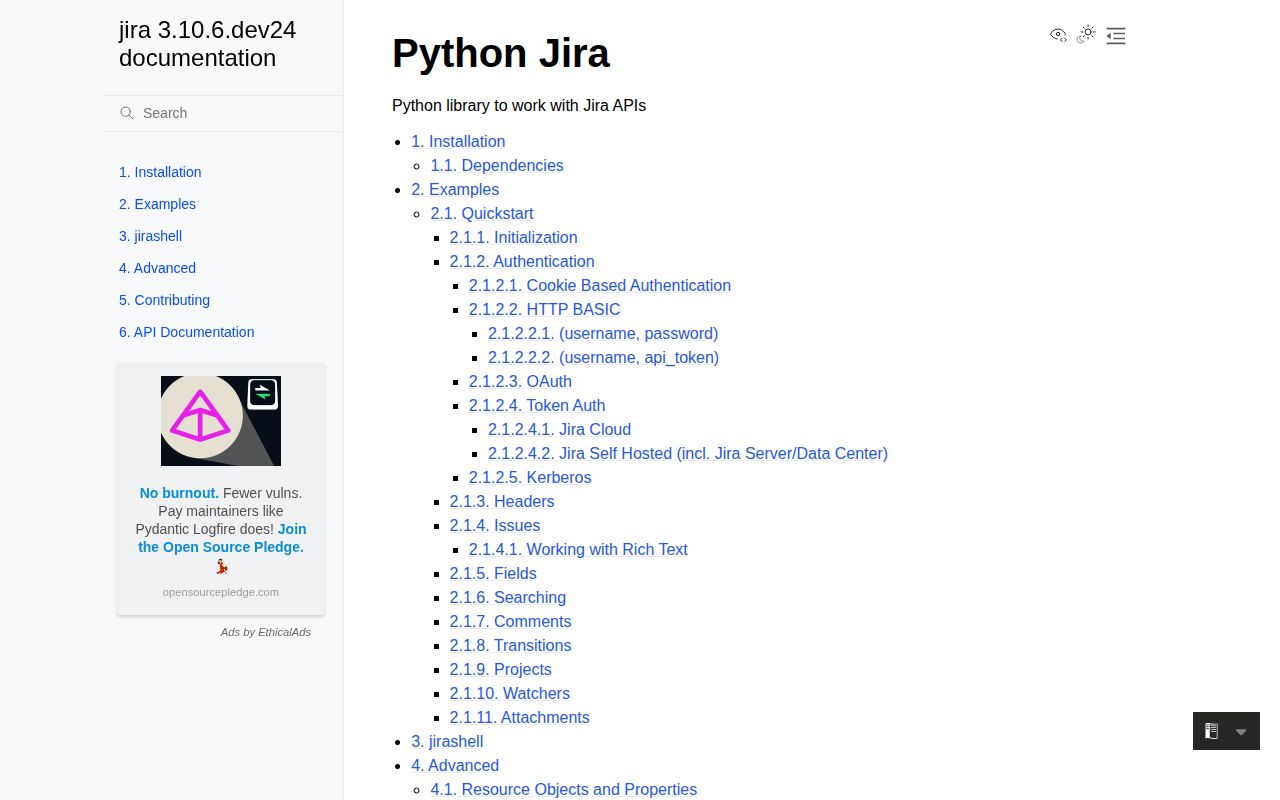
jira 3.10.5 is a community-maintained Python client for Jira REST APIs. A JIRA session authenticates requests and returns resource objects for issues, projects, users, comments, worklogs, attachments, boards, sprints, and service desks. Helper methods cover JQL search, field updates, assignments, transitions, watchers, and issue creation. The client targets Jira Cloud and self-hosted Server or Data Center, so authentication methods and valid payloads vary by deployment. Version 3.10.5 contains release-process cleanup rather than a documented feature. Our Python 3.12 install was typed and imported successfully, but its declared dependency surface is large.
jira 3.10.5 installed in 0.4 seconds as 12 packages using 5 MB, imported in 0.43 seconds, and had 0 audit findings in our sandbox. Install it for substantial Python Jira automation with integration tests; use direct REST calls for a tiny Cloud-only surface or endpoints the community client has not caught up with.
We installed it
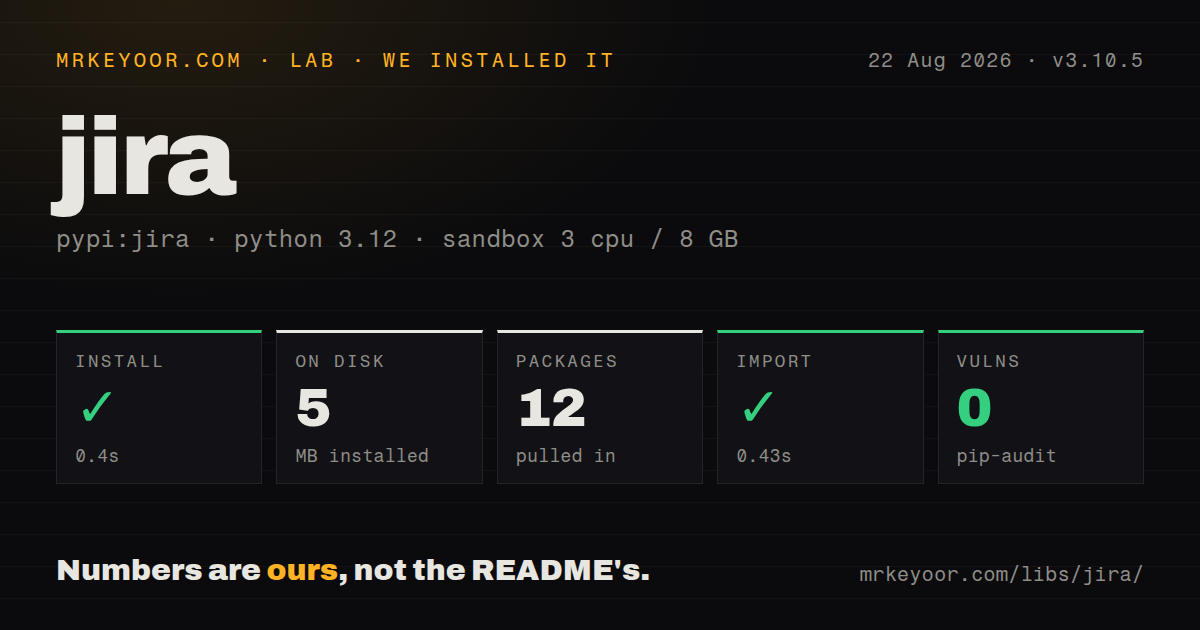
| Install | ✓ · 0.4s | 12 packages on disk · 5 MB |
| Import | ✓ | import jira in 0.43s · pure Python · py.typed · requires Python >=3.10 |
| Known vulns | 0 | (pip-audit) |
Answers from our run
Does jira install cleanly?
Yes. In a fresh container with an empty cache, pip install jira finished in 0.4s, leaving 12 packages and 5 MB on disk. pip-audit reported no known vulnerabilities.
What does jira need to run?
Python >=3.10, and nothing compiled: it is pure Python. In our run import jira succeeded in 0.43s, and the package ships py.typed for type checkers.
jira or atlassian-python-api: which should you use?
atlassian-python-api: Choose it when the same automation also calls Confluence, Bitbucket, Bamboo, or other Atlassian products. jira 3.10.5 installed in 0.4 seconds as 12 packages using 5 MB, imported in 0.43 seconds, and had 0 audit findings in our sandbox.
When should you not use jira?
Vendor support is required. The README calls the project community maintained and warns that fixes and features may not arrive quickly.
Use it if
- Python automation performs enough Jira searches, edits, transitions, comments, or attachments to benefit from resource wrappers.
- One codebase must cover the common API surface of Jira Cloud and a self-hosted Jira deployment.
- JQL results and issue fields should be exposed as Python objects instead of hand-decoded REST dictionaries.
- Integration tests can run against the actual tenant, custom fields, workflows, account IDs, and permissions used in production.
- Vendor support is required. The README calls the project community maintained and warns that fixes and features may not arrive quickly.
- The integration calls only 1 or 2 stable endpoints. Direct requests code avoids a 12-package install and the client's dynamic resource layer.
- New Jira Cloud endpoints must be available on Atlassian's release day. Supporting Cloud plus multiple self-hosted versions makes client coverage uneven.
- The job cannot test tenant-specific custom fields, transitions, permissions, and rich-text formats. These details decide whether otherwise valid calls succeed.
- Python 3.9 or older is fixed by the runtime policy. jira 3.10.5 requires Python 3.10 or newer, and some authentication or CLI features need optional extras.
Setup reality
We installed jira 3.10.5 in a fresh Python 3.12 Bookworm sandbox. Installation took 0.4 seconds, left 12 packages, and used 5 MB. The pure-Python distribution reports 36 direct dependencies across its metadata, requires Python 3.10 or newer, includes a py.typed marker, and imported in 0.43 seconds. pip-audit found 0 known vulnerabilities. The published license metadata says BSD License, while GitHub identifies BSD-2-Clause.
Authentication depends on the Jira product. Cloud commonly uses basic_auth with an account email and API token. Self-hosted Jira 8.14+ can use token_auth with a personal access token. OAuth 1.0a needs an application link, consumer key, access token, token secret, and private key. Kerberos, JWT helpers, asynchronous requests, CLI support, and filemagic sit behind extras; filemagic also brings a native libmagic requirement. Put secrets in environment variables or a secret store and always pass the server URL explicitly.
The server's schema is part of setup. Project issue types decide required create fields, custom fields have tenant-specific IDs, transitions depend on the current workflow state, and Cloud user references often use accountId. A permission to edit an issue does not guarantee permission to assign or transition it. Atlassian Document Format may be required where an older example sends plain description or comment text. Exercise create, update, transition, and comment calls against a test project before touching live tickets.
JQL searches are paginated, so set startAt, maxResults, and a narrow fields list rather than assuming one call returned everything. Attachments need closed file handles and endpoint permission. Catch JIRAError by status and operation, but remember that Jira may use 404 to conceal unauthorized resources. Configure request timeouts and retry only safe operations. The optional async extra uses futures; it does not change Jira's rate limits or make dependent workflow steps concurrent-safe.
Patterns
Connect to Jira Cloud with an API token connect-cloud
import os
from jira import JIRA

jira = JIRA(
    server=os.environ['JIRA_URL'],
    basic_auth=(os.environ['JIRA_EMAIL'], os.environ['JIRA_API_TOKEN']),
)
Cloud basic_auth uses the Atlassian account email and an API token, not the account password.
Use a self-hosted personal access token connect-data-center
jira = JIRA(
    server=os.environ['JIRA_URL'],
    token_auth=os.environ['JIRA_PAT'],
)
The project documents token_auth for Jira Server or Data Center personal access tokens from Jira Core 8.14 onward.
Fetch a narrow issue field set read-issue
issue = jira.issue('PROJ-123', fields='summary,status,assignee')
print(issue.fields.summary)
print(issue.fields.status.name)
Selecting fields reduces the response. Optional fields such as assignee may be None even when the attribute exists.
Page through a JQL search search-jql
start = 0
while True:
    page = jira.search_issues(jql, startAt=start, maxResults=100, fields='key,summary,status')
    if not page:
        break
    for issue in page:
        process(issue)
    start += len(page)
One search call is a page, not proof that every match was returned. Keep maxResults explicit and advance by the actual page length.
Create an issue with explicit fields create-issue
issue = jira.create_issue(fields={
    'project': {'key': 'PROJ'},
    'summary': 'Printer reports low toner',
    'issuetype': {'name': 'Task'},
})
print(issue.key)
Required fields and valid issue types come from project configuration; custom fields use IDs specific to the tenant.
Change selected fields update-issue
issue = jira.issue('PROJ-123')
issue.update(
    notify=False,
    fields={'summary': 'Updated summary'},
)
Edit permission does not grant assignment or transition permission, and notification controls can vary across Jira products.
Post a plain-text comment add-comment
jira.add_comment('PROJ-123', 'Deployment finished successfully.')Some Jira Cloud endpoints require Atlassian Document Format instead of a string, so verify the target endpoint and tenant.
Resolve a transition by its current name transition-issue
issue = jira.issue('PROJ-123')
choices = jira.transitions(issue)
done = next(t for t in choices if t['name'].casefold() == 'done')
jira.transition_issue(issue, done['id'])
Transition IDs and names belong to the workflow, and Jira returns only choices available to this user in the issue's current state.
Upload a file and close it promptly attach-file
with open('report.txt', 'rb') as handle:
    jira.add_attachment(
        issue='PROJ-123',
        attachment=handle,
        filename='report.txt',
    )
Attachment permission is separate from ordinary issue access. The optional filemagic path also needs native libmagic.
Classify a missing or hidden issue handle-rest-error
from jira.exceptions import JIRAError

try:
    issue = jira.issue('PROJ-404')
except JIRAError as exc:
    if exc.status_code == 404:
        issue = None
    else:
        raise
Jira may return 404 when a resource exists but the caller lacks permission, so do not equate this status with confirmed deletion.
Alternatives
| Package | Registry | Pick it when |
|---|---|---|
| atlassian-python-api | PyPI | Choose it when the same automation also calls Confluence, Bitbucket, Bamboo, or other Atlassian products. |
| jiraone | PyPI | Choose it for Jira Cloud-oriented reporting, field helpers, and bulk administrative jobs. |
| requests | PyPI | Choose direct REST calls when only a few endpoints matter and exact payload control is easier to maintain. |
More utils guides
lru-cache · type-fest · ajv · zod · p-limit · find-up · the whole shelf →
How this guide is made: grounded in the library's documentation, release notes, changelog, and issue history, on a fixed rubric — not a hands-on install of every release. The 50 most-downloaded entries are additionally install-verified in clean containers. Corrections: contact the desk.