image-size review
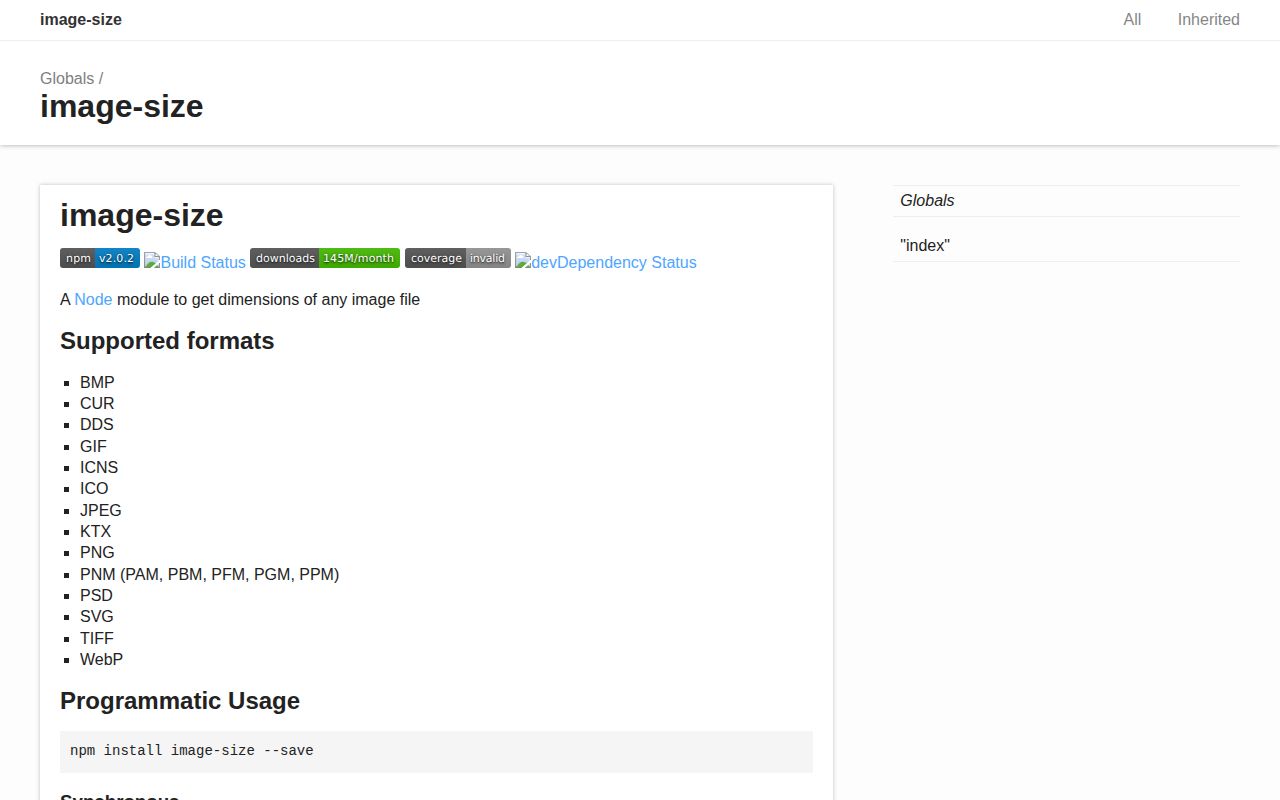
Our 2.0.2 test installed one dependency-free package, produced an 11.2 KB minified browser bundle, and also surfaced one high-severity npm audit finding. image-size reads enough of an image header to return its width, height, type, and, for JPEG, an EXIF orientation value. It handles common web files plus containers and design formats such as HEIF, ICO, TIFF, PSD, and JPEG-XL. Version 2.0.2 specifically fixes a crafted-input denial-of-service case. The v2 line also separates async file reads from the byte parser and supports both ESM import and require.
Do not use image-size 2.0.2 for untrusted uploads while a clean install reports a high-severity advisory and the GitHub repository is archived. It is still a small, practical header reader for controlled assets with known provenance.
We installed it
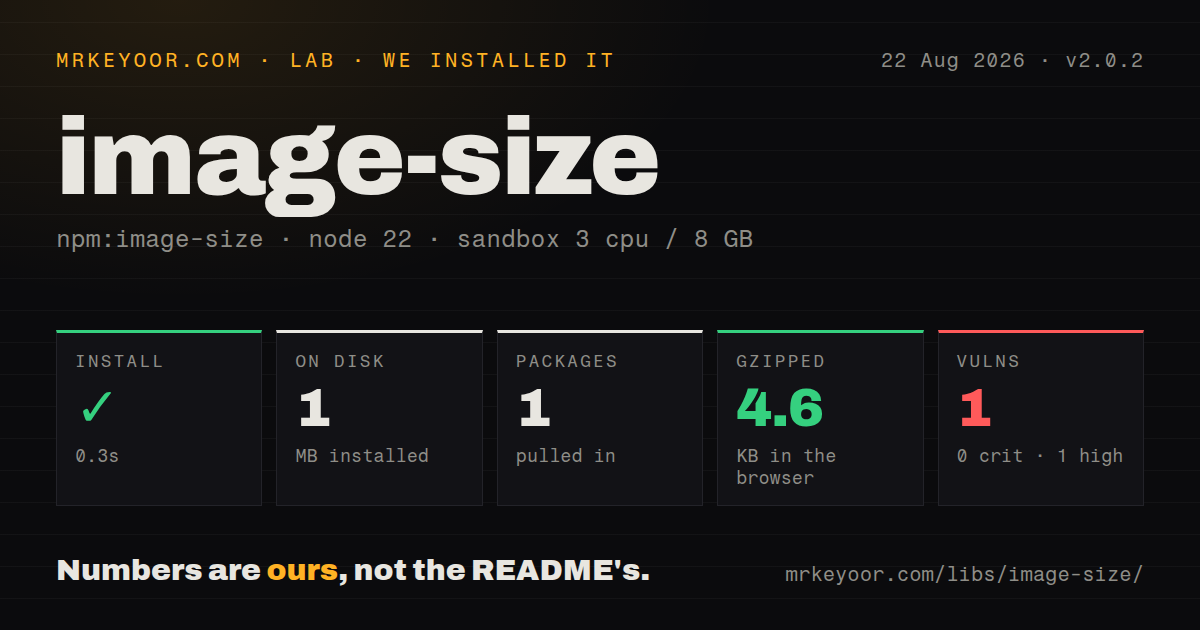
| Install | ✓ · 0.3s | 1 package on disk · 1 MB |
| Import | ✓ | ESM import works · require() works · CommonJS package with exports map |
| Browser | 4.6 KB | gzipped (11.2 KB minified), bundled with esbuild |
| Types | ✓ | TypeScript types bundled |
| Known vulns | 1 | 0 critical · 1 high · 0 moderate · 0 low (npm audit) |
Answers from our run
Does image-size install cleanly?
Yes. In a fresh container with an empty cache, npm install image-size finished in 0.3s, leaving 1 package and 1 MB on disk. npm audit reported 1 known vulnerability.
How much does image-size add to a browser bundle?
4.6 KB gzipped (11.2 KB minified) when the whole package is bundled for the browser with esbuild. Importing only part of it is usually smaller.
Does image-size work with both ESM and CommonJS?
Yes. Both import 'image-size' and require('image-size') worked in Node 22 in our run. The package is published as CommonJS with an exports map.
Does image-size include TypeScript types?
Yes, type declarations ship inside the package, so no @types install is needed.
image-size or probe-image-size: which should you use?
probe-image-size: Choose it when reading from a URL or stream should stop as soon as the header is complete. Do not use image-size 2.0.2 for untrusted uploads while a clean install reports a high-severity advisory and the GitHub repository is archived.
When should you not use image-size?
A clean npm audit must pass: our 2.0.2 install reported one high-severity vulnerability
Discussed on
- hnOptimizing Docker image size and why it matters252 points
- hnReducing Docker Image Size176 points
- hnHow To Reduce Image Size With WebP Automagically77 points
- hnWeb image size prediction for efficient focused image crawling16 points
- hnDocker Image Size – Does It Matter?9 points
Use it if
- Your code already has a Buffer or Uint8Array and needs intrinsic dimensions without decoding pixels
- You need dimensions from HEIF, ICO, ICNS, PSD, TIFF, KTX, or JPEG-XL as well as ordinary web images
- You need the individual sizes stored in a CUR, ICO, or HEIF container
- A 4.6 KB gzipped browser parser is acceptable for client-side inspection of selected files
- A clean npm audit must pass: our 2.0.2 install reported one high-severity vulnerability
- You need ongoing GitHub maintenance: the maintainer archived the repository and says future work may resume on Codeberg
- Your pipeline also resizes, converts, decodes, or extracts broad metadata: sharp covers those jobs and image-size does not
- You plan to treat dimensions or the detected type as upload validation: corrupted input can still return a result
- Your code depends on the old synchronous path call: v2 moved path access to the promised image-size/fromFile entry point
Setup reality
Our fresh install of image-size 2.0.2 completed in 0.3 seconds. It left one package and used 1 MB on disk. npm audit found one high-severity vulnerability, with zero critical, moderate, or low findings. The package itself has no direct or peer dependencies, is 752 KB unpacked, includes TypeScript declarations, and requires Node 16 or newer. Both require and ESM import worked. Our esbuild browser check produced 11.2 KB minified and 4.6 KB gzipped.
The main imageSize function accepts bytes, not a filename. For local paths, import imageSizeFromFile from image-size/fromFile and await the promise. That helper limits concurrent file operations to 100 by default; setConcurrency changes the process-wide limit. Code migrating from v1 must replace its synchronous path calls. You can still call readFileSync yourself, but doing that in a request handler blocks Node and reads the whole file.
Incomplete and malformed data can throw, so an upload endpoint needs an error path. Early chunks are enough for many formats, while TIFF and some other headers may require more input. SVG parsing only understands pixel dimensions and viewBox. It does not calculate percentages or styles. For ICO, CUR, and HEIF, the top-level dimensions describe the largest embedded image and the images array contains the rest.
The parser identifies header geometry. It does not decode pixels, enforce a safe expanded size, or prove that a claimed file type is harmless. Version 2.0.2 fixed one crafted-payload denial-of-service path, yet our current audit still reports a high-severity finding. The GitHub repository is archived, and its README says any revival will happen on Codeberg. Keep it away from hostile input until the advisory affecting your install is resolved.
Patterns
Read dimensions from bytes already in memory measure-buffer
import { imageSize } from 'image-size';

const dimensions = imageSize(bytes);
console.log(dimensions.width, dimensions.height, dimensions.type);
The argument must be a Buffer or Uint8Array. The main entry point does not open a string path.
Read a local file asynchronously measure-local-file
import { imageSizeFromFile } from 'image-size/fromFile';

const dimensions = await imageSizeFromFile('public/hero.webp');
v2 puts file access in the fromFile subpath and always returns a promise.
Return a controlled result for bad bytes handle-invalid-file
import { imageSize } from 'image-size';

function tryDimensions(bytes) {
  try { return imageSize(bytes); }
  catch { return null; }
}
Parsing success only describes a header. Run separate decoding and security checks before accepting an upload.
Read synchronously in a build-only script use-sync-build-script
import { readFileSync } from 'node:fs';
import { imageSize } from 'image-size';

const bytes = readFileSync('public/logo.png');
const dimensions = imageSize(bytes);
readFileSync blocks the event loop and reads the complete file. Avoid this form in server request paths.
List every size in an icon container inspect-icon-sizes
import { imageSizeFromFile } from 'image-size/fromFile';

const result = await imageSizeFromFile('public/favicon.ico');
for (const item of result.images ?? []) {
  console.log(item.width, item.height);
}
The top-level pair is the largest embedded image. The images property is only present for supported multi-image formats.
Swap display axes for rotated JPEGs correct-jpeg-orientation
const { width, height, orientation } = imageSize(jpegBytes);
const rotated = orientation != null && orientation >= 5;
const display = rotated
  ? { width: height, height: width }
  : { width, height };
image-size returns the EXIF orientation number. It neither rotates pixels nor rewrites the reported dimensions.
Turn off formats your service rejects disable-parsers
import { disableTypes, imageSize } from 'image-size';

disableTypes(['tiff', 'psd', 'ico']);
const dimensions = imageSize(bytes);
disableTypes changes shared module state. Configure it once during startup instead of changing it between concurrent requests.
Measure a completed fetch response measure-fetched-image
const response = await fetch(url);
if (!response.ok) throw new Error(String(response.status));
const bytes = new Uint8Array(await response.arrayBuffer());
const dimensions = imageSize(bytes);
This downloads the complete body. Use a streaming probe library when early termination is part of the requirement.
Lower the file helper concurrency cap limit-file-concurrency
import { imageSizeFromFile, setConcurrency } from 'image-size/fromFile';

setConcurrency(24);
const results = await Promise.all(paths.map(imageSizeFromFile));
The documented default is 100. The setting applies to later calls made through the shared module.
Read fixed SVG geometry measure-inline-svg
const svg = new TextEncoder().encode(
  '<svg width="640" height="360" viewBox="0 0 640 360"></svg>'
);
const dimensions = imageSize(svg);
Pixel attributes and viewBox work. CSS and percentage width or height are outside this parser's scope.
Inspect build assets from the shell check-assets-from-cli
npx image-size public/hero.jpg public/favicon.icoThe command uses the same parsers as the API. Keep the audit and malformed-input caveats in mind for files from users.
Alternatives
| Package | Registry | Pick it when |
|---|---|---|
| probe-image-size | npm | Choose it when reading from a URL or stream should stop as soon as the header is complete |
| fast-image-size | npm | Choose it for a smaller format set when its parser list matches every file you accept |
| sharp | npm | Choose it when dimension lookup is followed by decoding, resize, conversion, or metadata work |
More web frontend guides
postcss · react · react-dom · tailwindcss · clsx · htmlparser2 · the whole shelf →
How this guide is made: grounded in the library's documentation, release notes, changelog, and issue history, on a fixed rubric — not a hands-on install of every release. The 50 most-downloaded entries are additionally install-verified in clean containers. Corrections: contact the desk.