flmngr review
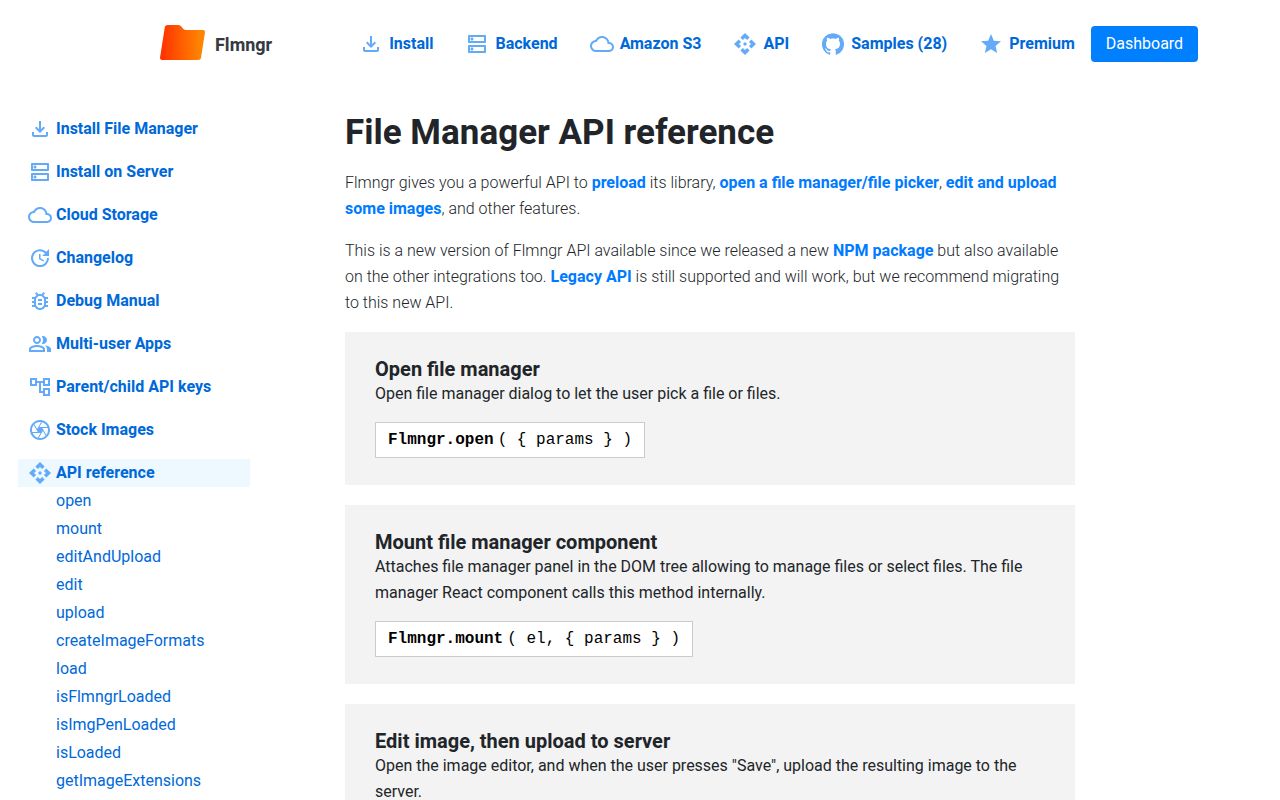
Flmngr 2.0.19 is a browser loader for a visual file manager and ImgPen image editor. Its API opens or mounts a file browser, uploads files, selects existing URLs, edits images, and asks a configured backend to create image variants. The npm tarball does not contain the working interface. It injects `flmngr.js` and `imgpen.js` from `cloud.flmngr.com/v/latest`, then talks to your PHP, Node, S3, or Azure storage adapter. Our Node 22 checks could not load the package through either CommonJS or ESM because its top-level code expects browser globals.
Flmngr 2.0.19 installed in 1.1 seconds and used 1 MB, but both Node 22 import styles failed and the browser loader fetches 2 unpinned scripts from a vendor CDN. Install it only when a full browsable asset manager and image editor justify that runtime dependency, backend protocol, and premium-feature review.
We installed it
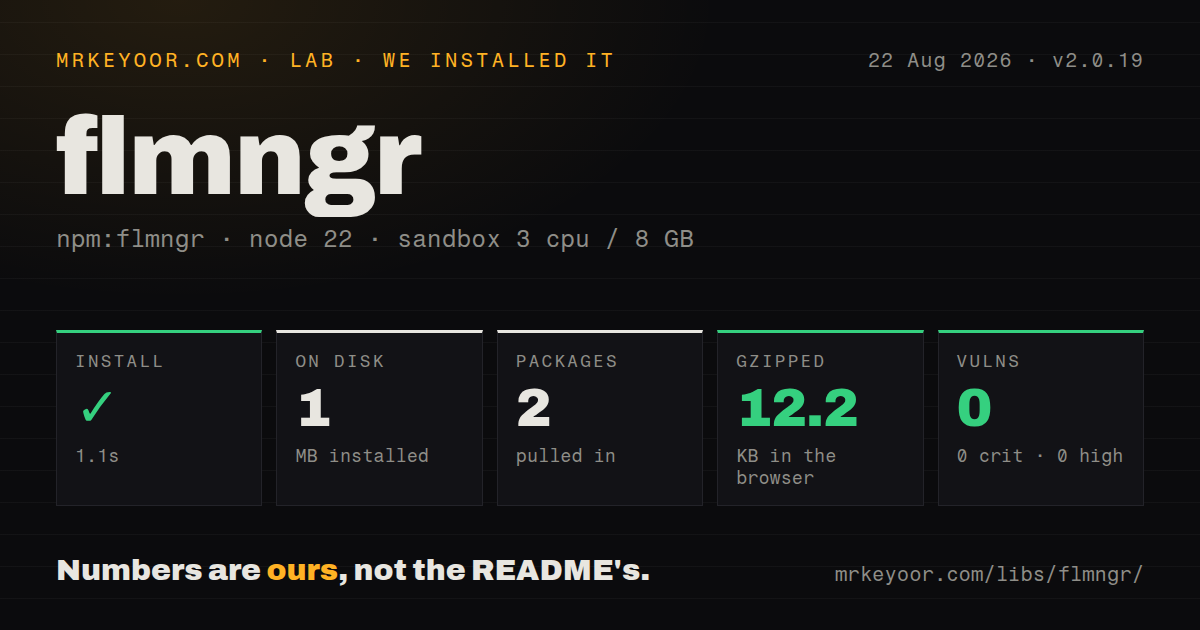
| Install | ✓ · 1.1s | 2 packages on disk · 1 MB |
| Import | ✗ | ESM import fails · require() fails · CommonJS package |
| Browser | 12.2 KB | gzipped (42 KB minified), bundled with esbuild |
| Types | — | no TypeScript types found |
| Known vulns | 0 | 0 critical · 0 high · 0 moderate · 0 low (npm audit) |
Answers from our run
Does flmngr install cleanly?
Yes. In a fresh container with an empty cache, npm install flmngr finished in 1 seconds, leaving 2 packages and 1 MB on disk. npm audit reported no known vulnerabilities.
How much does flmngr add to a browser bundle?
12.2 KB gzipped (42 KB minified) when the whole package is bundled for the browser with esbuild. Importing only part of it is usually smaller.
Does flmngr work with both ESM and CommonJS?
Neither plain import nor require succeeded in our sandbox, so it needs a bundler or extra setup.
Does flmngr include TypeScript types?
No type declarations were found in our install, so TypeScript users need their own declarations.
flmngr or @uppy/core: which should you use?
@uppy/core: Use it for resumable, plugin-based uploads when users do not need to browse a server-side asset library. Flmngr 2.0.19 installed in 1.1 seconds and used 1 MB, but both Node 22 import styles failed and the browser loader fetches 2 unpinned scripts from a vendor CDN.
When should you not use flmngr?
Your Content Security Policy forbids vendor scripts loaded at runtime. Version 2.0.19 injects two files from cloud.flmngr.com/v/latest, outside the npm lockfile.
Use it if
- Editors need to browse, rename, reuse, and organize files already stored by your application, not merely upload a new file.
- A file picker and browser image editor should share one interface backed by local storage, Amazon S3, or Azure Blob.
- Your deployment can run the Flmngr server protocol and map its private storage path to a matching public `urlFiles` prefix.
- The security review permits runtime JavaScript from Flmngr's CDN and the product budget covers any premium methods you select.
- Your Content Security Policy forbids vendor scripts loaded at runtime. Version 2.0.19 injects two files from `cloud.flmngr.com/v/latest`, outside the npm lockfile.
- You need a package that runs under SSR or Node. Both `require()` and ESM import failed in our Node 22.23.2 sandbox because the distributed loader reads browser globals at module evaluation time.
- A source repository, public issue tracker, and auditable release history are procurement requirements. The npm metadata links neither a repository nor a changelog.
- The free plan must support multiple selection, overwrite mode, custom upload directories, URL picking, or ImgPen. The official API marks those capabilities as premium.
- You only need an upload field. Uppy, FilePond, or react-dropzone avoid the API key, storage browser protocol, CDN loader, and public file URL mapping.
Setup reality
We installed flmngr 2.0.19 in a fresh Node 22 Bookworm sandbox in 1.1 seconds. The install left 2 packages and 1 MB on disk. npm audit found 0 known vulnerabilities. The package has 1 direct dependency, no peer dependencies, and a 104 KB unpacked size. We found no usable TypeScript types in the measurement. A browser build completed at 42 KB minified and 12.2 KB gzipped, but both Node require() and ESM import failed on Node 22.23.2.
The first browser call needs an API key plus urlFileManager and urlFiles. The first URL points to the server endpoint that implements Flmngr's file protocol; the second is the public prefix for files in that same storage root. Version 2.0.19 remembers the first API key in static state and throws if another call on the page supplies a different key. Add per-user authorization and CSRF headers at the backend boundary instead of placing storage credentials in browser code.
Calling Flmngr.load() injects 2 remote scripts from a /v/latest/ path. Allow cloud.flmngr.com in script-src, account for the request in privacy review, and expect executed UI code to change independently of npm 2.0.19. In Next.js or another SSR setup, load it only after the browser exists. Importing the package during server rendering reaches self or window before a dialog can open.
Image editing across origins depends on CORS from the image host. The official guide says a missing header can leave the editor blank. Multi-tenant storage also needs care: each user's backend directory and public urlFiles prefix must describe the same boundary. Check plan access before coding around multi-select, custom upload folders, overwrite behavior, external URL selection, or ImgPen because those API pages label the features premium.
Patterns
Preload the browser scripts preload-sdk
import { Flmngr } from 'flmngr';

Flmngr.load({
  apiKey: 'YOUR_API_KEY',
  urlFileManager: '/api/flmngr',
  urlFiles: 'https://cdn.example.com/uploads/',
}, { onFlmngrLoaded: () => console.log('ready') });
Version 2.0.19 injects 2 scripts from `cloud.flmngr.com/v/latest`. Run this in the browser and permit that host in your Content Security Policy.
Return one PDF pick-one-file
Flmngr.open({
  acceptExtensions: ['pdf'],
  onFinish: ([file]) => console.log(file.url),
});
Flmngr requires `onFinish` when selection mode is active. Extension names are passed without a leading dot in this API.
Choose several existing images pick-many-images
Flmngr.open({
  isMultiple: true,
  acceptExtensions: ['png', 'jpg', 'jpeg', 'webp'],
  onFinish: (files) => renderGallery(files.map((file) => file.url)),
});
The official API labels multiple selection as premium. Confirm the account plan before making this the only gallery workflow.
Edit a saved gallery selection reopen-gallery
Flmngr.open({
  isMultiple: true,
  list: savedUrls,
  allowReorder: true,
  onFinish: (files) => save(files.map((file) => file.url)),
});
Each saved URL must sit under the configured `urlFiles` prefix. Multiple selection and reordering can depend on the paid plan.
Embed the manager in a page mount-file-browser
const host = document.querySelector('#asset-browser');
if (!(host instanceof HTMLElement)) throw new Error('missing host');
Flmngr.mount(host, { isMultiple: null });
`mount` needs a browser `HTMLElement`. Setting `isMultiple` to null opens management mode without returning a picked file.
Open the native file chooser select-local-files
Flmngr.selectFiles({
  isMultiple: true,
  acceptExtensions: ['doc', 'docx'],
  onFinish: (files) => console.log(files),
});
`selectFiles` returns browser `File` objects and uploads nothing. Validate type and size again on your server.
Upload with collision-safe names upload-files
import { FlmngrUploadMode } from 'flmngr';
Flmngr.upload({
  filesOrLinks: files,
  dirUploads: 'invoices/2026',
  mode: FlmngrUploadMode.AUTORENAME,
  onFinish: (uploaded) => console.log(uploaded),
  onFail: console.error,
});
Custom directories and upload modes are premium according to the API reference. `AUTORENAME` avoids replacing a same-name file.
Authorize every backend call attach-csrf-header
Flmngr.load({
  apiKey: 'YOUR_API_KEY',
  urlFileManager: '/api/flmngr',
  urlFiles: 'https://cdn.example.com/uploads/',
  urlFileManager__CSRF: async (ok, fail) => {
    try { ok({ headers: { 'X-CSRF-Token': await getCsrfToken() } }); }
    catch { fail(); }
  },
});
The callback runs before backend requests. Calling `fail()` prevents a request from continuing after token acquisition breaks.
Save an edited image edit-and-upload
Flmngr.editAndUpload({
  url: 'https://images.example.com/source/photo.jpg',
  dirUploads: 'edited',
  filename: 'photo-edited',
  onSave: updatePreview,
  onCancel: closeEditor,
});
ImgPen and custom upload directories are premium features. A cross-origin source needs CORS or the editor can show a blank image.
Regenerate named image variants create-image-formats
Flmngr.createImageFormats({
  urls: ['https://cdn.example.com/uploads/photo.jpg'],
  createImageFormats: { thumbnail: 'DO_NOT_UPDATE', social: 'ALWAYS' },
  showProgress: true,
  onProgress: (finished, failed, total) => console.log({ finished, failed, total }),
  onFinish: console.log,
});
The `thumbnail` and `social` IDs must exist in the load-time `imageFormats` configuration. `ALWAYS` rewrites a variant while `DO_NOT_UPDATE` keeps an existing file.
Alternatives
| Package | Registry | Pick it when |
|---|---|---|
| @uppy/core | npm | Use it for resumable, plugin-based uploads when users do not need to browse a server-side asset library. |
| filepond | npm | Use it for a framework-neutral upload field with previews and file-processing plugins. |
| react-dropzone | npm | Use it in React when you will own the upload API, storage browser, and visual design. |
| filestack-js | npm | Use it when a managed commercial picker and ingestion service fit better than running the Flmngr backend protocol. |
More web frontend guides
postcss · react · react-dom · tailwindcss · clsx · htmlparser2 · the whole shelf →
How this guide is made: grounded in the library's documentation, release notes, changelog, and issue history, on a fixed rubric — not a hands-on install of every release. The 50 most-downloaded entries are additionally install-verified in clean containers. Corrections: contact the desk.