diskcache review
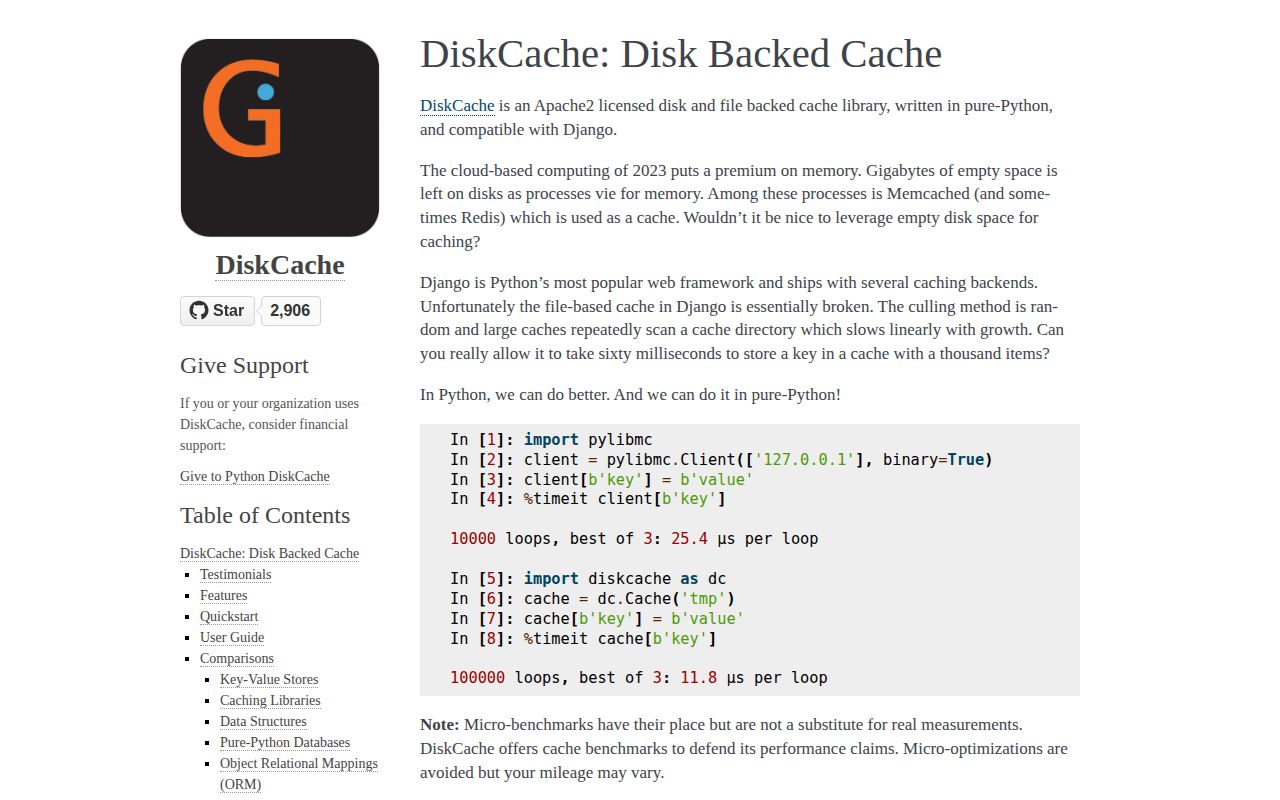
diskcache stores Python cache entries in a local directory backed by SQLite and separate value files. Cache supplies expiry, tags, eviction policies, transactions, statistics, and memoization; FanoutCache shards writes across databases, while DjangoCache plugs the same storage into Django. Deque, Index, locks, and throttles extend it into persistent cross-process coordination. Version 5.6.3 fixes peek() for values large enough to use a file. Our install had no direct dependencies, though pip-audit found one known vulnerability.
diskcache 5.6.3 installed in 0.2 seconds and used 1 MB in our sandbox, but pip-audit found 1 known vulnerability. It fits a single host that needs persistent cross-process caching; distributed or async systems should use a server-backed alternative.
We installed it
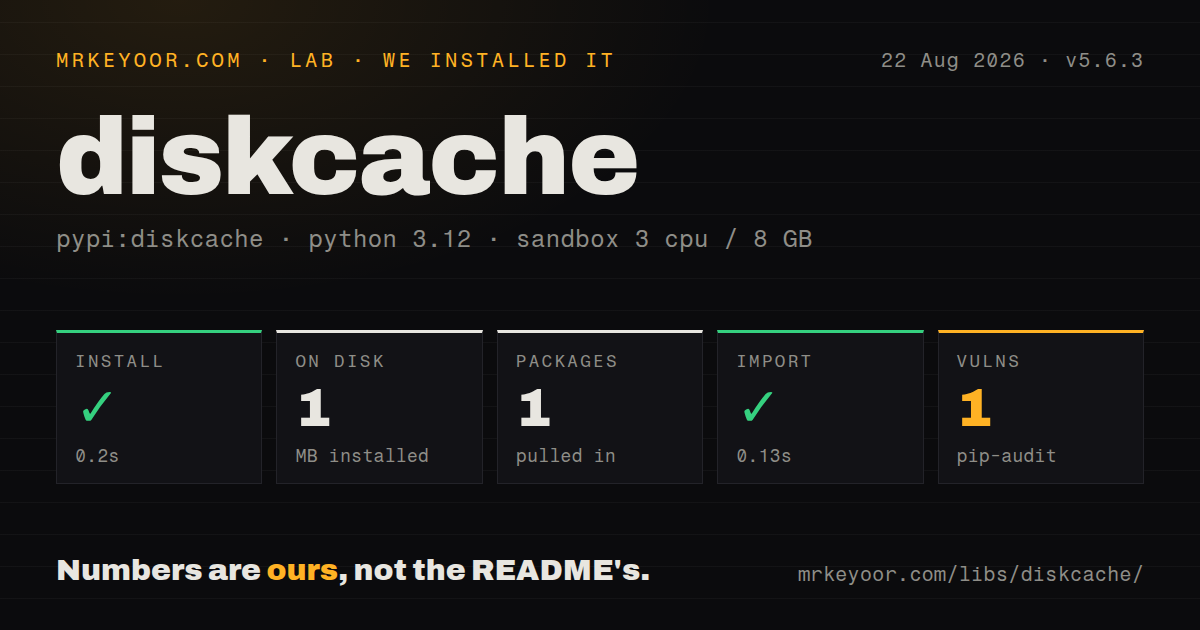
| Install | ✓ · 0.2s | 1 package on disk · 1 MB |
| Import | ✓ | import diskcache in 0.13s · pure Python · requires Python >=3 |
| Known vulns | 1 | (pip-audit) |
Answers from our run
Does diskcache install cleanly?
Yes. In a fresh container with an empty cache, pip install diskcache finished in 0.2s, leaving 1 package and 1 MB on disk. pip-audit reported 1 known vulnerability.
What does diskcache need to run?
Python >=3, and nothing compiled: it is pure Python. In our run import diskcache succeeded in 0.13s.
diskcache or cachetools: which should you use?
cachetools: Use it for bounded TTL, LRU, or LFU caches that fit inside one process's memory. diskcache 5.6.3 installed in 0.2 seconds and used 1 MB in our sandbox, but pip-audit found 1 known vulnerability.
When should you not use diskcache?
Several machines must see one consistent cache; a local directory gives every host an independent copy, so Redis or Memcached fits that topology
Use it if
- One machine needs a persistent cache larger than RAM and operating Redis would add needless deployment work
- Sibling Python processes need to share cached results, counters, locks, or a small persistent queue through local storage
- A Django application needs a file-backed cache with controlled eviction and sharding instead of Django's basic file backend
- Expensive Python function results should survive restarts and support per-call or tag-based invalidation
- Several machines must see one consistent cache; a local directory gives every host an independent copy, so Redis or Memcached fits that topology
- Your event loop cannot tolerate blocking filesystem and SQLite calls; diskcache has no async API and each operation runs synchronously
- Cache overload must fail loudly: FanoutCache catches SQLite timeout errors and returns a default or False, which can resemble an ordinary miss
- Untrusted code can write to the cache directory; the default serializer uses pickle, and loading a planted value can execute code
- You require current security and interpreter maintenance: 5.6.3 dates to August 2023, the repository's last push was in August 2024, and our audit found one known vulnerability
Setup reality
Our clean Python 3.12 install of diskcache 5.6.3 completed in 0.2 seconds. One package occupied 1 MB and there were zero direct dependencies. It is pure Python, requires Python 3 or newer, and import diskcache worked in 0.13 seconds. The wheel does not ship py.typed. pip-audit reported one known vulnerability, so check the current advisory and your exposure before approving the package.
Opening Cache creates a SQLite database and supporting files under the directory you provide. Put that directory on writable, persistent local storage. A container's temporary layer loses the cache during replacement, while a shared network filesystem can conflict with SQLite locking assumptions. The documented defaults include a 1 GiB size limit and least-recently-stored eviction. Choose those values deliberately. Large values become individual files, so inode use matters too.
Expiry cleanup is lazy rather than timer-driven. A read-heavy cache can retain expired files until a write culls entries or a maintenance job calls expire(). The default Disk serializer pickles general Python objects. Limit directory permissions, or supply a serializer such as JSONDisk when values come from a narrower data model. If a generated identifier or deployment depends on cached state, remember that this is disposable storage and can be cleared by cull(), eviction, or an operator.
Cache is documented as thread-safe and process-safe on one host. Writes still contend on SQLite; FanoutCache spreads keys across shards, then converts timeout failures into default results instead of raising them. Check return values and record miss rates. Use atomic incr(), decr(), or transact() for shared updates because a read followed by a write can lose another process's change. Async applications must move blocking calls to a worker thread or choose an async network cache.
Patterns
Write expiring entries store-and-read
from diskcache import Cache

with Cache('/var/tmp/report-cache') as cache:
    cache.set('report:42', {'ready': True}, expire=300)
    report = cache.get('report:42', default=None)
    cache.delete('report:42')
A context manager closes the connection. Long-running workers can retain one Cache instance and close it during shutdown.
Invalidate a tagged group tag-and-evict
from diskcache import Cache

cache = Cache('/var/tmp/page-cache', tag_index=True)
cache.set('page:/', home_html, tag='pages', expire=60)
cache.set('page:/about', about_html, tag='pages', expire=60)
cache.evict('pages')
tag_index makes tag eviction efficient. Without it, evict must scan cache rows.
Persist function results memoize-results
from diskcache import Cache

cache = Cache('/var/tmp/query-cache')

@cache.memoize(expire=3600, tag='monthly', typed=True)
def totals(account_id, month):
    return run_query(account_id, month)

value = totals(42, '2026-08')
Arguments and return values must be serializable by the configured Disk. typed=True keeps values such as 3 and 3.0 distinct.
Remove one memoized result invalidate-one-call
key = totals.__cache_key__(42, '2026-08')
cache.delete(key)

fresh = totals.__wrapped__(42, '2026-08')
The decorated function exposes its cache-key builder and original callable, which supports precise invalidation and bypassing.
Spread writes across SQLite files shard-writes
from diskcache import FanoutCache

cache = FanoutCache(
    '/var/tmp/shared-cache',
    shards=8,
    timeout=1.0,
    size_limit=4 * 2**30,
)
ok = cache.set('job:7', result, expire=600)
FanoutCache returns False when a set times out. Treat the return value as an operational signal instead of assuming the write succeeded.
Use counters and a transaction update-atomically
from diskcache import Cache

cache = Cache('/var/tmp/counters')
cache.incr('hits', delta=1, default=0)

with cache.transact():
    cache.set('state', 'ready')
    cache.incr('writes', delta=1, default=0)
incr and decr avoid the lost update possible with separate get and set calls. Keep transactions short because they hold the write lock.
Guard a cross-process job coordinate-processes
from diskcache import Cache, Lock

cache = Cache('/var/tmp/locks')
with Lock(cache, 'daily-import', expire=600):
    run_import()
An expiry prevents a dead process from leaving the lock indefinitely. This coordinates processes sharing one cache directory, not separate hosts.
Limit calls across workers throttle-calls
from diskcache import Cache, throttle

cache = Cache('/var/tmp/rate-limit')

@throttle(cache, count=10, seconds=1)
def send_request(payload):
    return client.post(payload)
The recipe polls shared cache state and may block the caller. Do not call it directly on an asyncio event loop.
Store a large file without loading it stream-file-value
from diskcache import Cache

cache = Cache('/var/tmp/files')
with open('report.pdf', 'rb') as source:
    cache.set('report:42', source, read=True, expire=86400)

handle = cache.get('report:42', read=True)
if handle:
    with handle:
        consume(handle)
read=True returns an open file handle for file-backed data. Close it promptly so eviction and cleanup can remove the file.
Push and pull queued work make-persistent-queue
from diskcache import Cache

queue = Cache('/var/tmp/jobs')
queue.push({'kind': 'resize', 'id': 7}, prefix='jobs')
key, job = queue.pull(prefix='jobs', default=(None, None))
pull removes the item atomically and has no acknowledgement phase. A worker crash after pulling can lose that job.
Use the Django backend configure-django
CACHES = {
    'default': {
        'BACKEND': 'diskcache.DjangoCache',
        'LOCATION': '/var/lib/myapp/cache',
        'TIMEOUT': 300,
        'SHARDS': 8,
        'DATABASE_TIMEOUT': 0.5,
        'OPTIONS': {'size_limit': 2**32},
    }
}
LOCATION must be writable and persistent. DjangoCache uses FanoutCache, so database timeout failures can surface as ordinary cache misses.
Measure and clean the cache run-maintenance
from diskcache import Cache

cache = Cache('/var/tmp/report-cache', statistics=True)
hits, misses = cache.stats()
print(hits, misses, cache.volume())
cache.expire()
cache.cull()
warnings = cache.check(fix=True)
Statistics add a write to lookups when enabled. Schedule expire and cull if a workload performs many reads and few writes.
Alternatives
| Package | Registry | Pick it when |
|---|---|---|
| cachetools | PyPI | Use it for bounded TTL, LRU, or LFU caches that fit inside one process's memory |
| redis | PyPI | Use its client when processes on several hosts need one cache server and atomic remote operations |
| joblib | PyPI | Use it to persist expensive scientific function results with NumPy-aware hashing and storage |
| sqlitedict | PyPI | Use it when you want a persistent SQLite mapping without expiry or eviction semantics |
More utils guides
lru-cache · type-fest · ajv · zod · p-limit · find-up · the whole shelf →
How this guide is made: grounded in the library's documentation, release notes, changelog, and issue history, on a fixed rubric — not a hands-on install of every release. The 50 most-downloaded entries are additionally install-verified in clean containers. Corrections: contact the desk.