cronstrue review
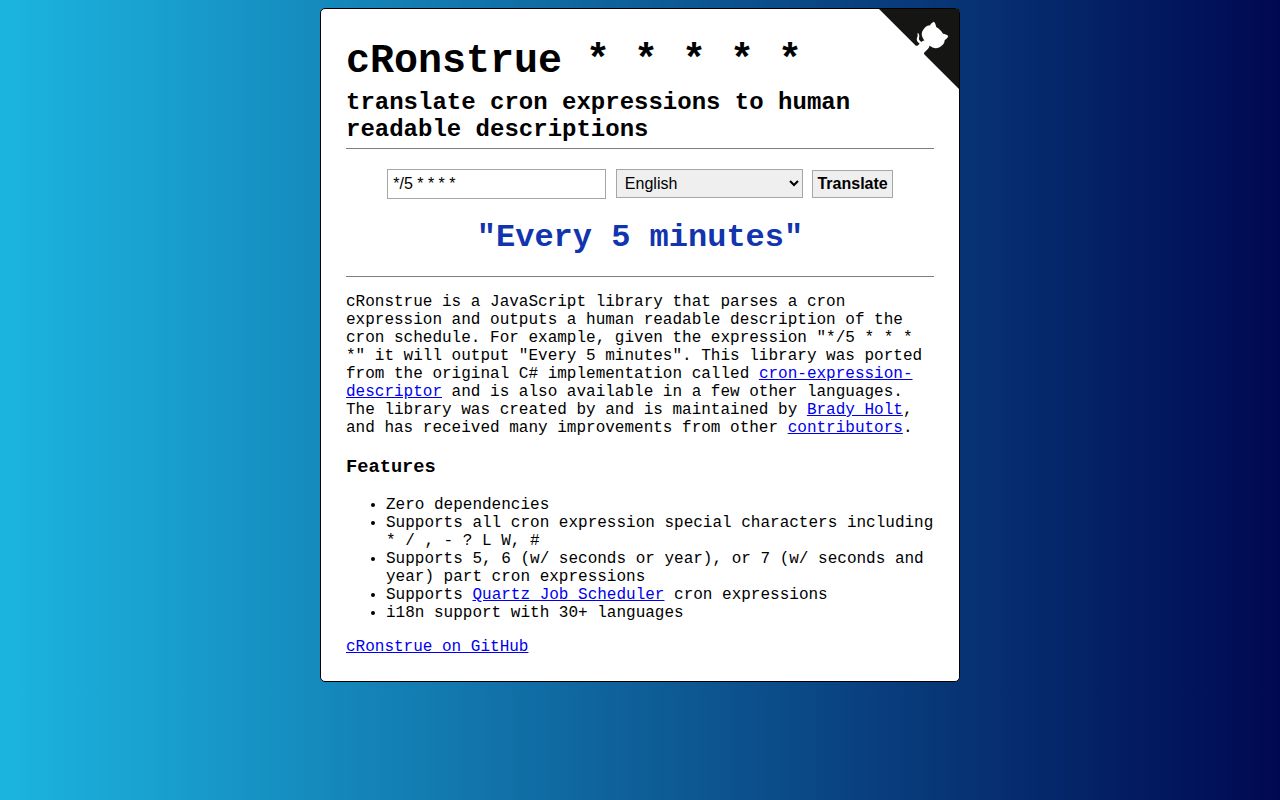
cronstrue 3.24.0 turns cron text into display copy. Give it `*/5 * * * *` and it returns `Every 5 minutes`. It covers five fields, six fields with seconds or a year, seven fields with both, Quartz tokens such as `L`, `W`, and `#`, and aliases such as `@monthly`. Version 3.24.0 fixes a stray `%s` in the Slovenian last-day-of-month wording. Our browser build measured 22.1 KB minified and 6.3 KB gzipped. This is a formatter only: it neither runs jobs nor calculates their next execution time.
cronstrue 3.24.0 installed in 0.6 seconds and produced a 6.3 KB gzipped browser build in our sandbox, making it a cheap way to add cron previews. Install it for explanatory UI, and use the actual scheduler or a parser to decide whether a schedule is valid.
We installed it
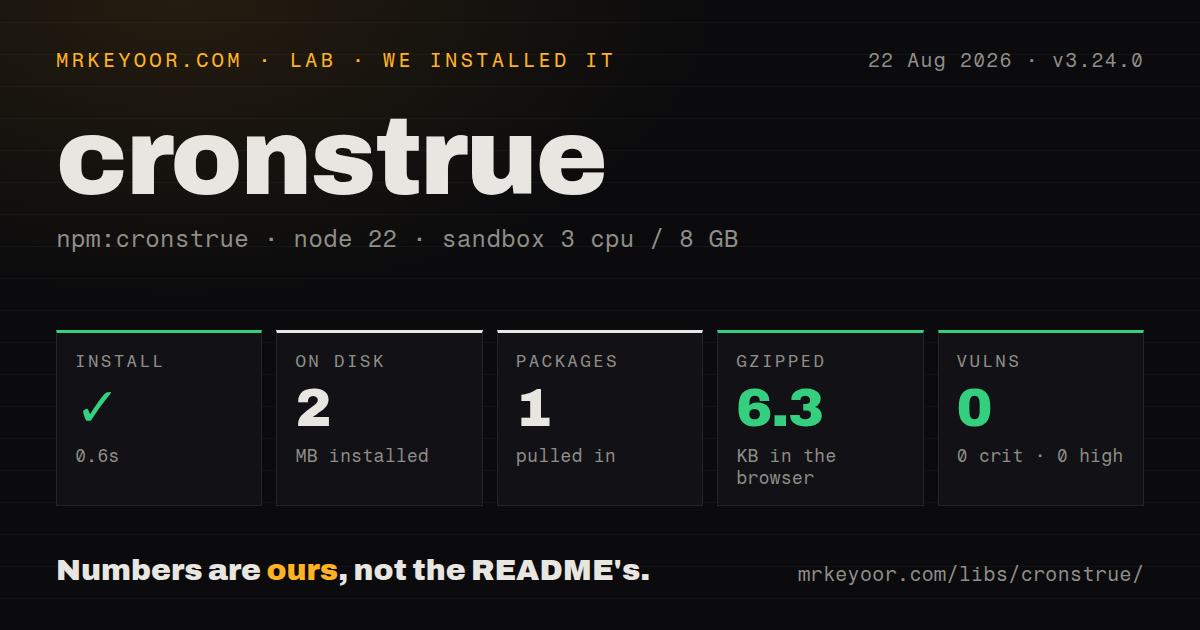
| Install | ✓ · 0.6s | 1 package on disk · 2 MB |
| Import | ✓ | ESM import works · require() works · CommonJS package |
| Browser | 6.3 KB | gzipped (22.1 KB minified), bundled with esbuild |
| Types | ✓ | TypeScript types bundled |
| Known vulns | 0 | 0 critical · 0 high · 0 moderate · 0 low (npm audit) |
Answers from our run
Does cronstrue install cleanly?
Yes. In a fresh container with an empty cache, npm install cronstrue finished in 0.6s, leaving 1 package and 2 MB on disk. npm audit reported no known vulnerabilities.
How much does cronstrue add to a browser bundle?
6.3 KB gzipped (22.1 KB minified) when the whole package is bundled for the browser with esbuild. Importing only part of it is usually smaller.
Does cronstrue work with both ESM and CommonJS?
Yes. Both import 'cronstrue' and require('cronstrue') worked in Node 22 in our run. The package is published as CommonJS.
Does cronstrue include TypeScript types?
Yes, type declarations ship inside the package, so no @types install is needed.
cronstrue or cron-parser: which should you use?
cron-parser: Choose it when you need validation plus next and previous occurrence dates. cronstrue 3.24.0 installed in 0.6 seconds and produced a 6.3 KB gzipped browser build in our sandbox, making it a cheap way to add cron previews.
When should you not use cronstrue?
You need an acceptance check for the scheduler: the project says its conversion is not full cron validation and points readers to cron-parser
Use it if
- Your scheduling UI stores cron and needs a readable preview before the user saves it
- You must explain both Unix-style schedules and Quartz expressions such as `0 0 L * ?`
- Your product needs translated schedule text and can load each required locale explicitly
- You want bundled TypeScript declarations with no runtime or peer dependencies
- You need an acceptance check for the scheduler: the project says its conversion is not full cron validation and points readers to cron-parser
- You need future or previous run dates: cronstrue describes fields but has no occurrence calculator
- You need timezone or daylight-saving calculations: `toString` has no timezone input and returns text rather than dates
- Your executor has unusual day-field rules that you cannot configure: the available switches cover weekday indexing, month indexing, and AND versus OR wording only
- You need every translation in a tight client bundle: the README puts `cronstrue/i18n` at about 130 KB minified, while our English-only build was 22.1 KB minified
Setup reality
Our install of cronstrue 3.24.0 finished in 0.6 seconds. It left 1 package and 2 MB on disk, with 0 direct dependencies, 0 peer dependencies, and 0 audit findings. The package is CommonJS without an exports map, yet both require() and ESM import worked on Node 22. TypeScript declarations are bundled. Our English browser build came to 22.1 KB minified and 6.3 KB gzipped.
The base import registers English only. Load cronstrue/locales/fr for its side effect before requesting locale: 'fr'; importing cronstrue/i18n registers more than 30 languages at once. No credentials or config file are involved. Version 3.24.0 changed Slovenian output, so snapshot tests that assert translated sentences may need an update even though the toString call did not change.
Choose the cron dialect before wiring the preview. Six fields can mean seconds or a year, and options control whether weekdays start at 0, whether months start at 0, and how simultaneous day-of-month and day-of-week fields are worded. A successful sentence does not prove that your scheduler accepts the expression. Validate with the executor or a parser, keep the raw cron value, and show the executor's timezone beside the generated text.
Patterns
Describe a five-field schedule describe-five-field-cron
import cronstrue from 'cronstrue';

const text = cronstrue.toString('*/5 * * * *');
console.log(text); // Every 5 minutes
`toString` explains the five fields but does not certify that the target scheduler accepts them.
Explain a Quartz weekday expression describe-quartz-weekdays
const text = cronstrue.toString('0 23 ? * MON-FRI');
console.log(text); // At 11:00 PM, Monday through Friday
`?` belongs to Quartz-style cron. A five-field Unix crontab may reject this expression.
Include a seconds field describe-seconds
const text = cronstrue.toString('30 */10 * * * *');
console.log(text);
cronstrue reads this 6-field form with seconds first. Confirm that your executor assigns the same meaning.
Explain a schedule with a year describe-year-field
const text = cronstrue.toString('0 0 1 1 * 2027');
console.log(text);
A 6-field expression may use a year, while other cron dialects use the sixth field for seconds. Test the exact executor syntax.
Expand a cron nickname describe-nickname
const text = cronstrue.toString('@monthly');
console.log(text); // At 12:00 AM, on day 1 of the month
`@monthly` is readable and supported here, but cron aliases are not accepted by every scheduler.
Use a 24-hour clock format-twenty-four-hour-time
const text = cronstrue.toString('23 14 * * SUN#2', {
  use24HourTimeFormat: true,
});
console.log(text); // At 14:23, on the second Sunday of the month
Some locales default to 24-hour output. Pass the option when the interface requires one clock style.
Register one translation load-one-locale
import cronstrue from 'cronstrue';
import 'cronstrue/locales/fr';

const text = cronstrue.toString('*/5 * * * *', { locale: 'fr' });
The locale module registers French through a side effect. Check that your bundler does not discard the import.
Register every bundled locale load-all-locales
import cronstrue from 'cronstrue/i18n';

const fr = cronstrue.toString('0 9 * * 1-5', { locale: 'fr' });
const es = cronstrue.toString('0 9 * * 1-5', { locale: 'es' });
The README estimates the all-locale build at about 130 KB minified. Load individual locale modules in size-sensitive clients.
Return conversion errors as text return-parse-message
const preview = cronstrue.toString(userCron, {
  throwExceptionOnParseError: false,
});
showPreview(preview);
This option returns an exception message for conversion failures. It does not turn cronstrue into a complete validator.
Catch an invalid preview catch-parse-error
try {
  showPreview(cronstrue.toString(userCron));
} catch {
  showFieldError('This schedule cannot be described');
}
`throwExceptionOnParseError` defaults to true, so user-entered expressions need an error boundary around preview generation.
Treat weekday 1 as Monday match-weekday-index
const text = cronstrue.toString('* * * ? * 2-6/2', {
  dayOfWeekStartIndexZero: false,
});
The default starts weekday numbering at 0. Set this option to match the system that stores and executes the cron value.
Describe cron from the terminal run-command-line
npx cronstrue "*/15 9-17 * * MON-FRI"`npx` can download an absent package. Add cronstrue to the project and pin its version for repeatable automation.
Alternatives
| Package | Registry | Pick it when |
|---|---|---|
| cron-parser | npm | Choose it when you need validation plus next and previous occurrence dates |
| croner | npm | Choose it when JavaScript must calculate schedules and execute callbacks |
| cron-fast | npm | Choose it when timezone-aware date calculation matters across Node, Bun, Deno, workers, and browsers |
More utils guides
lru-cache · type-fest · ajv · zod · p-limit · find-up · the whole shelf →
How this guide is made: grounded in the library's documentation, release notes, changelog, and issue history, on a fixed rubric — not a hands-on install of every release. The 50 most-downloaded entries are additionally install-verified in clean containers. Corrections: contact the desk.