croner review
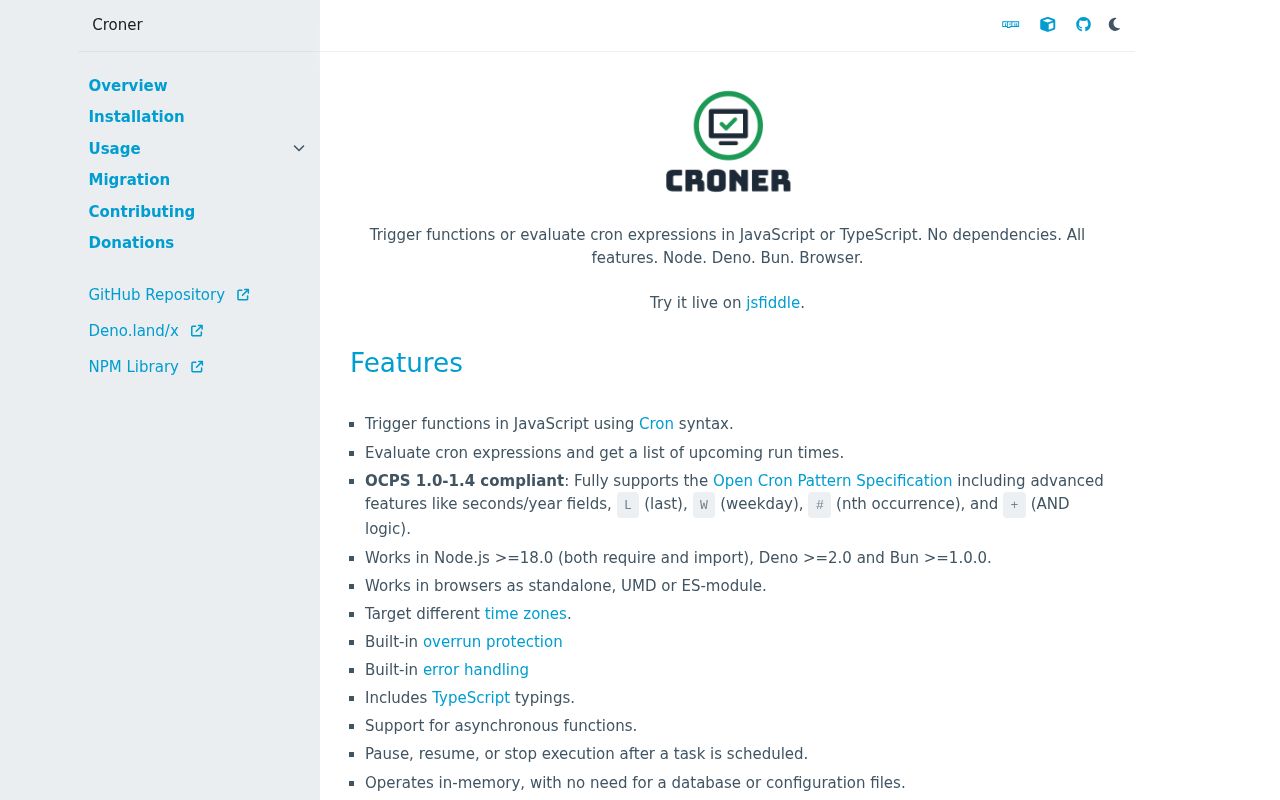
Croner 10.0.1 parses cron expressions and runs JavaScript callbacks on timers owned by the current process. It can calculate upcoming and previous occurrences, match a date, schedule a one-time ISO date, and interpret IANA time zones. Version 10 introduced a year field, `W`, explicit `+` day matching, Quartz weekday numbering, `previousRuns()`, and DST corrections. The 10.0.1 patch repairs the distributed TypeScript structure. There is no persistent job store, replica coordination, or retained run log.
Croner 10.0.1 took 0.9 seconds and 1 MB in our sandbox, installed no dependencies, passed npm audit, and bundled to 7.9 KB gzipped. It suits reconstructible schedules owned by one process; jobs that must survive restarts or coordinate replicas need a durable scheduler.
We installed it
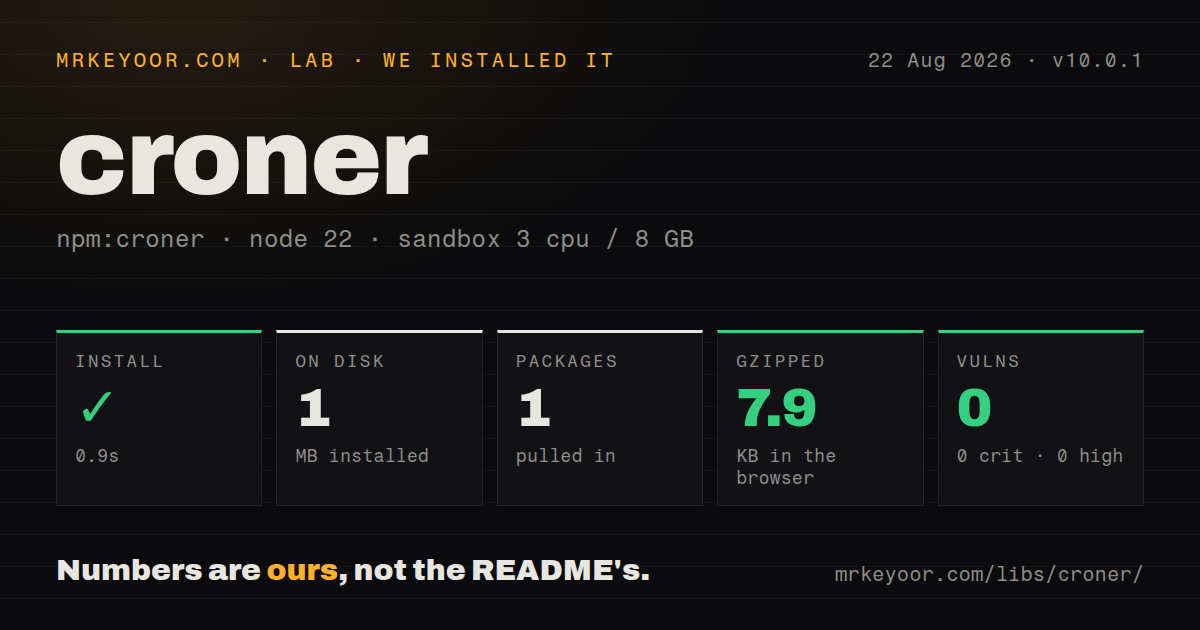
| Install | ✓ · 0.9s | 1 package on disk · 1 MB |
| Import | ✓ | ESM import works · require() works · ESM package with exports map |
| Browser | 7.9 KB | gzipped (27 KB minified), bundled with esbuild |
| Types | ✓ | TypeScript types bundled |
| Known vulns | 0 | 0 critical · 0 high · 0 moderate · 0 low (npm audit) |
Answers from our run
Does croner install cleanly?
Yes. In a fresh container with an empty cache, npm install croner finished in 0.9s, leaving 1 package and 1 MB on disk. npm audit reported no known vulnerabilities.
How much does croner add to a browser bundle?
7.9 KB gzipped (27 KB minified) when the whole package is bundled for the browser with esbuild. Importing only part of it is usually smaller.
Does croner work with both ESM and CommonJS?
Yes. Both import 'croner' and require('croner') worked in Node 22 in our run. The package is published as ESM with an exports map.
Does croner include TypeScript types?
Yes, type declarations ship inside the package, so no @types install is needed.
croner or node-cron: which should you use?
node-cron: Use it for familiar Node cron callbacks when advanced occurrence inspection and calendar modifiers are unnecessary. Croner 10.0.1 took 0.9 seconds and 1 MB in our sandbox, installed no dependencies, passed npm audit, and bundled to 7.9 KB gzipped.
When should you not use croner?
Scheduled work must persist across a crash or deployment; Croner loses its timers and maxRuns counters with the process
Use it if
- One JavaScript process owns the timers and your startup code can reconstruct every schedule
- Application code must calculate future or past occurrences without registering jobs in an external service
- Your expressions use seconds, years, last or nearest weekdays, nth weekdays, named time zones, or DST-aware civil time
- A callback only needs local pause, resume, run limits, and protection against overlapping invocations
- Scheduled work must persist across a crash or deployment; Croner loses its timers and `maxRuns` counters with the process
- Multiple application replicas must elect exactly one executor; the package provides neither a lease nor a distributed lock
- Failures require recorded attempts, delayed retries, backpressure, or an operator console; `catch` receives an error but creates no queue record
- Quartz numeric weekdays must work without adaptation; Croner uses 0 or 7 for Sunday unless `alternativeWeekdays: true` changes the numbering
- A browser tab must fire work at a dependable wall-clock time; background throttling and tab closure are outside Croner's control
Setup reality
Our clean install of Croner 10.0.1 completed in 0.9 seconds on Node 22 and occupied 1 MB as a single installed package. Croner itself is 172 KB unpacked, with zero direct dependencies and zero peer dependencies. npm audit returned zero known vulnerabilities. It requires Node 18 or later and ships TypeScript declarations. The 10.0.1 release specifically fixes the declaration distribution from 10.0.0.
The package declares ESM and has an exports map, while both require() and ESM import succeeded in our sandbox. Bundling its full browser surface produced 27 KB minified and 7.9 KB gzipped. The documented targets also include Bun, Deno 2+, UMD, and browser ESM. unref is limited to Node and Deno because a browser does not expose the equivalent timer control. No credentials or config file are required.
Time semantics deserve an explicit test suite. Use an IANA timezone for civil schedules that follow daylight saving time; utcOffset is a fixed number of minutes. Croner skips a local time inside a DST gap and fires once at the first instance of an overlapping time. The two day fields use OR unless domAndDow: true or a + weekday requires both. In version 10, ? behaves exactly like *, which differs from older Croner behavior.
An async handler may start again while its prior promise is pending. Setting protect prevents that overlap by discarding the new trigger; it does not defer or retry it. A catch callback makes failures visible, whereas catch: true ignores them. Every replica schedules its own copy, and all state disappears on restart. Use one elected scheduler for local timers, or choose durable infrastructure when missed runs and execution records matter.
Patterns
Run every five seconds schedule-interval
import { Cron } from 'croner'

const job = new Cron('*/5 * * * * *', () => {
  console.log('five seconds elapsed')
})
Six fields include seconds. A five-field expression begins with minutes.
Run on weekday mornings in New York schedule-timezone
const reportJob = new Cron('0 30 8 * * MON-FRI', {
  timezone: 'America/New_York',
  catch: console.error,
}, () => sendDailyReport())
An IANA timezone follows daylight-saving rules. A fixed utcOffset does not.
Skip overlapping async runs protect-async-job
const syncJob = new Cron('0 * * * * *', {
  protect: true,
  catch: error => console.error('sync failed', error),
}, async () => {
  await syncRemoteData()
})
Protection skips a trigger while the callback is busy. It does not queue or retry that occurrence.
List future occurrences inspect-next-runs
const schedule = new Cron('0 0 9 * * MON', { paused: true })
const dates = schedule.nextRuns(4)
console.log(dates.map(date => date.toISOString()))
Use `paused: true` for an object created only to inspect a pattern.
List earlier occurrences inspect-previous-runs
const schedule = new Cron('0 0 9 * * MON', { paused: true })
const dates = schedule.previousRuns(4, new Date('2026-08-25T00:00:00Z'))
console.log(dates.map(date => date.toISOString()))
`previousRuns` was added in version 10. Supply a reference date when reproducible output matters.
Check whether a date matches match-date
const mondays = new Cron('0 0 0 * * MON', {
  timezone: 'UTC',
  paused: true,
})
console.log(mondays.match('2026-08-24T00:00:00Z'))
Without timezone or utcOffset, matching uses the runtime's local timezone.
Schedule one local-time run schedule-once
new Cron('2026-12-24T09:00:00', {
  timezone: 'Europe/Stockholm',
  catch: console.error,
}, () => sendHolidayReminder())
An offset-free ISO string is interpreted in the supplied timezone and fires once.
Pause, resume, trigger, and stop control-job
job.pause()
job.resume()
await job.trigger()
job.stop()
Stopping is permanent. Create a new Cron instance if the schedule is needed again.
Stop after a fixed number of triggers limit-runs
const warmup = new Cron('*/10 * * * * *', {
  maxRuns: 3,
  catch: console.error,
}, () => refreshCache())
The counter belongs to this process and resets when the application restarts.
Require the first day to be Monday require-both-day-fields
const firstMonday = new Cron('0 12 1 * +MON', {
  timezone: 'UTC',
}, () => runMonthlyTask())
Croner normally joins day-of-month and day-of-week with OR. The `+` prefix requires both.
Read Quartz weekday numbers use-quartz-weekdays
const quartzSunday = new Cron('0 0 12 * * 1', {
  alternativeWeekdays: true,
  timezone: 'UTC',
}, () => runSundayTask())
With this option, 1 is Sunday and 7 is Saturday. Standard mode uses 0 or 7 for Sunday.
Unref a maintenance timer allow-process-exit
const cleanup = new Cron('@hourly', {
  unref: true,
  catch: console.error,
}, () => removeExpiredEntries())
An unreferenced timer will not keep Node alive, so the process may exit before the next run.
Alternatives
| Package | Registry | Pick it when |
|---|---|---|
| node-cron | npm | Use it for familiar Node cron callbacks when advanced occurrence inspection and calendar modifiers are unnecessary. |
| cron | npm | Use it when a codebase already exposes `CronJob` and `CronTime` objects or depends on that library's timezone behavior. |
| bree | npm | Use it when each scheduled task should execute in a worker thread with a separate job module. |
More infra guides
semver · boto3 · opentelemetry-api · @opentelemetry/api · psutil · distro · the whole shelf →
How this guide is made: grounded in the library's documentation, release notes, changelog, and issue history, on a fixed rubric — not a hands-on install of every release. The 50 most-downloaded entries are additionally install-verified in clean containers. Corrections: contact the desk.