cron-parser review
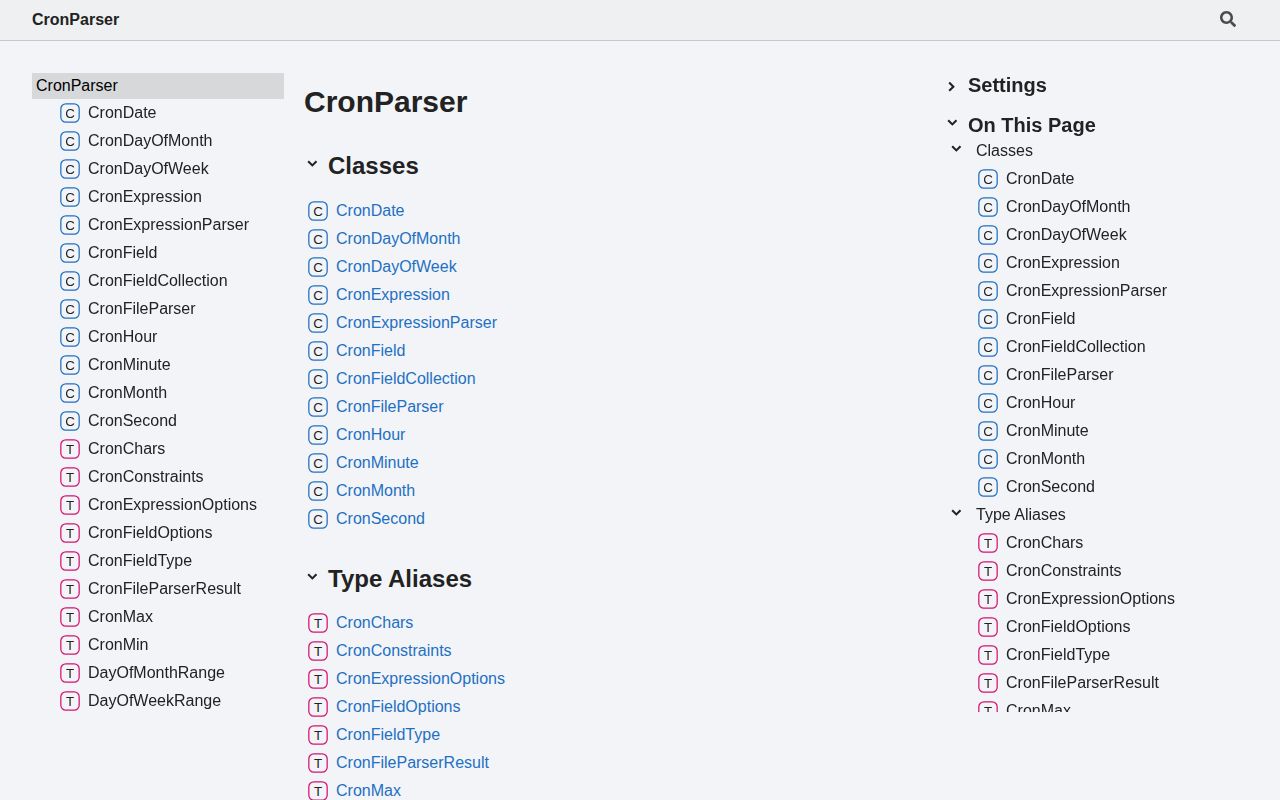
cron-parser 5.10.0 converts cron text into a movable sequence of dates; it does not start timers or execute jobs. `CronExpressionParser.parse()` understands five fields, an optional seconds field, month and weekday names, presets, time zones, `L` and `#` selectors, and seeded Jenkins-style `H` values. Callers can move forward or backward, cap iteration with dates, inspect fields, or stringify an edited schedule. The 5.10.0 release fixes short expressions so missing values are padded from the leading field position. Our browser build measured 97.1 KB minified and 29.7 KB gzipped.
cron-parser 5.10.0 installed in 0.7 seconds with 3 packages and 5 MB on disk in our sandbox, but its only output is calculated dates. Install it for validation, previews, and next-run arithmetic; choose a queue or scheduler when code execution and job supervision are the actual requirements.
We installed it
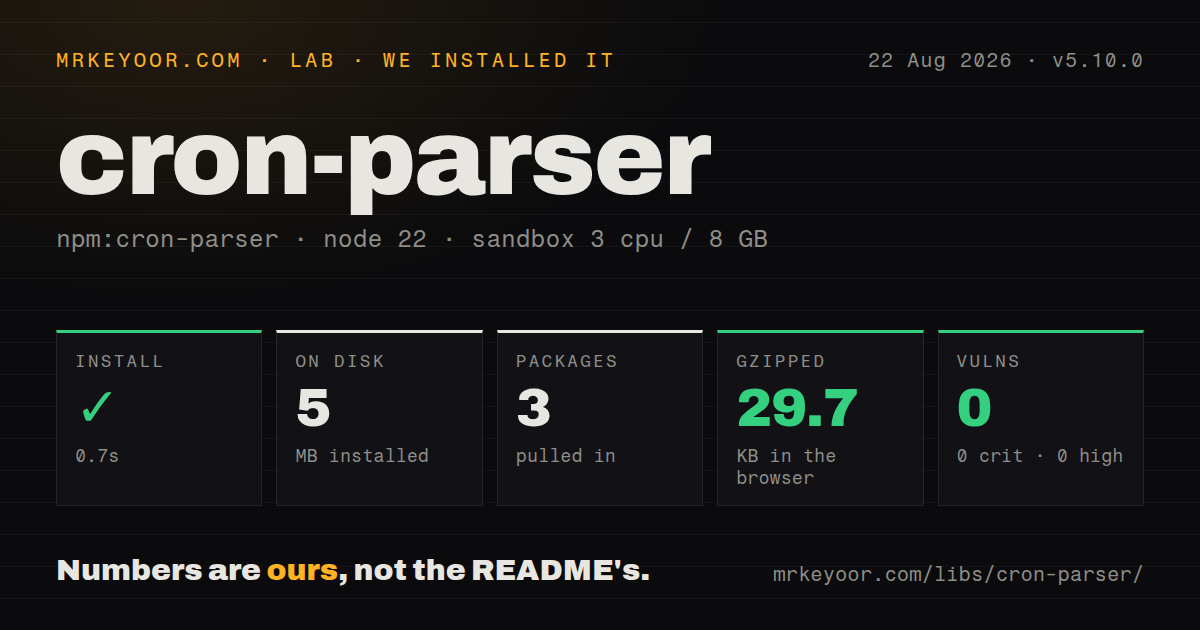
| Install | ✓ · 0.7s | 3 packages on disk · 5 MB |
| Import | ✓ | ESM import works · require() works · CommonJS package |
| Browser | 29.7 KB | gzipped (97.1 KB minified), bundled with esbuild |
| Types | ✓ | TypeScript types bundled |
| Known vulns | 0 | 0 critical · 0 high · 0 moderate · 0 low (npm audit) |
Answers from our run
Does cron-parser install cleanly?
Yes. In a fresh container with an empty cache, npm install cron-parser finished in 0.7s, leaving 3 packages and 5 MB on disk. npm audit reported no known vulnerabilities.
How much does cron-parser add to a browser bundle?
29.7 KB gzipped (97.1 KB minified) when the whole package is bundled for the browser with esbuild. Importing only part of it is usually smaller.
Does cron-parser work with both ESM and CommonJS?
Yes. Both import 'cron-parser' and require('cron-parser') worked in Node 22 in our run. The package is published as CommonJS.
Does cron-parser include TypeScript types?
Yes, type declarations ship inside the package, so no @types install is needed.
cron-parser or croner: which should you use?
croner: Choose it when the same package should parse cron text and invoke callbacks on schedule. cron-parser 5.10.0 installed in 0.7 seconds with 3 packages and 5 MB on disk in our sandbox, but its only output is calculated dates.
When should you not use cron-parser?
You expect the package to call a function, lock overlapping runs, retry failures, or persist job state; cron-parser only returns dates.
Use it if
- A scheduler stores its own next-run timestamp and needs repeatable calculations after each completed job.
- A configuration screen must reject bad cron text and show the next several dates before saving it.
- Schedules use named IANA zones and their dates must remain correct across daylight-saving transitions.
- Your accepted dialect includes seconds, last days, nth weekdays, presets, or deterministic `H` offsets.
- You expect the package to call a function, lock overlapping runs, retry failures, or persist job state; cron-parser only returns dates.
- The client bundle cannot spare the 29.7 KB gzipped full import we measured, especially when cron evaluation could stay on the server.
- Your only task is turning an expression into an English description; `cronstrue` is built for that narrower output.
- The codebase depends on the v4 `parseExpression` export. Version 5 uses `CronExpressionParser.parse()`, so the major upgrade needs source changes.
- Strict validation must accept ordinary five-field crontab syntax. cron-parser strict mode requires all six fields and also rejects restricted day-of-month plus day-of-week fields together.
Setup reality
Our install of cron-parser 5.10.0 finished in 0.7 seconds in a clean Node 22 container. It left 3 packages and 5 MB on disk. The package has 1 direct dependency, no peer dependencies, and 268 KB unpacked, with bundled TypeScript declarations and a Node 18 minimum. npm audit reported 0 known vulnerabilities. The CommonJS package has no exports map, yet both require() and ESM import worked. Our complete browser import was 97.1 KB minified and 29.7 KB gzipped.
There are no credentials or configuration files. Time is the configuration that matters. Supply tz for every user-owned schedule and pass an explicit ISO currentDate in repeatable tests; otherwise results can follow the deployment host. A six-field expression starts with seconds, while the common five-field form starts with minutes. Version 5.10.0 changed how a short expression receives missing leading fields, so applications that intentionally accepted incomplete input should retest it.
A parsed expression owns a cursor. next(), prev(), take(), and iteration all move that cursor, and later calls continue from the new position. reset() returns it to the original current date. startDate and endDate define a permitted window; the parser clamps an initial current date into the window, but moving beyond an end throws. Use hasNext() or catch the documented range error in a worker that may exhaust its schedule.
Default mode accepts ambiguous combinations and even gives an empty expression a schedule. Strict mode rejects empty text, demands 6 fields, disallows simultaneous day restrictions, and checks whether hashed ranges and steps are usable. Give H a stable hashSeed when offsets must survive restarts. cron-parser calculates occurrences only, so concurrency control, retries, clock polling, persistence, and missed-run policy still belong to your queue or scheduler.
Patterns
Get the next matching date get-next-occurrence
import { CronExpressionParser } from 'cron-parser';

const schedule = CronExpressionParser.parse('0 9 * * 1-5');
const nextDate = schedule.next().toDate();
In version 5, `next()` returns a `CronDate` rather than a native Date. Call `toDate()` before handing the result to an API that checks `instanceof Date`.
Preview five future dates preview-occurrences
const schedule = CronExpressionParser.parse('*/15 * * * *');
const dates = schedule.take(5).map((item) => item.toISOString());
`take(5)` advances the same internal cursor used by `next()`. Run `reset()` before generating another preview from the expression's original current date.
Evaluate morning time in an IANA zone evaluate-timezone
const schedule = CronExpressionParser.parse('0 8 * * *', {
  currentDate: '2026-10-24T00:00:00Z',
  tz: 'Europe/London',
});

console.log(schedule.next().toISOString());
The `tz` option controls wall-clock evaluation through DST changes. Without it, a deployment in a different zone can produce a different 8:00 occurrence.
Validate a six-field form value validate-strict-input
function validateCron(value: string) {
  try {
    CronExpressionParser.parse(value, { strict: true });
    return null;
  } catch (error) {
    return error instanceof Error ? error.message : 'Invalid expression';
  }
}
Strict mode in 5.10.0 expects 6 fields with seconds first. A normal five-field crontab value fails this check even when a system cron daemon would accept it.
Stop iteration at an end date bound-date-range
const schedule = CronExpressionParser.parse('0 0 * * *', {
  startDate: '2026-09-01T00:00:00Z',
  endDate: '2026-09-08T00:00:00Z',
});

while (schedule.hasNext()) console.log(schedule.next().toISOString());
The initial cursor is clamped into the requested range. Once no match remains before `endDate`, an unguarded `next()` throws an out-of-range error.
Match at 30-second intervals include-seconds
const schedule = CronExpressionParser.parse('*/30 * * * * *');
console.log(schedule.take(4).map((item) => item.toISOString()));
cron-parser puts seconds in field 1 of the six-slot form. Basic POSIX crontab accepts only 5 slots, so do not pass this expression to a system crontab unchanged.
Match the final day of each month select-month-end
const monthEnd = CronExpressionParser.parse('0 0 L * *');
console.log(monthEnd.next().toISOString());
`L` is a cron extension rather than baseline POSIX syntax. Confirm that any downstream service storing the text implements the same last-day rule.
Match the first Monday of a month select-nth-weekday
const firstMonday = CronExpressionParser.parse('0 0 * * 1#1');
console.log(firstMonday.take(3).map((item) => item.toISOString()));
The `#` selector belongs to the weekday slot. Many system cron implementations reject it even though cron-parser 5.10.0 accepts and calculates it.
Assign a repeatable hashed offset seed-hash-value
const schedule = CronExpressionParser.parse('H/10 * * * *', {
  hashSeed: 'account-rollup',
});

console.log(schedule.stringify());
Use the same `hashSeed` for the same job on every parse. Without a seed, the chosen `H` value is not a stable deployment-time assignment.
Move backward to the previous match find-previous-occurrence
const schedule = CronExpressionParser.parse('0 6 * * 1', {
  currentDate: '2026-08-24T12:00:00Z',
});

console.log(schedule.prev().toISOString());
`prev()` mutates the cursor just like `next()`. Calling `next()` afterward moves forward from that previous match, not from the original noon current date.
Change parsed hour and minute fields modify-fields
import { CronExpressionParser, CronFieldCollection } from 'cron-parser';

const parsed = CronExpressionParser.parse('0 7 * * 1-5');
const fields = CronFieldCollection.from(parsed.fields, {
  hour: [8],
  minute: [30],
});
console.log(fields.stringify());
`CronFieldCollection.from()` retains fields omitted from its override. The returned collection is separate from the parsed expression and can be stringified as `30 8 * * 1-5`.
Parse schedules and variables from a crontab file read-crontab-file
import { CronFileParser } from 'cron-parser';

const result = await CronFileParser.parseFile('/etc/crontab');
if (Object.keys(result.errors).length) console.error(result.errors);
console.log(result.variables, result.expressions);
File parsing returns invalid-line errors beside valid variables and expressions. Inspect `errors` explicitly because one bad line does not discard the successfully parsed entries.
Alternatives
| Package | Registry | Pick it when |
|---|---|---|
| croner | npm | Choose it when the same package should parse cron text and invoke callbacks on schedule. |
| cron-schedule | npm | Choose it for parsing plus timer-based task execution with a different dependency profile. |
| later | npm | Choose it when recurrence rules extend beyond cron into text schedules and custom periods. |
More web backend guides
ws · urllib3 · requests · undici · anyio · express · the whole shelf →
How this guide is made: grounded in the library's documentation, release notes, changelog, and issue history, on a fixed rubric — not a hands-on install of every release. The 50 most-downloaded entries are additionally install-verified in clean containers. Corrections: contact the desk.