constructs review
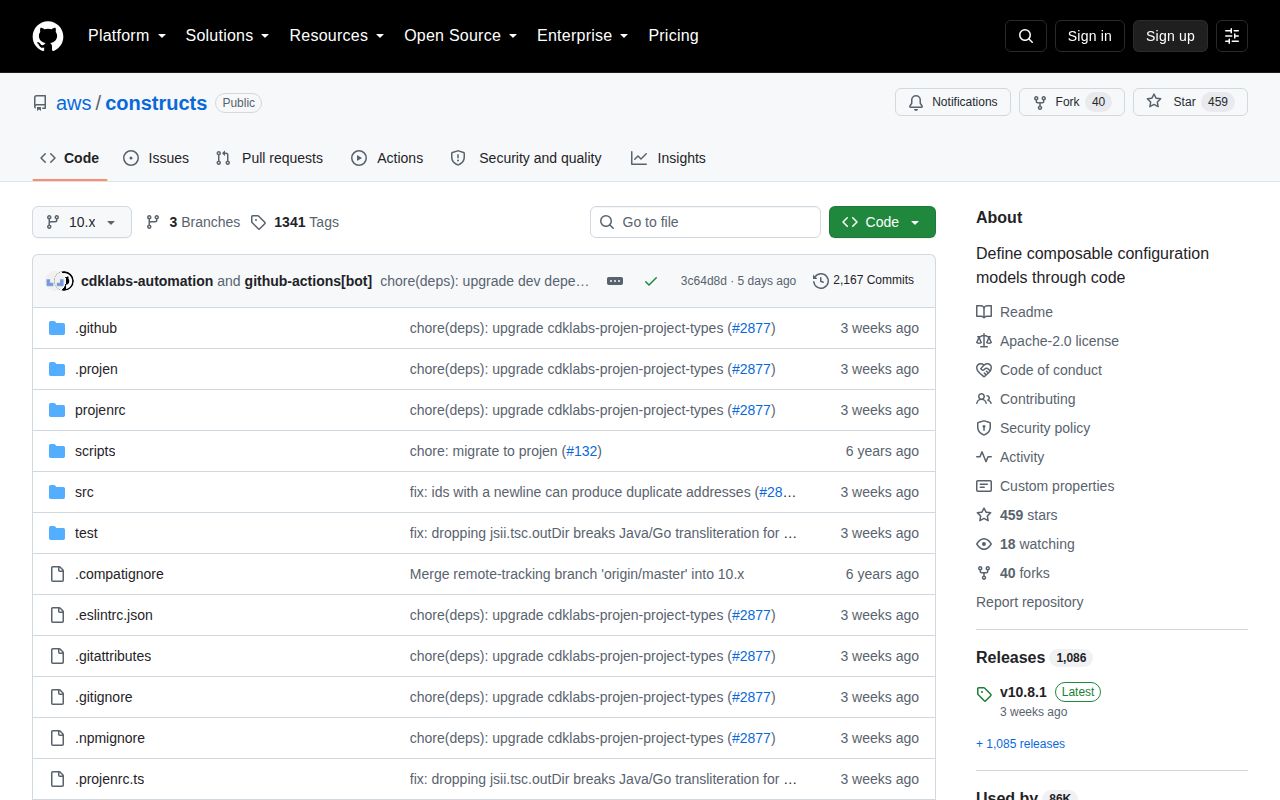
constructs 10.8.1 provides the tree model used by AWS CDK and other jsii-based infrastructure frameworks. `Construct` objects live under a scope, carry a sibling ID, expose their path through `node`, and can record context, metadata, validation, and ordering dependencies. The package contains no AWS resources and does not deploy a tree. Version 10.8.1 fixes Java and Go example transliteration for jsii-rosetta consumers after a compiler output setting changed. Our Node 22 install found one dependency-free CommonJS package with declarations included.
constructs 10.8.1 took 0.7 seconds and 1 MB in our sandbox, installed as one package with 0 audit findings, and failed our browser bundle check. Depend on it directly for construct libraries and custom synthesis frameworks; a normal AWS CDK app should use the version brought by `aws-cdk-lib`.
We installed it
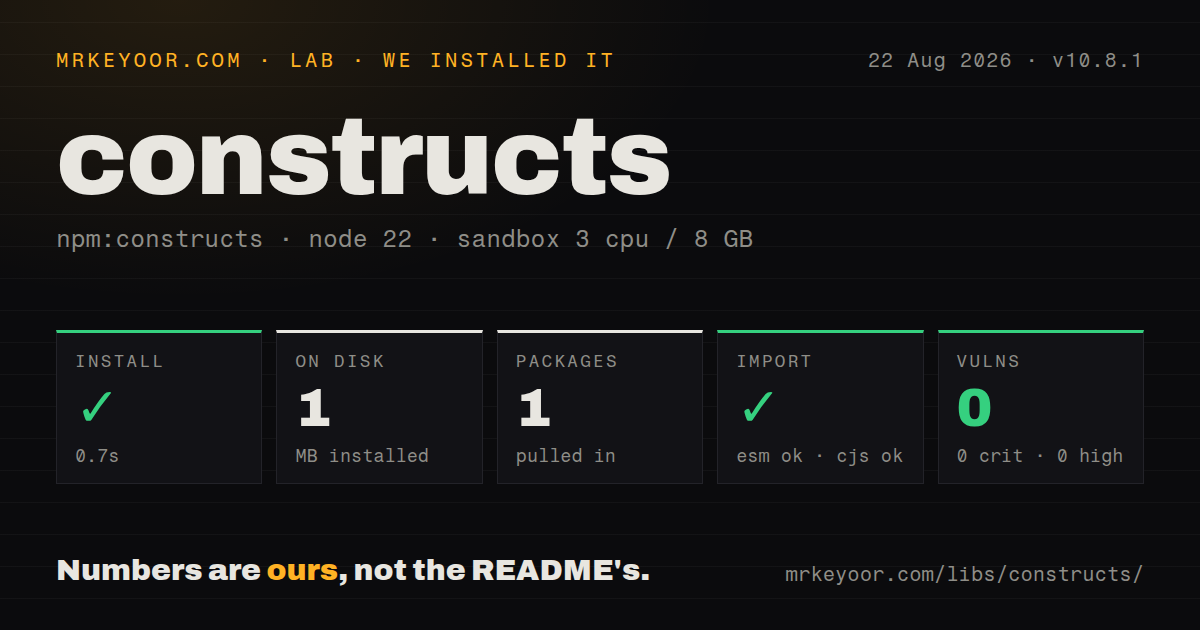
| Install | ✓ · 0.7s | 1 package on disk · 1 MB |
| Import | ✓ | ESM import works · require() works · CommonJS package with exports map |
| Browser | n/a | could not be bundled for the browser (Node-only code, most likely) |
| Types | ✓ | TypeScript types bundled |
| Known vulns | 0 | 0 critical · 0 high · 0 moderate · 0 low (npm audit) |
Answers from our run
Does constructs install cleanly?
Yes. In a fresh container with an empty cache, npm install constructs finished in 0.7s, leaving 1 package and 1 MB on disk. npm audit reported no known vulnerabilities.
Can constructs run in a browser?
Not directly: esbuild could not bundle it for the browser in our run, which normally means it depends on Node built-ins. Use it on the server, or find a browser-targeted alternative.
Does constructs work with both ESM and CommonJS?
Yes. Both import 'constructs' and require('constructs') worked in Node 22 in our run. The package is published as CommonJS with an exports map.
Does constructs include TypeScript types?
Yes, type declarations ship inside the package, so no @types install is needed.
constructs or aws-cdk-lib: which should you use?
aws-cdk-lib: Use it when you need AWS resources, stacks, and CloudFormation synthesis. constructs 10.8.1 took 0.7 seconds and 1 MB in our sandbox, installed as one package with 0 audit findings, and failed our browser bundle check.
When should you not use constructs?
You expect deployable AWS resource classes. Those live in aws-cdk-lib; this package only supplies the tree and node primitives they extend.
Use it if
- You are publishing an AWS CDK construct that must inherit from the same `Construct` base class as `aws-cdk-lib`.
- Your own infrastructure framework needs a persistent scoped tree with paths, inherited context, validation hooks, and dependency edges.
- A jsii package must expose the same construct abstraction to TypeScript, Python, Java, .NET, and Go.
- A synthesizer needs stable node addresses and an explicit traversal order before it emits desired-state output.
- You expect deployable AWS resource classes. Those live in `aws-cdk-lib`; this package only supplies the tree and node primitives they extend.
- You need an infrastructure engine, state file, provider plugins, or deployment runner. `constructs` records structure and relationships but performs none of those jobs.
- The runtime is a browser. Our esbuild browser bundle failed, and the package is aimed at Node-based authoring and synthesis tools.
- Your dependency graph can load incompatible construct majors. CDK libraries declare a supported major range, and mixing copies can also break ordinary `instanceof` checks.
- A node address must be globally unique or cryptographically collision-resistant. The API calls it opaque, omits `Default` scopes from the hash, and documents its SHA-1 basis.
Setup reality
Our constructs 10.8.1 install completed in 0.7 seconds under Node 22. It placed one package and 1 MB on disk; npm reports 1000 KB unpacked. The package declares 0 direct dependencies and 0 peer dependencies, bundles its TypeScript declarations, uses Apache-2.0, and produced 0 audit findings at every severity.
This is a CommonJS package with an exports map. Both require('constructs') and ESM import worked in our checks. An esbuild bundle targeting the browser failed, which matches its role in infrastructure authoring tools. Keep tree construction and synthesis on Node instead of importing the package into a client application.
Most AWS CDK apps should receive the compatible version through aws-cdk-lib. Library authors who add a direct dependency need to keep the constructs major accepted by every CDK package in the graph. Construct.isConstruct(value) is safer than value instanceof Construct in linked workspaces because two installed copies create distinct JavaScript classes.
A child joins its parent during super(scope, id), so duplicate sibling IDs fail while objects are being built. Context can be read by constructors and should be set before descendants exist. Calling node.lock() blocks later children for the whole subtree and cannot be reversed. A RootConstruct removes the parent requirement, but your framework still has to traverse nodes, run validation, interpret dependencies, and write the final desired-state artifact.
Patterns
Create a construct subclass define-construct
import { Construct } from 'constructs';

export class ServiceGroup extends Construct {
  constructor(scope: Construct, id: string) {
    super(scope, id);
    this.node.addMetadata('owner', 'platform');
  }
}
`super(scope, id)` attaches the new object to its scope during construction. Reusing a sibling ID throws before the subclass constructor completes.
Start a framework-owned tree create-root
import { Construct, RootConstruct } from 'constructs';

const app = new RootConstruct('App');
const network = new Construct(app, 'Network');
const service = new Construct(app, 'Service');
`RootConstruct` needs no parent and owns a `Node`, but it does not synthesize or provision anything by itself.
Read a node ID, path, and address inspect-identity
console.log(service.node.id);
console.log(service.node.path);
console.log(service.node.addr);
`addr` is a deterministic 42-character string derived from the path. The API warns that `Default` scopes are omitted and SHA-1 does not guarantee uniqueness.
Look up a direct child find-child
const maybeService = app.node.tryFindChild('Service');
if (maybeService) {
  console.log(maybeService.node.path);
}

const network = app.node.findChild('Network');
`findChild()` throws when the direct child is missing, while `tryFindChild()` returns `undefined`. Neither call searches descendants recursively.
Visit parents before descendants traverse-tree
import { ConstructOrder } from 'constructs';

for (const construct of app.node.findAll(ConstructOrder.PREORDER)) {
  console.log(construct.node.path);
}
`findAll()` includes the construct on which it is called. `PREORDER` visits that parent before walking its children.
Set context for descendants share-context
app.node.setContext('stage', 'production');
const worker = new Construct(app, 'Worker');

const stage = worker.node.getContext('stage');
const optionalRegion = worker.node.tryGetContext('region');
Context lookup walks toward the root. Set values before constructing descendants because their constructors may read context immediately.
Attach data for a synthesizer add-metadata
service.node.addMetadata(
  'com.example:owner',
  { team: 'payments' },
  { stackTrace: true },
);

for (const entry of service.node.metadata) {
  console.log(entry.type, entry.data);
}
Construct metadata has no deployment meaning until a framework reads it. `stackTrace: true` records trace information in the metadata entry.
Record an ordering edge add-ordering-dependency
service.node.addDependency(network);
console.log(service.node.dependencies);

service.node.removeDependency(network);
The node stores the edge and schedules no work. `removeDependency()` must receive the same dependable object used when adding it.
Depend on several construct trees group-dependencies
import { DependencyGroup } from 'constructs';

const dataLayer = new DependencyGroup(database, cache);
dataLayer.add(search);
service.node.addDependency(dataLayer);
`DependencyGroup` implements `IDependable` for multiple roots. Members added later become part of the same group dependency.
Attach and run a validation rule register-validation
service.node.addValidation({
  validate: () =>
    service.node.id.length >= 3 ? [] : ['ID must have at least 3 characters'],
});

const errors = service.node.validate();
`addValidation()` only registers the callback. A framework must call `validate()` and decide whether returned messages prevent synthesis.
Recognize a construct across package copies detect-construct
import { Construct } from 'constructs';

if (Construct.isConstruct(candidate)) {
  console.log(candidate.node.path);
}
`Construct.isConstruct()` is designed for linked packages that load different JavaScript copies. Ordinary `instanceof Construct` can be false in that layout.
Prevent late child creation lock-tree
app.node.lock();

// Throws because App is locked:
// new Construct(app, 'LateChild');
`lock()` applies recursively to the subtree and cannot be undone. Run it only after every expected descendant has been constructed.
Alternatives
| Package | Registry | Pick it when |
|---|---|---|
| aws-cdk-lib | npm | Use it when you need AWS resources, stacks, and CloudFormation synthesis. |
| cdktf | npm | Use it for construct-style code backed by Terraform providers and state. |
| @pulumi/pulumi | npm | Use it when the product needs a deployment engine and multi-cloud resource state. |
More infra guides
semver · boto3 · opentelemetry-api · @opentelemetry/api · psutil · distro · the whole shelf →
How this guide is made: grounded in the library's documentation, release notes, changelog, and issue history, on a fixed rubric — not a hands-on install of every release. The 50 most-downloaded entries are additionally install-verified in clean containers. Corrections: contact the desk.