canvas review
canvas 3.2.3 brings the browser's 2D Canvas drawing model to Node, with Cairo handling pixels and Pango laying out text. It creates PNG, JPEG, PDF, and SVG output from paths, shapes, images, and fonts. Node-only additions cover file and URL image loading, font registration, buffers, and output streams. The 3.2.3 release fixes compilation with GCC. Our install confirmed that this remains a native package: it ran a native step and occupied 26 MB even though application code can load it through either require or ESM import.
Install canvas when your Node service truly needs Canvas 2D drawing or PDF output. For ordinary image transformation, Sharp is a better fit, and any v3 deployment outside the listed binary targets must budget for native build dependencies.
We installed it
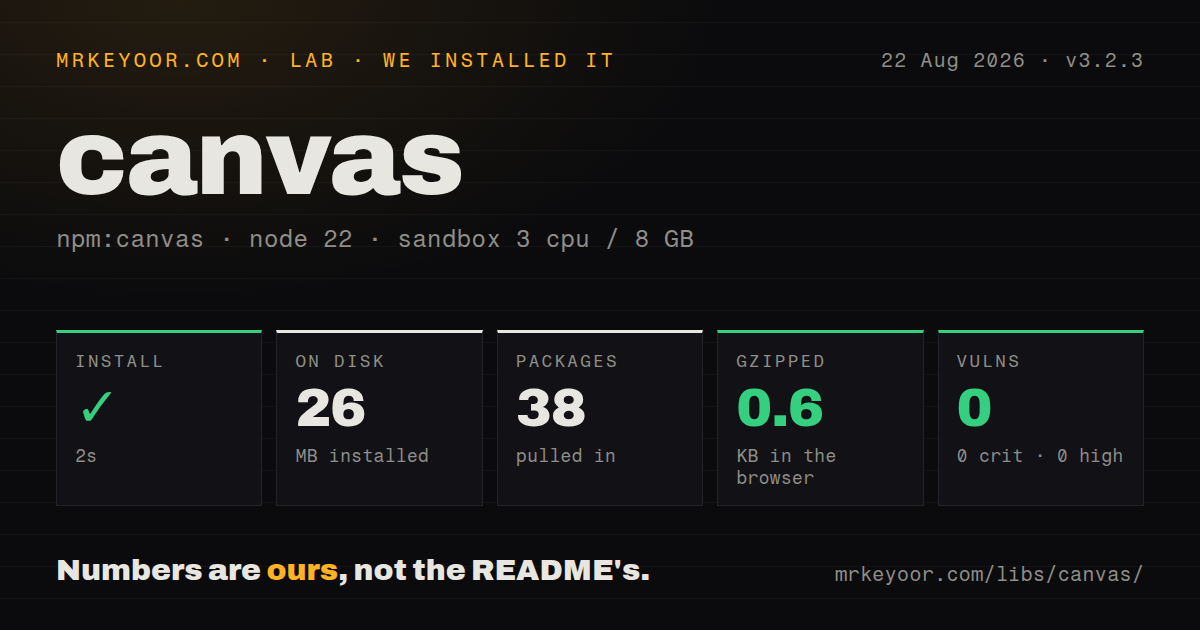
| Install | ✓ · 2s | 38 packages on disk · 26 MB · 1 deprecation warning · native build step |
| Import | ✓ | ESM import works · require() works · CommonJS package |
| Browser | 0.6 KB | gzipped (1.1 KB minified), bundled with esbuild |
| Types | ✓ | TypeScript types bundled |
| Known vulns | 0 | 0 critical · 0 high · 0 moderate · 0 low (npm audit) |
Answers from our run
Does canvas install cleanly?
Yes. In a fresh container with an empty cache, npm install canvas finished in 2 seconds, leaving 38 packages and 26 MB on disk, after a native build step. npm audit reported no known vulnerabilities. The install printed 1 deprecation warning.
How much does canvas add to a browser bundle?
0.6 KB gzipped (1.1 KB minified) when the whole package is bundled for the browser with esbuild. Importing only part of it is usually smaller.
Does canvas work with both ESM and CommonJS?
Yes. Both import 'canvas' and require('canvas') worked in Node 22 in our run. The package is published as CommonJS.
Does canvas include TypeScript types?
Yes, type declarations ship inside the package, so no @types install is needed.
canvas or skia-canvas: which should you use?
skia-canvas: Choose it for a Canvas-like Node API backed by Skia and a different native binary matrix. Install canvas when your Node service truly needs Canvas 2D drawing or PDF output.
When should you not use canvas?
You only resize, crop, rotate, or convert existing images. Sharp's operation pipeline fits that work better than manually painting a canvas.
Use it if
- Your server generates social cards, certificates, charts, image snapshots, or PDFs with Canvas 2D drawing calls.
- Existing code or a test environment expects the `canvas` package and browser-like CanvasRenderingContext2D methods.
- You need Cairo and Pango text rendering, custom font registration, or selectable glyph text in generated PDFs.
- PNG, JPEG, PDF, and SVG output must come from one drawing surface rather than separate format-specific libraries.
- You only resize, crop, rotate, or convert existing images. Sharp's operation pipeline fits that work better than manually painting a canvas.
- Your deployment target is outside the v3 prebuilt matrix and cannot carry Cairo, Pango, a compiler, and any optional JPEG, GIF, or SVG libraries.
- You need drawing in browser code. This package wraps native Node bindings; its tiny measured JavaScript bundle does not contain the Cairo renderer.
- Untrusted callers control image URLs or canvas dimensions. `loadImage` accepts remote URLs, while decoded images and large surfaces can consume substantial process memory; the library does not apply SSRF or resource limits for you.
- You need worker-thread support from the stable package line. The repository advertises that work for the v4 prerelease, while npm's default tag remains on v3.2.3.
Setup reality
We installed canvas 3.2.3 in a fresh unprivileged Node 22 Bookworm container with no cache. npm finished in 2 seconds, ran a native or compile step, printed one deprecation warning, and left 38 packages using 26 MB. The package itself has 2 direct dependencies, no peer dependencies, and 23872 KB unpacked. npm audit reported zero known vulnerabilities. Its engine range is Node ^18.12.0 || >=20.9.0.
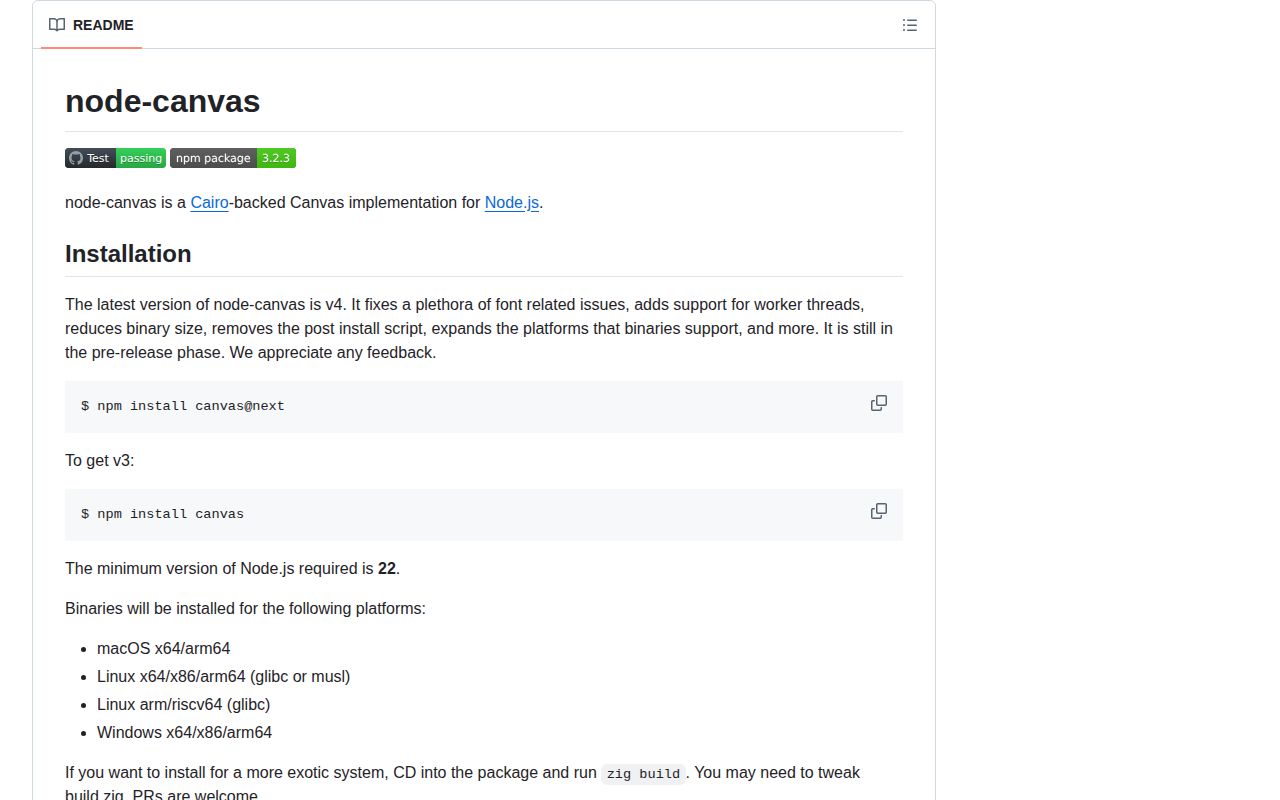
Version 3 downloads binaries for macOS x64 and arm64, glibc Linux x64, and Windows x64. Other systems compile from source with Cairo and Pango. GIF, SVG, and JPEG input require their optional native libraries. A successful laptop install therefore does not prove that Alpine, ARM Linux, or a minimal production image will build. Pin the runtime image and test installation in that exact image.
The package is CommonJS without an exports map, but both require() and ESM import worked in our check. TypeScript declarations are bundled. Our esbuild probe produced 1.1 KB minified and 0.6 KB gzipped because browser resolution reaches a small shim; those numbers do not include native rendering and should not be read as a browser implementation.
Fonts come from the host unless you call registerFont, so the same code can wrap or measure text differently across machines. Ship licensed font files and register them before layout. toBuffer() without a callback and JPEG streaming both perform synchronous encoding according to the README, which can stall a busy event loop. Keep dimensions bounded, prefer asynchronous PNG encoding or streams where supported, and isolate heavy rendering work from request handling.
Patterns
Draw and encode a PNG draw-png
const { createCanvas } = require('canvas')

const canvas = createCanvas(640, 360)
const ctx = canvas.getContext('2d')
ctx.fillStyle = '#0f172a'
ctx.fillRect(0, 0, canvas.width, canvas.height)
ctx.fillStyle = '#fff'
ctx.font = 'bold 42px sans-serif'
ctx.fillText('Server image', 40, 190)

const png = canvas.toBuffer('image/png')
The synchronous toBuffer form blocks the event loop while encoding. Use the callback form for large PNG work.
Encode PNG without blocking on the result encode-png-async
const png = await new Promise((resolve, reject) => {
  canvas.toBuffer((error, buffer) => {
    if (error) reject(error)
    else resolve(buffer)
  }, 'image/png', { compressionLevel: 6 })
})
The callback form is asynchronous for PNG. The canvas pixel surface still stays in process memory.
Register a bundled font register-custom-font
const { registerFont, createCanvas } = require('canvas')

registerFont('./fonts/Inter-Bold.ttf', {
  family: 'Inter',
  weight: '700',
})
const canvas = createCanvas(800, 400)
const ctx = canvas.getContext('2d')
ctx.font = '700 48px Inter'
ctx.fillText('Fixed typography', 40, 100)
Register the font before measuring or drawing text, and deploy the same licensed file everywhere.
Clear registered fonts between tests reset-test-fonts
const { deregisterAllFonts } = require('canvas')

afterEach(() => {
  deregisterAllFonts()
})
Font registration is process-global. Clearing it prevents one test's font setup from leaking into another.
Load and crop a local image load-local-image
const { createCanvas, loadImage } = require('canvas')

const image = await loadImage('./input/photo.jpg')
const canvas = createCanvas(400, 400)
const ctx = canvas.getContext('2d')
ctx.drawImage(image, 100, 0, 400, 400, 0, 0, 400, 400)
const output = canvas.toBuffer('image/png')
JPEG input requires JPEG support in the installed native build. A source build needs the JPEG development library.
Restrict a remote image source validate-remote-image
const source = new URL(userSuppliedUrl)
if (source.protocol !== 'https:' || !allowedHosts.has(source.hostname)) {
  throw new Error('image source is not allowed')
}
const image = await loadImage(source.href)
ctx.drawImage(image, 0, 0, 300, 200)
The package accepts remote URLs but does not enforce SSRF, redirect, response size, or decoded dimension limits.
Encode a JPEG encode-jpeg
ctx.save()
ctx.globalCompositeOperation = 'destination-over'
ctx.fillStyle = '#ffffff'
ctx.fillRect(0, 0, canvas.width, canvas.height)
ctx.restore()

const jpeg = canvas.toBuffer('image/jpeg', {
  quality: 0.85,
  progressive: true,
  chromaSubsampling: false,
})
JPEG has no alpha channel and its encoding is synchronous. Paint a background and avoid this path in latency-sensitive request handlers.
Stream PNG output to a file stream-png
const fs = require('node:fs')
const { pipeline } = require('node:stream/promises')

await pipeline(
  canvas.createPNGStream({ compressionLevel: 6 }),
  fs.createWriteStream('output.png'),
)
Streaming avoids a second full encoded buffer, though the drawing surface remains allocated in memory.
Change raw pixel values edit-pixels
const pixels = ctx.getImageData(0, 0, canvas.width, canvas.height)
for (let i = 0; i < pixels.data.length; i += 4) {
  const gray = Math.round(
    pixels.data[i] * 0.299 +
    pixels.data[i + 1] * 0.587 +
    pixels.data[i + 2] * 0.114
  )
  pixels.data[i] = gray
  pixels.data[i + 1] = gray
  pixels.data[i + 2] = gray
}
ctx.putImageData(pixels, 0, 0)
Large JavaScript pixel loops are expensive. Use Sharp when the job is a standard image filter.
Create a multipage PDF create-multipage-pdf
const { createCanvas } = require('canvas')
const pdf = createCanvas(595, 842, 'pdf')
const ctx = pdf.getContext('2d')
ctx.textDrawingMode = 'glyph'
ctx.font = '24px Helvetica'
ctx.fillText('Page one', 50, 80)
ctx.addPage()
ctx.fillText('Page two', 50, 80)

const buffer = pdf.toBuffer('application/pdf', {
  title: 'Two page report',
  author: 'Example service',
})
Glyph mode keeps text selectable and can reduce file size. PDF metadata needs Cairo 1.16 or newer.
Stream a PDF response stream-pdf-response
res.setHeader('Content-Type', 'application/pdf')
res.setHeader('Content-Disposition', 'inline; filename=report.pdf')
pdf.createPDFStream({ title: 'Report' }).pipe(res)
Create the canvas with type `pdf` first. Drawing state and the page surface still live inside the Node process.
Create SVG output render-svg
const fs = require('node:fs')
const { createCanvas } = require('canvas')
const svg = createCanvas(600, 200, 'svg')
const ctx = svg.getContext('2d')
ctx.fillStyle = '#2563eb'
ctx.fillRect(10, 10, 580, 180)
ctx.fillStyle = '#fff'
ctx.font = '32px sans-serif'
ctx.fillText('Vector output', 180, 115)
fs.writeFileSync('output.svg', svg.toBuffer())
Drawing an SVG image onto a canvas rasterizes that source; it does not preserve the source document structure.
Alternatives
| Package | Registry | Pick it when |
|---|---|---|
| skia-canvas | npm | Choose it for a Canvas-like Node API backed by Skia and a different native binary matrix. |
| sharp | npm | Choose it for resizing, compositing, format conversion, and metadata work on existing images. |
| pureimage | npm | Choose it when a pure JavaScript renderer matters more than matching Cairo's text and format behavior. |
More web frontend guides
postcss · react · react-dom · tailwindcss · clsx · htmlparser2 · the whole shelf →
How this guide is made: grounded in the library's documentation, release notes, changelog, and issue history, on a fixed rubric — not a hands-on install of every release. The 50 most-downloaded entries are additionally install-verified in clean containers. Corrections: contact the desk.