awscli review
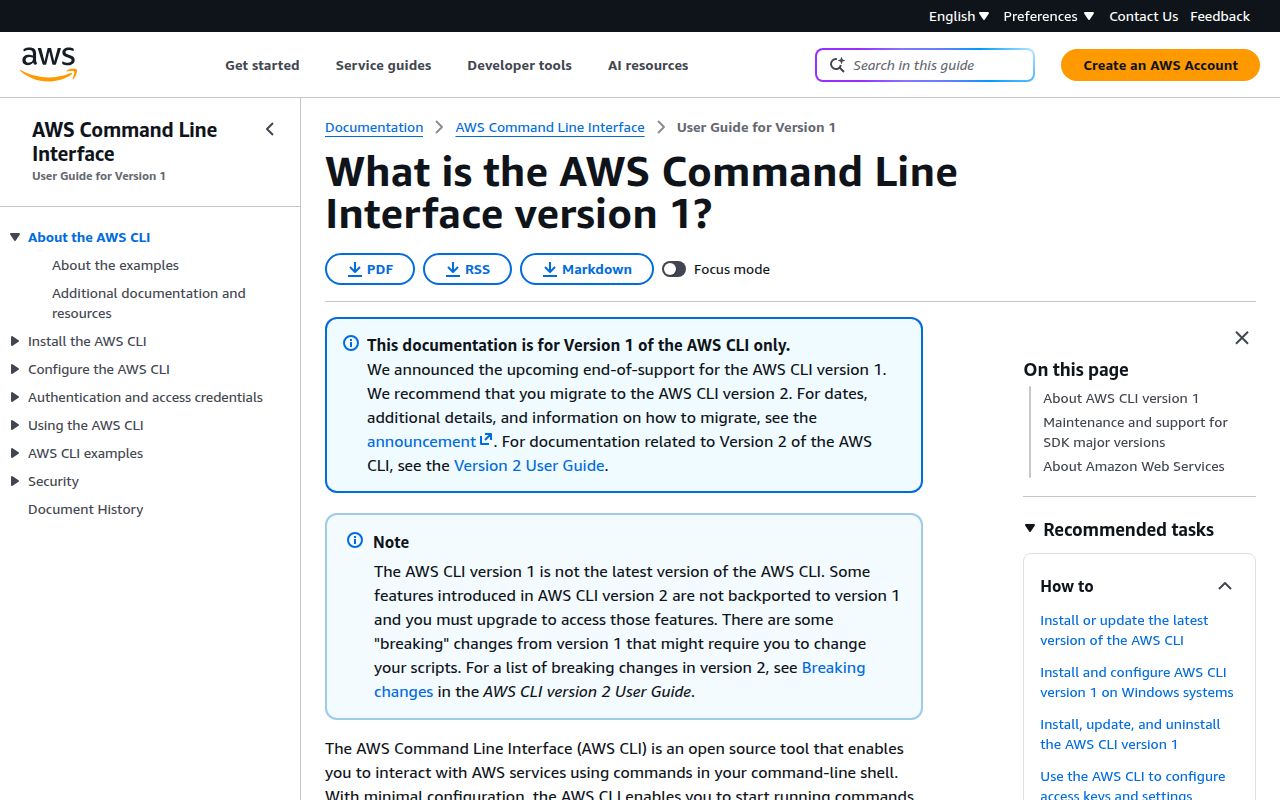
awscli is the pip-distributed first major version of Amazon's `aws` command. It maps AWS service operations to shell commands, adds higher-level S3 commands such as `sync`, and can filter responses with JMESPath before printing JSON, text, or tables. Version 1.46.0 raises the floor to Python 3.10 and pins `awscrt` 0.36.0 for its optional CRT extra. The important product distinction is easy to miss: installing this PyPI package gives you CLI v1, while AWS recommends the separately packaged CLI v2 and has placed v1 in maintenance mode.
Keep awscli 1.46.0 for pip-only environments and scripts that deliberately target v1. New operational tooling should start with AWS CLI v2, while application logic belongs in boto3.
We installed it
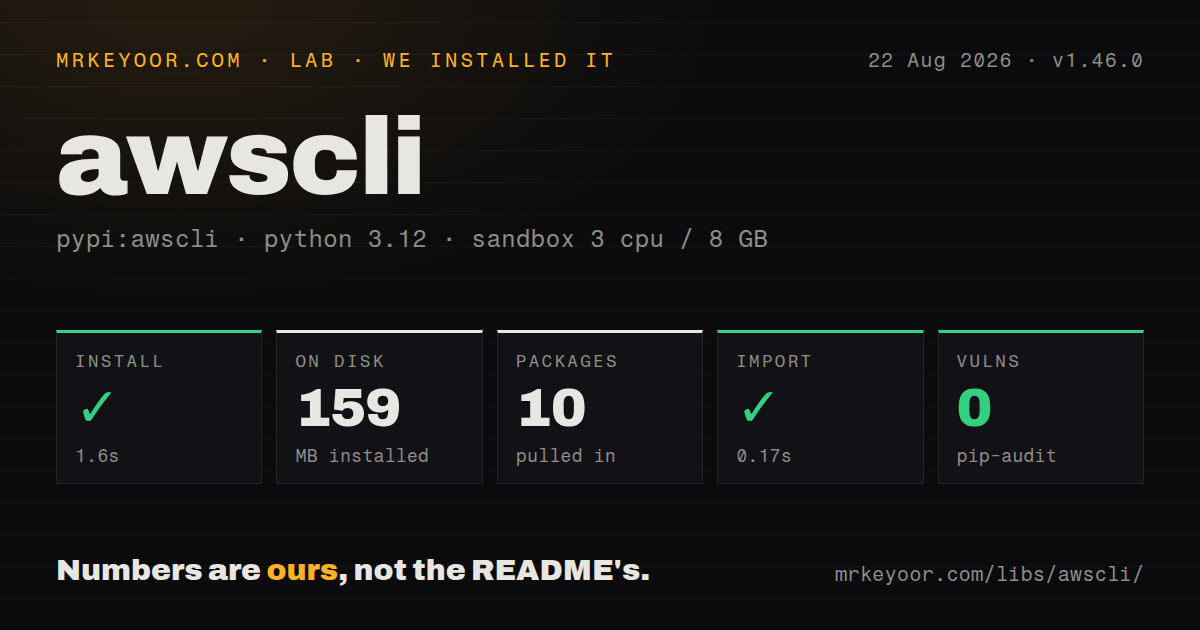
| Install | ✓ · 1.6s | 10 packages on disk · 159 MB |
| Import | ✓ | import awscli in 0.17s · pure Python · requires Python >= 3.10 |
| Known vulns | 0 | (pip-audit) |
Answers from our run
Does awscli install cleanly?
Yes. In a fresh container with an empty cache, pip install awscli finished in 2 seconds, leaving 10 packages and 159 MB on disk. pip-audit reported no known vulnerabilities.
What does awscli need to run?
Python >= 3.10, and nothing compiled: it is pure Python. In our run import awscli succeeded in 0.17s.
awscli or boto3: which should you use?
boto3: Choose it when AWS calls sit inside Python code that needs branching, retries, tests, or structured response handling. Keep awscli 1.46.0 for pip-only environments and scripts that deliberately target v1.
When should you not use awscli?
You are choosing an AWS CLI for new work. The repository says v1 entered maintenance mode on July 15, 2026 and directs users to CLI v2
Use it if
- A Python container or virtual environment must install the `aws` executable through pip and cannot use AWS's v2 installer
- Existing automation depends on CLI v1 output or command behavior and a major-version migration is outside the current change
- An operator needs short AWS API queries with `--query`, named profiles, and shell-friendly output without writing a boto3 program
- A requirements lock must pin the exact botocore and awscli combination used by an older deployment job
- You are choosing an AWS CLI for new work. The repository says v1 entered maintenance mode on July 15, 2026 and directs users to CLI v2
- Your login depends on the current IAM Identity Center workflow. AWS documents the richer SSO setup and `aws sso login` experience for CLI v2
- The application virtual environment already has shared Python tooling. awscli 1.46.0 constrains docutils, PyYAML, colorama, rsa, jmespath, python-dateutil, and urllib3, so resolution conflicts can spill into the app
- You need a library API with typed inputs, retry control, and unit-testable branches. boto3 fits that job better than parsing subprocess output
- You expect `pip install --upgrade awscli` to migrate v1 to v2. AWS distributes the two major lines through different installation paths
Setup reality
Our clean Python 3.12 container installed awscli 1.46.0 in 1.6 seconds. The environment held 10 packages and used 159 MB afterward. import awscli completed in 0.17 seconds, and pip-audit found no known vulnerabilities. The package is pure Python, declares eight direct dependencies, requires Python 3.10 or newer, and does not include a py.typed marker. Install it in a dedicated virtual environment or with pipx when other Python tools share the machine.
The first useful command needs credentials and a region. aws configure writes credentials to ~/.aws/credentials and profile settings to ~/.aws/config; environment variables and instance or container roles are other supported sources. Non-default sections in the config file use names such as [profile staging], while the credentials file uses [staging]. Run aws sts get-caller-identity before a destructive operation so you can see the resolved account and principal.
The CLI automatically paginates many service calls. --page-size changes each service request, while --max-items limits the combined result and returns a token for continuation. --query runs on the response after it reaches the client, so service-side --filters still matter on large accounts. Debug output includes request and credential-resolution detail; keep raw --debug logs out of tickets and public CI artifacts.
Search results often mix v1 and v2 documentation. Commands presented for v2 may be absent even though the executable name is identical. Upgrading the PyPI dependency remains on the v1 release line. Moving to v2 requires installing AWS's platform package or container and testing scripts against its documented migration differences.
Patterns
Create and select a named profile configure-profile
aws configure --profile staging
aws sts get-caller-identity --profile staging
aws s3 ls --profile staging
The config section is `[profile staging]`, but the credentials section is `[staging]`. The different headers are intentional.
Confirm the active AWS principal inspect-identity
aws sts get-caller-identity --output jsonRun this after changing profiles, roles, or environment variables. It returns the account and ARN selected by the credential chain.
Combine server-side filters with a JMESPath query filter-ec2-instances
aws ec2 describe-instances \
  --filters 'Name=tag:Environment,Values=production' 'Name=instance-state-name,Values=running' \
  --query 'Reservations[].Instances[].[InstanceId,PrivateIpAddress]' \
  --output table
`--filters` reduces the API response. `--query` reshapes that response on the client after download.
Preview and run an S3 directory sync sync-s3-prefix
aws s3 sync ./dist s3://example-site/assets --exclude '*.map' --delete --dryrun
aws s3 sync ./dist s3://example-site/assets --exclude '*.map' --delete
`--delete` removes destination objects that have no local counterpart. Keep the dry run in deployment procedures for shared or manually edited prefixes.
Generate a short-lived S3 download URL create-presigned-url
aws s3 presign s3://private-reports/quarterly.pdf --expires-in 900A URL made with temporary credentials stops working when those credentials expire, even when `--expires-in` requested a later time.
Limit a listing and continue from its token paginate-results
aws s3api list-objects-v2 --bucket archive --max-items 100 --page-size 50
aws s3api list-objects-v2 --bucket archive --max-items 100 --starting-token '<NextToken>'
Use the CLI's returned `NextToken` with `--starting-token`. Do not substitute an underlying service continuation token unless the command reference says to.
Use a role through a named profile assume-role
# ~/.aws/config
[profile production-admin]
role_arn = arn:aws:iam::123456789012:role/Admin
source_profile = default
region = us-east-1

# shell
aws sts get-caller-identity --profile production-admin
The CLI retrieves and caches temporary role credentials. Add `mfa_serial` to the profile when the role policy requires MFA.
Move a complex request into JSON supply-json-input
aws ec2 run-instances --generate-cli-skeleton input > run-instances.json
# edit run-instances.json
aws ec2 run-instances --cli-input-json file://run-instances.json
Generated skeletons are version-specific and AWS does not promise backward compatibility for their shape. Regenerate them after upgrading the CLI.
Select credentials and region in CI configure-ci-environment
export AWS_PROFILE=deployment
export AWS_DEFAULT_REGION=eu-west-1
aws sts get-caller-identity
aws cloudformation deploy --template-file template.yml --stack-name example
Explicit access-key environment variables can override the profile-backed identity. Prefer the CI platform's role or workload identity support over stored long-lived keys.
Capture request diagnostics on stderr debug-request
aws s3api head-object --bucket private-reports --key quarterly.pdf --debug 2> aws-debug.logThe log includes endpoint selection, credential-provider decisions, and signed-request details. Review and redact it before sharing.
Alternatives
| Package | Registry | Pick it when |
|---|---|---|
| boto3 | PyPI | Choose it when AWS calls sit inside Python code that needs branching, retries, tests, or structured response handling. |
| aws-sam-cli | PyPI | Choose it for local Lambda execution, SAM templates, packaging, and serverless deployments rather than general account administration. |
| s3cmd | PyPI | Choose it when the task is limited to S3-compatible object storage and the full AWS service command tree adds no value. |
More infra guides
semver · boto3 · opentelemetry-api · @opentelemetry/api · psutil · distro · the whole shelf →
How this guide is made: grounded in the library's documentation, release notes, changelog, and issue history, on a fixed rubric — not a hands-on install of every release. The 50 most-downloaded entries are additionally install-verified in clean containers. Corrections: contact the desk.