aws-requests-auth review
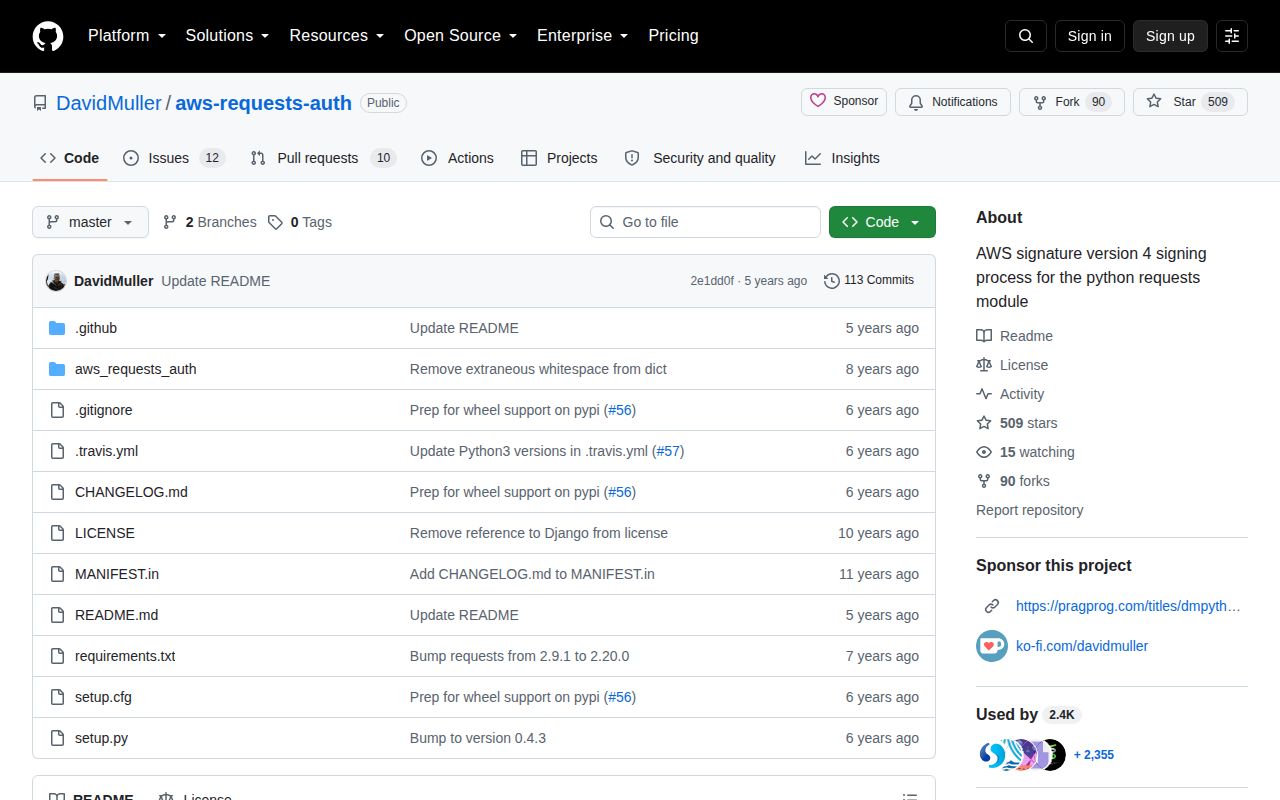
aws-requests-auth 0.4.3 is a `requests` authentication hook for AWS Signature Version 4. It signs a prepared HTTP request with an access key, secret key, host, region, and service name, then adds the Authorization and AWS date headers. The package was built around Amazon Elasticsearch Service, now OpenSearch Service, and its README still uses that older API. Our Python 3.12 import worked, but the package declares no Python floor, ships no `py.typed` marker, and has not released a newer version since 2020.
aws-requests-auth 0.4.3 installed in 0.5 seconds and used 3 MB in our sandbox, but its last release was in 2020 and its README still teaches an obsolete Elasticsearch client path. Keep it for a pinned, tested `requests` integration; start new AWS work with boto3, botocore, or a maintained signing adapter.
We installed it
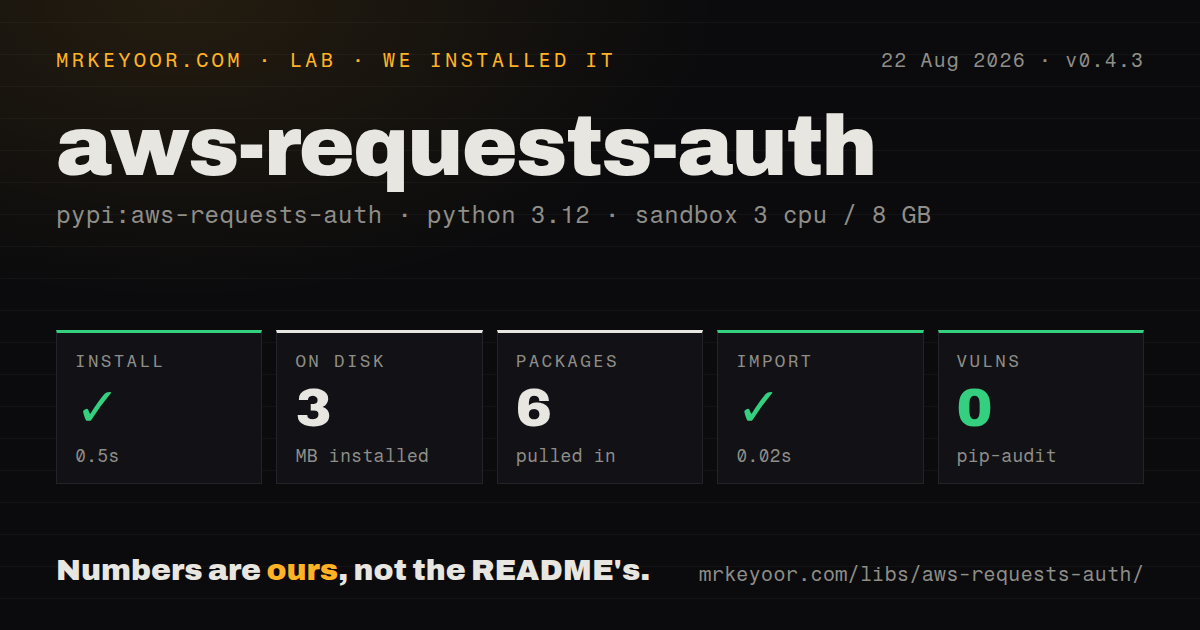
| Install | ✓ · 0.5s | 6 packages on disk · 3 MB |
| Import | ✓ | import aws_requests_auth in 0.02s · pure Python |
| Known vulns | 0 | (pip-audit) |
Answers from our run
Does aws-requests-auth install cleanly?
Yes. In a fresh container with an empty cache, pip install aws-requests-auth finished in 0.5s, leaving 6 packages and 3 MB on disk. pip-audit reported no known vulnerabilities.
What does aws-requests-auth need to run?
Python 3.x, and nothing compiled: it is pure Python. In our run import aws_requests_auth succeeded in 0.02s.
aws-requests-auth or requests-aws4auth: which should you use?
requests-aws4auth: Choose it for a requests auth adapter with newer releases and documented refreshable-credential support. aws-requests-auth 0.4.3 installed in 0.5 seconds and used 3 MB in our sandbox, but its last release was in 2020 and its README still teaches an obsolete Elasticsearch client path.
When should you not use aws-requests-auth?
You are starting new AWS code. botocore provides AWS-maintained credential discovery and signing primitives, while version 0.4.3 of this package dates to May 2020.
Use it if
- You own a working `requests` integration that already constructs `AWSRequestsAuth` and only needs header-based SigV4 signing.
- You must call an IAM-protected HTTP endpoint for which a boto3 service client is a poor fit.
- You need to attach temporary STS credentials, including the session token, to a synchronous `requests` call.
- You can pin version 0.4.3 and test signatures against the real AWS endpoint whenever Python or `requests` changes.
- You are starting new AWS code. `botocore` provides AWS-maintained credential discovery and signing primitives, while version 0.4.3 of this package dates to May 2020.
- You need current OpenSearch client instructions. The README uses the former Elasticsearch service name, Python 2 print syntax, port 80, and the removed `RequestsHttpConnection` style.
- You need presigned URLs, SigV4a, streaming-body signing, or service-specific request handling. This package implements the `requests` auth hook for header-based SigV4.
- You cannot guarantee canonical query encoding. The implementation expects the URL query to be encoded already, and an encoding mismatch produces an AWS signature error.
- You expect automatic credential discovery from the base install. `BotoAWSRequestsAuth` imports optional `botocore`, which aws-requests-auth does not install.
- You require typed Python package metadata. Our inspection found no `py.typed` marker, and the package does not state a supported Python range.
Setup reality
We installed aws-requests-auth 0.4.3 in a fresh Python 3.12 Bookworm sandbox. The install finished in 0.5 seconds, left 6 packages using 3 MB, and added 1 direct dependency. import aws_requests_auth completed in 0.02 seconds. pip-audit found 0 known vulnerabilities. The wheel is pure Python, but it has no py.typed marker, no declared Python requirement, and its package metadata did not give us a usable license value.
AWSRequestsAuth needs the exact AWS host, region, service identifier, access key, and secret. STS credentials also need aws_token; dropping that third value makes the signed request invalid. Keep keys out of source. The host is constructor state rather than something inferred for every request, so one auth object should not roam across endpoints.
BotoAWSRequestsAuth asks botocore's provider chain for credentials when it signs and can refresh them. Botocore is optional, so that helper fails unless your environment installs it separately. The base class has no provider-chain lookup of its own.
The signer does not add a timeout, retries, pooling, or response checks. Those stay with requests. Query parameters must reach the signer in AWS-compatible encoded form, and the body must not change after signing. Use HTTPS even though the README's old Elasticsearch sample uses HTTP.
Patterns
Sign one GET request sign-get-request
import requests
from aws_requests_auth.aws_auth import AWSRequestsAuth

host = "search-example.us-east-1.es.amazonaws.com"
auth = AWSRequestsAuth(
    aws_access_key=access_key,
    aws_secret_access_key=secret_key,
    aws_host=host,
    aws_region="us-east-1",
    aws_service="es",
)
response = requests.get(f"https://{host}/_cluster/health", auth=auth, timeout=10)
response.raise_for_status()
`aws_host` must equal the host AWS validates. `requests` still needs an explicit timeout.
Sign a JSON body sign-post-json
response = requests.post(
    f"https://{host}/my-index/_search",
    json={"query": {"match_all": {}}},
    auth=auth,
    timeout=30,
)
response.raise_for_status()
The signer hashes the prepared body. Changing the payload after the auth hook runs invalidates the signature.
Include an STS session token use-session-token
auth = AWSRequestsAuth(
    aws_access_key=credentials["AccessKeyId"],
    aws_secret_access_key=credentials["SecretAccessKey"],
    aws_token=credentials["SessionToken"],
    aws_host=host,
    aws_region="us-east-1",
    aws_service="execute-api",
)
Temporary credentials require the access key, secret key, and `aws_token` from the same session.
Load credentials through botocore discover-credentials
from aws_requests_auth.boto_utils import BotoAWSRequestsAuth

auth = BotoAWSRequestsAuth(
    aws_host=host,
    aws_region="us-east-1",
    aws_service="execute-api",
)
`botocore` is optional and must be installed separately before importing this helper.
Call an IAM-protected API Gateway route call-api-gateway
host = "abc123.execute-api.us-east-1.amazonaws.com"
auth = BotoAWSRequestsAuth(host, "us-east-1", "execute-api")
response = requests.post(
    f"https://{host}/prod/jobs",
    json={"job": "reindex"},
    auth=auth,
    timeout=15,
)
API Gateway uses the SigV4 service identifier `execute-api`, not `apigateway`.
Reuse a requests connection pool reuse-http-session
session = requests.Session()
session.auth = auth
session.headers.update({"Accept": "application/json"})

for index in ("orders", "customers"):
    r = session.get(f"https://{host}/{index}/_count", timeout=10)
    r.raise_for_status()
A Session can reuse sockets, while the auth hook signs each prepared URL and body separately.
Encode query parameters before signing send-query-parameters
from urllib.parse import urlencode

query = urlencode({"Action": "GetCallerIdentity", "Version": "2011-06-15"}, quote_via=__import__("urllib.parse").parse.quote)
r = requests.get(f"https://{host}/?{query}", auth=auth, timeout=10)
The implementation sorts encoded query fragments. A different encoding at transmission time breaks verification.
Inspect headers in a test inspect-signed-request
request = requests.Request("GET", f"https://{host}/")
prepared = request.prepare()
auth(prepared)

print(prepared.headers["Authorization"])
print(prepared.headers["x-amz-date"])
The Authorization header contains a credential identifier and signature, so production logs should redact it.
Alternatives
| Package | Registry | Pick it when |
|---|---|---|
| requests-aws4auth | PyPI | Choose it for a requests auth adapter with newer releases and documented refreshable-credential support. |
| botocore | PyPI | Choose it for AWS-owned credential resolution, SigV4 primitives, and service-aware request machinery. |
| boto3 | PyPI | Choose it when an AWS service client already exposes the operation you need. |
More infra guides
semver · boto3 · opentelemetry-api · @opentelemetry/api · psutil · distro · the whole shelf →
Related reading
How this guide is made: grounded in the library's documentation, release notes, changelog, and issue history, on a fixed rubric — not a hands-on install of every release. The 50 most-downloaded entries are additionally install-verified in clean containers. Corrections: contact the desk.