@apollo/client review
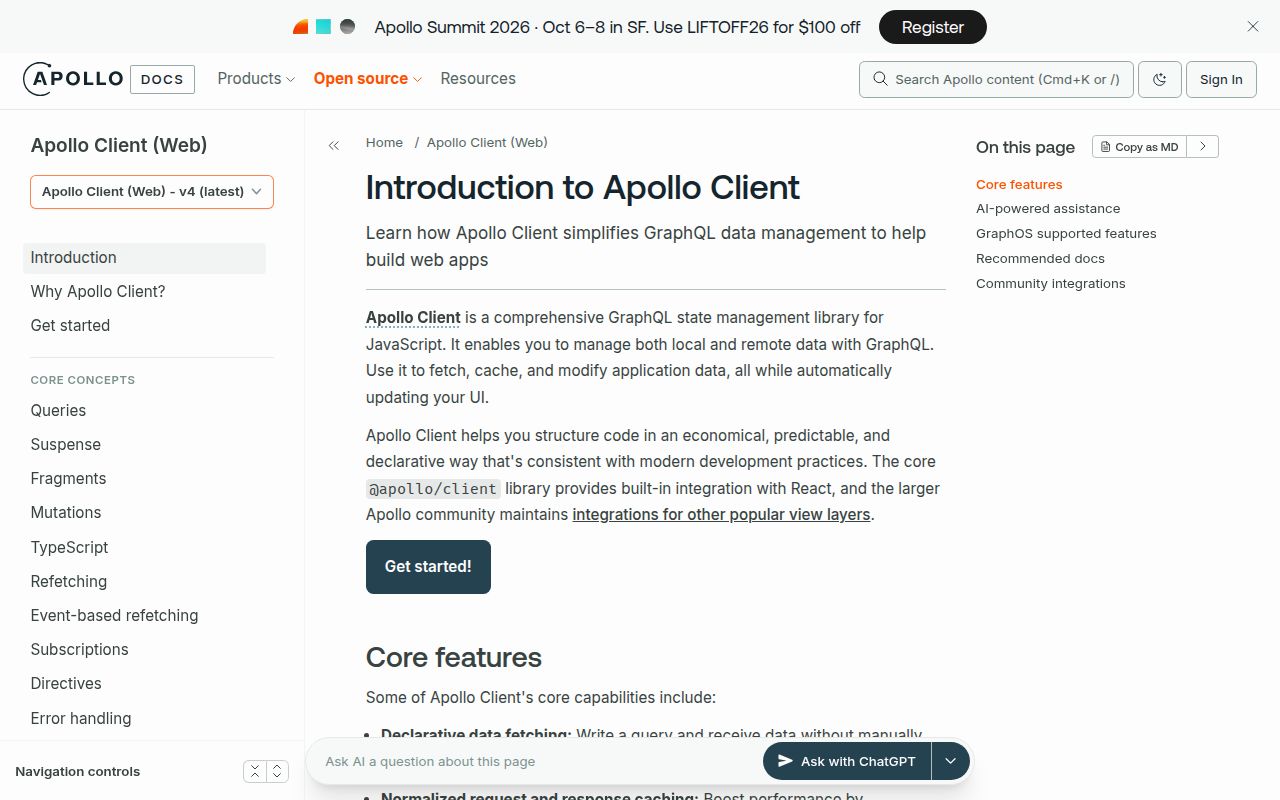
Apollo Client 4 is a GraphQL operation client with a normalized in-memory cache, framework-neutral core APIs, and a separate React entry point. It can run queries, mutations, subscriptions, and incremental multipart responses, then identify returned objects so multiple screens can read the same cached entity. Version 4.2.12 fixes multi-byte UTF-8 characters split between multipart chunks. The package makes the most sense when cache identity, pagination merges, optimistic writes, and fetch policies are part of the application design, not when GraphQL is only a typed POST request.
Apollo Client 4.2.12 took 7.5 seconds and 33 MB in our install, while its broad browser import reached 57 KB gzipped, a fair trade only when several screens genuinely share normalized GraphQL state. Install it for deliberate cache policies and optimistic UI; use a request client when each operation can stand alone.
We installed it
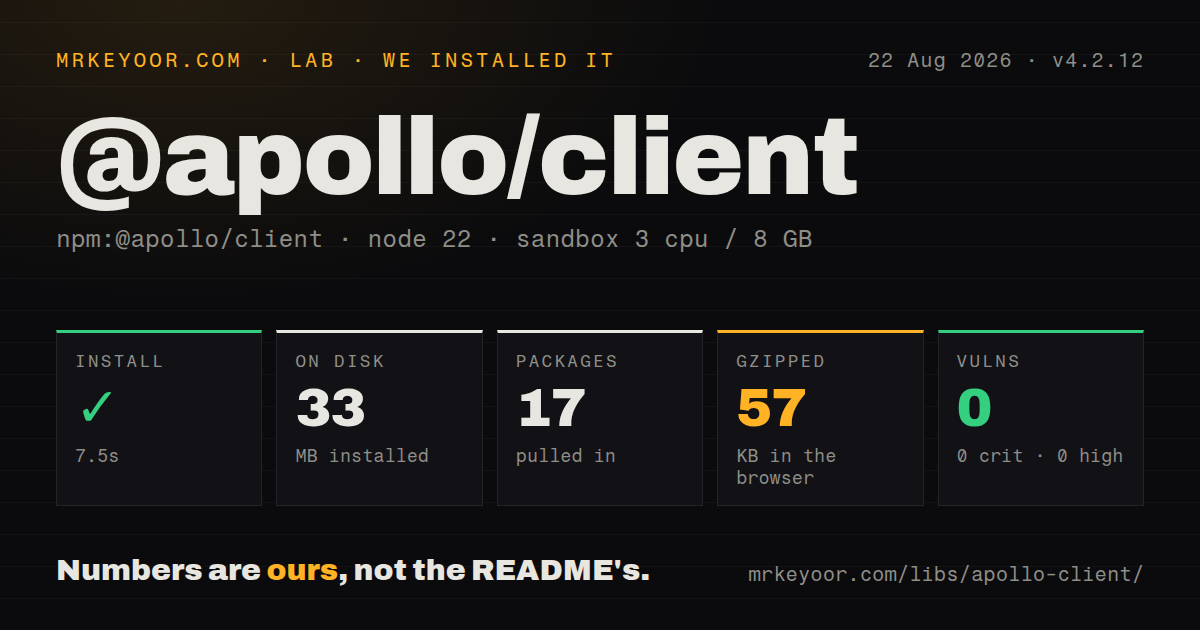
| Install | ✓ · 7.5s | 17 packages on disk · 33 MB |
| Import | ✓ | ESM import works · require() works · ESM package with exports map |
| Browser | 57 KB | gzipped (189.4 KB minified), bundled with esbuild |
| Types | ✓ | TypeScript types bundled |
| Known vulns | 0 | 0 critical · 0 high · 0 moderate · 0 low (npm audit) |
Answers from our run
Does @apollo/client install cleanly?
Yes. In a fresh container with an empty cache, npm install @apollo/client finished in 8 seconds, leaving 17 packages and 33 MB on disk. npm audit reported no known vulnerabilities.
How much does @apollo/client add to a browser bundle?
57 KB gzipped (189.4 KB minified) when the whole package is bundled for the browser with esbuild. Importing only part of it is usually smaller.
Does @apollo/client work with both ESM and CommonJS?
Yes. Both import '@apollo/client' and require('@apollo/client') worked in Node 22 in our run. The package is published as ESM with an exports map.
Does @apollo/client include TypeScript types?
Yes, type declarations ship inside the package, so no @types install is needed.
@apollo/client or urql: which should you use?
urql: Choose it for GraphQL React hooks and an exchange pipeline with less cache machinery by default. Apollo Client 4.2.12 took 7.5 seconds and 33 MB in our install, while its broad browser import reached 57 KB gzipped, a fair trade only when several screens genuinely share normalized GraphQL state.
When should you not use @apollo/client?
You only issue a few unrelated GraphQL requests; graphql-request gives you a much smaller request layer without cache policy work
Use it if
- Several React screens read and update the same GraphQL entities, so a normalized cache can remove duplicate fetching
- Your product needs optimistic mutations, cursor or offset pagination policies, subscriptions, or incremental responses
- You can give GraphQL objects stable IDs and test cache behavior as carefully as network behavior
- Your team wants React 17 through 19 support, Suspense APIs, developer tools, and generated typed documents
- You only issue a few unrelated GraphQL requests; graphql-request gives you a much smaller request layer without cache policy work
- A 57 KB gzipped client-side addition is too much for the route; our broad esbuild import measured 189.4 KB minified
- Your backend is mostly REST or server actions, where TanStack Query can cache arbitrary promise results without GraphQL documents
- You cannot supply GraphQL 16 or 17 and RxJS 7; version 4.2.12 declares both as peers, while React is needed for the React entry point
- Your upgrade process assumes minor releases never change supported dependency versions or transpilation targets; Apollo's own versioning policy permits those changes
Setup reality
Our clean Node 22 install of @apollo/client 4.2.12 finished in 7.5 seconds. It left 17 packages and 33 MB on disk, with 7 direct dependencies, 6 peers, bundled TypeScript declarations, and no findings from npm audit. Both require() and ESM import worked. A broad browser import measured 189.4 KB minified and 57 KB gzipped, so import from documented subpaths and inspect the bundle used by your actual route.
Install compatible graphql and rxjs peers yourself. React code imports hooks and ApolloProvider from @apollo/client/react; old version 3 examples that pull hooks from the package root fail against version 4. Create one client from a link and InMemoryCache, then place its provider above every hook consumer. Authentication, retries, uploads, and WebSocket subscriptions need link setup, and subscriptions also need a compatible transport package.
Cache identity is the work. Apollo normally keys objects with __typename plus id or _id. Other identifiers belong in typePolicies.keyFields. Paginated list fields need keyArgs and a merge function, otherwise different filters can collide or later pages can replace earlier ones. A mutation can normalize its returned object without inserting that object into every cached list, so use a targeted cache update or refetch.
The default cache-first policy can return old data when a screen expects the network. Choose fetch policies per operation and include stable identifiers in every relevant selection. For SSR, create request-scoped cache state so one user's results cannot reach another request. Framework-specific packages handle Next.js and other streaming integrations. Apollo works with an ordinary GraphQL server and does not require GraphOS.
Patterns
Create an HTTP client and cache create-client
import { ApolloClient, HttpLink, InMemoryCache } from '@apollo/client';

export const client = new ApolloClient({
  link: new HttpLink({ uri: 'https://api.example.com/graphql' }),
  cache: new InMemoryCache(),
});
Version 4.2.12 needs compatible graphql and rxjs peers. The endpoint can be any GraphQL server.
Expose the client to React components provide-react-client
import { ApolloProvider } from '@apollo/client/react';

root.render(
  <ApolloProvider client={client}>
    <App />
  </ApolloProvider>,
);
In Apollo Client 4, React exports live under @apollo/client/react; importing ApolloProvider from the root follows the old version 3 layout.
Fetch one user in a component query-data
import { gql } from '@apollo/client';
import { useQuery } from '@apollo/client/react';

const USER = gql`
  query User($id: ID!) { user(id: $id) { id name email } }
`;

function Profile({ id }) {
  const { data, loading, error } = useQuery(USER, { variables: { id } });
  if (loading) return <p>Loading</p>;
  if (error) return <p>{error.message}</p>;
  return <h1>{data.user.name}</h1>;
}
Selecting id lets InMemoryCache identify the User and share later updates with other operations that return the same entity.
Wait for a required variable skip-query
import { skipToken, useQuery } from '@apollo/client/react';

const result = useQuery(
  USER,
  userId ? { variables: { id: userId } } : skipToken,
);
skipToken prevents execution without weakening the variable type or passing a made-up ID.
Start a query from a button lazy-query
const [search, { data, loading }] = useLazyQuery(SEARCH);

<button disabled={loading} onClick={() => search({ variables: { term } })}>
  Search
</button>
useLazyQuery fits user-triggered work. Data required by rendering is easier to track with an ordinary useQuery.
Create an item and refetch its list mutate-and-refetch
const [addTodo] = useMutation(ADD_TODO, {
  refetchQueries: [GET_TODOS],
});

await addTodo({ variables: { text: 'Ship release' } });
A refetch costs another request but avoids hand-written list surgery. Named queries must be active to be refetched this way.
Render a mutation before the server replies optimistic-result
await addTodo({
  variables: { text },
  optimisticResponse: {
    addTodo: {
      __typename: 'Todo',
      id: `temp:${crypto.randomUUID()}`,
      text,
      done: false,
    },
  },
});
The optimistic object needs __typename and a stable temporary ID so the 4.x cache can normalize and later replace it.
Insert a mutation result into a cached list update-cached-list
const [addTodo] = useMutation(ADD_TODO, {
  update(cache, { data }) {
    if (!data?.addTodo) return;
    cache.modify({
      fields: {
        todos(items = [], { toReference }) {
          return [...items, toReference(data.addTodo)];
        },
      },
    });
  },
});
Normalization stores the new Todo, but it does not decide which cached lists should contain that Todo.
Identify entities by domain fields custom-cache-key
const cache = new InMemoryCache({
  typePolicies: {
    Product: { keyFields: ['sku'] },
    Country: { keyFields: ['code'] },
  },
});
Each configured field must stay unique and stable for that GraphQL type. Changing keys create separate cached entities.
Merge offset pages without mixing filters merge-pages
const cache = new InMemoryCache({
  typePolicies: {
    Query: {
      fields: {
        feed: {
          keyArgs: ['filter'],
          merge(existing = [], incoming, { args }) {
            const next = existing.slice();
            const offset = args?.offset ?? 0;
            incoming.forEach((item, i) => { next[offset + i] = item; });
            return next;
          },
        },
      },
    },
  },
});
Keeping filter in keyArgs gives different filtered feeds separate cache entries; dropping it can combine unrelated lists.
Fetch once before preferring cached data set-fetch-policy
const result = useQuery(DASHBOARD, {
  fetchPolicy: 'network-only',
  nextFetchPolicy: 'cache-first',
});
Apollo defaults to cache-first. Set the first and subsequent policies explicitly when initial freshness matters.
Run a query in a loader or service query-outside-react
const { data } = await client.query({
  query: USER,
  variables: { id: '42' },
  fetchPolicy: 'network-only',
});
The core client works outside React. React hooks still require a component or custom hook and cannot be called from a loader.
Alternatives
| Package | Registry | Pick it when |
|---|---|---|
| urql | npm | Choose it for GraphQL React hooks and an exchange pipeline with less cache machinery by default |
| @tanstack/react-query | npm | Choose it when REST, GraphQL, and other promise-returning data sources share one server-state layer |
| graphql-request | npm | Choose it for typed GraphQL calls without a normalized client cache |
More web frontend guides
postcss · react · react-dom · tailwindcss · clsx · htmlparser2 · the whole shelf →
How this guide is made: grounded in the library's documentation, release notes, changelog, and issue history, on a fixed rubric — not a hands-on install of every release. The 50 most-downloaded entries are additionally install-verified in clean containers. Corrections: contact the desk.