The 1.3 MB checkout is mostly a handbook, not an application
The 1.3 MB WTFJS checkout collects JavaScript expressions that look wrong and then explains why the engine accepts them. The English README moves through loose equality, truthiness, NaN, array coercion, automatic semicolon insertion, floating-point precision, prototypes, generators, arrow functions, promises, and timers. Each entry usually shows an expression, its result, and a nearby explanation. Links to relevant ECMAScript clauses give curious readers somewhere better to settle an argument.
That format is good at creating a memory. Seeing [] == ![] evaluate to true is harder to forget than another paragraph warning you about coercion. The handbook also explains its output notation before the examples, so // -> means an expression result and // > means printed output. It is less useful as a first course because the topics follow surprise value rather than a beginner's learning sequence.
The CLI puts the same manual in your pager
The 93 MB installed tree opens the bundled README in a terminal pager after npm install -g wtfjs. There is no account, API key, daemon, or configuration service. You can set $PAGER, and the program defaults to less with FRX options when those environment variables are absent. The command renders Markdown before handing it to the pager.
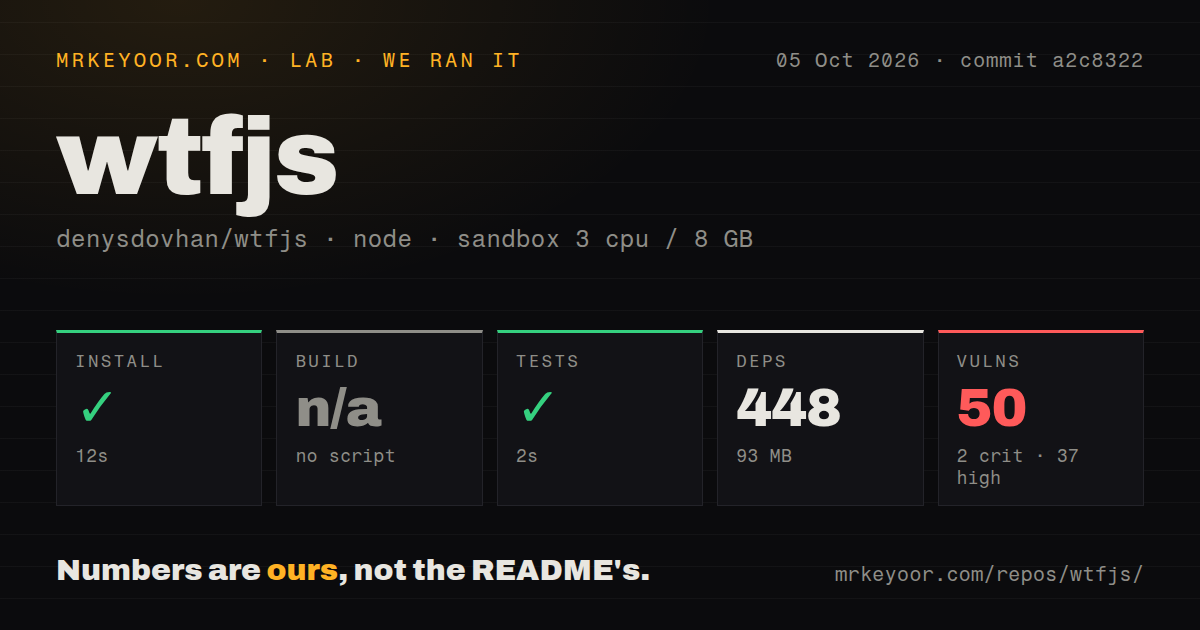
Installing the CLI is still an extravagant route to text that already reads well on GitHub. Our checkout occupied 1.3 MB, while the installed dependency tree reached 93 MB and 448 packages. The command adds update checking, terminal colors, a box around notices, Markdown rendering, and pager integration. If you only want the examples, a browser bookmark has less supply-chain surface and no global package to maintain.
What happened when we ran it
Our measurement setup used commit a2c8322, Node 22, 3 CPUs, 8 GB of RAM, an unprivileged container, and no secrets. The sandbox installed WTFJS in 12 seconds. Installation succeeded, and 448 packages occupied 93 MB on disk. The repository had no build script, so there was no build target to run.
The test step succeeded in 2 seconds. Package metadata shows that npm test runs prettier --check ., which verifies formatting rather than executing the handbook's JavaScript examples or the CLI. Our npm audit found 50 known vulnerabilities: 2 critical, 37 high, 9 moderate, and 2 low. The repository has 2 CI workflow files, no Dockerfile, and no tests directory.
A passing 2-second test does not verify the examples
The 2-second test only checked formatting, while WTFJS teaches through exact outputs that the command never executes. Open issue 355 documents an Adding arrays explanation that throws a TypeError when copied and run because adjacent lines combine through automatic semicolon insertion. That report concerns the teaching material itself, not an unrelated old component.
The README often links to specification sections, which helps you check the reasoning. Some links target older numbered editions, though, and JavaScript continues to change. Treat every example as a prompt to reproduce in the runtime you support. For a code review rule, production fix, or interview answer, follow the linked concept into the current ECMAScript text instead of citing the joke alone.
The October 2026 CLI fix is newer than v1.22.8
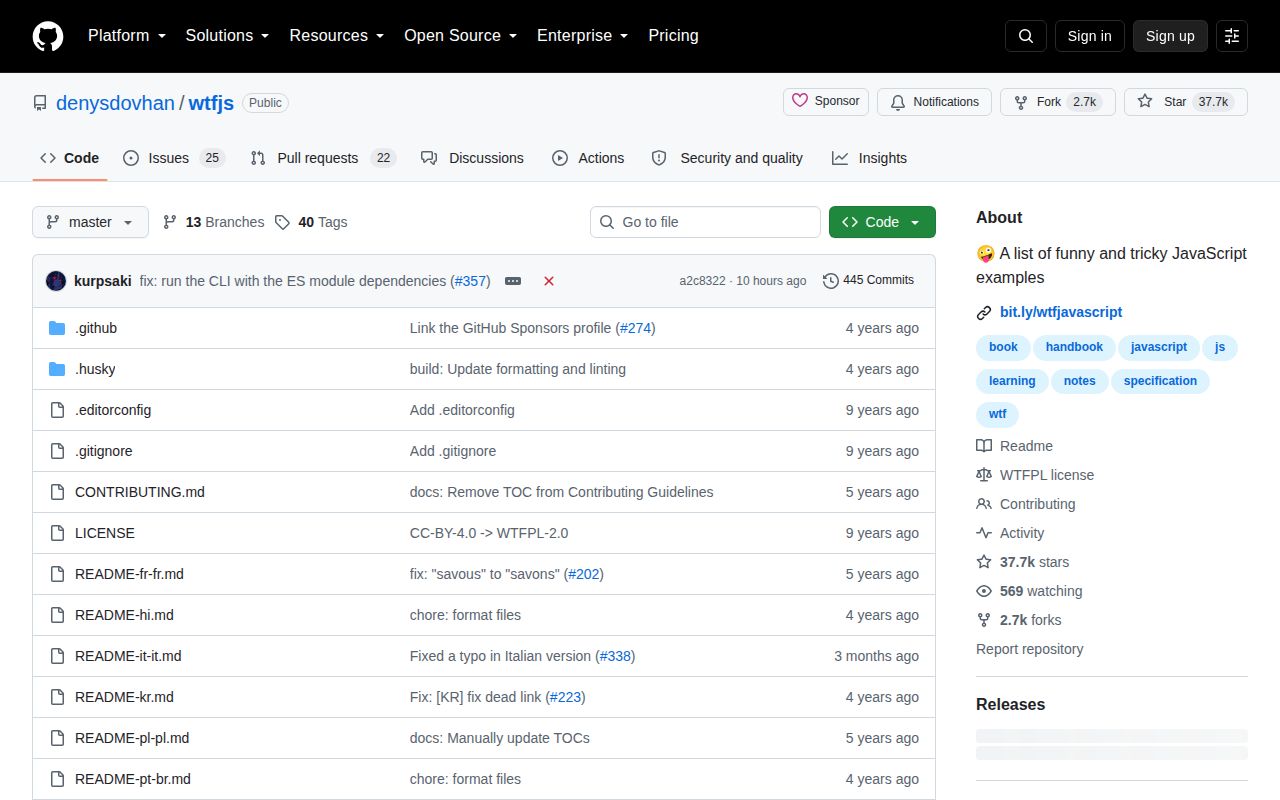
WTFJS v1.22.8 predates the October 5, 2026 commit that converted the CLI to ES modules after its dependencies had become ESM-only. The commit message says the previous command crashed on invocation with TypeError: meow is not a function. That is meaningful maintenance, but it does not make the release channel current by itself.
GitHub's latest release remains v1.22.8, published September 30, 2022. The open automated-release report names an invalid npm token and was updated after the October fix. GitHub lists 47 open issues and pull requests, split into 25 issues and 22 pull requests in the API response we checked. Recent activity and an old published tag therefore tell different stories.
Seven translations exist, but the CLI path has a Linux bug
The repository stores 7 translation files linked from the README: Chinese, Hindi, French, Brazilian Portuguese, Polish, Italian, and Korean. The README warns that translators maintain those files separately, so they may omit examples or contain older explanations. Readers can inspect the Markdown files directly, which is the safest way to see what each translation currently includes.
Open issue 354 reports a case-sensitive filename mismatch in the --lang option. The CLI converts a region such as pt-br to pt-BR, while the repository stores README-pt-br.md. On Linux and other case-sensitive filesystems, the documented command can say the translation does not exist. An additional open report says chunked rendering can split Markdown or multibyte characters in longer manuals.
WTFJS works best as a map to deeper reading
WTFJS has 37,692 stars because the examples are easy to share and fun to discuss, not because it replaces a specification or a course. Use one puzzle to expose a gap, run it in the JavaScript engines you care about, and then read the rule that produces the result. For systematic study, You Don't Know JS Yet or The Modern JavaScript Tutorial gives the ideas an order. For a final answer on language behavior, use ECMA-262.
Our run makes the trade clear: 12 seconds to install was painless, but 448 packages and 50 advisories bought a terminal view of material already available in a browser. The handbook itself is worth browsing. The global package is much harder to recommend until a newer release carries the CLI repair, the audit improves, and behavior checks cover the examples readers are asked to trust.