The panel audits skill use from DSH events
dsh-echocat-skill-panel does not wait for an agent to remember which skills it used. It derives the answer from the DSH conversation event stream, then shows the result above the input box, in a sidebar entry, and in a larger central panel. A turn can show automatic skill use, a manual slash invocation, or no skill at all. That makes the audit independent of the model's own summary.
The requested GitHub name, VDERR/echocat-skill-panel-3.0, now redirects to VDERR/dsh-echocat-skill-panel. The current package is version 5.1.3, despite the old URL. That rename matters during installation because the npm package, repository, plugin identity, and client bundle must agree. Existing users following an old bookmark should confirm that their DSH profile points to the current package rather than assuming the redirect updates an installed plugin.
Installation accepts URLs, ZIP files, Markdown, and pasted skills
The install sheet accepts a GitHub repository or subdirectory URL, a SKILL.md link, a ZIP URL, an owner/repo shorthand, an SSH address, an uploaded .md or .zip, or the pasted contents of a skill file. The host decides whether to clone or download and extracts the branch and subdirectory when the address supplies them. A same-named skill is backed up before replacement.
Convenience does not establish trust. The documentation does not describe signature verification or a central approval list for these inputs. A competent team should still inspect the repository, the exact revision, and any scripts or instructions that the skill can cause an agent to use. The manager's backup behavior helps recovery from a bad install, but it cannot tell you whether the source was safe in the first place.
What happened when we ran it
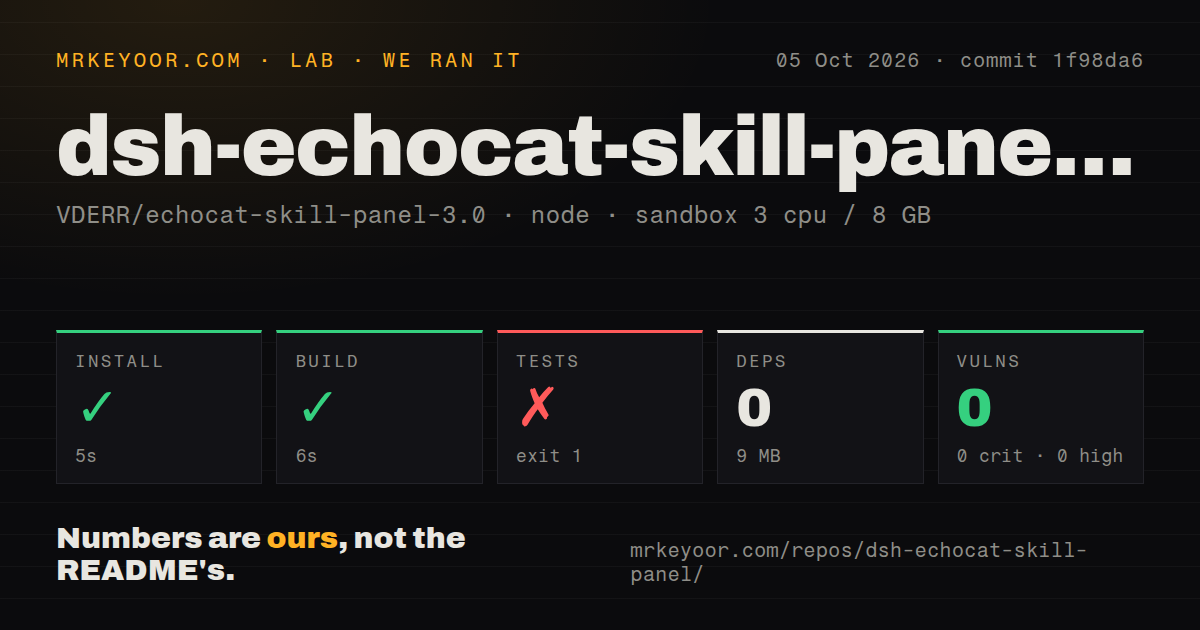
In our unprivileged Node sandbox with 3 CPUs and 8 GB of RAM, commit 1f98da6 installed in 5 seconds. Npm added 0 packages and used 9 MB. The client build succeeded in 6 seconds, and npm audit reported 0 known vulnerabilities. The repository had 97 files, roughly 34,266 lines of source, no CI workflow, no Dockerfile, and a tests directory.
The test command failed after 4 seconds with exit code 1. Its tail contains Node's ERR_MODULE_NOT_FOUND stack, but the missing module name is not present in the supplied lines. The log also ends with RESULT: 54/54 passed. Both facts matter: an internal group of checks reported success, yet the overall command failed. Calling the suite green would ignore the process result, while guessing which import is missing would exceed the evidence.
Our run used Node 22 in the lab image, while the failure tail identifies Node 20.20.2 in the command that broke. The repository declares Node 20 or newer. The block does not show enough context to say whether the runtime version, packaging, or a missing generated file caused the failure. A release consumer only needs the operational conclusion: commit 1f98da6 did not complete its full test script successfully in the fresh container.
Updates keep the source commit and a content fingerprint
For a skill installed with provenance, the plugin writes an .echocat.json beside it containing the source address, branch, subdirectory, install commit, and content fingerprint. An update check uses git ls-remote instead of downloading the whole source. A source pinned to a commit is not marked outdated merely because its branch moved. Skills installed by hand or by older plugin versions can have a source assigned later.
Updating replaces the skill only after moving the old copy to backup. If you edited the installed files, the confirmation warns that the update will overwrite those changes. Disabling uses a similar concrete operation: the directory moves out of the location DSH watches, so the model can no longer load it, while the files remain available for re-enabling. These mechanics are easier to reason about than a cosmetic enabled flag.
Local appearance settings stay on one client
Version 5.1.3 includes a strip above the composer, a full report panel, and background controls. A local image can be JPG, PNG, or WebP up to 8 MB, and the client resizes its long edge to no more than 1920 pixels. The image and appearance settings stay in a client-side database. They do not upload or modify skill data, and they do not sync across devices.
The interface respects reduced-motion and reduced-transparency preferences, supports dark and light themes, and keeps static backgrounds from rendering continuously. Those details show care for a resident panel that may remain open all day. They do not change the product boundary: the plugin is useful only inside DSH Desktop Beta, and host-side edits still require a full application restart even when client-only changes appear after a refresh.
Version 5.1.3 is current, but CI is absent
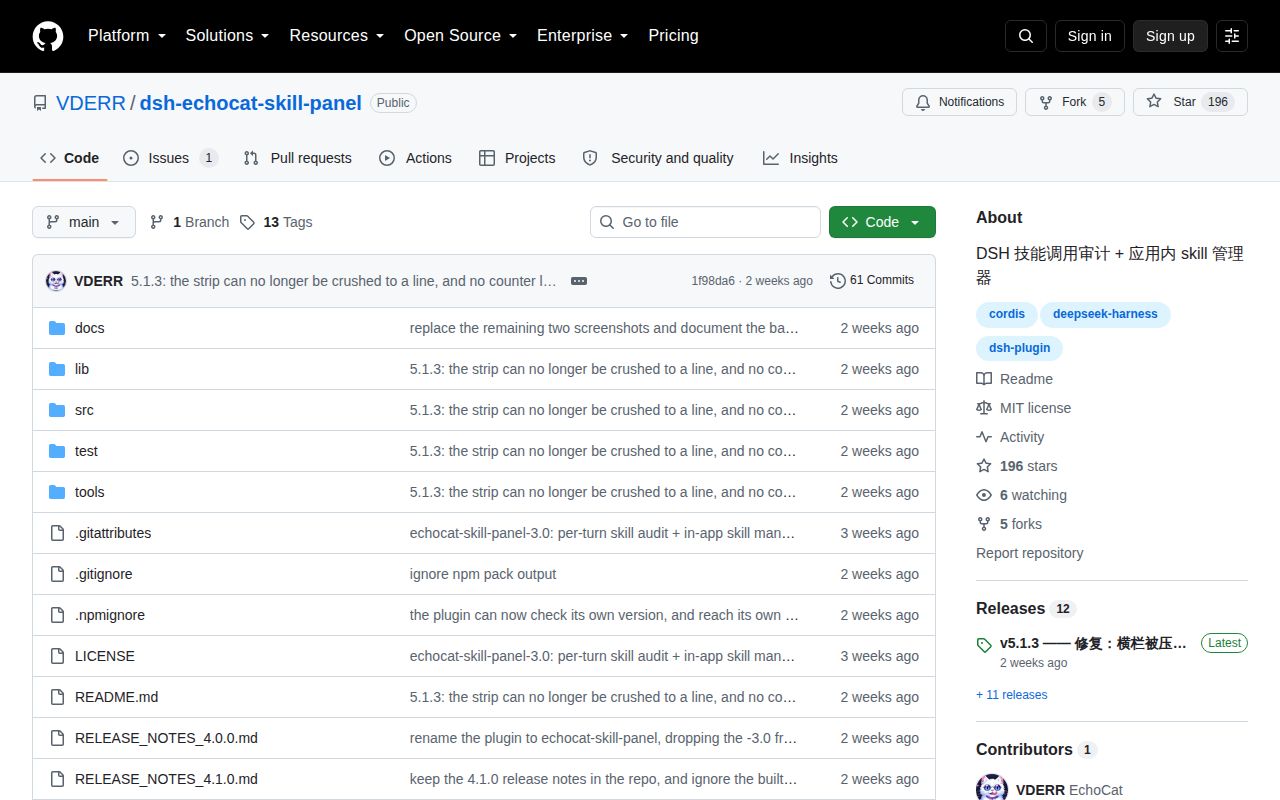
GitHub showed 196 stars, 5 forks, and 1 open issue on October 6, 2026. That issue is only a notice that the project was listed in a DSH directory. The last push was September 24, followed minutes later by the v5.1.3 release. This is recent maintenance, though the repository has no GitHub Actions workflow to repeat the substantial local checks described by the maintainer.
The plugin solves a specific DSH problem well on paper: skill use becomes visible, installed sources remain traceable, and removal stays recoverable. Our 6-second build supports the packaging path, while the failed 4-second test command blocks a clean endorsement. Try it first in a disposable DSH profile, install one reviewed skill, exercise update and restore, then decide whether the operational convenience outweighs the extra filesystem authority.