Writer edits folders without taking ownership of the files
Writer opens a workspace of Markdown documents and leaves them on disk. It respects the workspace's .gitignore, watches for outside changes, and supports several windows with one workspace per window. That is a good fit for documentation beside source code because the editor does not require an import database or proprietary storage format. Finder, Git, shell tools, and another editor can keep using the same files.
A compact window handles one directly opened file without indexing a full workspace. Back and forward navigation follow links, and a recent-files list remembers up to 30 entries. The full workspace adds tabs, pinned documents, recent documents, search, a file tree, and context actions for creating files or folders. v0.5.0 also lets users open a folder in a chosen terminal from the sidebar.
Rendered Markdown stays editable at the cursor
CodeMirror provides the editing surface while Writer folds syntax into previews. Tables render with column sizing that avoids starving narrow fields. KaTeX handles inline and block math. Mermaid diagrams sit in a fixed canvas with pan, zoom, and an edit toggle. Task checkboxes, images, links, headings, and code have their own display behavior, then reveal source when the selection moves into them.
Obsidian-style ![[image.png]] embeds resolve workspace paths and can find a bare filename across the workspace, using the shortest match when duplicates exist. Wiki links support aliases and fragments. These details make Writer friendlier to an existing vault than a bare text editor. Compatibility is still partial: an August issue asks for GitHub-style <sub> and <sup> tags, and loose-file tabs remain a proposal rather than shipped behavior.
What happened when we ran it
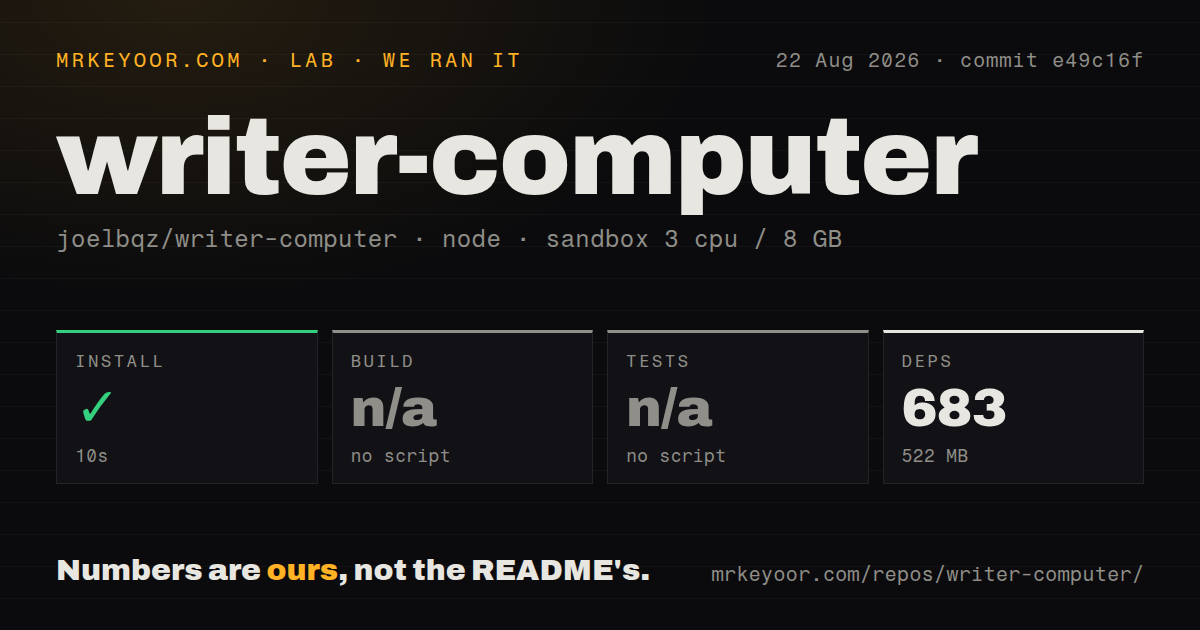
Our sandbox cloned commit e49c16f, a 439-file monorepo with about 37,707 source lines and 13.8 MB checked out. pnpm installed 683 packages in 10 seconds, consuming 522 MB on disk. The container used Node 22 on Debian with 3 CPUs, 8 GB of RAM, no secrets, and no privileged access.
The root offered no build script or target recognized by our harness, so no build ran. It also offered no recognized test target, so no tests ran. Our scan found 0 CI workflow files, no Dockerfile, and no tests directory. This does not contradict the README's separate vp check, vp test, cargo test, cargo clippy, and format commands; it means the standard automated path we measured did not invoke them. We cannot turn documented commands into passing results.
Source development depends on Vite+ conventions
The repository tells contributors to use the vp CLI rather than call the package manager or Vite directly. The root needs Node 22.12 or newer and pnpm 10.32.1. Desktop work also adds Rust, Cargo, and Tauri 2 platform dependencies. The desktop package has its own build script, while Rust validation runs from apps/desktop/src-tauri.
That setup can be coherent for maintainers and opaque for a casual contributor. A fresh clone needs Vite+ configured before the documented checks mean anything. With 522 MB installed from 683 packages, the JavaScript side is not especially small for a focused editor. The absence of a visible GitHub CI workflow means outside contributors cannot point to a repository check run as independent confirmation that TypeScript and Rust validation passed.
v0.5.0 is a macOS product today
The August 11, 2026 release contains an Apple Silicon DMG, a compressed Writer.app, and updater metadata. The README describes a signed and notarized macOS release flow performed locally. It does not ship a Windows installer, Linux package, or Intel Mac DMG in v0.5.0. Open issues asking for Windows 11 and Linux releases confirm the current platform gap.
macOS integration goes beyond packaging. Writer includes Finder opening, a Quick Look extension, recent workspaces in the Dock menu, an updater, installed-font selection, and a menu action that creates a /usr/local/bin/writer symlink after authorization. Those details explain why the app feels native and why other platforms require more than flipping a build target. Choose it for the platform it ships, not for source comments about future portability.
Workspace safeguards are unusually specific
Recent changes protect against file and settings corruption. Recents use temporary-file plus rename writes. Dragging refuses to overwrite name collisions. Workspace actions validate containment and stale paths. The terminal preference passes a selected executable without shell interpretation. Multiple windows keep separate workspace state, and saving older window settings preserves newer global preferences from another window.
External files still introduce hard cases. Cloud storage may evict a file, atomic saves can look like renames, and a watcher must distinguish temporary disappearance from deletion. The changelog documents fixes for those exact cases. This is reassuring engineering evidence, though it also shows how much behavior sits below the simple promise of editing Markdown on disk. Test a duplicate workspace under the same iCloud, Dropbox, or network-storage conditions you actually use.
The project moves quickly without a public CI signal
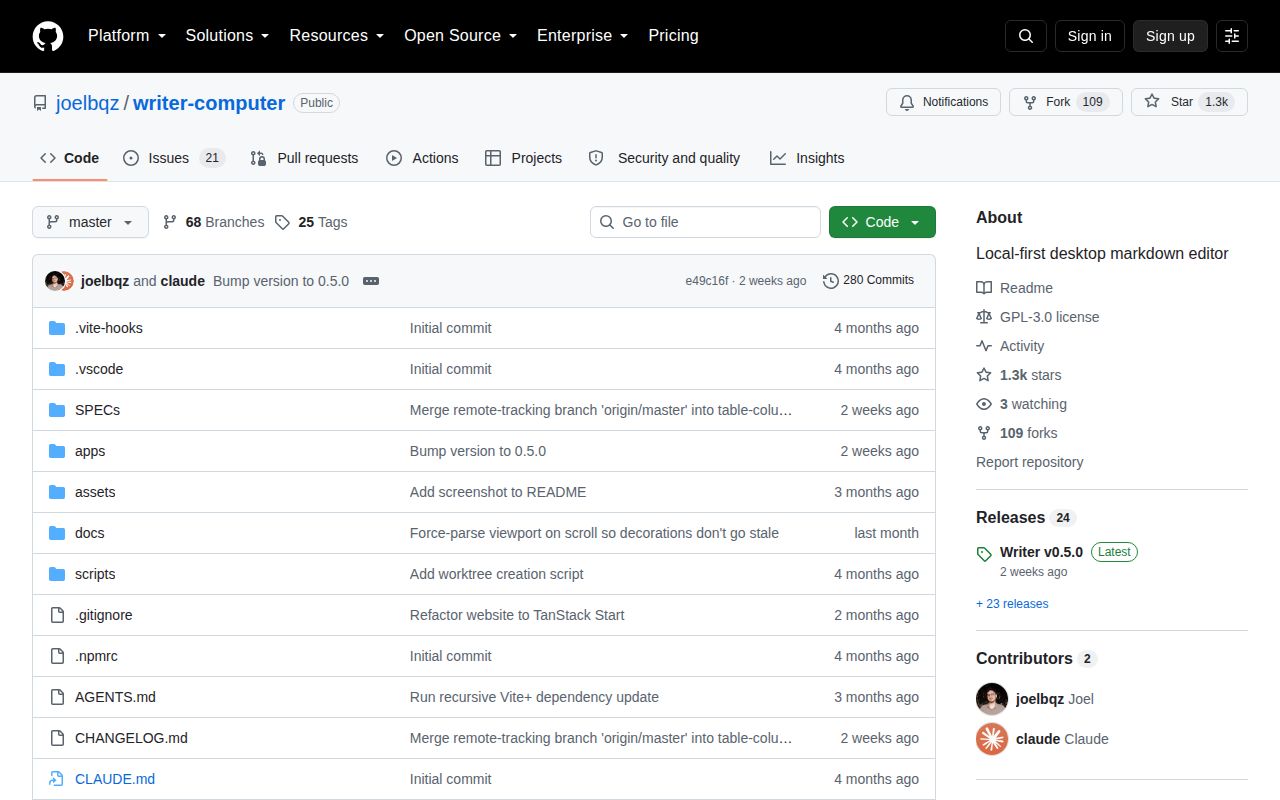
GitHub showed 21 combined issues and pull requests and a last push on August 11, 2026. Release v0.5.0 landed the same day with sidebar workspace actions, configurable terminal opening, and table fixes. The project uses GPL-3.0. Recent merged work covered KaTeX, font controls, Quick Look, Obsidian embeds, multi-window state, file moves, and editor rendering stability.
The issue tracker is concrete rather than crowded. Current requests cover loose-file tabs, extra GitHub Markdown tags, hidden dotfiles, and non-macOS releases. An updater issue says v0.4.0 repeatedly offered the already installed version. Writer is active enough to test and narrow enough to understand, but the skipped build and tests keep our recommendation conditional. Start with copied files and verify external edits, save recovery, and update behavior before making it the default editor.