A process explanation can include an unknown cause
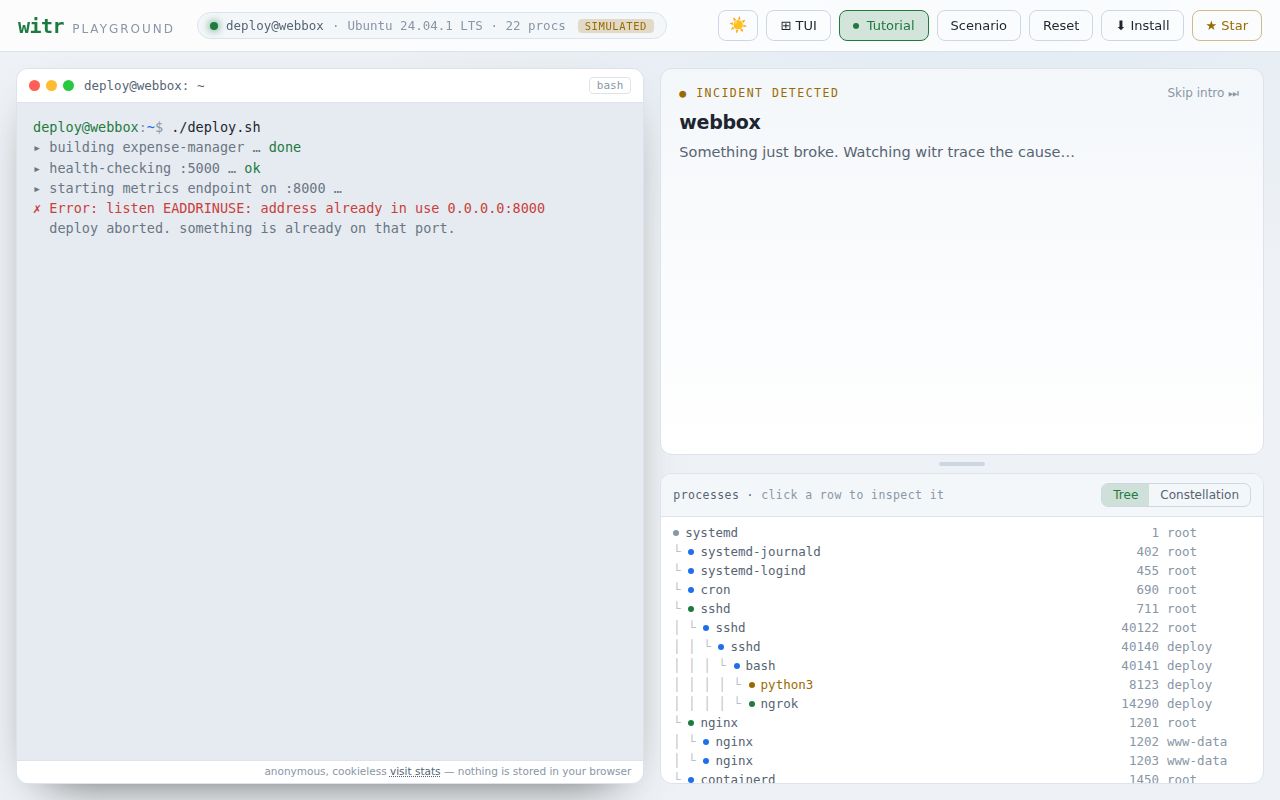
Finding the PID behind a port does not always explain what started it. witr aims to join process ancestry with service-manager, container, socket, and working-directory context. The useful distinction is how it handles missing evidence: its README describes best-effort attribution and an explicit unknown source when the original parent has exited and surviving context cannot explain the process.
That makes witr a candidate for developers debugging occupied ports and operators investigating background services. It does not make every reported chain forensic proof. Our recorded run checked repository command execution; it did not measure the correctness of those explanations.
CLI reports and the terminal dashboard
The README documents lookups by process name, PID, port, open file, or container. witr --port 5000 --short prints ancestry, --tree includes children, and --json supplies structured output. Target flags can be repeated and mixed.
There are seven documented exit codes, numbered 0 through 6: clean result, found with warnings, not found, permission denied, invalid input, internal error, and cause unknown. Code 1 means the process was found with warnings. Code 6 means it was found but its cause could not be traced; the README says this code is not used on Windows, where launcher processes routinely exit.
For scripts, match JSON fields and exit codes. The documented stability contract covers field names, meanings, and types, while allowing additional fields. It does not cover field order, whitespace, or human-readable message wording.
Running without arguments in a terminal opens the TUI. Its documented views cover processes, ports, containers, and locks, subject to platform support. Unix process actions include terminate, kill, pause, resume, and renice. Confirm the selected process before taking an action. An output mode such as --json without a target exits with code 4 rather than opening the dashboard.
What our recorded run establishes
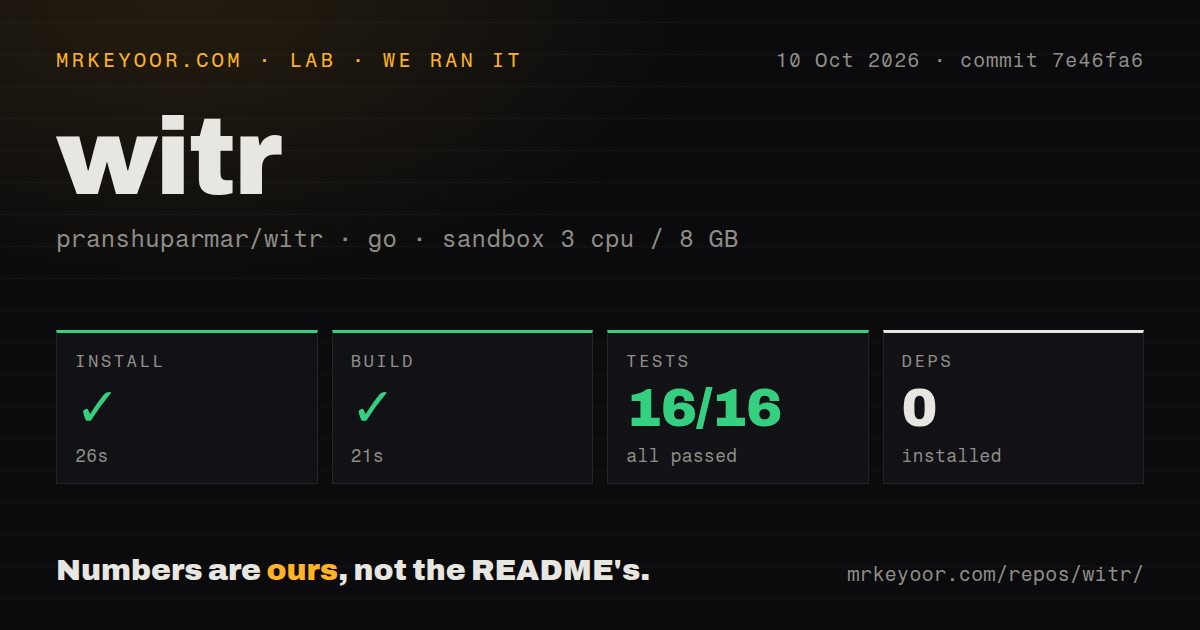
On October 10, 2026, our stored sandbox run used commit 7e46fa68151fd7c59fb7a0cf4247a9a0ac0fbb6e, dated October 4, 2026. Setup completed in 26 seconds, the build step in 21 seconds, and go test in 15 seconds. Each recorded step exited successfully.
The setup output says go: downloading go1.25.10 (linux/amd64). Although the dependency counter records 0, the run clearly downloaded a toolchain. Setup-step completion does not establish that the CLI was installed or available on PATH. The build step is marked successful, with vet-exit:0 in its retained tail; the complete command is not supplied.
The parser summary records 16 successful package results and 0 failures. The retained tail contains package-level results followed by repeated summary lines. We therefore cannot describe the summary as 16 unique passing tests or an exhaustive package count. It establishes successful execution of the recorded go test step, with the supplied count limits.
The environment had 3 CPUs and 8 GB of memory, with image golang:1.24-bookworm. Its label does not establish the actual toolchain version. The checkout measured 1.3 MB, 334 files, and about 34,676 source lines. Detection found 6 CI workflows and no Dockerfile, Compose file, or separate tests directory. Package test results are present despite the absence of a dedicated tests directory.
No installed-binary check, live process-attribution workload, cross-platform validation, or security audit result is recorded. These timings describe this run, not expected installation time or incident-response performance.
Exited parents and Windows reports need version context
The earlier recycled-PID report, issue 220, concerned v0.3.3. It is now closed as completed, and the maintainer's October 4, 2026 comment says the fix is available with v0.3.4. The README describes marking an ancestry break when a parent PID has disappeared or belongs to an unrelated process, rather than crediting an adopting process. It also documents reporting an unknown source when surviving context cannot establish one. Those are upstream descriptions, not behavior independently validated by our run.
Issue 227 reported missing TCP listeners and a broken Ports-tab toggle on German-locale Windows 11 Pro with witr v0.3.3. That issue is also closed as completed, with the maintainer identifying v0.3.4 as containing the fix. It should not be presented as an unresolved defect in the current implementation. Our Linux sandbox run does not independently verify the Windows correction.
The supplied v0.3.3 release notes separately list Darwin lsof parsing and Linux Incus/LXC detection changes. Neither those release notes nor the issue closures establish that every platform case works correctly.
Permissions and platform limits still matter
The README lists Linux, macOS, Windows, and FreeBSD support, including x86_64 and arm64, plus loong64 on Linux. Its matrix marks name, PID, port, file, and container lookup available across all four systems. Container inspection requires the corresponding runtime CLI on PATH.
The same matrix marks Windows file locks and TUI process actions unavailable. Environment access is limited by macOS SIP and Windows protected processes. Linux and FreeBSD inspection may require elevated permissions; macOS SIP can hide details even with sudo, and Windows inspection of other users' processes or system services may require an Administrator terminal. Missing details can reflect access restrictions.
Historical investigation is a separate requirement. Issue 194 remains an open request for record and replay. The maintainer discusses periodically saving JSON for a known PID, while the requester explains why that does not provide full-system history. Do not choose witr on the assumption that it can reconstruct an unrecorded process after it disappears.
Choose by the investigation you need
btop's README describes resource usage and process statistics, including a process tree view. Choose it when CPU, memory, disk, or network pressure is the main question. Lazydocker's README describes a Docker and Compose terminal UI with logs, metrics, and container or service management actions. Choose it when the work stays within those workloads.
For witr, the next useful check is a known process chain on the operating system you use. Compare its ancestry and selected source with native process and service records, then check how it represents a missing parent or denied access. This is a suggested acceptance check, not a workload completed in our sandbox.
How the ratings work
These are editorial ratings on a five-point scale: 1 means substantial obstacles, 2 means limited evidence or fit, 3 means adequate evidence with material limits, 4 means strong support with specific gaps, and 5 requires unusually complete support for the rated dimension. Setup uses the recorded steps and installation documentation; docs uses the supplied README; community uses the supplied issue discussions; maturity uses documented contracts, platform limits, and issue resolution. Unknown adoption and untested compatibility do not earn higher scores.