Should you use H4cker?
H4cker's README directs readers to a domain landing page, then to tools, labs, scripts, and references. Choose it when you have a cybersecurity question and need resources to investigate. For example, the domain index separates defensive security from application security, while the AI index separates model security from LLM engineering. That organization gives you a starting point; it does not establish that a linked exercise meets your environment or learning needs.
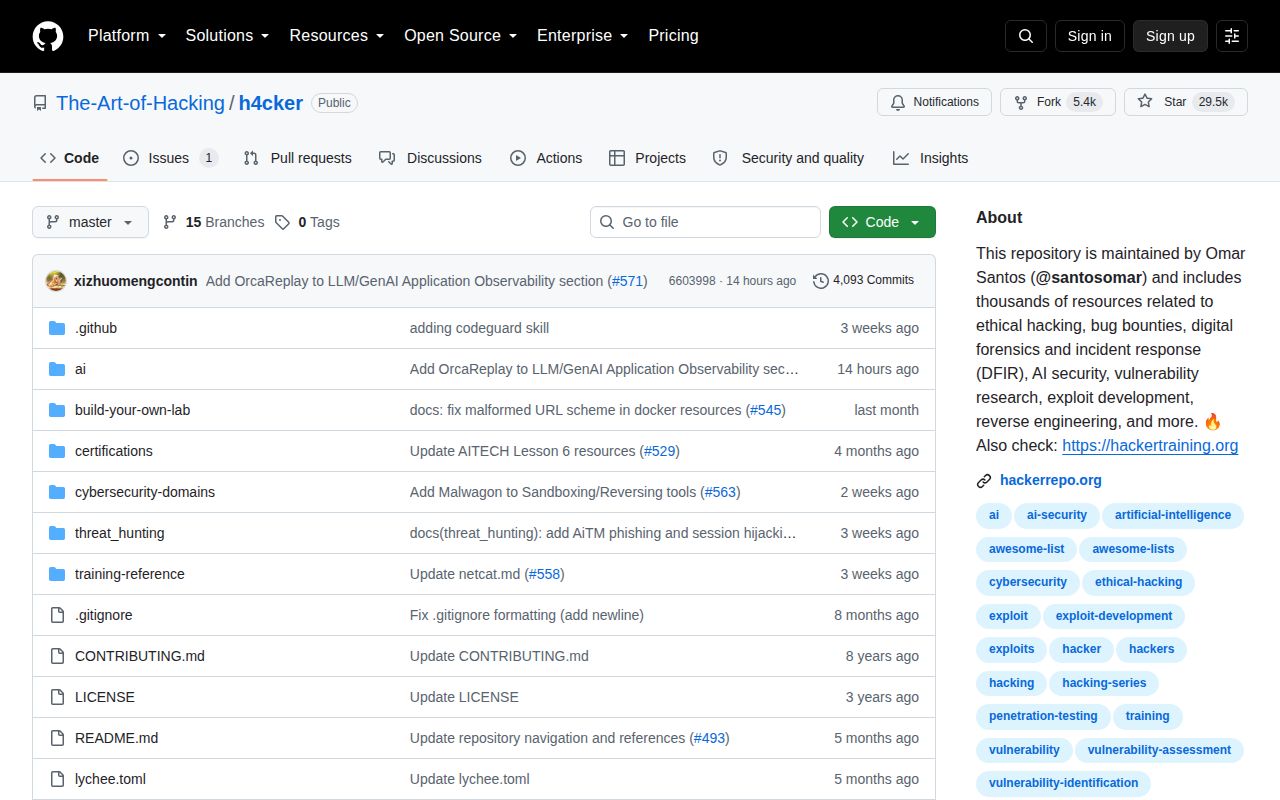
H4cker collects cybersecurity references, scripts, tools, code, labs, and training resources maintained by Omar Santos. The README describes the collection as supplemental material for his books, video courses, and live training. That documented purpose supports using it for discovery. Our build result does not determine what kind of project it is.
What did our sandbox establish?
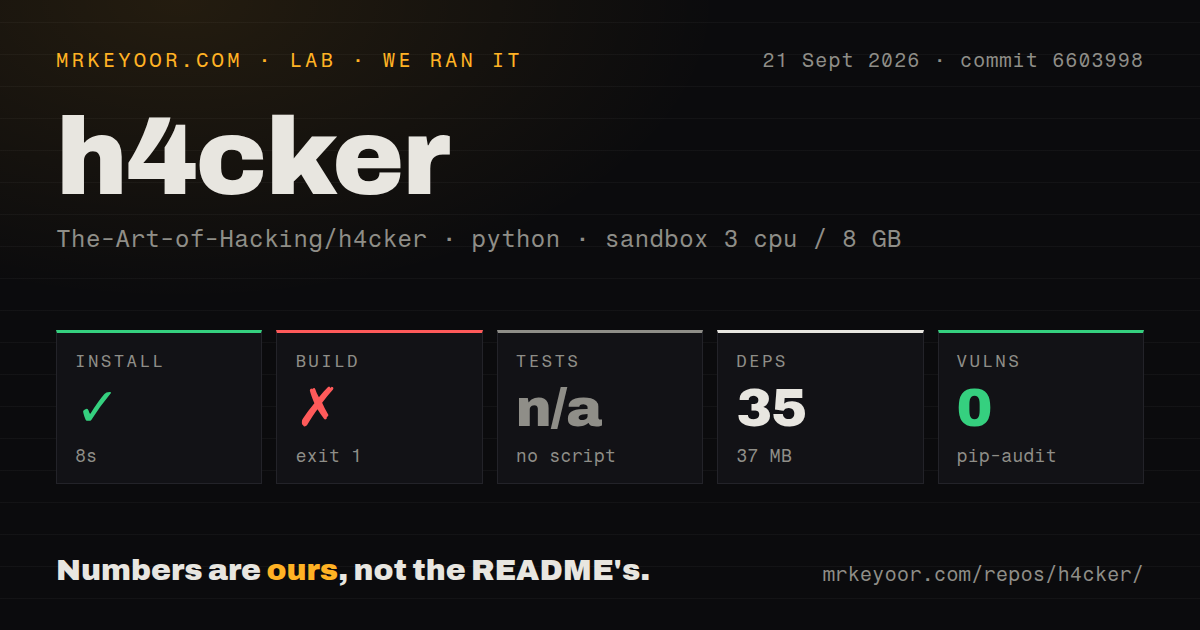
Our run on September 21, 2026, at commit 6603998 recorded a failed build and skipped tests. Installation succeeded in 8 seconds. The build separately failed in 3 seconds with exit code 1. These are distinct command outcomes: installation success does not show that a script, notebook, or lab completed successfully.
The exact matching sandbox record explains how those observations were retained. Our harness records success flags, exit codes, elapsed times, timeout flags, and available log tails for command steps. Here, the install tail identifies Python 3.12.12, the build tail is empty, and the test step records "no script" as its reason for skipping. We cannot diagnose the build failure from an empty tail. Skipped tests are neither a passing suite nor failed tests.
Our sandbox did not validate individual labs, CLI workloads, or deployments. The stored parser summaries do not establish exhaustive unique test coverage, and this correction includes no new execution or complete-log reconciliation. The checkout and dependency figures describe footprint in this run, not runtime performance or compatibility across the collection.
The MrKeyoor testing-methodology page explains the publisher's approach to recording command outcomes and the limits of sandbox results. The supplied methodology extract was fetched after the September run. It provides provenance context, but does not establish that the older execution used today's procedure.
Does the audit establish security?
Pip-audit recorded 0 advisories, but scan coverage is unknown because the supplied record has no scannedPackages value. The separate packages field of 0 does not establish that all 35 installed packages were scanned. The result cannot support a claim that the repository, its scripts, or its linked resources are secure. It is a recorded advisory total with an unresolved coverage limit.
Where should you start?
The cybersecurity domains index groups resources by subject, including fundamentals, offensive security, defense, application security, and labs. Start with the cybersecurity domains index when your question fits those areas. Certification material and lab-building resources have separate root sections, so an exam-preparation search need not start in the general domain taxonomy.
The AI security and engineering index places prompt injection and model security testing in AI Security. RAG and vector databases appear under LLM Engineering. Use that distinction to narrow your search before selecting an exercise. Read the selected resource's local instructions, check its environment and target requirements, and assess it separately from this repository-level run. Pin a commit if a class or internal reference needs a stable copy.
When does another resource fit better?
OWASP Web Security Testing Guide is a guide to testing the security of web applications and web services. Choose WSTG when you need guidance for that specific testing task. It can complement H4cker's broader references. WSTG recommends versioned scenario links and identifiers so reports can identify the guidance used; the supplied extract identifies 4.2 as the last stable release and 5.0 as work in progress. This establishes its role as testing guidance, not as a complete course or a ready-to-run lab.
Awesome Penetration Testing collects penetration-testing and offensive cybersecurity resources. Choose Awesome Penetration Testing as an alternative discovery catalog when that narrower subject matches your question. It can also complement H4cker. Its supplied description does not establish a tested execution environment, so switching catalogs does not resolve the validation limits of our H4cker run.
What do the ratings mean?
Setup ease scores 2/5 because installation succeeded, while the unexplained build failure and skipped tests leave material setup questions unresolved. Documentation scores 3/5 because the supplied root and subject indexes explain how to find resources, but do not establish the quality of every linked exercise. Community and maturity are unassessed: the supplied extracts do not establish participation quality, maintenance history, or sustained reliability.
The rubric applies to the stated reference task: 1 means substantial obstacles; 2 means a usable starting point with material unresolved obstacles; 3 means adequate support; 4 means strong support with few documented gaps; and 5 requires broad evidence supporting that assessment. These are editorial ratings, not measured performance results. An evidence gap receives no numerical rating.