Version 15 turns WireGuard peer files into a web workflow
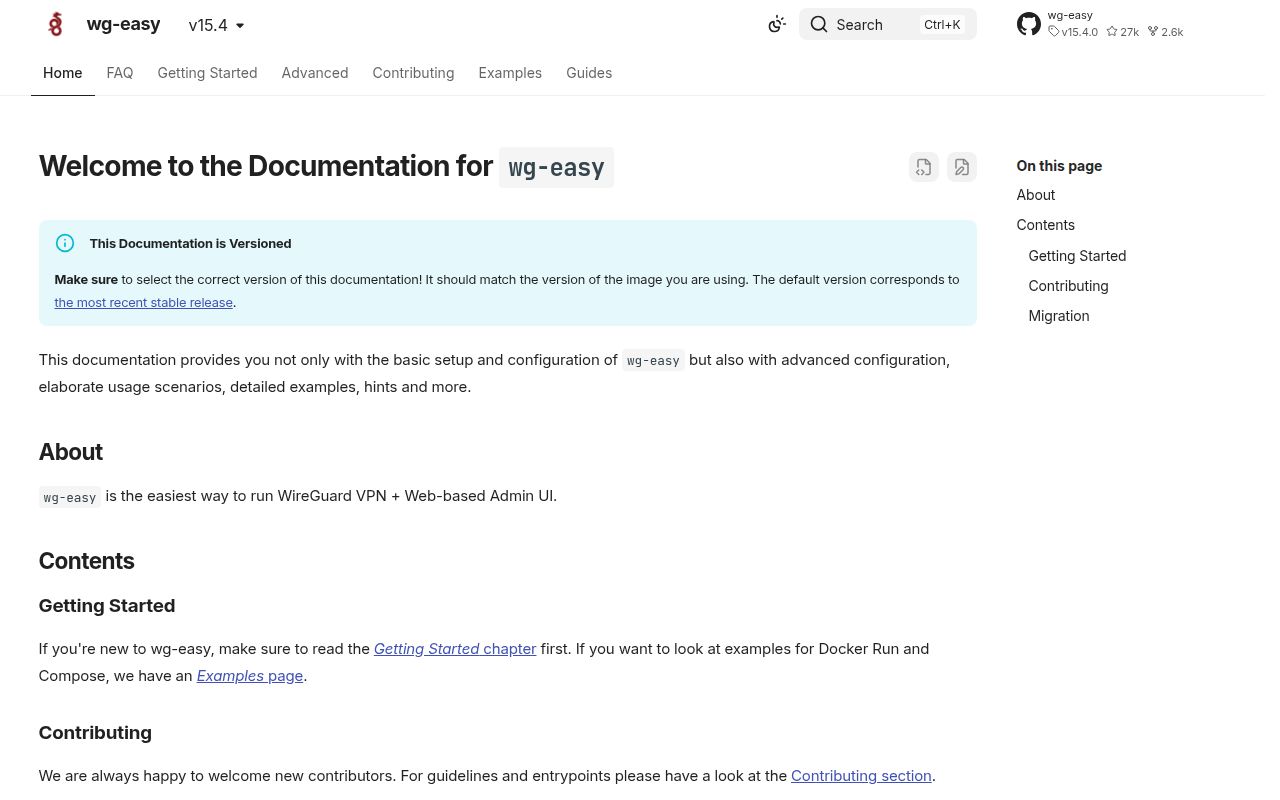
wg-easy combines a WireGuard server with a v15 web interface for daily administration. You can create, edit, disable, expire, or delete clients, then display a QR code or download the generated configuration. The panel shows connected clients and traffic charts. It also has one-time links, 2FA, OIDC, IPv6, Prometheus metrics, and per-client firewall controls. This is useful when WireGuard itself is fine but handing out and revoking peer files has become tedious.
The product stays focused on one server rather than becoming a full identity platform. Version 15 supports Google, GitHub, and generic OIDC providers, plus local password authentication. That is enough for a family, lab, or small technical team. OAuth auto-registration needs care, however: the documentation says every automatically created user receives admin permissions because finer permissions have not been implemented. Restrict allowed domains and test account linking before enabling it.
The v15 container needs host-level network powers
The default v15 Compose file publishes WireGuard on UDP 51820 and the admin interface on TCP 51821. It adds NET_ADMIN and SYS_MODULE, mounts /lib/modules read-only, and changes IPv4 and IPv6 forwarding settings. Those choices let the container create the tunnel, adjust routing, and load modules. They also mean this is not an ordinary web dashboard that can live in a locked-down container namespace without host planning.
Open issue 2633 describes the current image as running root inside the container with Docker's default capabilities plus the 2 added network capabilities. The issue proposes an optional privilege-drop mode; it is not documented as current behavior. If your policy requires cap_drop: ALL, a dedicated UID, or no-new-privileges, reproduce the full tunnel lifecycle under those controls before adoption. The official Dockerless page currently says that route is unsupported.
What happened when we ran it
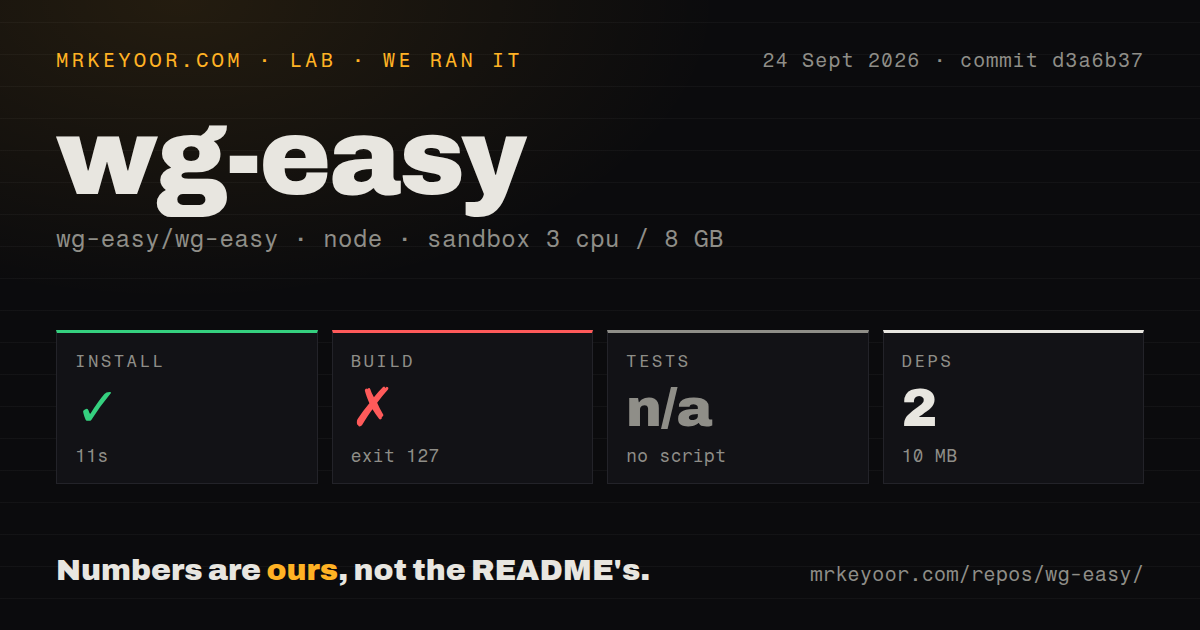
Our sandbox installed commit d3a6b37 in 11 seconds. Pnpm added 2 packages and used 10 MB on disk, while the checkout contained 384 files, roughly 13,679 source lines, and occupied 2 MB. The repository had 7 CI workflow files, a Dockerfile, and a Compose file. It had no tests directory, and the package exposed no test script or target for our harness to call.
The build ended after 3 seconds with exit code 127. The command was docker build -t wg-easy ., and the only reported error was docker: not found. Our unprivileged Node 22 container did not include Docker, so this result identifies a missing prerequisite rather than a TypeScript or image-build error. The README lists Docker as a development requirement, which matches what the command demanded.
We skipped tests because no test script or target was available. There is no audit result in the supplied measurement, so we are not claiming a vulnerability count. The useful outcome from this run is limited but clear: the JavaScript install was 10 MB, while source builds cross into Docker immediately. Evaluate the published image on a disposable Linux host if you need to judge tunnel creation, kernel modules, routing, or UI behavior.
Version 15 is a manual migration from version 14
The v14-to-v15 guide calls v15 a complete rewrite. Existing users must back up wg0.json, record their old environment variables, remove the old container, start the new one, and import the backup through the setup wizard. Most old environment settings moved into the admin panel. armv6 and armv7 systems cannot migrate, and HTTP users must explicitly set INSECURE=true. That is a planned maintenance job, not a routine image pull.
Image tags are another place to read the docs before copying an old command. The project recommends the 15 tag for the newest compatible v15 release and warns that latest still points to v14. A specific 15.4.0 tag stays fixed, while edge tracks the master branch. For a VPN gateway, pinning a tested release gives you a deliberate upgrade window instead of changing the network plane during an unrelated restart.
Version 15 firewall rules still have routing edge cases
Open issue 2769 reports that the v15 per-client firewall accepts a peer's tunnel address but omits an extra /24 routed behind that peer. Requests reach the remote LAN, then return packets fall through to the final drop rule. That is specific to a site-to-site layout with routed subnets, not evidence that ordinary roaming peers fail. It is still a reason to test both directions for every subnet before relying on the UI's firewall view.
A second confirmed report covers v15.3.0-beta.1 on Synology DSM 7.3. The firewall command needs the xt_comment module, which the reporter's system did not provide, so saving the setting returned an error. The README already says per-client filtering requires iptables, and an open request asks for nftables support. Appliance kernels and nftables-first hosts deserve an acceptance test before you promise policy enforcement.
Version 15.4.0 is active, with 38 open issues
Release v15.4.0 arrived on August 14, 2026 with OAuth support, security fixes, a Nuxt 4 migration, routing changes, and translation work. GitHub recorded another push on September 24. The repository had 26,996 stars, 46 combined issues and pull requests, and 38 open issues when fetched. That is strong maintenance activity, while the open reports show continued work around routing, kernels, deployment shape, and UI behavior.
wg-easy earns its name when the job is one v15 server and a modest set of roaming peers. The browser removes repetitive key and file handling, and the documentation is unusually frank about HTTPS, image tags, migration, and unsupported paths. Its simplicity ends at the Linux network boundary. If your design includes routed LANs, strict container hardening, quotas, or unusual reverse-proxy paths, test those requirements first or choose a tool built around them.