mrkeyoor.com_
Mon 17 Aug 13:51 UTC
Dev Toolsevaluationupdated 17 Aug 2026

webvm

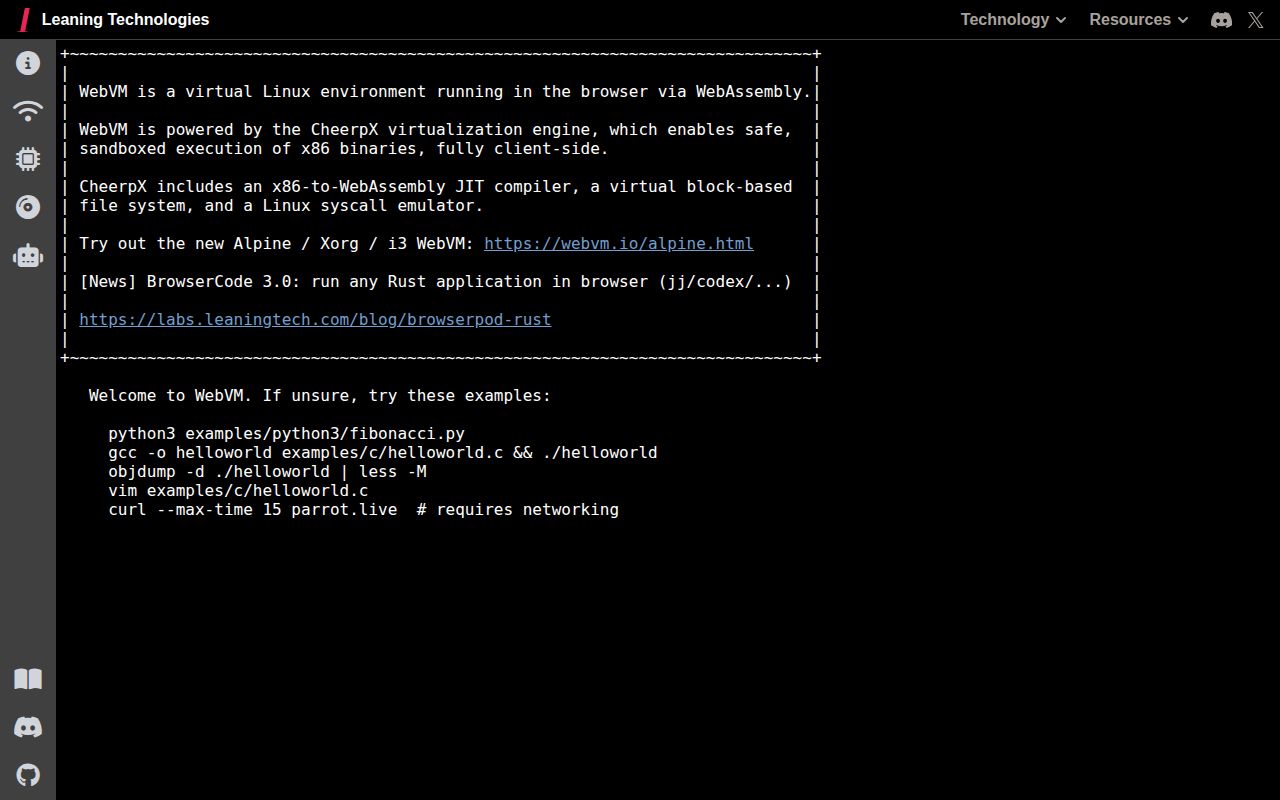
WebVM runs an x86 Linux environment inside a web browser, using WebAssembly instead of a server-side virtual machine. It gives people a disposable Debian terminal or graphical Linux workspace on devices where installing a normal VM is inconvenient or impossible.

trackingstars / 7d
Verdict

WebVM is the most convincing choice here when the product promise is literally Linux in a link, especially for teaching, demos, and constrained devices. The official demo is impressive, but incomplete syscall behavior and CheerpX's separate licensing make it a poor assumption for arbitrary binaries or unexamined commercial use. Prototype with it, test every required tool, then settle licensing and dependency pinning before building a product around it.

Setup4/5Instant demo; custom images need npm, Nginx, and image work
Docs4/5Clear deployment, image, networking, and licensing guidance
Community4/5Current commits and recent maintainer replies to issue reports
Maturity3/5Capable core, with visible syscall and application gaps

Who it’s for

Educators and workshop authors who want learners to open a real Linux userland from a link.
Developers building browser-based sandboxes, terminals, coding labs, or security exercises.
Chromebook and locked-down-device users who need more than a JavaScript console.
Tinkerers willing to build a custom disk image and accept incomplete Linux syscall coverage.

Who it’s NOT for

Organizations expecting Apache 2.0 to cover the whole deployed stack: the README says organizational use of the public CheerpX deployment requires a license, and downloading a CheerpX build for separate hosting is not permitted without one.
Workloads that require normal Linux compatibility for every binary: open reports show Go failing during runtime initialization and some pip installs ending in a WebAssembly memory error.
Network labs that depend on raw sockets or ping: the README says ICMP is unavailable, while public internet access requires Tailscale plus an exit node.
Teams planning a large GitHub Pages image: the documented debian_large image exceeds that hosting path's size allowance.
Anyone treating the graphical desktop as a drop-in local VM: an open Debian Xorg report describes mouse and keyboard input not working despite input events being present.

Setup reality

Trying the official instance takes no setup, and a basic fork can be published through a GitHub Actions workflow. Owning the experience is more involved: obtain or build an ext2 image, point the configuration at it, install the JavaScript dependencies, build the site, and serve it through Nginx. Networking adds Tailscale, and public access adds an exit node. An organization also has to resolve CheerpX licensing before treating the Apache-licensed repository as a freely self-hostable product.

Linux in a link is the right pitch

WebVM does something immediately understandable: it opens an x86 Linux environment in a browser tab. The guest is an unmodified Debian distribution rather than a Linux-like command interpreter written for the web. Underneath it, Leaning Technologies' CheerpX engine translates x86 code to WebAssembly, supplies a block-based file system, and emulates Linux system calls. The result is a terminal that can run native toolchains without asking the user to install a desktop hypervisor or giving every learner a cloud VM.

That makes WebVM unusually useful for education, product demos, coding exercises, and locked-down machines. A teacher can publish one URL instead of troubleshooting host operating systems. A developer can demonstrate a command-line project from a static site. The Alpine example even adds Xorg and i3, showing that the design is not limited to a single terminal window. Root access is the default inside the guest, although sudo is not installed unless the image author adds it.

The security and operating model are also appealing for the right workload. Computation happens on the client and the repository can be deployed as static web content. There is no per-session Linux server to provision. That does not make every use private by definition, since networking and optional services still matter, but it removes a substantial backend from a disposable lab or demo.

The demo is easy, customization is real work

The hosted version is genuinely instant. Visit webvm.io and wait for the environment to initialize. Publishing a lightly changed copy is also approachable: fork the repository, select GitHub Actions as the Pages source, and run the provided Deploy workflow. That workflow can turn a Dockerfile into an ext2 disk image and publish the resulting site. For a workshop author who can live within the supplied image, this is a strong setup story.

A serious custom deployment has more moving parts. The local instructions require an ext2 image, a configuration change pointing WebVM at that file, an npm install and build, then Nginx using the included configuration. The large Debian image is explicitly too big for GitHub Pages, so image size affects the hosting decision. Creating a useful image also means choosing an old enough 32-bit userland, testing packages under CheerpX, and deciding how users will preserve or export work.

Reproducibility deserves attention. The repository's package file currently asks for the latest CheerpX package, while the README says published builds are immutable and each release updates CheerpX. Those statements can coexist, but a team rebuilding its own fork should pin the runtime version it has tested. Otherwise a clean install may exercise a newer virtualization engine than the one used during acceptance testing.

Networking works, but it is not normal VM networking

WebVM integrates Tailscale so the guest can reach machines on a private tailnet. Public internet access requires an exit node running elsewhere. Interactive login is documented, as is an ephemeral auth key in the URL fragment and a custom control server. Headscale users need to put a proxy in front of it because Headscale does not add the required cross-origin headers by default.

This is clever, but it changes the deployment checklist. Someone must operate the exit node, authorize devices, secure any auth-key distribution, and configure the browser origin correctly. Low-level ICMP is unavailable, so ping is not a valid connectivity test; the README recommends curl or wget. Applications written with ordinary Linux networking assumptions can also expose gaps in the emulated syscall layer. A recently closed report supplied reproductions for incorrect getsockname and select behavior that caused Tcl and Tk to hang, and the maintainer closed it quickly after directing the fix to CheerpX.

Compatibility is broad, not complete

The central buying risk is the difference between Linux ABI compatibility and a normal Linux kernel. Open reports provide concrete examples. A minimal 32-bit Go program can fail before its allocator starts because the runtime cannot obtain the system page size. Another report describes Go-based tools, Nushell, sudo, and doas failing in a custom Alpine image. A separate pip report ends in an out-of-bounds WebAssembly memory access while installing NumPy. File timestamps and custom Xorg input also have unresolved reports.

These do not make WebVM a toy. They do mean that a Dockerfile working in Docker is not proof that it will work here. Test the exact compiler, package manager, shell, debugger, GUI, and network behavior your experience needs. Keep a small acceptance script and run it whenever the CheerpX dependency or disk image changes. If arbitrary third-party Linux software is the promise, a server-side container or full virtual machine remains the safer boundary.

Licensing and health change the decision

The repository itself uses Apache 2.0, but the README places separate terms on the public CheerpX deployment. It is free for individual exploration and testing, while use by organizations, including nonprofits, academia, and the public sector, requires a license. It also says downloading a CheerpX build for hosting elsewhere is not allowed without a commercial license. That distinction is easy to miss and should be resolved before an organization invests in a custom image.

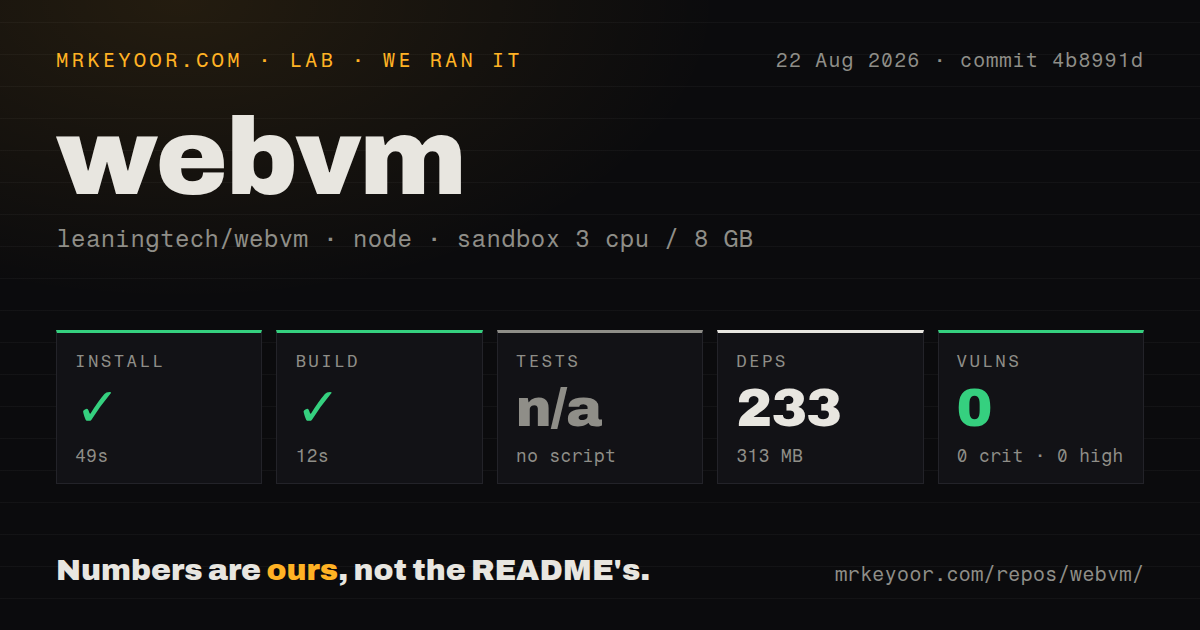
Project activity is healthy. The last push was August 17, 2026, with recent commits updating CheerpX, and maintainers responded to several issue reports during the preceding weeks. GitHub reports 13 open issues and pull requests combined. The only listed latest release is an ext2 image from May 2023, but the commit stream and issue handling show ongoing work, so that old asset is not evidence of abandonment.

Choose WebVM when eliminating the server and installation step is worth testing against an emulated kernel. It is excellent for a bounded browser lab whose required commands are known. It is a riskier base for a general cloud development environment, and the correct next step is a compatibility proof plus a licensing conversation, not a larger feature wishlist.

Alternatives

ProjectWhat it isPick it when
v86An x86 PC emulator for browsers and Node.js with support for booting several operating systems.pick this instead when you need lower-level machine emulation, custom operating systems, or a more hardware-shaped environment.
WebContainersA browser runtime focused on running Node.js projects and development tools without a remote server.pick this instead when the job is an in-browser JavaScript development environment rather than broad x86 Linux compatibility.

What people are saying

  1. [github-trending] leaningtech/webvm

Sources

  1. WebVM repository and README
  2. WebVM live demo
  3. CheerpX licensing documentation
  4. Issue 199: Go runtime initialization failure
  5. Issue 149: pip and NumPy memory error
  6. Issue 185: Xorg mouse and keyboard input
  7. WebVM release history