Five output parts turn a document into reusable agent guidance
book-to-skill creates a core SKILL.md, per-chapter files, a glossary, a patterns file, and a cheatsheet. The aim is repeated application rather than a one-off book summary. An agent loads the core instructions first and opens a chapter only when a question points there. That makes sense for a technical reference, internal runbook set, or standards folder that keeps resurfacing during work. It is excessive for a document you need to read once and archive.
The split also changes what the artifact can prove. The documented core is about 4,000 tokens, each chapter is around 1,000, and the supporting files hold terms and decision rules. Those are synthesized notes, not source passages. A generated answer may be easier to apply than a PDF search result, yet a reader cannot treat it as a page-level citation. For claims that need quotations or evidence trails, pair the skill with the source or use a retrieval system built around citations.
The full converter lives in the skill, while pip installs extraction only
The documentation separates 2 installation paths. Cloning the repository into a supported skills folder registers the complete slash-command workflow. Installing from the Git repository with pip gives you the text extractor and its checks, without registering the agent skill or running the synthesis steps. That distinction is easy to miss if someone sees a Python package and assumes the CLI produces the final chapter files by itself. The existing agent host performs the analysis and writing.
Host paths vary. Claude Code uses ~/.claude/skills, Copilot CLI can use its own directory or the cross-agent location, and Hermes has personal and trusted project paths. A full run asks whether the material is technical or text-heavy, estimates input and output size, and waits for confirmation before generation. Optional publication uses the authenticated GitHub CLI and defaults to a private repository. The docs explicitly reserve public output for material whose rights permit sharing.
What happened when we ran it
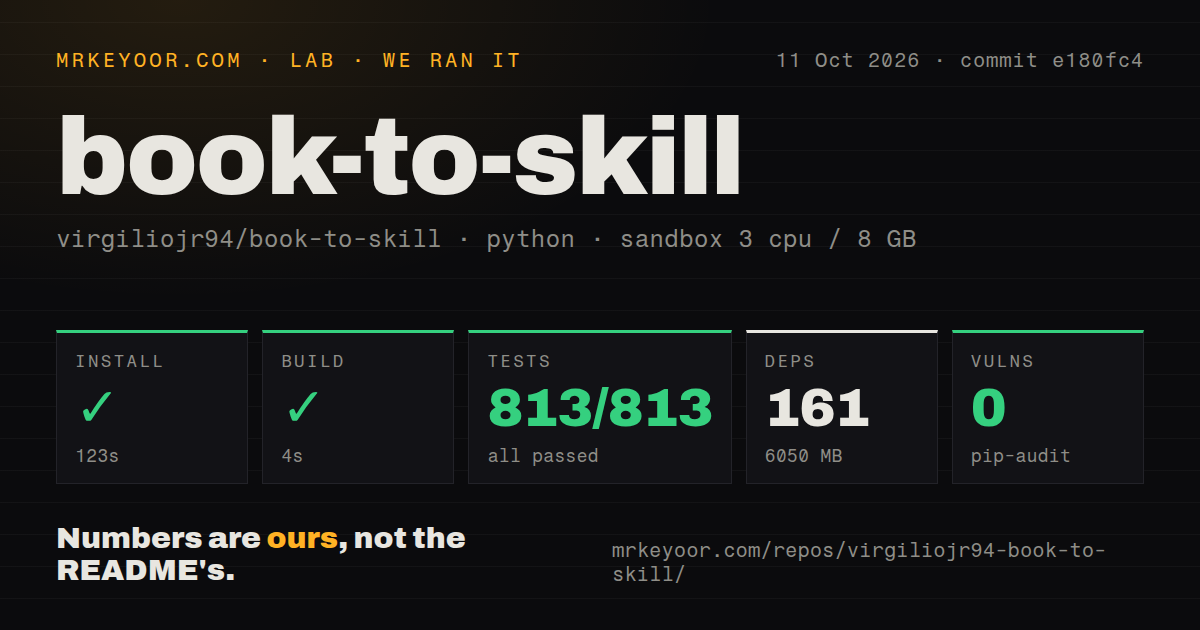
Our sandbox installed book-to-skill in 100 seconds, adding 161 packages and occupying 6,075 MB. The build then completed in 6 seconds. commit a6cad12 was checked in a fresh unprivileged Debian container with 3 CPUs and 8 GB of RAM. The environment size is the surprising result: this 1.8 MB checkout and its 108 files led to more than 6 GB on disk after installation. Plan accordingly on a small CI runner or laptop.
Pytest ran all 627 tests in 15 seconds, with 627 passing and 0 failing. Pip-audit found 0 known vulnerabilities in the installed Python packages. The repository had roughly 10,507 source lines, a tests directory, and 3 CI workflow files, though no Dockerfile. These findings give the extraction code a much better baseline than a README-only agent prompt. They do not verify that a generated skill accurately represents every book, table, formula, or diagram.
One open PDF report found a 26-fold size blowup
Input format decides how much checking the result needs. Plain text and Markdown work without optional extractors. EPUB, DOCX, HTML, RTF, and ebook formats have package or application-specific routes. Scanned PDFs stop early because the project does no OCR; the user must run OCRmyPDF first. For technical PDFs, Docling aims to preserve code blocks and tables, while the faster text path tries pdftotext and Python fallbacks. The extractor's --check command reports what is available before a conversion.
Open issue 128 gives a concrete reason to inspect extracted text. On a 3-column, 142-page public document, pdftotext -layout interleaved reading order and padded the result to 26 times the expected size. The issue remained open when checked. Open issue 207, filed against the same a6cad12 commit we tested, says dependency preflight can offer redundant fallback parsers even when another parser is already installed. Passing 627 tests is reassuring, but it does not cancel these document-specific reports.
A 4,000-token core still sends source text through the chosen model
Extraction runs locally and the repository ships no copyrighted book content. Generation is a separate step performed by the agent host, so text supplied to a hosted model follows that provider's data terms. This boundary matters for company manuals, client material, and unpublished research. A team should identify which text leaves the machine, whether the model retains prompts, and where generated files are stored before converting a private document set. Local parsing alone is an incomplete privacy assessment.
Copyright creates another boundary. The project frames generated skills as synthesized derivatives and instructs the workflow to avoid raw passages. It also warns users to keep skills based on third-party books private. The optional publishing flow defaults to private and only accepts the bare response public as permission for public visibility. That is sensible friction. It still leaves the user responsible for the source license, access rights, and any redistribution decision.
Seven issues and 8 pull requests show active maintenance
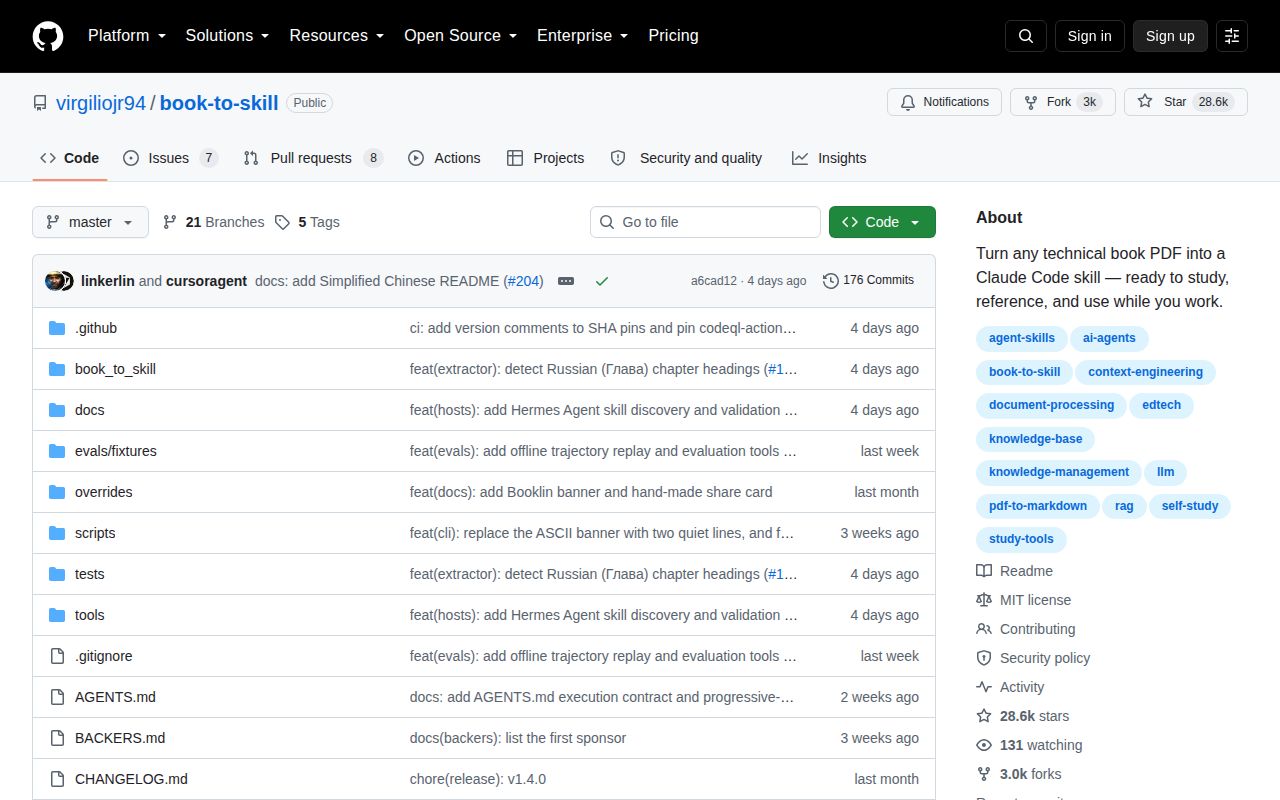
GitHub recorded the last push on September 1, 2026, less than a month after the v1.4.0 release on August 10. The repository had 28,570 stars and 15 combined open issues and pull requests when fetched; a separate search split that total into 7 issues and 8 pull requests. The release fixed silent content-loss cases, CJK table-of-contents detection, unreadable files in batches, nested chapter scanning, and early failure for scanned PDFs. That is current, specific maintenance on the converter's hard parts.
book-to-skill is worth trying on one document whose content you know well. The 100-second install and 6,075 MB footprint are heavier than the 1.8 MB checkout suggests, while 627 passing tests support confidence in the code paths the suite covers. Review extracted text before synthesis, then compare several generated frameworks against the book. If page citations are the final product, PaperQA or another retrieval tool is a better fit than compiled notes.