One Python framework owns search, models, and workflows
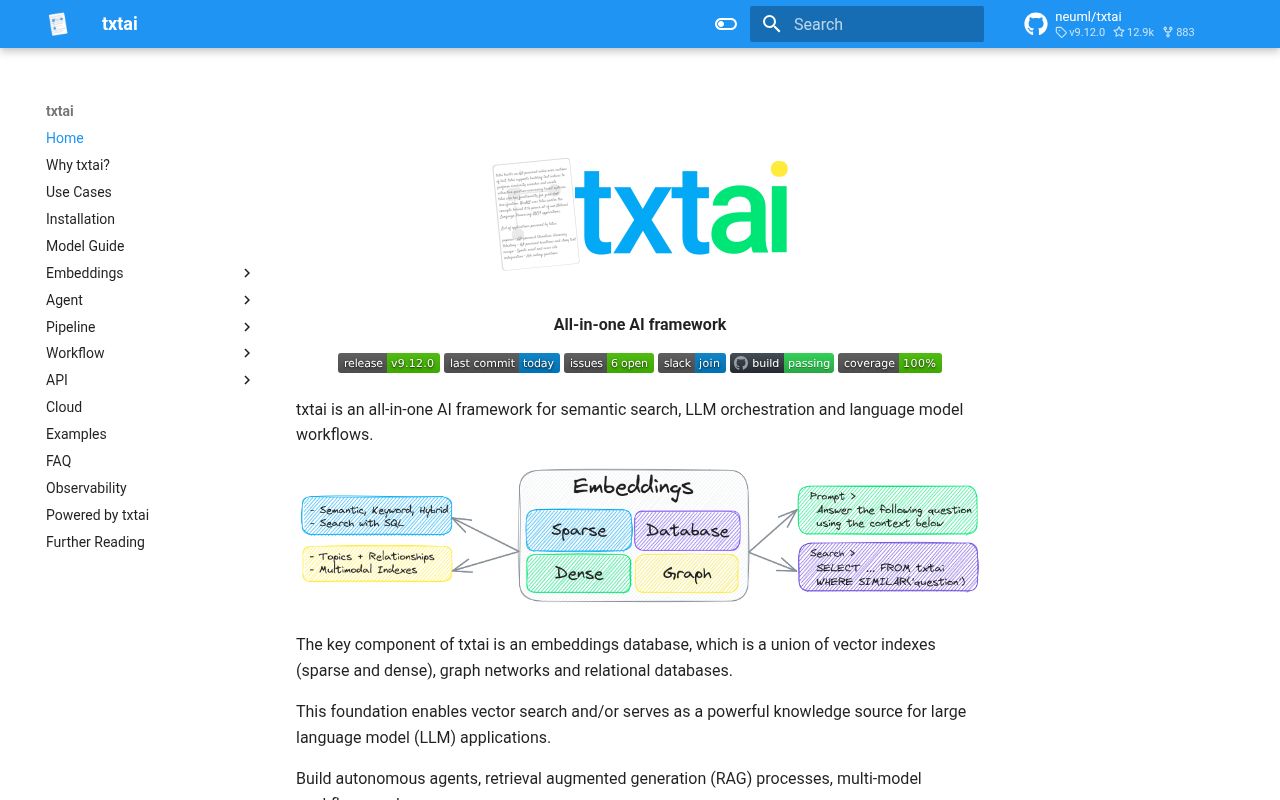
txtai calls itself an all-in-one AI framework, and that description is unusually accurate. Its center is an embeddings database that can combine dense and sparse vector indexes, relational storage, graph relationships, and object content. Around that core sit model pipelines, multi-step workflows, autonomous agents, a FastAPI service, and an MCP interface. The result can be an embedded Python library or a service reached from several language bindings.
This design addresses a common gap between a notebook and an application. A basic vector store can find nearby embeddings, but a useful knowledge system may also need SQL filters, raw document storage, topic analysis, graph traversal, question answering, transcription, translation, or report generation. txtai makes those pieces share configuration and data structures. A team can begin with local semantic search and add generation or workflow logic without immediately replacing its foundation.
The Apache 2.0 license and local-first model are important strengths. Data can remain on the operator's machine, and models may load from the Hugging Face Hub or local directories. The README recommends commercially usable defaults, including MiniLM for embeddings, DistilBART for summarization, Whisper for transcription, and OPUS models for translation.
Vector search is the strongest reason to accept the wider scope
The smallest example creates an embeddings object, indexes two strings, and runs a similarity search. Underneath that friendly API, txtai can combine semantic retrieval with SQL expressions, content storage, scoring, and graphs. It also supports multimodal indexing across text, documents, audio, images, and video. Alternative approximate-nearest-neighbor backends include HNSW, Milvus Lite, pgvector, SQLite vector extensions, and newer additions such as zvec.
That breadth works especially well for applications that need hybrid behavior in one Python stack. A document assistant can store content, retrieve semantically, apply structured filters, and pass results to a local or remote language model. A media catalog can embed images and captions. Graph features can surface connected concepts after retrieval. More than 70 notebooks and applications provide working examples instead of leaving each combination as a claim.
The tradeoff is ownership. A dedicated database such as Qdrant gives storage and search a clear service boundary with its own scaling and operational model. txtai can run behind an API and scale through container orchestration, but it may also load models, execute workflows, parse files, and host agents.
What happened when we ran it
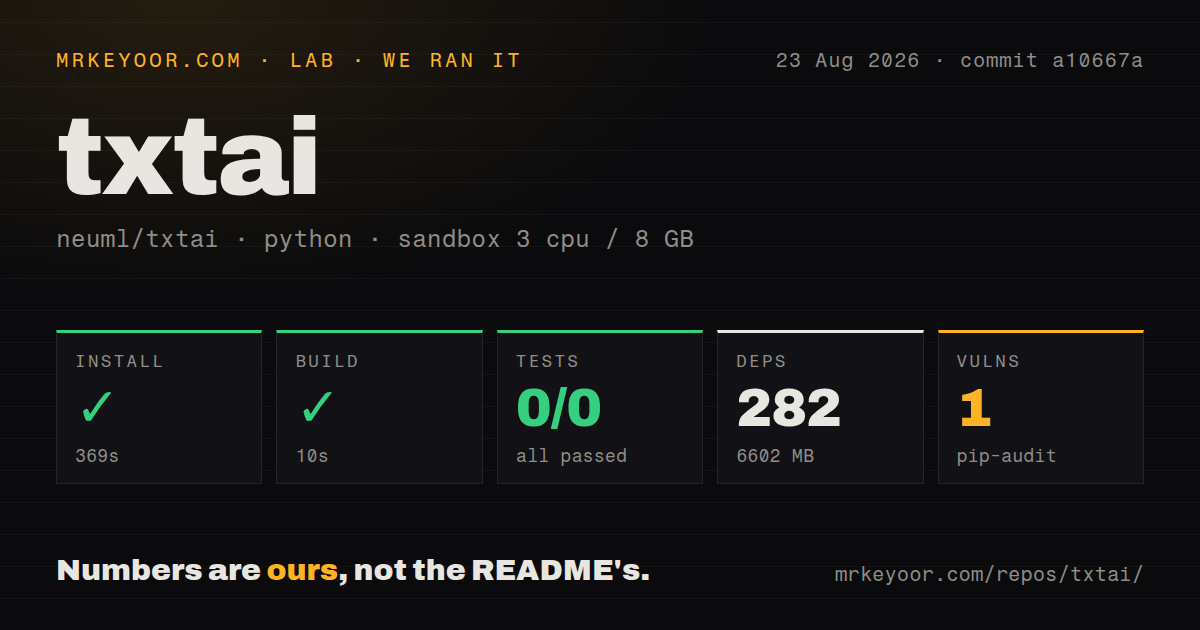
Our sandbox installed 282 packages in 369 seconds and occupied 6,602 MB on disk. The source checkout at commit a10667a contained 631 files, about 50,115 source lines, and 44 MB before installation. The package build succeeded in 10 seconds, so the Python distribution itself could be produced in the fresh environment.
The test step failed with exit code 5 after 8 seconds. Pytest printed no tests ran in 0.05s, which means it collected 0 tests: the result was 0 passed and 0 failed of 0. The repository does contain a tests directory, but the command selected by our harness did not discover it. That finding does not show broken application behavior, and it also gives us no passing regression signal.
Pip-audit reported 1 known vulnerability in the installed environment. Our run used an unprivileged Debian container with 3 CPUs, 8 GB of RAM, Python 3.12, and no secrets. We did not download application model weights or measure indexing speed, search latency, answer quality, or memory under load.
Optional extras decide the real installation
The base command supports Python 3.10 and newer, yet its environment is already substantial. txtai installs FAISS CPU, Torch, Transformers, Hugging Face Hub, NumPy, and related packages. First model use can download weights. That extra network, disk, and startup cost sits outside our 369-second package installation.
Most headline features live behind optional groups for agents, alternate vector indexes, APIs, databases, graphs, document processing, audio, training, scoring, and workflows. This keeps unused families out of a focused deployment, but it makes environment design part of adoption. Open issue 1193 documents a current LiteLLM compatibility problem on Python 3.10 and newer, with a workaround pending an upstream resolution.
APIs and agents expand the audience
A small YAML file can define an embeddings model, and Uvicorn can expose search through the built-in API. Separate JavaScript, Java, Rust, and Go bindings make that server useful outside Python. Version 9.12.0 added the ability to disable API routes, a welcome control when a deployment should expose only selected functions. Authentication, TLS, network policy, and rate limits still belong in the production design.
The MCP interface lets compatible clients reach txtai capabilities, while agents are built on Hugging Face's smolagents. txtai also supports agents.md prompts and Skill Markdown files. This makes the embeddings database usable as both an agent knowledge source and a tool host. MCP compatibility currently has a version boundary: packaging pins the Python MCP package below 2.0, and an open issue attributes that constraint to breaking changes in mcpadapt.
A July 2026 release and August push show active maintenance
txtai was created in 2020, released version 9.12.0 on July 30, 2026, and was pushed again on August 26. GitHub listed 7 combined issues and pull requests when fetched. The latest release added two vector backends and route controls, and credited seven new contributors alongside a long set of fixes. This is sustained maintenance, not a dormant experiment.
Documentation is a standout. The main README maps the architecture and use cases, the reference site covers configuration and installation variants, and the notebook catalog spans introductory search through GraphRAG, speech workflows, agents, and model training.
Choose txtai when keeping retrieval, content, models, and workflows close together will simplify your application. Start with the smallest extras that cover the job, pin them, and load-test the exact models and indexes you select. If search needs to become an independently operated platform, split that responsibility early rather than forcing every workload through one Python service.