Production use requires a license key
Production use requires a license key. For a React team considering tldraw, that requirement belongs in the adoption decision alongside its custom canvas features. The README identifies the SDK's license as the tldraw license and separately says its starter kits are MIT-licensed. The starter-kit terms do not establish MIT licensing for the SDK.
The SDK provides default whiteboard tools and lets developers add custom shapes, tools, bindings, and interface components. Consider it when your application needs those extension points. If a standard sketching surface or a node editor would meet the requirement, evaluate those narrower options before committing to custom canvas work.
What happened when we ran it
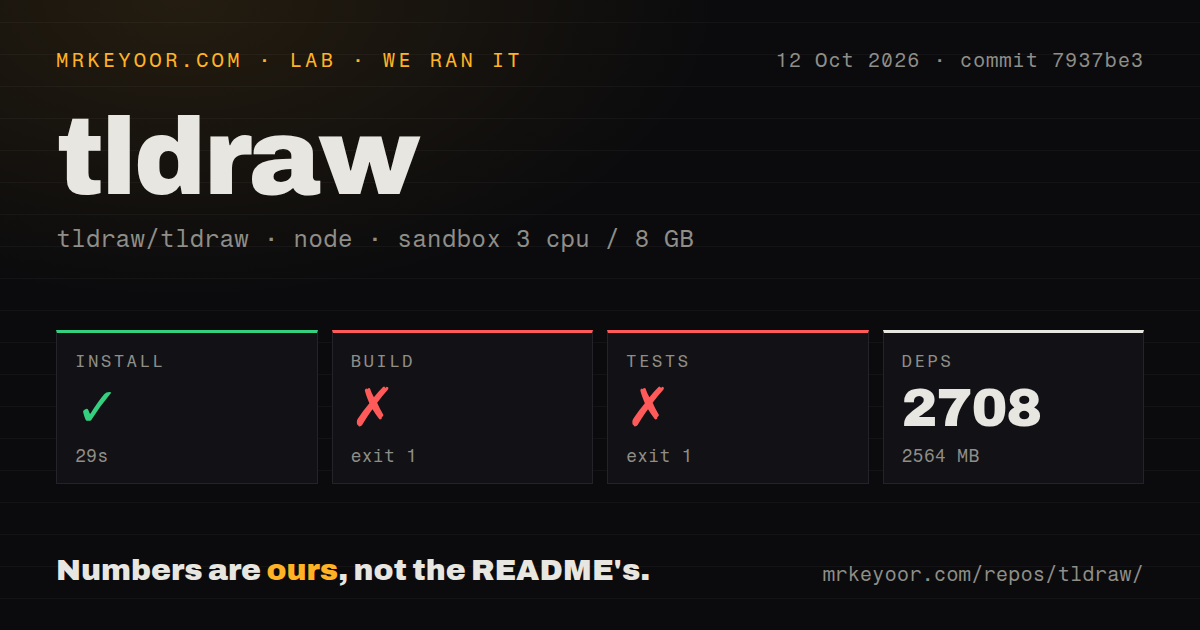
Our sandbox installed tldraw at commit 7937be3 in 29 seconds, recorded 2,708 dependencies, and used 2,564 MB on disk. The build failed with exit 1 after 70 seconds. The run took place on October 12, 2026, with a recorded allocation of 3 CPUs and 8 GB RAM. The lab-node:22 image label does not establish the actual Node.js or operating-system version, so the run cannot certify setup in the documented development environment.
The build tail identifies @tldraw/mentions#build-api as the failed task. It reports 44 successful tasks out of 60, with none cached, and lifecycle errors from other packages and examples. It does not show the underlying exception. Diagnosing a package or environment problem requires the earlier log.
Tests exited 1 after 556 seconds. The summary reported 533 passing files, 4 failed files, and 18 skipped files. Individual results included 10,142 passed, 28 skipped, and 52 todo entries. The tail names mcp-app idle-expiry and large-payload files but does not explain all four file failures. These results establish failed repository checks; they do not establish that the canvas editor is broken.
The checkout contained 4,662 files and occupied 67.4 MB before installation. This run covered a repository with monorepo workspaces. It did not measure an application importing only the published React component, drawing latency, multiplayer capacity, or deployed reliability.
Embedding and repository development are separate tasks
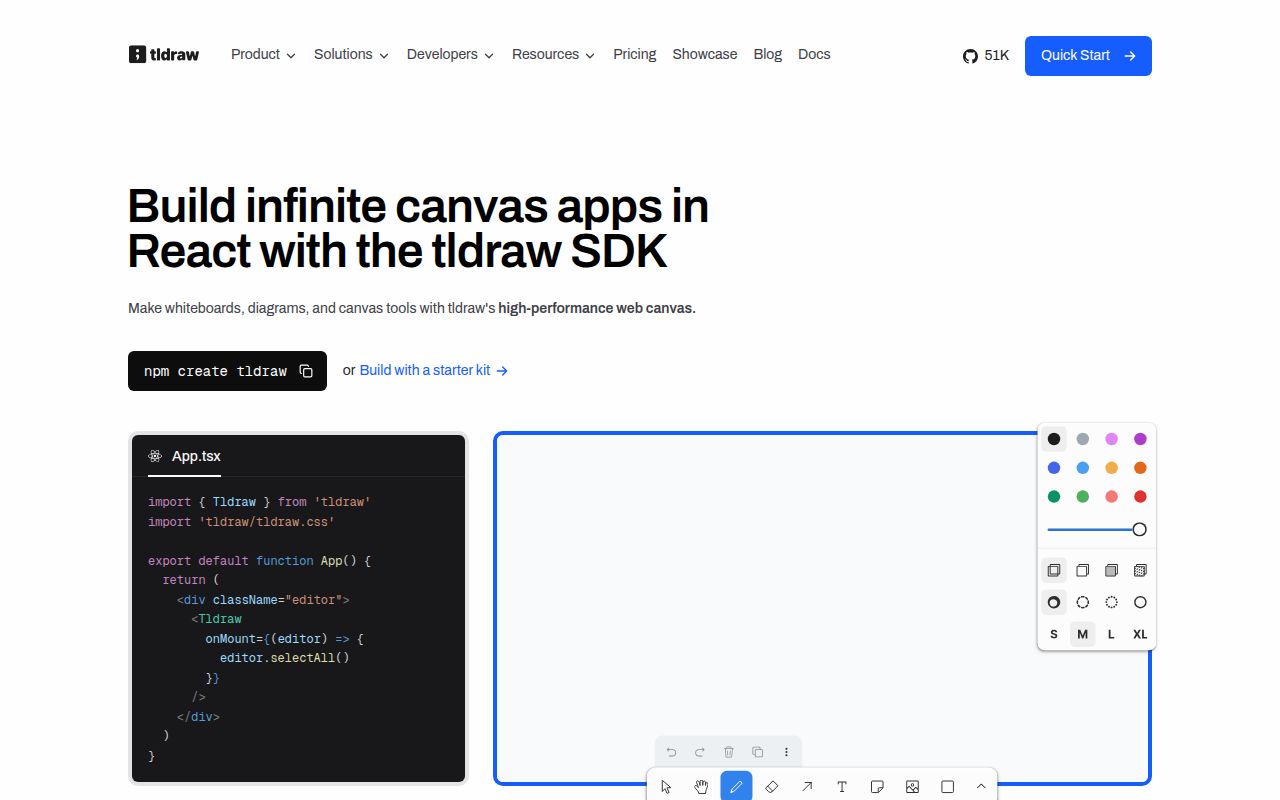
The README's quick start imports Tldraw and tldraw/tldraw.css, then mounts the component inside a fixed container. That documents an entry point for an existing React app. The supplied run did not separately execute that embedding example.
Repository development follows different instructions. The README specifies Node.js ^20.0.0, Corepack, and pnpm, with the examples server at localhost:5420. The supplied runtime evidence does not confirm whether our sandbox matched that requirement. Reproducing the failed checks with recorded toolchain versions and complete logs is the next step for a team planning to develop inside the repository.
Shared documents require an operated backend
The official sync guide describes its hosted demo as suitable for prototyping. Production sync requires self-hosting. The recommended Cloudflare template uses Durable Objects for a WebSocket server per room, built-in SQLite storage for room state, and R2 for large binary assets. The guide also describes integration with a JavaScript backend that supports WebSockets.
The template leaves authentication and authorization, upload rate and size limits, document snapshot history, and room listing and search for adopters to add. Before inviting users, decide who may enter each room and what they may upload.
Client and server versions also need coordinated deployment. The guide requires matching tldraw versions and says the updated backend should be running just before the new client rolls out. Backend ownership therefore includes upgrade planning as well as hosting and access controls.
Compare the document your product needs
Excalidraw is a hand-drawn style whiteboard. Its README lists shape libraries and PNG, SVG, and clipboard export among the npm editor's features. It lists collaboration and encryption separately under the hosted application. Evaluate it when a sketching surface meets your requirement, and check the distinction between the editor package and the surrounding app.
React Flow targets node-based React interfaces. React Flow and Svelte Flow are MIT licensed. If your document mainly connects nodes, prototype that model before choosing a general drawing SDK. Consider tldraw when free drawing and custom canvas objects need to share a document. This is a product-fit judgment, not a performance comparison from our sandbox.
Maintenance activity and contribution limits
The supplied GitHub metadata records a push on October 20, 2026. The supplied release record identifies v5.5.2, published October 2, 2026; its release page describes a license-domain validation fix for pages loaded from blob URLs. These are maintenance signals, not evidence of deployed reliability. The measured checkout remains commit 7937be3; this review does not identify it as a test of the v5.5.2 release tag.
The README says outside contributions are not currently accepted and directs bug reports and feature requests to issues. Teams that need to upstream their own fixes should account for that restriction.
The numerical ratings assess documentation and participation only. On this review's five-point rubric, 1 means the supplied material establishes little usable guidance or participation access; 2 means limited routes with substantial gaps; 3 means useful routes with a material restriction; 4 means detailed guidance with explicit boundaries, or participation routes without the restriction identified here; and 5 requires stronger evidence of completeness or participation than these extracts establish. Documentation earns 4/5 for separate embedding, repository-development, and sync instructions that state production responsibilities. Community earns 3/5 for discussion and issue channels alongside closed outside contributions. Setup and production maturity remain unassessed because the actual runtime and deployed behavior were not established.
Start with one application-specific shape and your intended document-saving path. If collaboration is essential, include authenticated room access and an upload policy in that evaluation. Resolve the production license before expanding the prototype.