Background control is Third Hand's defining bet
Third Hand gives each conversation its own task history and lets you tag a running or installed app with @. Control-Space starts a thread for the current app. Return runs visibly, while Shift-Return asks the assistant to work against a hidden or minimized target without taking over the pointer or frontmost window. Only one task runs at once, and a Stop control can cancel it.
That background promise separates it from screen-driving demos that monopolize the desktop. The bundled arc-cua driver reads accessibility controls and acts on windows locally, temporarily managing hidden windows and restoring them afterward. Apple Vision handles text recognition when accessibility data is insufficient, and the README says screenshots are not uploaded. A current window snapshot is checked before each action so a changed app can reject stale input.
Two cloud services decide the plan and the control
The current README assigns different jobs to ChatGPT and Jev. ChatGPT plans a whole task as simple actions and writes text such as searches, messages, or commands. It receives the request, app name, screen labels and values, plus action results through the user's ChatGPT account. The documented default is gpt-6-sol with no reasoning effort, with a low-effort retry when a step fails.
Jev handles ambiguity when a planned label does not match one control cleanly. Third Hand sends the step, app name, candidate labels, and candidate values to TypeSafe, then executes the chosen control and checks the result. This split can reduce repeated planning calls, but it creates two external trust boundaries. The app is explicit that it is not offline, even though perception and screenshots stay local.
What happened when we ran it
We did not execute commit 412fbb8 in our sandbox. Third Hand is a Swift executable restricted to macOS 14 in Package.swift, while our lab had no supported Swift and macOS route for this repository. It also has no Dockerfile. We therefore have no measured installation, build, test, dependency, or vulnerability result from our own environment.
The source tree does include a Swift test target and nine test files covering the driver, chat, Codex client, controllers, Jev, perception, progress, and focus. That is evidence of test intent, not a lab result. Building the app also goes beyond swift build: rebuild.sh signs the bundle, and the current process uses uv to package a CPython runtime plus arc-cua inside the application.
macOS permissions are tied to application identity and path. The README tells developers to run the repository-root Third Hand.app, preserve the signing identity, and reopen that same copy after the operating system requests it. A different signing certificate can reset Accessibility and Screen Recording grants. That makes reproducible local development more delicate than the small Swift package file suggests.
Accessibility and Screen Recording grant substantial power
Third Hand needs Accessibility permission to inspect and control applications. Screen Recording supports local OCR when an app does not expose enough controls. The TypeSafe key and ChatGPT tokens go into Keychain, which is the right macOS storage primitive. Diagnostic logs still deserve review before sharing because service rejection messages may contain details from a request, even though API keys are redacted.
Terminal tasks deserve the strongest caution. The planner can write and run shell commands, and those commands execute with the signed-in user's permissions. The app types each command once and waits for submission before another, but that sequencing is no sandbox. A mistaken plan can still alter files or invoke network tools. Use a low-privilege account, keep backups, and watch the task rather than treating background mode as unattended automation.
Custom controls and completion checks remain weak spots
The project calls itself early and experimental. Some applications expose incomplete accessibility trees, while icon-only interfaces, custom editors, and complex gestures may not work. A task can stop halfway, and a reported completion still requires the user's judgment. Those limits are central for native Mac automation because many creative, media, and developer applications draw controls outside standard AppKit patterns.
The planner only returns for another decision when a step fails, so its initial assumptions matter. Local verification catches some stale or ineffective actions, and Jev can choose among ambiguous labels. Neither mechanism proves the user's actual goal was met. Before trusting a workflow, test the exact application version, language, window layout, account state, and error screens you expect to encounter.
Current source is 23 commits ahead of the download
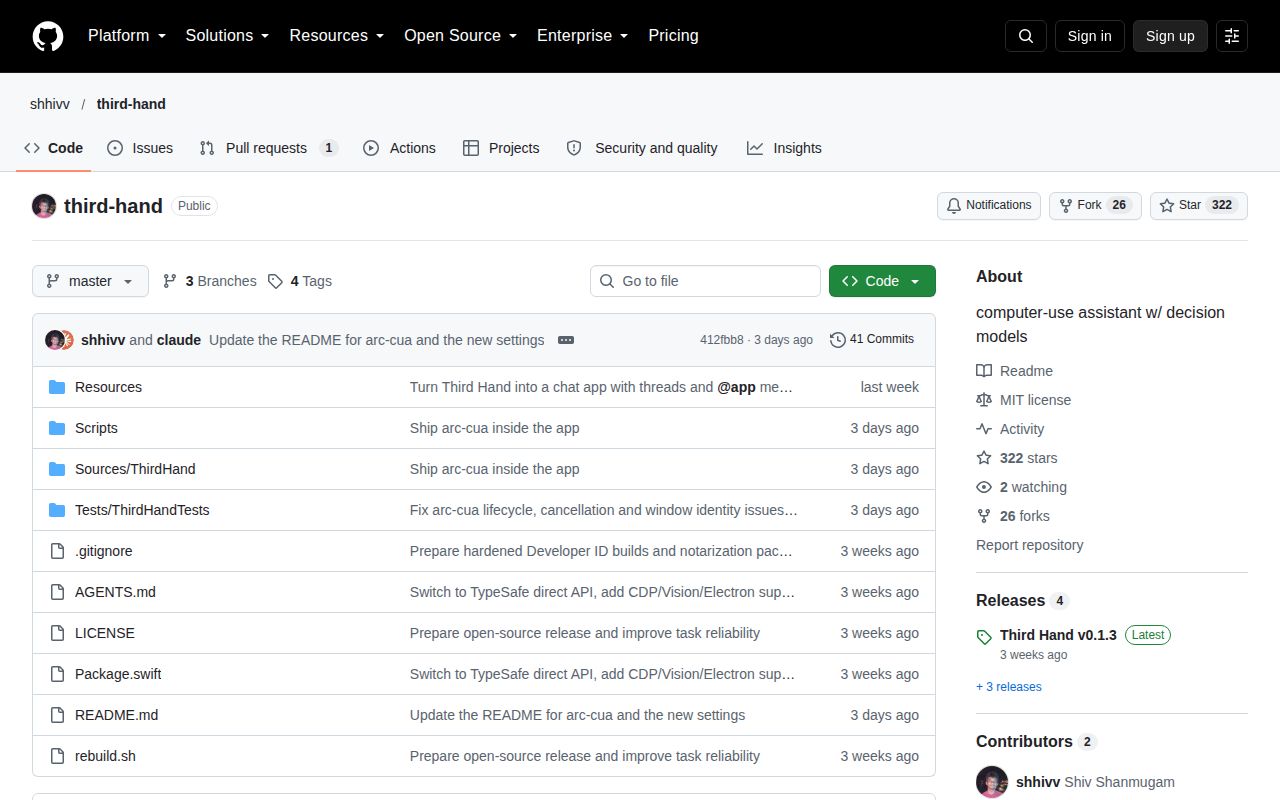
GitHub's compare API showed master 23 commits and 40 changed files ahead of v0.1.3 on October 7, 2026. The latest release was published September 19, while the repository was last pushed October 4. Those later commits added the bundled arc-cua runtime, background-driver changes, ChatGPT sign-in, settings changes, lifecycle fixes, and revised documentation. The README's current behavior therefore does not describe the latest downloadable artifact exactly.
GitHub showed 322 stars and one open item, a pull request proposing CI and a manual signed-release workflow. There were no open issues in the API response. Active October work is encouraging, but the release gap is the deciding fact. Build current source only if you can manage signing and inspect it. Otherwise, evaluate v0.1.3 by its own release behavior and wait for a signed release that catches up.