Three packages cover bundlers, static servers, and React
Swagger UI publishes 3 npm choices for different hosts. swagger-ui is the module for applications with a bundler, swagger-ui-dist contains prebuilt assets for a server or plain browser page, and swagger-ui-react wraps the interface as a React component. The README recommends the first package for single-page applications because the distribution package is much larger. A release archive also contains a ready-to-copy dist directory.
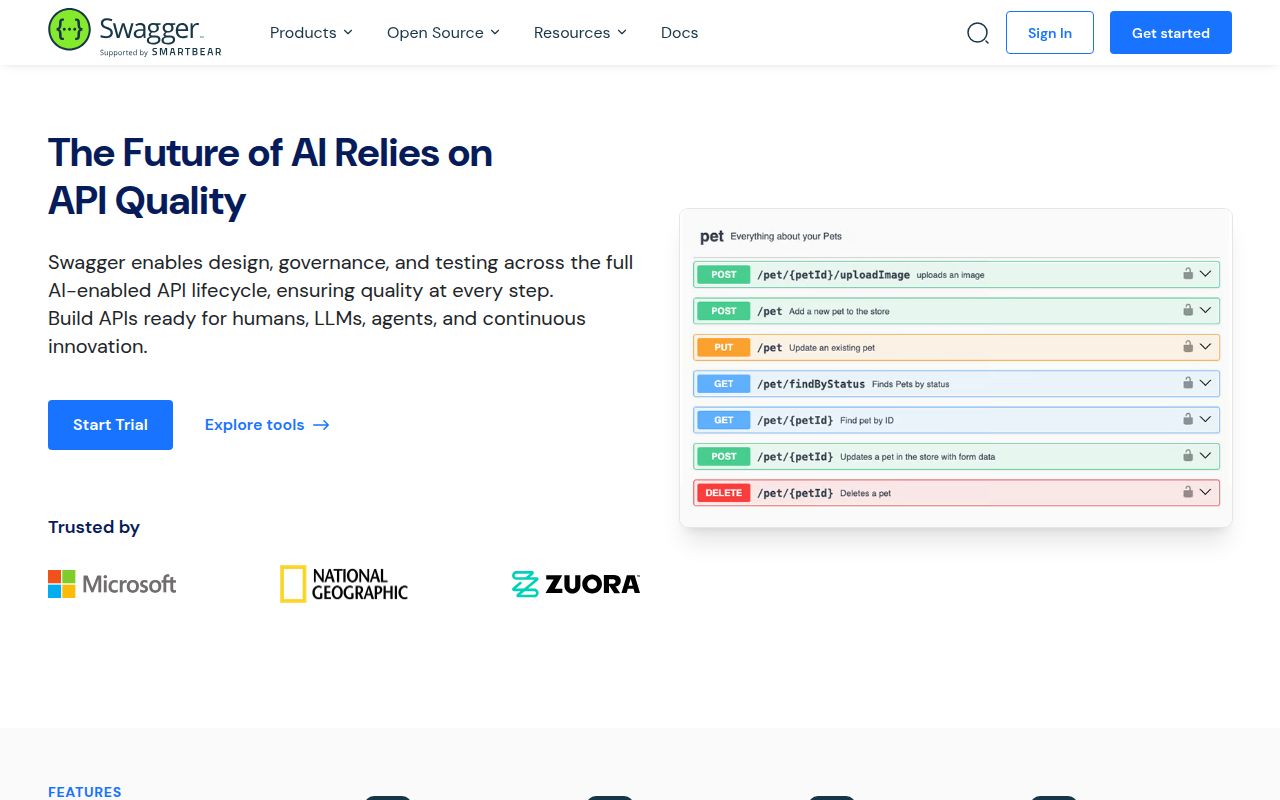
All three render an OpenAPI description as browsable operations, schemas, parameters, and responses. The useful extra is execution: a reader can authorize and send a request from the same page. That makes Swagger UI a good internal console and a familiar public reference. It also means the page sits on a security boundary. CORS, browser header rules, OAuth setup, and the API's own authorization behavior affect whether the Try it out button works safely.
Version 5.33.0 reads OpenAPI 2.0 through 3.2.0
The compatibility table says Swagger UI 5.32.0 and later handle Swagger 2.0 plus OpenAPI 3.0.0 through 3.2.0. Release v5.33.0 arrived on September 16, 2026, adding virtualization for schemas and operations and fixing copy-icon visibility. Virtualization is a sensible response to large specifications, but the release note does not provide a performance figure, so buyers should test their own largest document instead of assuming a particular speedup.
Coverage of a specification version does not mean every keyword renders perfectly. Issue 11053, opened September 17, reports that property-level title values disappear in OpenAPI 3.1 schemas. Issue 10613 tracks contentEncoding: base64url behavior in another 3.1 case. The README also lists partial collectionFormat, missing localization, and no relative-path support for external files among known limitations. Check the exact constructs your contracts use.
What happened when we ran it
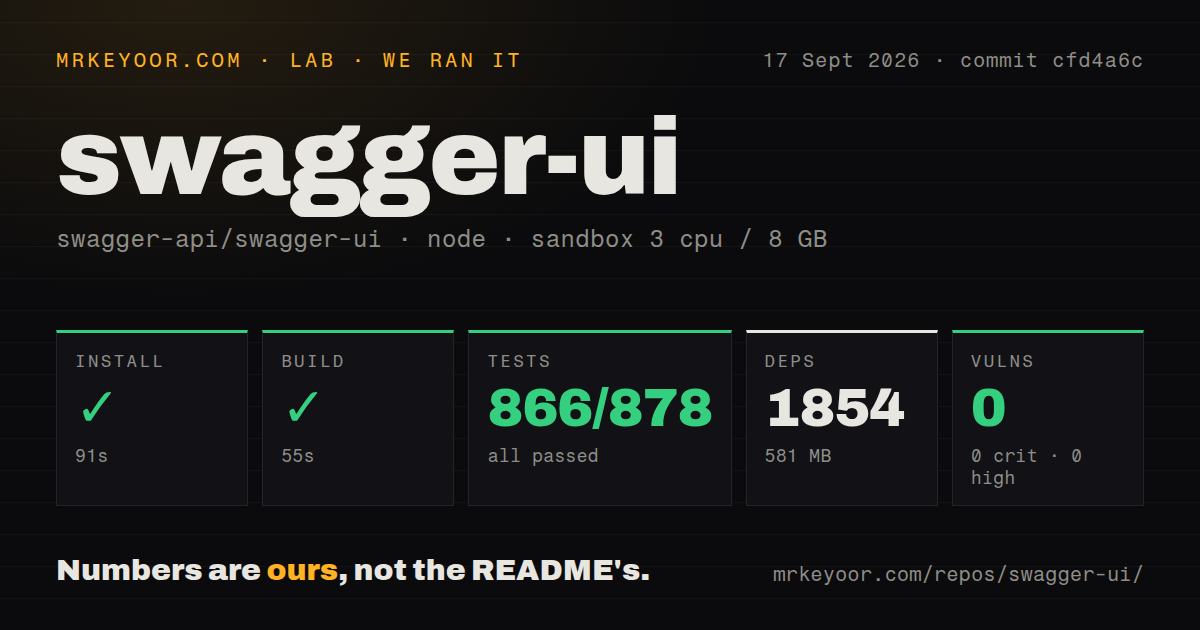
Our sandbox installed commit cfd4a6c in 91 seconds, pulling 1,854 packages and occupying 581 MB. The source checkout itself was 6.3 MB with 983 files and about 61,709 lines of source. The build succeeded in 55 seconds. Npm audit found 0 known vulnerabilities across the installed tree: 0 critical, 0 high, 0 moderate, and 0 low.
The full test command failed with exit code 1 after 344 seconds. Jest's summary said 77 suites passed, 3 were skipped, and 866 tests passed with 12 skipped out of 878; it recorded 0 failed tests. After an RxJS timer stack, the log ended with ERROR: "cy:ci" exited with 1. That tail identifies the Cypress CI subcommand as the failed step, but it does not show the underlying cause, so we will not assign one.
The repository had 10 CI workflow files, a Dockerfile, and a tests directory. Those are healthy engineering signals, yet they do not turn our red exit into a pass. A contributor reproducing the suite needs the Cypress path described in the README, which starts required servers before running the browser tests and warns against having another development server on the same ports.
Cross-origin requests need CORS in 2 places
Swagger UI needs CORS on the OpenAPI document and any external references when they live on another origin. The Try it out button also needs CORS on the API endpoints themselves. Hosting the interface on the same host and port avoids that requirement, as can a proxy that adds suitable headers. The project's CORS guide notes that its own error display may not clearly explain a missing Access-Control-Allow-Origin header, so the browser console remains part of diagnosis.
Some requests cannot be reproduced from browser JavaScript. The limitations page lists forbidden headers such as Cookie, Host, Origin, Content-Length, and the Sec-* family. Its stated consequence is that OpenAPI 3.0 Cookie parameters cannot be controlled in Swagger UI. For APIs built around browser cookies, a reader may see the contract but still need another client to exercise an operation under the desired session state.
OAuth secrets cannot live in this browser client
Swagger UI exposes an initOAuth method and Docker variables for common OAuth 2.0 settings. The guide marks clientSecret as a development and test option because a secret placed in browser configuration is exposed to the user. Public documentation should use an appropriate browser flow, often authorization code with PKCE, and keep confidential-client credentials on a server. Swagger UI can present the flow; it cannot change the trust model of JavaScript delivered to a browser.
The installation has a smaller privacy decision too. Swagger UI uses Scarf for anonymized installation analytics, according to the README. Teams can disable it with scarfSettings.enabled in package.json or set SCARF_ANALYTICS=false for the install environment. That option belongs in repeatable CI and container definitions if policy forbids package-install telemetry; relying on each developer to remember an environment variable is easy to miss.
The plugin system assumes React and Redux knowledge
Customization reaches well beyond colors. Plugins can supply React components, Redux actions and reducers, selectors, helpers, and presets. The documentation tells authors to obtain components through getComponent so other plugins can wrap them. It also warns that specifying custom presets requires adding the built-in API preset manually. This is enough control to reshape the product, but it ties deep extensions to Swagger UI's internal system and its React and Redux concepts.
GitHub showed 29,036 stars, 1,125 combined open issues and pull requests, and a last push on September 16, 2026. Issue activity continued on September 17, one day after v5.33.0. That is an active project with a large backlog, not a quiet package. Use the prebuilt distribution first, keep your OpenAPI contract under regression tests, and add plugins only when configuration cannot express the change. The 581 MB contributor install is easier to accept when you are extending the product, less so when you only need a reference page.