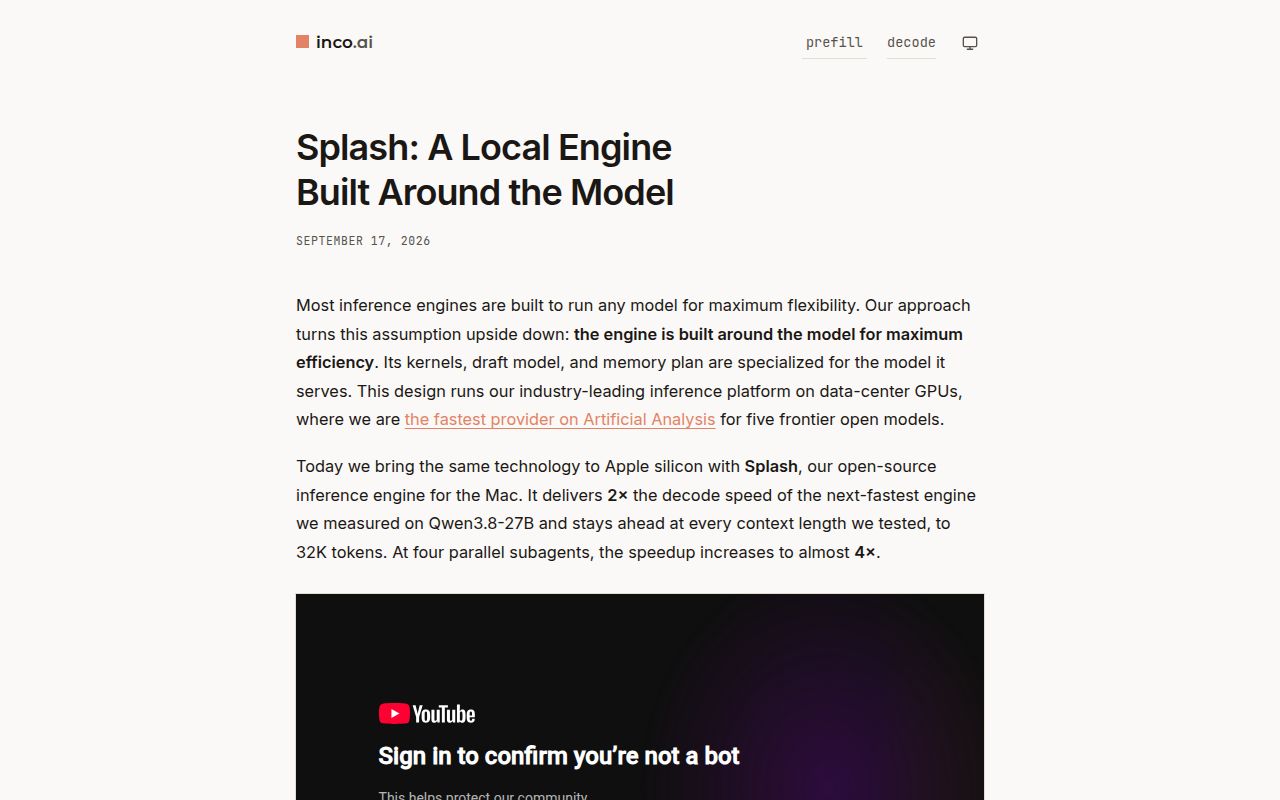
Splash turns one recent Mac into a local agent server
Splash serves a supported language model on one Apple silicon machine, then lets coding agents and API clients talk to it over familiar request formats. The server handles OpenAI Chat Completions, Responses, and Completions plus Anthropic Messages. It also has streaming, tool calls, structured JSON output, base64 images and PDFs, a browser chat page, and automatic batching for concurrent requests.
The easiest route is Homebrew, followed by splash serve with a supported Hugging Face model. The first start downloads both the target weights and a matching speculative-decoding draft. Public repositories need no login. Private or gated weights require HF_TOKEN or a Hugging Face login. Installed models are reused, while the default idle policy releases weight memory after 10 minutes without a request.
Launchers for Codex, Claude, OpenCode, Hermes, and Pi point already installed agents at the local server. They do not install those clients. This is a useful distinction: Splash replaces the inference endpoint, while each agent still owns its sessions and surrounding workflow. Compatibility with two major API styles lowers application work, though it cannot make an unsupported model fit the engine's kernels.
M3 hardware and a short model list define the fit
The packaged runtime requires Apple M3 or newer and macOS 26.4 or later. The README's main 4-bit examples need at least 36 GB of unified memory, with 48 GB recommended. A 24 GB Mac can run smaller GGUF variants. Intel Macs, M1 and M2 systems, Linux servers, and Windows workstations are outside the supported path.
Model support is equally focused. Splash names Qwen3.8-27B, Qwen3.6-35B-A3B, and Ternary Bonsai 2. MLX targets must use affine 4-bit weights with groups of 64, while selected GGUF quantizations cover a wider range. Open issue 297 asks for ordinary upstream MLX 8-bit checkpoints. If your preferred fine-tune or format is not listed, assume nothing until the compatibility rules accept it.
Storage arrives after the small source checkout. The development guide says the example target and draft downloads can consume roughly 21 GB or 24 GB, depending on the family. Splash uses the Hugging Face cache instead of keeping another full copy. Operators can cap Metal memory, context, and SSD cache, but each setting trades capacity or reuse against room for other Mac applications.
What happened when we ran it
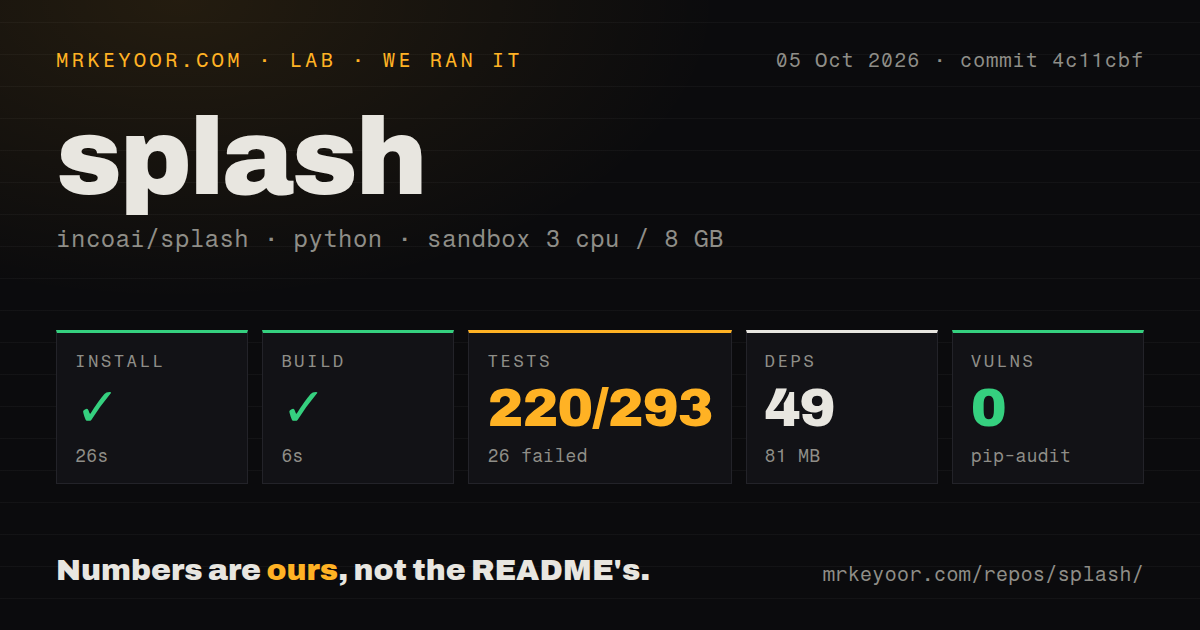
Our fresh Debian sandbox installed commit 4c11cbf from the repository's dev/ directory in 26 seconds. Pip pulled 49 packages, and the environment used 81 MB on disk. The build succeeded in 6 seconds. Pip-audit found 0 known vulnerabilities. The checkout contained 505 files, about 127,966 lines of source, and occupied 8.4 MB.
Pytest failed after 157 seconds. The supplied summary recorded 220 passed, 26 failed, 20 skipped, and 47 collection/setup errors out of 293, plus 2,830 passing subtests. Several image tests ended with ModuleNotFoundError: No module named 'PIL'. Makefile tests also logged /usr/bin/lockf: not found, and another rebuild case showed a FileNotFoundError for a path beginning under /tmp.
Those lines identify missing pieces, not their cause. We cannot tell from the log tail whether the intended developer bootstrap should have installed Pillow or whether those makefile cases are meant to run only on macOS. The result is still useful: the documented native platform is a recent Mac, and the repository-wide Python suite did not adapt cleanly to our fresh Debian environment.
The 6-second build also needs the right boundary. Splash's source guide requires Apple silicon, Xcode 26 or newer, Python 3.12 through 3.14, and a Metal 4 compiler with a specific tensor feature. Our Python-based lab step proves the measured build target passed. It does not prove that the Metal kernels compile, a model loads, or inference runs on unsupported Debian hardware.
Localhost is safe by default, while LAN use needs work
The default server listens on 127.0.0.1:8000 without authentication. That is sensible for one Mac and one user. Exposing it to a LAN requires an explicit listen address, allowed host names, allowed browser origins, and an API key. The root chat page, health endpoint, and readiness endpoint remain public according to the development guide, so a reverse proxy policy should account for them.
Memory controls deserve equal attention. Splash can cap Metal allocations and context, store cached prompt state on SSD, and preserve that cache across restarts. Version 1.2.1 made idle weight release configurable and added status fields for releases and restores. Persistent cache files and downloaded weights can be large, so laptop operators should watch both unified memory pressure and disk use during real agent sessions.
Version 1.2.1 is active, and compatibility is moving fast
The repository was pushed on October 6, 2026, one day after version 1.2.1 shipped. GitHub showed 1,221 stars, 36 open issues, and 31 open pull requests. The release fixed tool-call argument handling, requests spanning Mac sleep, idle memory timing, and reasoning settings. That is active maintenance around real serving behavior, not a dormant performance experiment.
The project publishes performance comparisons, but our sandbox did not load a model or measure tokens per second. Buyers should rerun the supplied checks on the exact Mac, model revision, quantization, context, and agent workload they plan to use. Splash is compelling for its narrow target. Llama.cpp, MLX LM, and Ollama remain safer starting points when your hardware or model catalog falls outside that target.