The one-liner gives a downloaded script root control
The quick start downloads vpn.sh from get.vpnsetup.net and passes it to sudo sh. That wrapper checks the operating system, root access, virtualization, network interface, credentials, and DNS inputs. It then downloads another distro-specific script from the repository's master branch or a GitLab mirror and executes it with Bash. Reviewing only the first file does not freeze the code that will configure the server.
The resulting host runs Libreswan for IPsec and xl2tpd for L2TP. The project supports current Ubuntu and Debian releases, CentOS Stream, Rocky Linux, AlmaLinux, Oracle Linux, RHEL, Alpine Linux, Kali, and Raspberry Pi OS. The wrapper rejects OpenVZ and Amazon Linux 2023, while an LXC container needs /dev/ppp. It also refuses a detected wireless default interface, matching the README's warning that this belongs on a server rather than a PC or Mac.
IKEv2 avoids the sharpest L2TP client limits
One install can expose IPsec/L2TP, IPsec/XAuth, and IKEv2. The project recommends IKEv2 and generates profiles for iOS, macOS, and Android. Administrators can add, export, revoke, or delete IKEv2 client certificates with the helper script. Deletion and revocation differ: deleting a certificate from the database does not stop a previously issued client from connecting, so access removal requires revocation.
L2TP remains useful for older built-in clients, but the limits are concrete. Multiple devices behind the same NAT cannot share that mode reliably, so the README points those users to IKEv2 or XAuth. Windows needs a one-time registry change when the server or client sits behind NAT. Android 12 and newer supports IKEv2 only, and the docs say the older Android client's weak DH group is no longer accepted by the Libreswan builds used here.
What happened when we ran it
We did not run setup-ipsec-vpn in our sandbox. The lab harness has no supported ecosystem for a Shell repository, and this repository provides no Dockerfile. There are therefore no measured installation, build, test, package, or disk figures for commit ae8fc56. Any claim that the one-liner finishes quickly or works on a specific host would go beyond our evidence.
Our review covers the scripts, documentation, and GitHub activity rather than a live tunnel. That limitation matters because a useful execution check would require a privileged Linux server, working kernel modules, public networking, and permission to change firewall and routing state. An unprivileged container with no secrets cannot reproduce those conditions safely. A pilot should verify connection, DNS, reboot persistence, certificate revocation, and rollback on the same OS image intended for production.
The defaults open 2 UDP ports and use Google DNS
An external cloud firewall must allow UDP 500 and 4500. VPN clients receive Google Public DNS by default, using 8.8.8.8 and 8.8.4.4, although custom resolvers can be supplied during setup. Changing the environment variables later has no effect on an existing IKEv2 configuration; the guide directs users to remove and recreate IKEv2 or edit the relevant configuration. That deserves a decision before client profiles are distributed.
If credentials are omitted, the installer generates the pre-shared key and password. The README recommends at least 20 random characters for a custom PSK, and every L2TP or XAuth user shares that key. IKEv2 client configuration is not password-protected by default; VPN_PROTECT_CONFIG=yes enables a random import password. The default client certificate validity is 120 months. Those defaults favor quick enrollment, so an organization should set its own storage, expiry, and revocation rules first.
Uninstall removes VPN configuration permanently
The scripts back up existing configuration files with an .old-date-time suffix before changing them. The uninstall helper still warns that it permanently deletes all VPN configuration and removes Libreswan and xl2tpd. Manual cleanup includes firewall files, sysctl.conf, rc.local, service files, and optional fail2ban changes. A server snapshot is the clearer rollback boundary because those edits reach well beyond one application directory.
Custom subnets add another one-way choice. The advanced guide says they can be set only during the initial install; changing them later requires uninstalling and reinstalling the VPN. An IKEv2 server address change also requires updates on existing client devices, and iOS profiles must be exported and imported again. On a 10-year default certificate lifetime, documenting those relationships is more important than remembering the original one-liner.
IPv6 works only through IKEv2, with client exceptions
IPv6 support requires a public global-unicast IPv6 address on the server and applies only to IKEv2. IPsec/L2TP and XAuth do not carry IPv6 in this setup. Windows and macOS need extra route steps, while the guide says iOS cannot currently route IPv6 traffic through the IKEv2 tunnel. Users who need that iOS behavior are directed toward the project's OpenVPN or WireGuard alternatives.
Network customization is detailed but manual. Split tunneling is available for XAuth and IKEv2, with a Windows-specific L2TP exception. Port forwarding requires explicit firewall rules and exposes the selected client port to the internet. The guide warns about that risk. Persistent firewall edits live in distro-specific iptables or nftables files, so a future OS upgrade can affect more than the VPN daemon itself.
A September 8 push matters more than the absent release tag
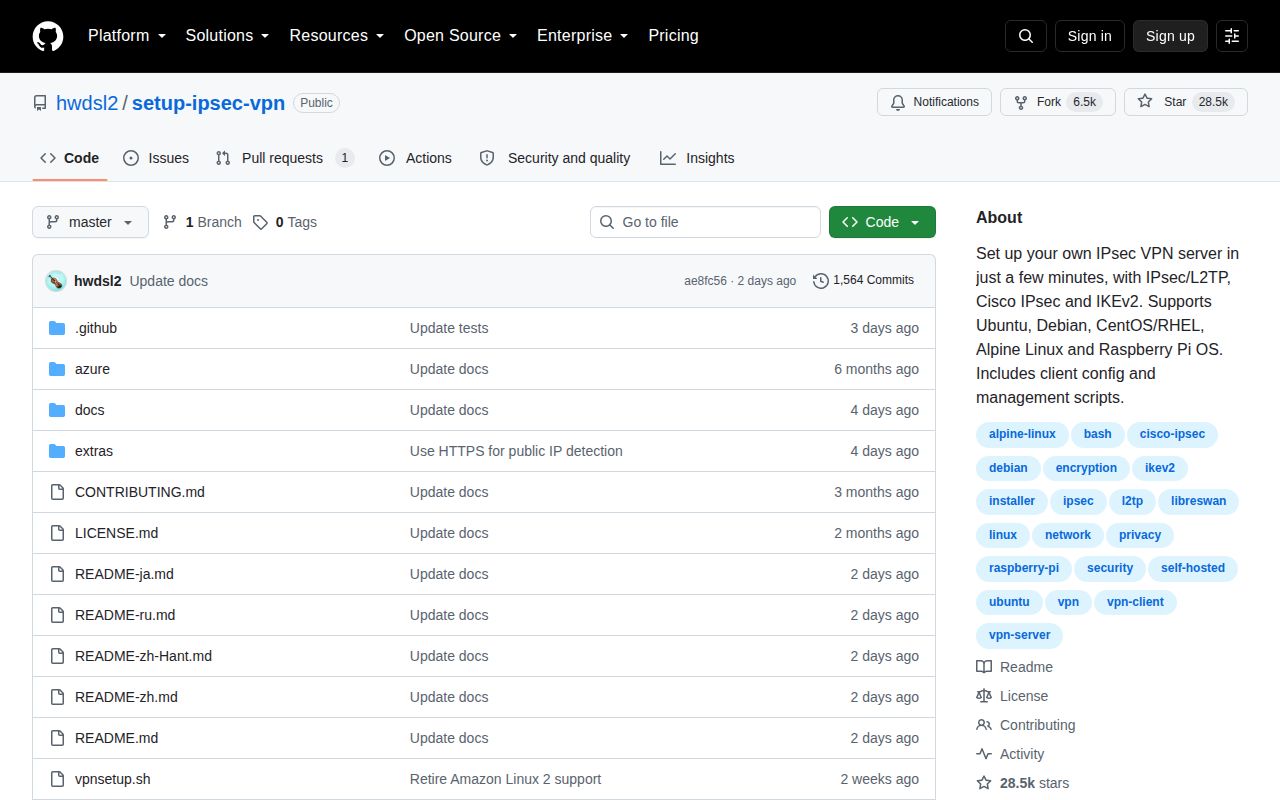
GitHub recorded 28,453 stars and a last push on September 8, 2026. The API returned 1 open item, which was a pull request, and an issue-only search returned 0 open issues. GitHub has no latest release for this repository. Updates are delivered through branch-hosted scripts, so the active push is also a reason to record the exact files installed on each server.
Recent issue activity includes a July report about nftables rules failing after reboot on Rocky Linux 10.2 and another about missing xtables modules on that release; both are now closed. Their existence does not prove the current script fails on Rocky Linux, but it shows why the kernel and firewall combination belongs in the pilot. The best fit is a fresh, replaceable VPS using IKEv2, with its snapshot and fetched scripts saved before client enrollment.