You get editable page code from a visual reference
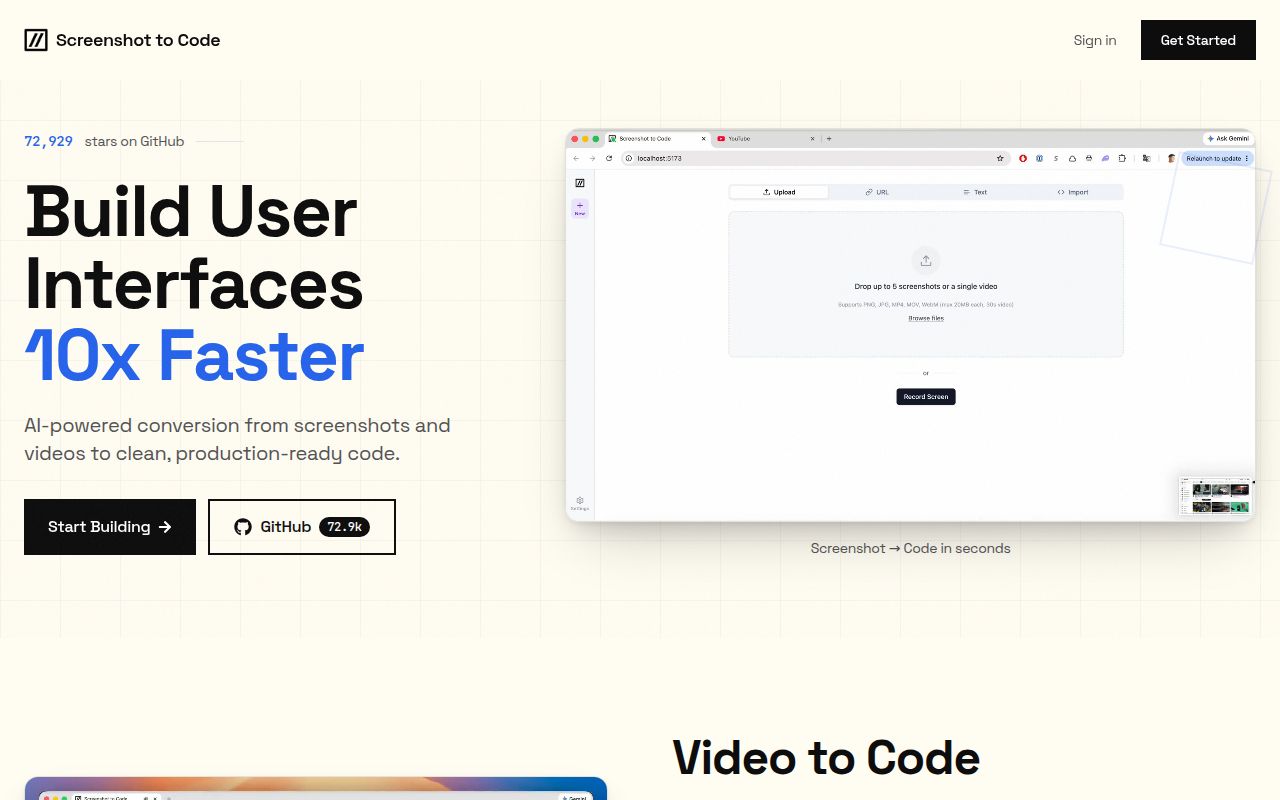
Screenshot to Code accepts a screenshot or mockup and generates page code in formats including React with Tailwind and plain HTML with CSS. Its README also describes turning a screen recording into a functional prototype. I'd use it when the reference already settles the visual direction and a developer will own the result. A screenshot leaves application behavior unspecified, so treat the output as the beginning of implementation.
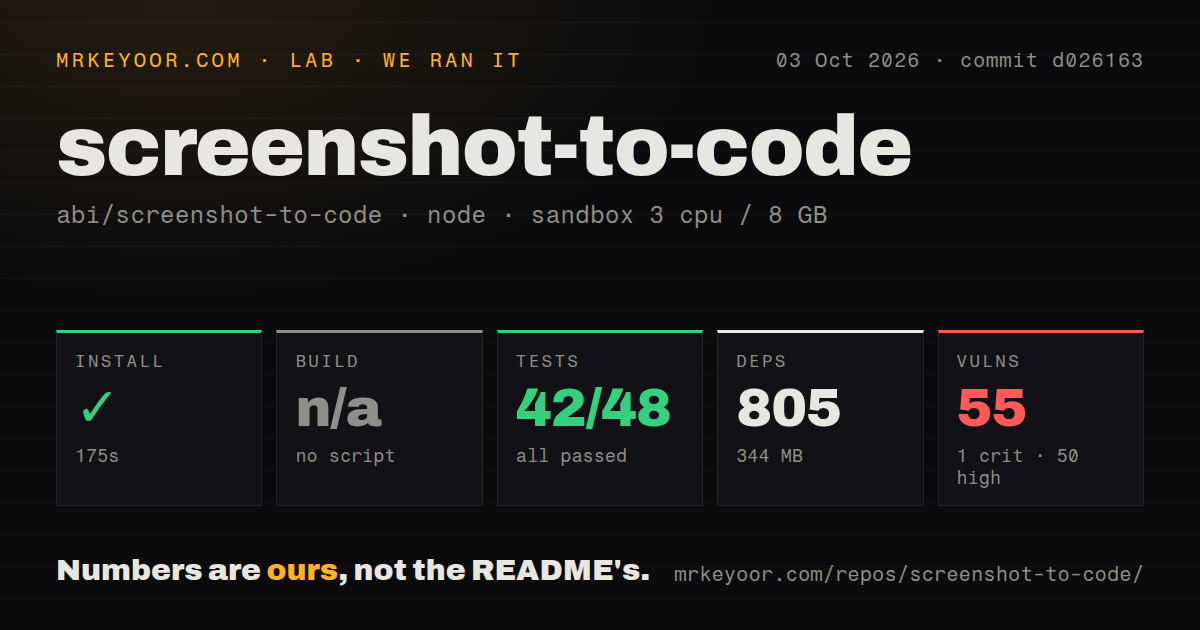
The checkout in our lab occupied 2.7 MB across 315 files and roughly 39,986 lines of source. Installation expanded the footprint to 344 MB. That is manageable for a developer machine, but this is a service you maintain alongside the generated pages. The appeal depends on how often rebuilding interfaces from visual references is actually part of your work.
What happened when we ran it
Our sandbox installed commit d026163 in 175 seconds, adding 805 packages. We ran it on October 3, 2026, in a fresh Debian container using lab-node:22, with 3 CPUs and 8 GB of RAM, without secrets or elevated privileges. The install succeeded. That result establishes that the measured JavaScript installation completed in this environment. It does not establish that the Python backend or a generation request worked.
The test command exited with code 1 after 6 seconds. Jest reported 42 passed, 0 failed, and 6 skipped out of 48 tests. Then the command entered backend and tried poetry run pytest. The shell returned poetry: not found. The full suite therefore failed at the backend handoff, before that command could run pytest. Calling this a failed backend assertion would misread the log.
The log also warned that pnpm does not support the root package's workspaces field and requested a pnpm-workspace.yaml file. Our harness found no build script or target, so it skipped the build. Neither observation proves that the frontend cannot be built through another route. The measured result is narrower: installation completed, Jest assertions passed, and the combined test command stopped with a missing executable.
The audit makes an unrestricted deployment hard to recommend
Npm audit reported 55 known vulnerabilities: 1 critical, 50 high, and 4 moderate. Those findings belong to the dependency tree measured at d026163. The supplied report does not identify affected packages or reachable application paths, so it cannot establish an exploitable public endpoint. It does give an operator concrete work before putting this version on a shared server. I would start with restricted access and inspect the advisories before widening it.
Our scan detected 0 CI workflow files and no Dockerfile, while finding a Compose file and workspace configuration. It also reported no tests directory. These are scan results, not proof that checks or nested files do not exist. The current testing guide explicitly points to backend/tests. For adoption, the failed command and audit findings carry more weight than a directory signal taken alone.
Poetry is a documented prerequisite that our container lacked
The backend manifest specifies Python ^3.10 and uses Poetry, with FastAPI serving the application. The root package script chains frontend testing to cd backend && poetry run pytest. That explains why a successful JavaScript install cannot stand in for preparing the backend. The README explicitly tells users without Poetry to install it. Our missing executable is a setup boundary the documentation acknowledges, rather than evidence of an unmentioned requirement.
The 175-second install did not validate the browser setup either. The README describes an optional Chromium preview that lets the agent render generated pages and inspect them visually. Linux users may need browser system libraries and an installation step requiring sudo or apt access. Without Chromium, that tool is skipped. Decide whether that check matters to your workflow before treating the service as ready.
Windows users have a more specific reason to pause. Open issue 636 documents a Playwright startup error under Uvicorn reload, including NotImplementedError and a message that disables screenshot preview. That report concerns the preview browser in this application. It is separate from the missing Poetry executable in our Debian run. If Windows reload development matters, reproduce that path before choosing the project.
A local server still needs model-provider access
The documented local route needs at least one OpenAI, Anthropic, or Gemini credential. Gemini enables asset extraction and is required for video mode. Replicate supplies image operations, including background removal. That makes this a poor choice for someone whose definition of self-hosting requires keeping every generation inside their own infrastructure. The README links an Ollama route but discourages it on quality grounds. That is the maintainer's assessment, not a comparison we measured.
Our 42 passing Jest tests provide no measurement of screenshot fidelity, generated behavior, or provider cost. The sandbox had no secrets, and the supplied results contain no completed generation benchmark. Before adopting it for client work, try an approved reference and inspect the resulting code yourself. Check the behaviors the image cannot show, such as keyboard navigation and what happens when a form is submitted.
October activity supports trying it, with a pinned commit
GitHub records a last push of October 9, 2026, and 148 open issues and PRs combined. Recent activity includes September's Windows report and an October evaluation-report PR. The latest-release endpoint returned no published release. Taken together, these facts show continuing repository work without a release tag to use as the default adoption anchor. Pin a commit and assess the changes since the measured snapshot.
Choose Bolt's browser development agent if you need an environment that can run and edit an application while you iterate. Choose tldraw's Make Real starter if drawing and annotating UI on a canvas is the central interaction. Screenshot to Code earns a trial when screenshot reconstruction is the recurring job. Before sharing your instance, resolve the missing backend prerequisite and review the 55 vulnerabilities our audit reported.