Screenpipe turns computer history into agent context
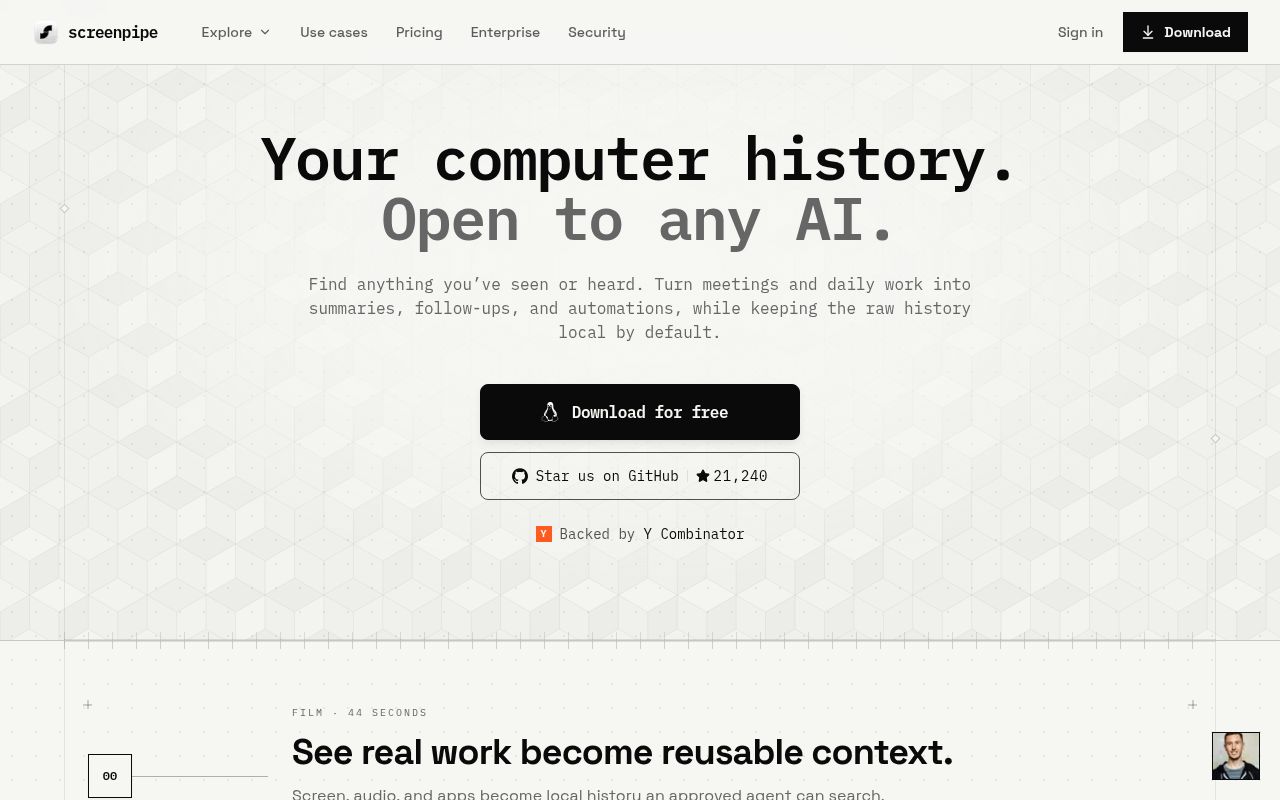
Screenpipe watches application changes, clicks, typing pauses, scrolling, audio, and other desktop activity. It pairs screenshots with the operating system's accessibility tree, using OCR when structured text is unavailable. Audio can be transcribed, and the resulting records live in a local SQLite database with full-text search. A localhost API, JavaScript SDK, and MCP server let other software ask what appeared or was said.
The appeal is easy to understand after a forgotten meeting detail or vanished browser tab. The privacy cost is equally concrete: this tool can retain the text, windows, keyboard activity, images, and conversations that pass through a computer. Local answers where records are stored by default. It does not decide whether recording them is acceptable, how long to keep them, or which agent should read them.
What happened when we ran it
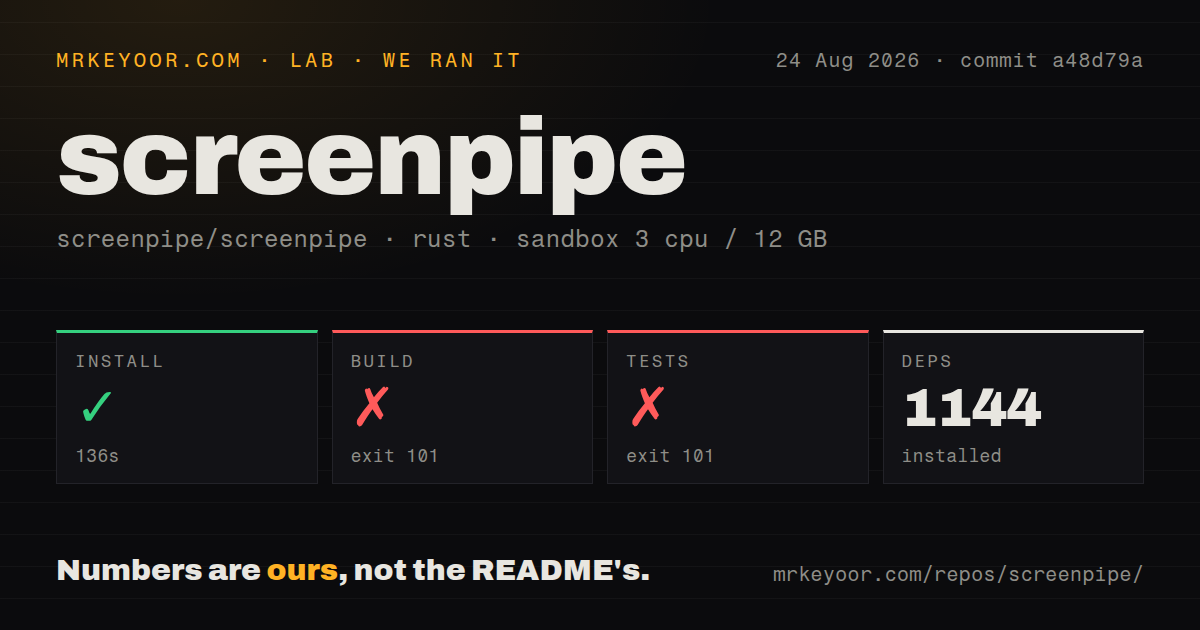
Our sandbox cloned commit a48d79a with 3 CPUs and 12 GB of RAM. The repository contained 3,808 files, about 1,002,696 lines of source, and occupied 88.2 MB. Its install succeeded in 136 seconds and added 1,144 packages. That is a substantial dependency tree before models, captured media, or a user's database enter the picture.
The build ran for 846 seconds and failed with exit code 101. Cargo reported that the libspa-sys crate could not find the system library libpipewire-0.3 through pkg-config. It named the missing .pc file and noted that PKG_CONFIG_PATH was unset. The message supports one conclusion: our fresh Debian environment lacked the PipeWire development metadata required by this Linux build.
Tests stopped after 278 seconds with the same exit code 101 and the same PipeWire diagnostic. The run did not produce passed, failed, or skipped test counts, so it would be wrong to describe application tests as failing. Compilation of a native dependency stopped the command first. The repository has 36 CI workflow files, but our scan found no Dockerfile and no top-level tests directory to make that Linux prerequisite self-contained.
MCP makes the archive useful and raises its stakes
The setup command can install Screenpipe skills and MCP configuration for detected agents, including Claude Code. Once connected, an agent can search recent screen text, retrieve meeting transcriptions, inspect frames, or use the localhost API. This is more useful than a passive timeline because context can enter a coding session or scheduled workflow without manual copying.
Pipes take another step. A markdown file supplies a prompt and schedule, and an agent can query Screenpipe, call APIs, write files, and take actions. The README documents allow and deny rules for applications, windows, content types, time ranges, raw SQL, and frames. Those controls deserve configuration before the first autonomous pipe. A prompt with broad history access can reveal material far outside the task that triggered it.
The claimed enforcement spans skill visibility, agent interception, and server middleware with per-pipe tokens. That is a better design than asking the model to ignore forbidden data. Administrators still need to test the boundary, protect the local API, rotate secrets, and review generated actions. Screenpipe supplies mechanisms; the organization supplies a defensible policy.
Local storage does not mean zero network traffic
The core application can run without an account, store its database locally, and use local transcription or an OpenAI-compatible local model. Optional encryption at rest and encrypted synchronization address different threats. Filters can exclude applications, windows, passwords, or content, while users can export or delete their data. These choices make a private setup possible.
The README also says product analytics is enabled through PostHog by default. It may associate a stable installation identifier and, after sign-in, account and device metadata. Sentry receives diagnostics while telemetry is enabled. Cloud transcription, hosted AI, and sync necessarily process selected data remotely. A privacy-sensitive installation should disable analytics, leave cloud features off, select local models, and verify outbound behavior rather than treating local-first as a firewall rule.
Source-available licensing changes the commercial decision
Screenpipe calls the repository source-available. Its README says personal non-commercial use is permitted, while commercial use of the source requires a license. That is materially different from an OSI-approved open-source license that allows commercial redistribution under its terms. A company planning to modify, bundle, or deploy the source should resolve licensing before engineering work begins.
The signed desktop application is also a product distinct from the repository build. macOS and Windows receive native installers, while Linux users are directed to build from source. The README warns that the main branch moves quickly and can break, and advises using app releases for a stable version. Our 846-second PipeWire failure shows why source access should not be confused with a supported binary path.
August 2026 activity is intense, with 96 issues and PRs
GitHub recorded 21,241 stars, 96 combined open issues and pull requests, and a last push on August 26, 2026. App v2.6.91 was released the same day. Its notes list fixes across search, chat, timeline startup, Windows store locks, macOS restart loops, API secret recovery, meeting summaries, and other desktop behavior. That pace signals active work and a wide failure surface.
Frequent releases are reassuring when the software watches an operating system that keeps changing. They also demand controlled upgrades because capture permissions, database recovery, transcription, sync, and agent access can regress in different ways. Keep a backup of the local database, test exclusions, check capture freshness, and confirm that denied applications stay absent after each upgrade.
Screenpipe is worth a careful trial for a developer who already wants an agent-readable memory and accepts the recording model. It is a poor casual install for someone merely curious about AI recall. Start with the least sensitive machine, local processing, short retention, narrow pipe permissions, and telemetry disabled if that is your policy. The tool becomes useful by remembering a great deal, which is exactly why its boundaries matter.