Terminal UI building blocks, with your code in charge
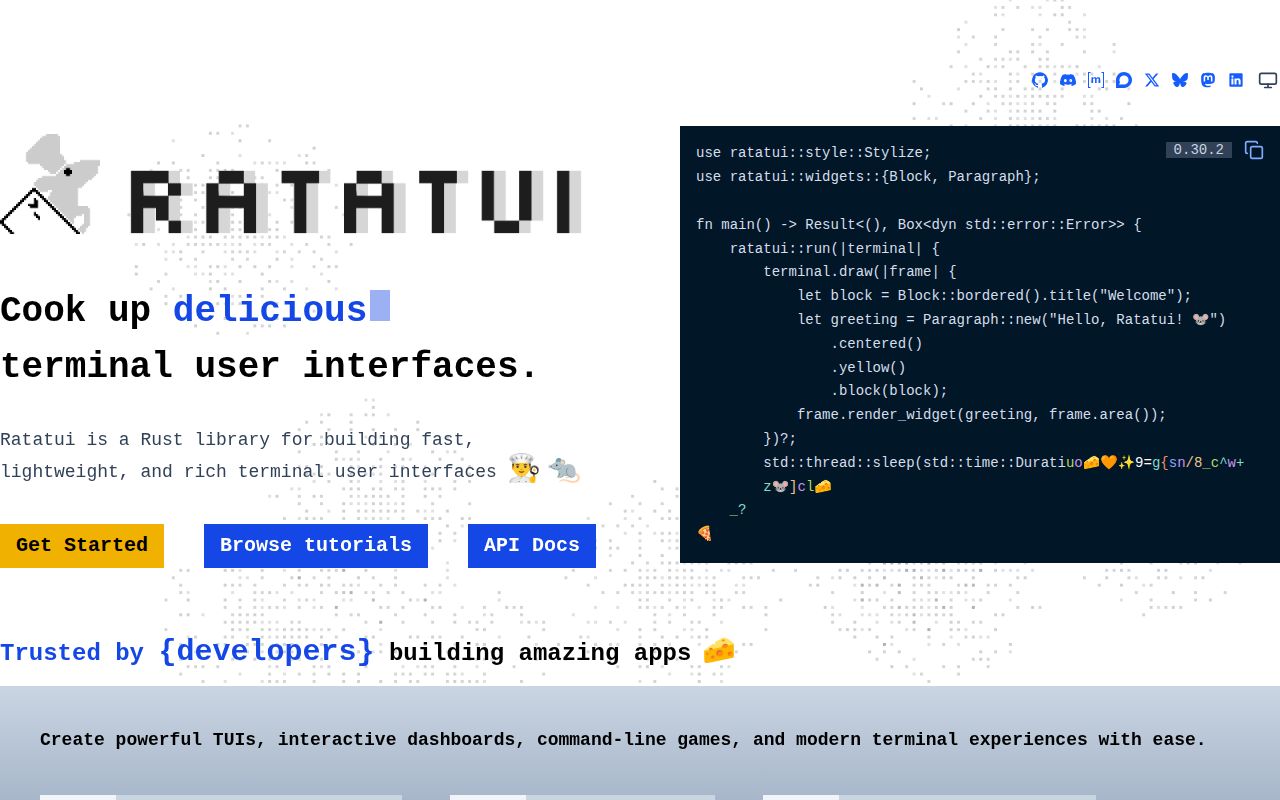
Ratatui gives Rust programs a vocabulary for drawing terminal interfaces: rectangles, constraints, styled text, buffers, widgets, and terminal backends. The quickstart is small enough to understand in one screen. Initialize a terminal, draw a frame, read an event, and restore the terminal on exit. A string can be rendered as a widget, while larger applications compose lists, tables, charts, paragraphs, scrollbars, and custom widgets.
The library does not impose an application framework. Your program owns state, input, timing, updates, and error handling. That makes Ratatui a good fit for tools whose behavior is already modeled in Rust and merely needs an interactive screen. It also means a developer must design the event loop and ensure the terminal is restored after failures.
Ratatui began as a 2023 fork of tui-rs after development there stopped. It has since become the active center of this Rust TUI style. The project points to a separate gallery and curated application list, which is useful when deciding whether terminal cells can express the interface you have in mind.
The modular split makes sense
Version 0.30 reorganized the project into a workspace. Most applications use the main ratatui crate, which re-exports the widgets, core types, backends, macros, and experimental pieces. Widget authors can depend on ratatui-core for the Widget traits, buffer, layout, text, style, and symbols without pulling in every built-in widget or backend. Standard widgets live in ratatui-widgets.
Backends are separate crates for Crossterm, Termion, Termina, and Termwiz. Crossterm is the cross-platform choice shown in the quickstart. Termion targets Unix, Termina fits applications using its event and escape-sequence types, and Termwiz covers another backend family. This split lets a project choose its terminal integration while sharing the same buffer and widget contracts.
The main crate remains the sensible starting point. The smaller crates become useful when compile dependencies or third-party widget compatibility matter. The architecture document says all workspace crates currently share a version, so users still get one coordinated release line rather than a puzzle of independent compatibility ranges.
What happened when we ran it
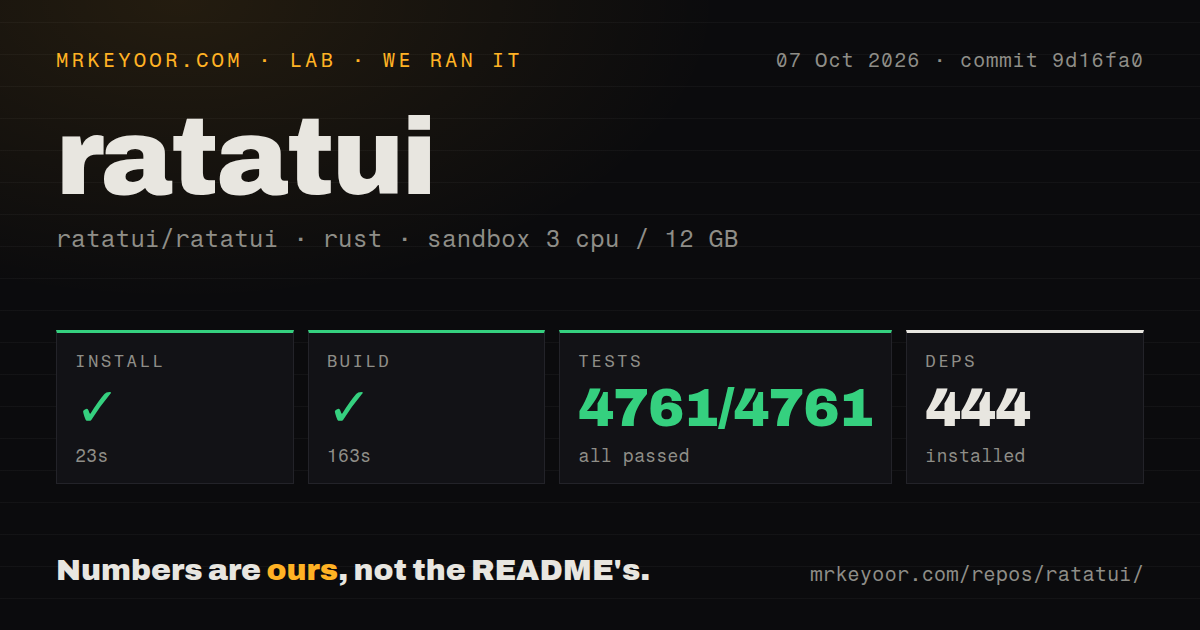
We cloned commit a1b0b9c into a fresh Debian container with three CPUs, 12 GB of RAM, no secrets, and an unprivileged user. The checkout was compact: 431 files, about 81,723 lines of source, and 4 MB on disk. Cargo installed 445 packages in 33 seconds.
The complete build succeeded in 147 seconds. cargo test then finished in 113 seconds with 6,013 tests passing and zero failures. There was no top-level tests directory, but Rust projects commonly keep unit tests beside source and integration checks elsewhere in a workspace. Five CI workflow files were present, and the repository had no Dockerfile.
This was the cleanest lab result in this group. It does not measure rendering speed, input latency, or behavior across terminal emulators, and we will not infer those properties from a successful suite. It does show that the pinned checkout could resolve dependencies, compile the workspace, and pass its full reported test target in a fresh environment.
The tradeoffs appear at interaction boundaries
Terminal rendering has edge cases that ordinary web layouts avoid. Open issue 2730 reports that an empty symbol passed to Fill can shift later cells. Issue 2710 reports that a single fixed-length item expands under Flex::SpaceBetween. Both reports include small reproductions, and maintainers are discussing the behavior. These are narrow bugs, yet they demonstrate why snapshot or buffer tests belong in any serious TUI project.
Accessibility is a larger constraint. Issue 2610 asks for an accessibility layer and discusses AccessKit, but no implementation is promised there. Terminal applications can also inherit limitations from terminal emulators, screen readers, color settings, and keyboard conventions. If the tool is required for someone to do their job, test it with the actual assistive setup and provide a non-TUI path where necessary.
API evolution deserves similar attention. The breaking-change document records renamed alignment types, backend trait changes, widget method changes, feature-flag behavior, and repeated minimum Rust version increases. Version 0.30.1 requires Rust 1.88.0. The guide includes migration examples, which lowers the cost, but teams should pin releases and schedule upgrades rather than letting a wide version range move unnoticed.
Documentation and project health
The documentation is unusually complete for a UI library. The README links to API documentation, a concepts website, step-by-step tutorials, widget examples, full application examples, an architecture guide, a generated changelog, and the manual breaking-change list. Templates through cargo-generate provide a working starting shape. A forum, Discord server, and Matrix bridge cover questions that do not belong in issue tracking.
The last push was August 24, 2026. Release ratatui-v0.30.2 shipped on June 19 with a new Termina backend and fixes for wide-cell rendering and scrollbar geometry. GitHub listed 217 open issues and pull requests combined. That is a substantial queue, but current issue discussions and the previous day's push show active work rather than neglect. Recent bug reports received maintainer responses within days.
Choose Ratatui when you want a Rust-native terminal interface and prefer explicit control over a managed component runtime. It has enough widgets and learning material to move quickly, while the core crate gives library authors a narrower dependency. Pin the crate, test the terminal behaviors your app relies on, and treat accessibility as a product requirement outside the rendering API.