A 32-bit GPU pipeline makes RapidRAW feel like a full editor
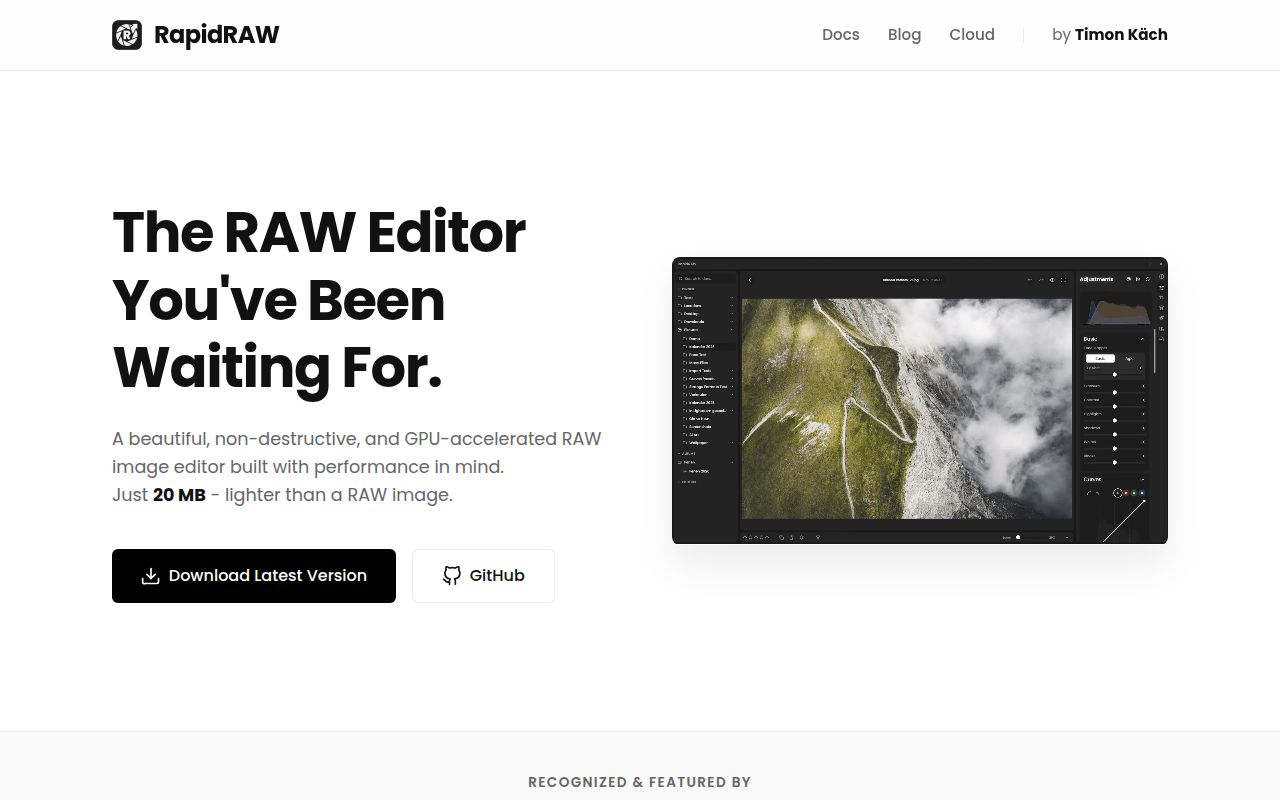
A photo editor can feel ready long before you should trust it with a library. RapidRAW v1.6.4 already covers much of the working path: browse folders, compare photographs, grade color, draw masks, remove blemishes, apply lens corrections, and export a batch. Its custom WGSL shader runs a 32-bit image pipeline on the GPU, while Rust and Tauri handle the desktop application. The result is far beyond a single-purpose RAW converter.
The editing model is sensible. RapidRAW leaves the source image alone and writes adjustments to a .rrdata sidecar beside it. Virtual copies, ratings, labels, tags, presets, undo history, and a filmstrip make it possible to cull and edit in the same application. Export covers JPEG, PNG, WebP, AVIF, TIFF, JXL, and LUT files. The command-line exporter can also process a folder from its sidecars without opening the interface.
AI tools are local until you choose a separate server
RapidRAW includes subject, sky, depth, and foreground masks, plus automatic tags from a local CLIP model. A basic inpainting tool also runs locally. None of those features requires an account. For heavier generative replacement, the documented route connects a separate AI Connector to your own ComfyUI server, which means another service, model storage, and suitable hardware. The optional cloud service is described as coming soon, with its price still listed as TBD.
That split is one of RapidRAW's better decisions. Ordinary color work and built-in masks stay on your machine, while a photographer who already operates ComfyUI can bring custom workflows. It also draws a clean purchasing line: do not choose the app today because a future cloud service sounds convenient. Choose it for the local tools that exist in v1.6.4, then treat ComfyUI as an extra system you will have to maintain.
What happened when we ran it
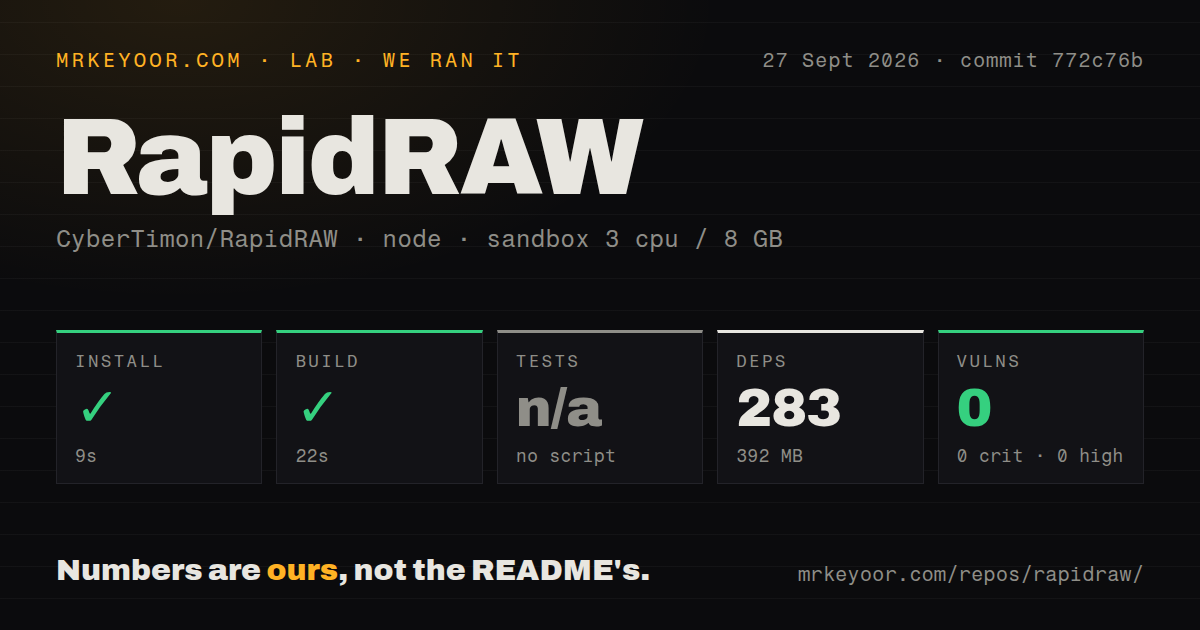
Our sandbox installed commit 772c76b in 9 seconds. Npm added 283 packages and the installed tree occupied 392 MB. The build finished successfully in another 22 seconds. This was a fresh Debian container with 3 CPUs, 8 GB of RAM, Node 22, no secrets, and no elevated privileges. The checkout itself contained 391 files, about 93,492 lines of source, and used 19 MB.
There was no test script or other test target, so we had nothing to execute and recorded the test step as skipped. Our scan also found no tests directory. Npm audit reported 0 known vulnerabilities across the installed dependency tree. Those results establish that installation and the supplied build worked at commit 772c76b. They do not measure editing speed, output quality, camera compatibility, or stability during a long photo session.
Five CI workflow files show that the repository automates some project work, but they are not a substitute for a test command a contributor can run before changing image code. For a RAW editor, that gap matters because a successful web build cannot catch a shifted color transform, damaged metadata, or a device-specific shader failure. Any team adopting RapidRAW should assemble a small set of representative RAW files and compare previews, exports, EXIF, and sidecars after each upgrade.
The 16 GB recommendation is a real buying constraint
The README recommends 16 GB of RAM and a dedicated GPU, especially for high-resolution RAW files, deep undo history, and layered masks. It warns that graphics hardware from roughly before 2015 and older integrated GPUs may produce instability or visual artifacts. Windows 10, macOS 13, and Ubuntu 22.04 are the documented operating-system floors. A prebuilt package is the practical first trial. Building from source adds both Node.js and Rust.
Tethering narrows the platform choice further. RapidRAW uses libgphoto2, ships tethering as a separate build, and supports it only on macOS and Linux. Windows and Android are excluded because of their driver paths. Linux users must also account for Wayland, WebKit, and NVIDIA combinations that have produced crashes or blank windows. The project documents environment-variable workarounds and suggests X11 as another route, but a studio machine should be tested with the exact camera, GPU, and display session.
Version 1.6.4 still has export and device-specific defects
Open issue 1808 reports that v1.6.4 RAW exports can write an invalid capture-date format and omit fields such as white balance, flash, and metering mode even when RapidRAW displays them. The report reproduces the behavior with Nikon and Sony files across Windows and Linux. That is a sharper warning than a generic maturity label: if another catalog sorts by EXIF capture time, validate a complete round trip before replacing your current editor.
Two other v1.6.4 reports deserve device-level checks. Issue 1816 says Fujifilm X100S RAF files open much darker than in the camera, Capture One, or darktable. Issue 1838 reports corrupted noise-reduction previews and exports on a Windows 11 Arm machine. These are open user reports, not results from our sandbox, and they do not prove every Fujifilm or Arm system is affected. They do identify the files and controls worth testing first.
An October 4 push shows energy, while 421 open items show load
GitHub recorded a push on October 4, 2026, less than three weeks after the v1.6.4 release on September 17. The project had 10,316 stars, 323 open issues, and 98 open pull requests when checked that day. Fresh bug reports and same-day pull-request activity show an active project. The combined queue also shows how much work is landing on a young application with a broad camera, operating-system, and GPU matrix.
RapidRAW is worth a trial because the cost of that trial is low: our install and build took 31 seconds combined, and the core editor asks for no service credential. Keep the originals and sidecars backed up, then run your own camera files through the exact exports you use. If their color and metadata survive, RapidRAW offers a remarkably wide toolset. If they do not, darktable or RawTherapee is the safer place to wait for the next release.