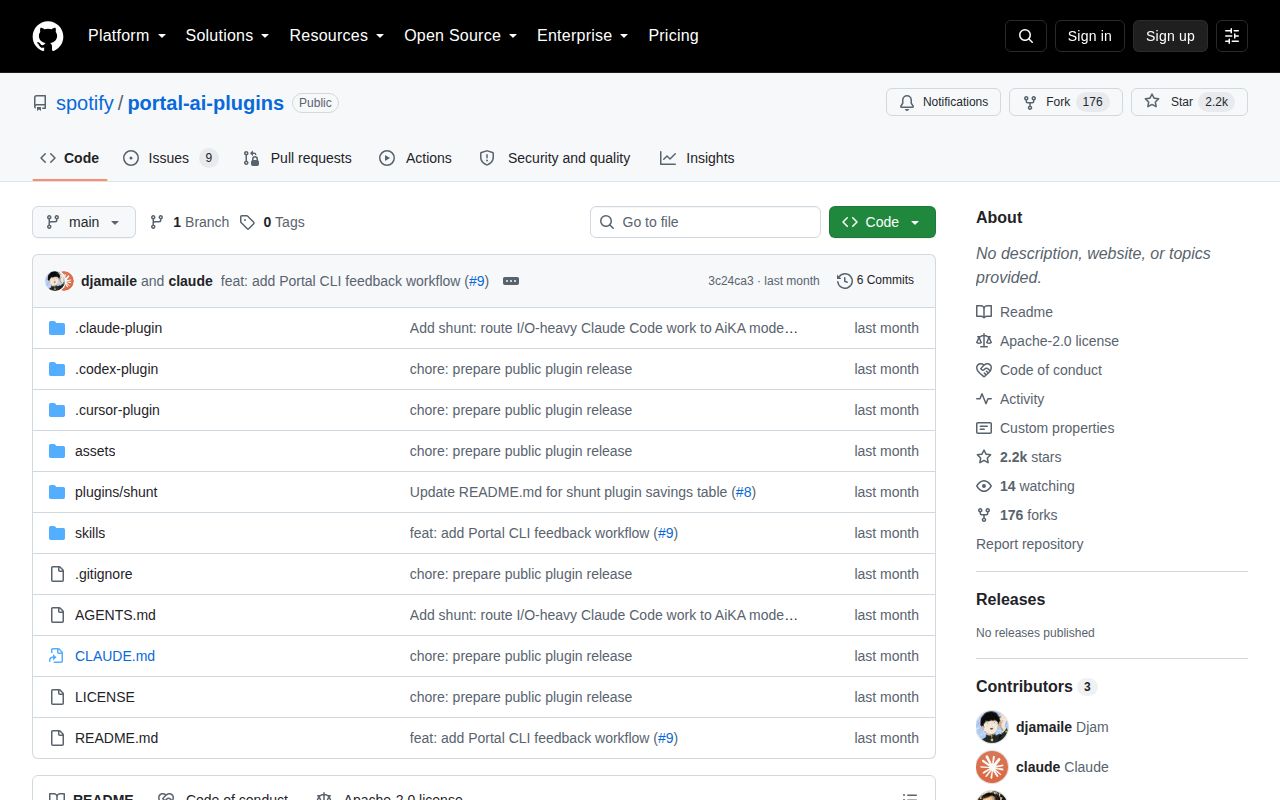
Portal data reaches three coding agents through one CLI
Spotify Portal AI Plugins gives Claude Code, Codex, and Cursor a common set of instructions for using Spotify Portal. The agent does not query a catalog database directly. Each workflow calls npx @spotify/portal-cli, asks for JSON where possible, and turns the result into a shorter answer. The useful jobs are concrete: search the software catalog and technical docs, identify a service owner, retrieve runtime or incident status, and find a runbook.
The root plugin identifies itself as version 0.1.0. Its six workflows cover setup, diagnostics, search, service briefings, actions, and feedback. Search preserves exact entity references and source links. The service workflow separates ownership from deployment status and documentation, so an unavailable dimension stays unavailable instead of becoming a healthy-looking blank. That restraint matters when an agent is summarizing operational data.
A Portal account comes before plugin installation
The plugin only becomes useful after it can reach a Spotify Portal backend. Setup asks for the backend URL and a short instance name, then runs Portal's login flow and selects the instance. It refuses to continue until auth show succeeds and actions list --json proves that the chosen account can read its available actions. If several instances exist, the instructions tell the agent to ask which one to use.
That is more setup than the marketplace command suggests. You need Node.js and npm because the workflows run the published CLI through npx. Authentication may need a browser or the CLI's no-browser route. Open issue #16 comes from a user who reached the backend URL prompt and could not tell what address the setup expected. The skill itself says to stop and ask the user's team when that value is unknown.
What happened when we ran it
On 2026-09-23, our sandbox did not run commit 3c24ca3. The machine had 3 CPUs and 8 GB of RAM, but our harness had no supported ecosystem for this TypeScript repository. The checkout also had no Dockerfile that could provide another supported route. We have no honest install duration, dependency count, build result, or test result to report.
That missing run narrows this review. We inspected the repository and its documented workflows, but we did not authenticate to a Portal instance, execute an action, or test the agent hosts. A marketplace install is therefore a trial, not a confirmed result from our lab. Teams should run the read-only doctor workflow first and require evidence for plugin version, CLI commands, authentication, and action access before allowing a write.
Portal actions require a preview before a write
The actions skill has a sensible boundary. It lists actions, opens generated help for the selected action, and uses JSON output. A mutating operation must first run with --dry-run, show the proposed input to the user, and wait for authorization. The instructions also warn that a dry run is not proof that the action executed. Those details make the agent's permission boundary easier to inspect.
The plugin manifest still declares Read, Write, and CLI capabilities. This is not a read-only catalog browser once actions are enabled. Portal decides which actions the signed-in user can see, so account permissions and the selected instance remain part of the safety model. A team should test one harmless read and one representative dry run before trusting the workflow around deployments or service changes.
Shunt's read blocker has open correctness reports
Open issue #10 says the optional shunt hooks emit the wrong Claude Code PreToolUse response shape. According to the report, the host treats that output as a non-blocking error, which means a large read can proceed instead of being redirected. The same issue describes parser gaps for commands with leading spaces, quoted paths, and minified single-line files. It also reports that code-write --target can overwrite an existing file without warning.
Shunt is separate from the core Portal workflows and works only with Claude Code. It needs jq plus Portal AiKA modes named for bulk reading and code writing. Requests travel through a command-line argument, with a documented 120,000-byte Linux ceiling and a 180-second default timeout. Open issue #18 reports that multiline JSON breaks both delegation paths on Windows through Git Bash. Those are concrete reasons to avoid treating shunt as a mandatory guard today.
August code and September reports show an early project
GitHub recorded 2,218 stars and 9 open issues and pull requests when fetched. All 9 open entries returned by the issues endpoint were issues. The last repository push was August 17, 2026, while the newest open report was filed on September 23. The project has no published GitHub release, even though its host manifests call the plugin version 0.1.0.
The repository tree has no CI workflow. Issue #11 says the documented validation command reaches only 2 of 6 host manifests, leaving the root Portal manifest and the Codex and Cursor manifests unchecked locally. A contributor supplied a reproduction with malformed JSON that still passed the top-level command. That report is about release hygiene, not proof that the current files are broken, but it lowers confidence in cross-host changes.
Choose it for Portal access, not for building a portal
This project connects an agent to a Portal deployment; it does not supply the deployment, catalog, or permissions. For an existing Portal customer, the search and service skills encode useful habits, especially exact entity references, freshness evidence, and explicit handling of missing data. The action preview also gives operators a visible checkpoint before a mutation.
Without Portal, there is nothing here to adopt. Backstage is the better comparison when the need is an open-source catalog and developer portal, while the Portal CLI is enough when engineers prefer direct terminal commands. The core plugin deserves a limited read-only trial on one supported host. Shunt should wait until its enforcement path and target platform match the guarantees your team needs.