Should you use opensrc for dependency debugging?
opensrc returns an absolute path to dependency source, so it fits debugging that requires reading upstream implementation code. Choose it when that path can feed your existing search tools or coding agent. Our sandbox did not exercise a package lookup, so the recommendation rests on the documented interface rather than a completed functional check.
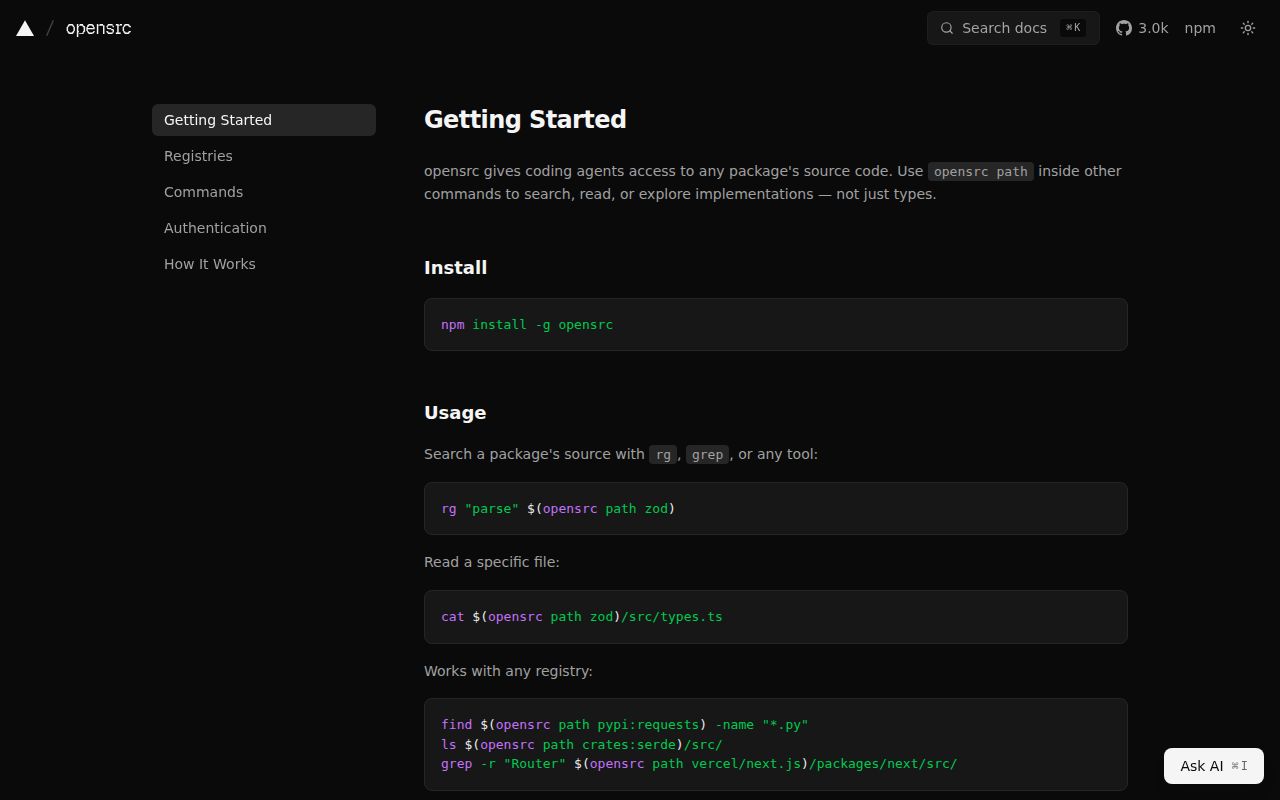
opensrc resolves packages through registry APIs, shallow-clones the matching version tag, and caches the source globally. The opensrc CLI README documents npm, PyPI and crates.io packages, plus GitHub, GitLab and Bitbucket repositories. Lockfile detection of the installed version is documented for npm only. Other lookups use an explicit version or the latest version.
What did our sandbox commands establish?
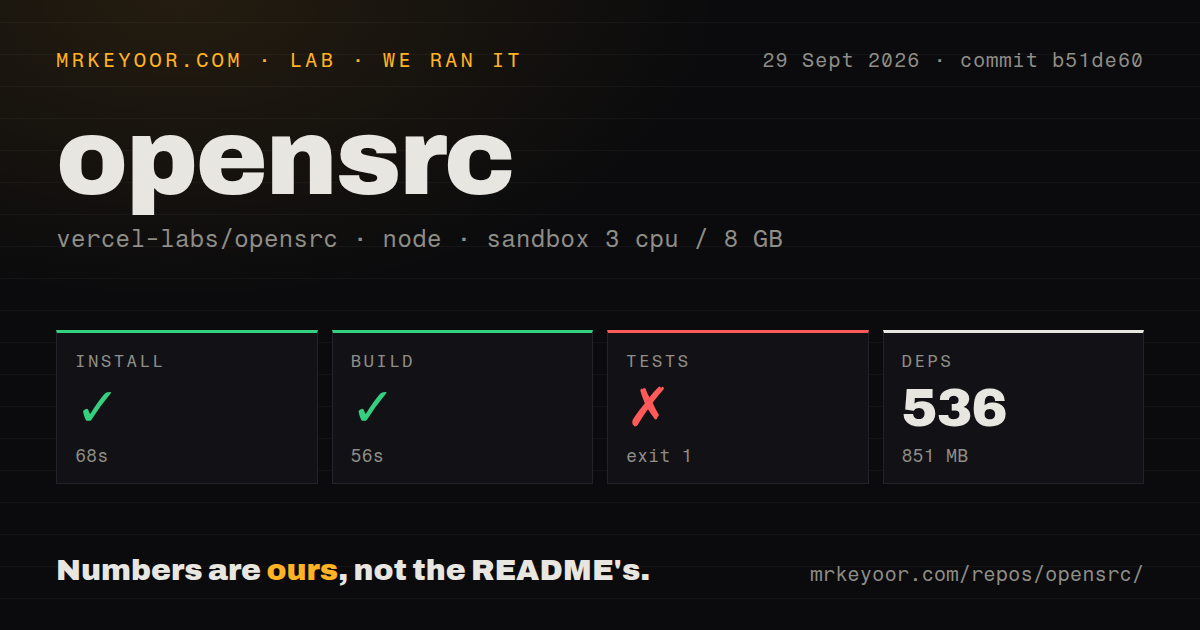
Our sandbox recorded installation at 68 seconds with exit 0, build at 56 seconds with exit 0, and the test step at 10 seconds with exit 1. Our run was recorded on September 29, 2026, at commit b51de60. These are the attached harness timings, rather than the shorter durations printed by individual tools.
The harness records each command's success flag, exit code, elapsed time, timeout status and output tail. Installation downloaded the v0.7.3 native binary and reported checksum verification. The successful build output shows the documentation application being built. We did not verify native CLI compilation, a real package lookup, upstream tag selection, private-repository authentication or cache reuse.
The MrKeyoor testing methodology explains command-outcome reporting and its limits. It provides provenance context; its current procedure does not establish which methodology version governed this September run. This correction uses the stored record and includes no new execution.
Why did the test step fail?
The Rust test command stopped because Cargo was unavailable. The raw tail shows cargo test --manifest-path cli/Cargo.toml followed by sh: 1: cargo: not found. A warning about missing node_modules appeared afterward, but it does not support blaming dependency layout for the failure.
Turborepo replayed a cached documentation build during the test step. Its successful task entry is a build task, not a passing Rust test. The stored test-count field is null, so there is no supported passing-test total. The record does not establish exhaustive unique test coverage, and no complete-log reconciliation was performed.
The audit field is also null. Advisory totals and scan coverage are unknown. The installation log's supply-chain-policy check does not supply an audit result or prove security.
What does contributor setup require?
The measured commit's README requires Node.js 24+ and pnpm 11, and it lists separate Cargo build and test commands. The commit-pinned development instructions distinguish the monorepo commands from the Rust CLI commands. The CLI README explicitly requires Rust.
The documented global npm installation supplies a native binary. Contributors building or testing the CLI need the Rust toolchain as well. Providing those prerequisites and rerunning the Rust tests is the useful next step for contributor evaluation. Prospective users should separately verify a lookup for a dependency and version they actually need.
Where does the source go?
The CLI README documents a global cache under ~/.opensrc/ and an OPENSRC_HOME override. It also documents commands to list, remove and clean cached sources. Choose the location and cleanup policy for the account running the tool. The supplied extracts do not establish project-local caching as released behavior.
Fetched repository text should remain untrusted input to an agent. Keep comments and documentation separate from instructions that authorize actions. This is a workflow recommendation, not a measured security finding or evidence that opensrc sanitizes source text. The supplied primary extracts do not verify the earlier issue-specific prompt-injection account.
Which alternatives serve a different job?
Continue's repository is no longer actively maintained and is read-only for all users. Its README describes a coding agent available through a CLI, VS Code extension and JetBrains plugin. Consider it only when evaluating an agent interface with that maintenance constraint. The extract does not establish it as a replacement for opensrc's registry-to-source retrieval.
The MCP servers repository contains educational reference implementations rather than production-ready solutions. Its reference-server documentation lists Git tools for reading, searching and manipulating repositories. That reference can inform MCP access to a repository you already have. It complements retrieval; the supplied extract does not establish package resolution through registry APIs.
What do the ratings mean?
The ratings assess documented support and the limits of our recorded run; they do not measure adoption, security or runtime performance. The rubric is 1 for substantial evidenced obstacles, 2 for major gaps, 3 for useful capability with material limits, 4 for clear documented support with a bounded caveat, and 5 for broad support verified beyond this run.
Setup considers user installation and contributor prerequisites. Documentation considers command and configuration coverage. Community considers the supplied release and participation evidence, which is limited. Maturity considers the documented workflow, release maintenance and unverified behavior. The retained ratings should be read with the evidence notes below.