
The 250,844-line Go backend replaces a hosted file cloud
OpenCloud is the server behind a self-hosted file collaboration system. The 250,844-line checkout handles accounts, spaces, shares, WebDAV, search, notifications, thumbnails, public links, and the web front end through one Go codebase. Users get the familiar jobs: upload a file, synchronize it, share it, preview it, or open it in a connected editor. Administrators keep the content and service configuration on infrastructure they choose, under the Apache-2.0 license.
The 17.3 MB repository calls itself the backend, yet the binary contains many named services and can start them together. Authentication uses OpenID Connect through the embedded LibreGraph Connect provider or an external provider such as Keycloak. OpenCloud does not require an application database. Its default layout stores configuration, metadata, and file content under the filesystem, which removes one service while making storage semantics and backups central to the design.
What happened when we ran it
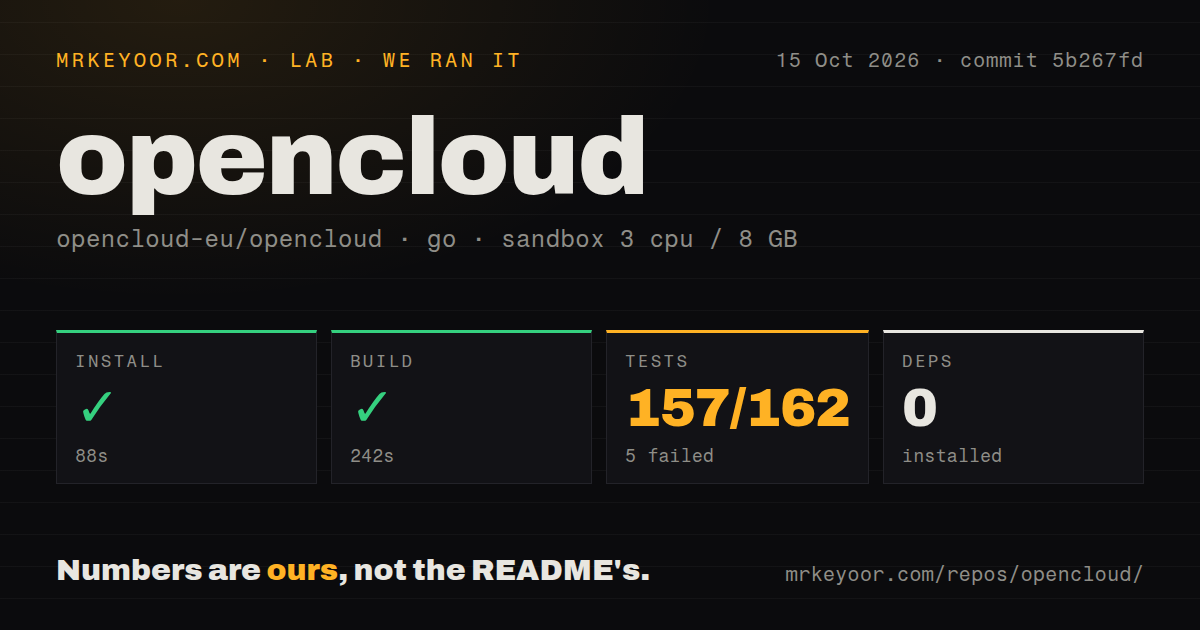
Our sandbox cloned commit d6c6b6f into a fresh unprivileged Debian container with 3 CPUs, 8 GB of RAM, no secrets, and the golang:1.24-bookworm image. Installation succeeded in 101 seconds and added 0 packages. The build completed successfully in 200 seconds. The checkout held 2,339 files, about 250,844 source lines, and used 17.3 MB. Our scan found 1 CI workflow file, a Dockerfile, and a tests directory.
The Go test step failed with exit code 1 after 100 seconds. It reported 139 passed and 5 failed out of 144. The supplied tail listed successful packages under thumbnails, userlog, web, WebDAV, and webfinger, then ended with FAIL. It did not show the names, assertions, or error messages for the five failures. Assigning a dependency, environment, or code cause would be guesswork; the defensible result is that this commit did not pass the complete command in our stated sandbox.
The 2,339-file demo becomes a different production job
The 2,339-file repository can produce a local instance with opencloud init and opencloud server. That is useful for seeing the interface, and the default configuration lives under $HOME/.opencloud. OpenCloud's own bare-metal guide is blunter about the boundary: it describes that route as minimal, unofficial, and unsupported. Its example binds to localhost, uses an invalid certificate, enables demo users, and gives the administrator a demo password. None of those choices belongs on a public server.
A 200-second source build is only one item on the deployment checklist. The supported Compose path can run with integrated Traefik and automatic certificates or behind an existing proxy. Production guidance moves configuration and data into persistent host directories, owned by container UID and GID 1000, and warns that an account with that host ID can read or change them. Operators must also choose an identity provider, manage credentials, pin a stable branch or image, and test upgrades.
The 17.3 MB checkout puts reliability on the filesystem
OpenCloud avoids a separate database, but the 17.3 MB codebase cannot make an unsuitable filesystem safe. The posix and decomposed drivers require a fully POSIX-compatible filesystem with atomic read-after-write behavior for directory metadata. NFS needs version 4.2 or later with the documented cache setting, and the posix driver needs extended attributes. A decomposed S3 setup moves blobs to an S3-compatible bucket while keeping configuration and metadata on POSIX storage.
Our 8 GB sandbox compiled the server; it did not test a production storage path. The official backup guide requires a consistent point in time. Snapshot-capable storage can provide that quickly, while other backup software should run with the OpenCloud instance stopped. Configuration, system data, metadata, and blobs all matter, and a distributed deployment adds the S3 bucket. The search index may be rebuilt, but the binary or container version should be retained so a restore does not mix incompatible software and data.
Version v7.5.0 adds encrypted vaults with hard limits
Version v7.5.0 introduced end-to-end encrypted folders and spaces using rclone crypt. Encryption happens in the browser, including file names, and the server does not receive the key. Compatibility with the free rclone tool gives users another way to access the data. The catch is deliberate and substantial: Collabora and collaborative editing cannot operate inside a vault, file-list thumbnails disappear, individual files cannot be shared out of it, and a lost passphrase means lost content.
The 100-second failed test command did not exercise a running vault, browser, sync client, or editor. Our lab result therefore says nothing about encryption correctness or collaboration behavior. Those need acceptance tests with the intended clients and storage driver. The rolling v7.5.0 release also included EPUB reading, richer text editing, favorites filters, and preview changes. Organizations buying stability should use OpenCloud's production channel instead of assuming the latest rolling tag carries the same support and test policy.
A 2026-09-07 push shows activity, while 434 items need triage
GitHub showed 5,907 stars, 434 combined open issues and pull requests, and a last push on 2026-09-07. The latest release was v7.5.0 on 2026-08-25, and the lifecycle page documents rolling releases about every 3 weeks. Issue #3483 was opened on September 7 with a reproducible move or copy failure in a shared subfolder on v7.2.4. That mix signals active development and users who report detailed failures, not a settled appliance that can be upgraded without rehearsals.
The 139-of-144 test result keeps our recommendation cautious. Nextcloud is the better comparison when a larger groupware and app catalog drives the purchase. ownCloud Infinite Scale is the close Go-based option for organizations already in its ecosystem, while Seafile focuses more tightly on synchronization and file libraries. OpenCloud is most convincing for teams that value its no-database server, OIDC design, and browser vaults enough to own storage correctness, upgrade tests, backups, and the remaining five failures before inviting users.