Onlook writes visual changes back to a Next.js project
Onlook's build stopped before we could evaluate its editor: the configuration loader rejected an undefined Supabase anonymous key. That's a useful starting point for anyone choosing between trying a design tool and operating its infrastructure. The open-source repository gives you the editor's code, together with the work of configuring the services behind it.
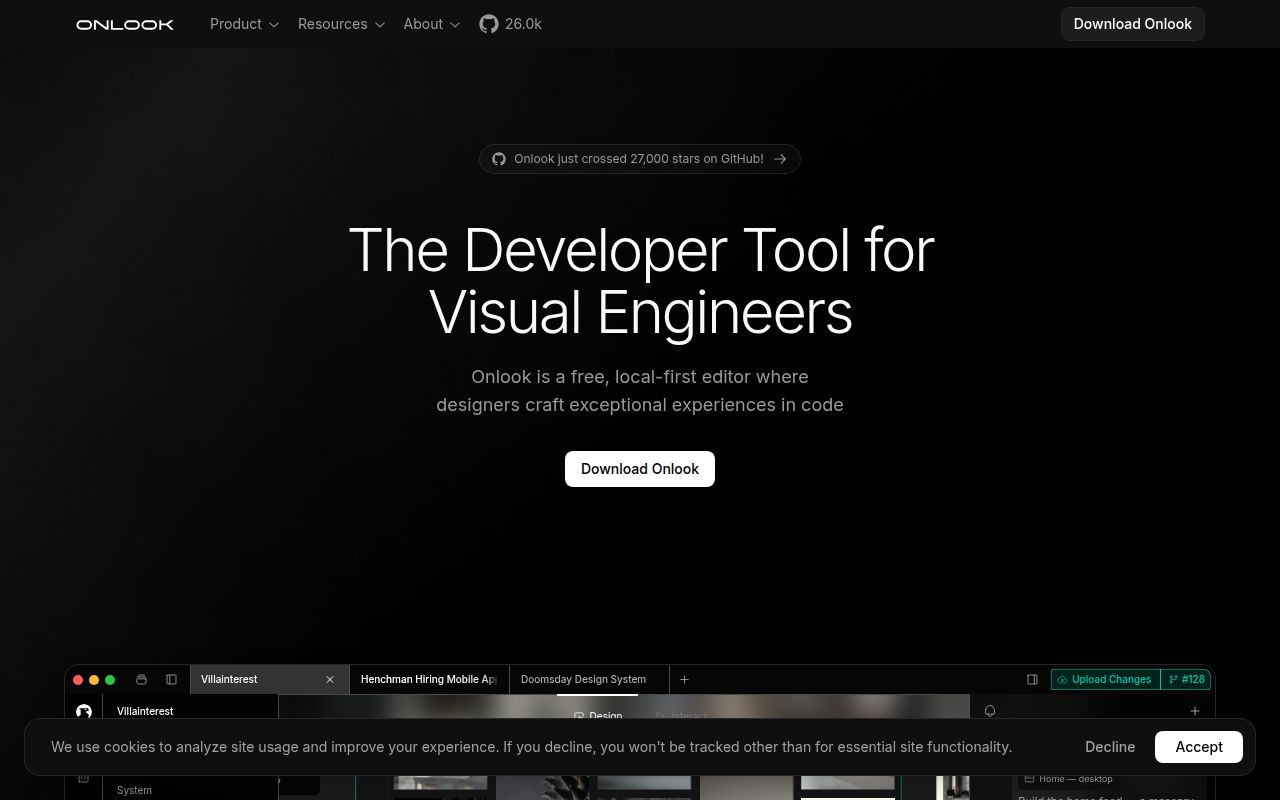
The README describes a visual editor for Next.js and Tailwind projects. You can select an element in the preview, change its styling and find its location in source. AI chat can also read and change the project. For a designer already working with a frontend engineer, that connection is the reason to investigate Onlook: the design discussion can happen against an actual application.
The repository is distinct from hosted early access
The current README calls this repository the open-source visual editor that started Onlook. It separately describes the next hosted product as early access through a waitlist. Don't assume a hosted demonstration describes the exact experience you'll get by running this checkout.
That distinction affects the recommendation. A team evaluating the hosted service needs to check its present access conditions and workflow. A contributor evaluating the repository needs to understand its service dependencies. Our sandbox results cover a particular repository commit, not a session in the hosted editor, and don't establish whether either product can handle your application.
What happened when we ran it
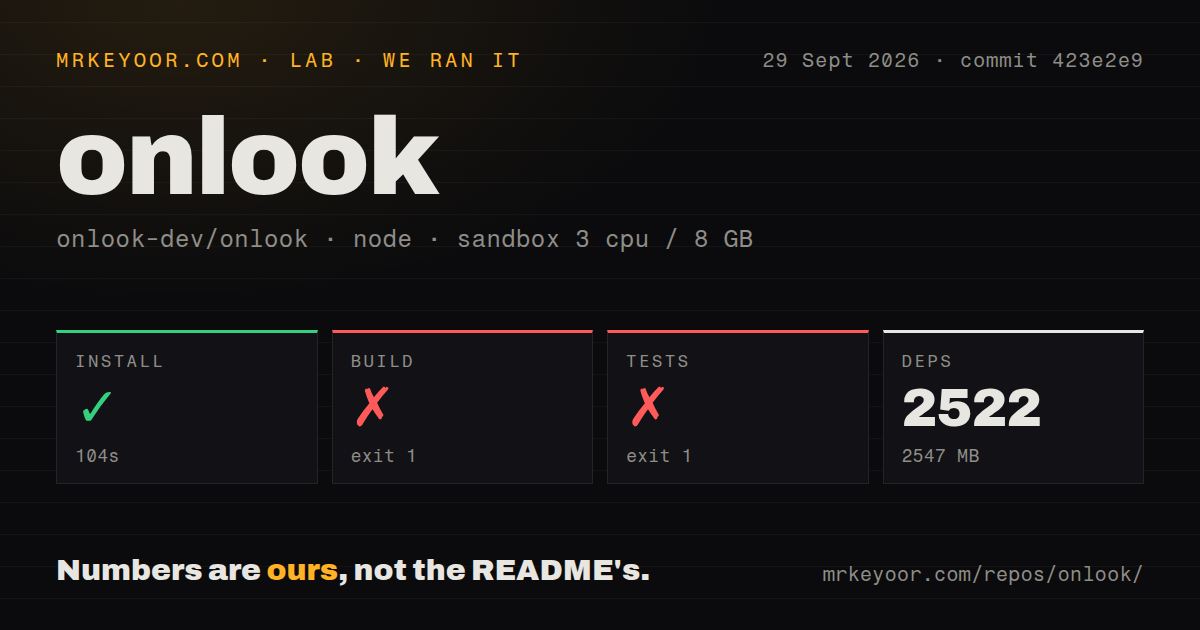
Our Onlook install succeeded in 104 seconds and recorded 2,522 dependencies occupying 2,547 MB, but the build failed after 14 seconds. The September 29, 2026 run used commit 423e2e9, with a sandbox configuration of 3 CPUs, 8 GB RAM and image label lab-node:22. That label doesn't establish the actual Node or Bun version.
The build tail reports an undefined NEXT_PUBLIC_SUPABASE_ANON_KEY, followed by failure to load next.config.ts and an invalid-environment-variables error. This is a concrete configuration failure. The tail doesn't establish that supplying this value alone would make the complete build pass, so budget for finishing the configuration and rerunning it.
The overall test command exited 1 after 11 seconds. Its visible tail shows the scripts package completing 43 tests with 43 passes and zero failures, followed by the failing top-level command. Those package results don't explain which other workspace caused the overall failure. Calling the suite green would erase the result; calling those 43 tests failures would misread it.
The checkout scan found monorepo workspaces, a Dockerfile, a Compose file and 3 CI workflow files. It detected no tests directory, even though the log clearly contains tests. Directory detection isn't a measure of test coverage. We didn't establish editor responsiveness, generated-code quality or successful deployment of an edited application.
Local operation includes Supabase and external providers
The README lists Supabase for authentication, database and storage. Its architecture also names CodeSandboxSDK for development sandboxes and Freestyle for hosting, alongside AI providers including OpenRouter. This is enough to reject the idea that cloning the editor gives you a wholly offline design application.
For local evaluation, follow the linked developer instructions and identify which credentials each enabled feature needs. The missing anonymous key in our build is evidence of configuration validation, not a complete inventory of required secrets. We haven't verified a minimal service configuration, provider billing or a successful authenticated session. Keep those questions separate from whether dependency installation completes.
The architecture explains why these services matter: an application runs in a container, the editor displays its preview in an iframe, and instrumentation maps rendered elements back to source. Editing affects the preview and then the code. A useful trial should check whether that mapping survives changes to components you actually maintain, rather than stopping after a generated landing page looks correct.
Next.js and Tailwind are explicit boundaries
The README leaves support for non-Next.js and non-Tailwind projects unchecked. Its statement that the architecture could theoretically extend to other frameworks doesn't establish that those frameworks work today. A Vue application or a different styling system is a reason to choose another route now.
Other unchecked items include a drag-and-drop components panel and comments, despite real-time editing being checked. If your review process depends on leaving comments inside the design tool, verify that capability before moving the team. Existing collaboration checkboxes don't establish that every familiar design-review workflow is present.
The last push recorded by GitHub was October 21, 2026, and recent issue activity includes an October report about language highlighting in code blocks. The latest release endpoint returned a July 2025 tag. Those facts together show why a release date alone is a poor abandonment test. They don't establish a support commitment or the reliability of a hosted service.
Choose a design workspace or an embeddable builder deliberately
Penpot describes an open-source design platform for teams, with browser use and self-hosting. Evaluate it when a shared design workspace is the requirement. That is a different starting point from mapping edits onto a running Next.js application.
GrapesJS describes a web builder framework intended for HTML templates, including use inside a CMS. Evaluate it when you're building an editor into your own product. Neither alternative has a comparative sandbox result here, and neither earns a speed or setup advantage from our Onlook failure.
Documentation receives 4/5 under a narrow editorial scale: 1 means no usable orientation, 3 means a documented workflow with gaps, and 5 requires independently verified coverage of the documented paths. Onlook explains its architecture, stack and feature boundaries, but we haven't verified every linked instruction. Setup, support quality and production maturity remain unscored. Before adopting the repository, make one representative component edit persist to source in a fully configured deployment.