Seven named agent harnesses share one session layer
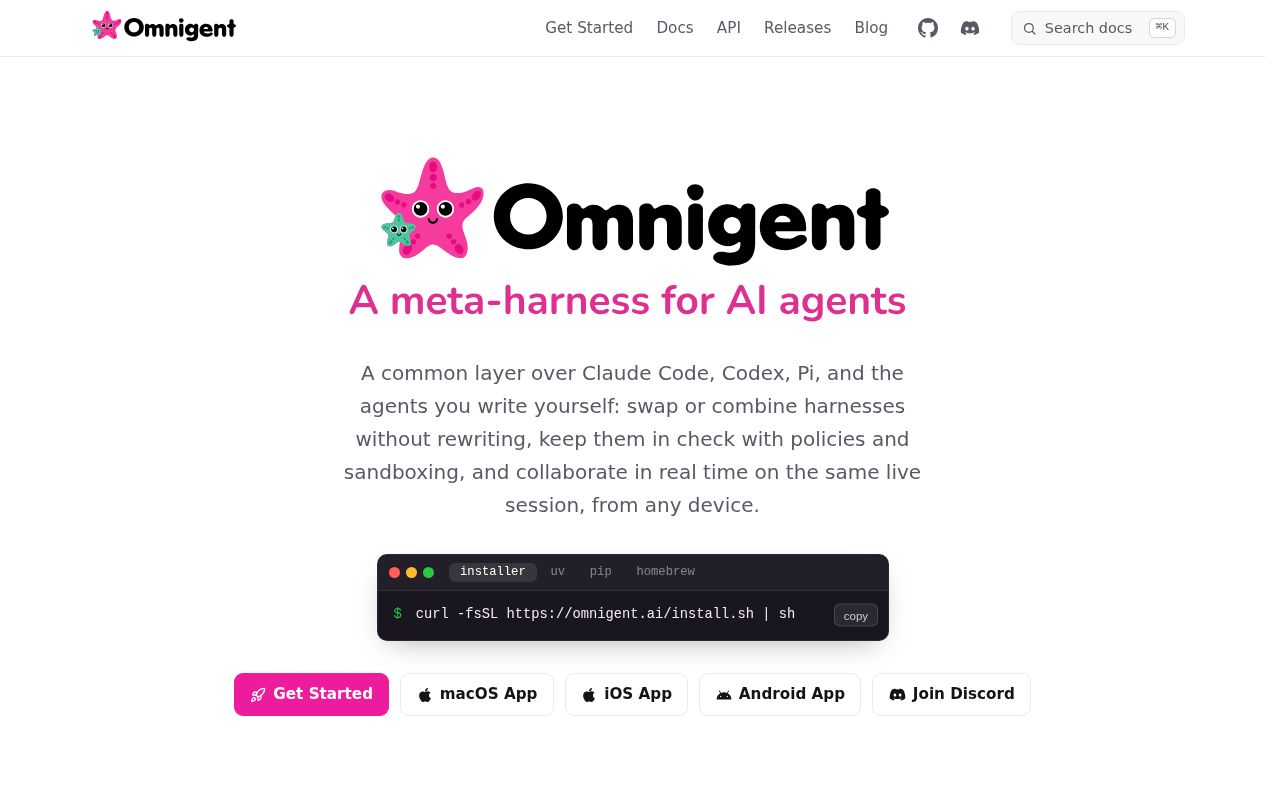
Omnigent puts Claude Code, Codex, Cursor, OpenCode, Hermes, Pi, and custom YAML agents behind a shared control surface. A session started in a terminal can appear in the browser, desktop app, or phone, with messages, files, sub-agents, and terminal state synchronized. Teammates can watch, add messages, attach to a running session, or fork a conversation onto another machine. That is a credible answer to agent sprawl when each developer has accumulated separate histories and controls.
Breadth carries visible weight. Our checkout had 3,849 files, about 1,384,212 lines of source, and occupied 75.1 MB before installation. The project spans Python services, a pnpm workspace, web and desktop clients, native terminal integration, policy handling, remote hosts, and many sandbox providers. A team adopting it is choosing an agent operations platform, even if the first interaction is one omnigent command.
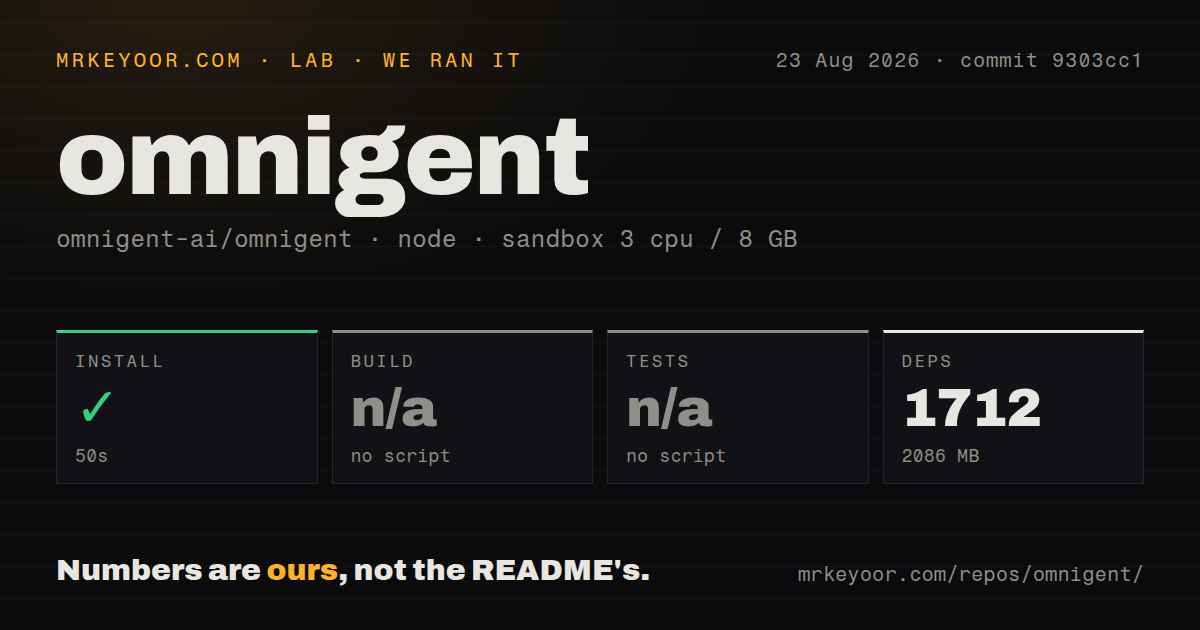
The 2,086 MB install exposes no root verification target
Our sandbox installed 1,712 pnpm packages in 50 seconds and used 2,086 MB on disk. The root package configuration had no build script or target, so our build step was skipped. It also had no root test script or target, which meant the test step was skipped. Those are findings about commit 9303cc1, not failed commands. The monorepo did contain a tests directory and 81 CI workflow files.
That leaves an awkward evaluation gap. Installation proves that the JavaScript dependency graph resolves in our Node.js 22 Debian container, while it says nothing about the Python server, a desktop package, a live harness, or a remote host. The repository has many checks, but there is no single root command in the measured workspace that gives a newcomer a build-and-test result. Contributors should follow the component-specific guide and CI definitions for the part they plan to change.
What happened when we ran it
We ran the pnpm workspace in an unprivileged container with 3 CPUs, 8 GB of RAM, Node.js 22, and no secrets. Installation completed in 50 seconds with 1,712 packages. Disk use reached 2,086 MB, roughly 28 times the 75.1 MB checkout size. No build or test timing exists because neither target was present.
Our run did not start Omnigent, connect Claude or Codex, install the documented Python package, launch a sandbox, or test synchronization. It measured repository setup only. Claims about agent reliability, model cost, isolation, and collaboration need a separate trial with the exact harnesses and host topology a team expects to use. The absence of a root verification target makes that workload-specific trial more important.
Linux wrappers require tmux and mandatory bubblewrap
The user-facing installer expects Python 3.12 or newer, uv, and Git. Native Claude, Codex, Cursor, Hermes, Kiro, and Pi terminal wrappers also require tmux. On Linux, Omnigent places those terminals inside bubblewrap; the README says this isolation is mandatory and terminals fail to start if bwrap is missing. Node.js 22, npm, and pnpm are needed for coding-harness CLIs and the web interface.
Windows has a narrower contract. The server, web UI, and SDK-based harnesses work under a Job Object that contains the process tree and applies resource limits. Native PTY wrappers are unavailable, as are the bubblewrap or Seatbelt filesystem sandbox, network isolation, and L7 egress proxy. A Windows-first team should decide whether WSL is acceptable before treating cross-platform support as equivalent.
Policies can stop tools and cap a session at $5
Policies can allow, block, or pause actions involving shell commands, file edits, tools, and token spending. Rules stack at server, agent, and session levels. The README example caps a session at $5 and asks for approval at $3, while another example limits a session to 50 tool calls. These controls are a real reason to use Omnigent when several harnesses need one approval model.
Policy coverage still depends on how an agent enters the system and which tools it exposes. Custom agents can load local Python functions, MCP servers, and delegated sub-agents from YAML. Administrators need to test each harness's observed behavior, not assume that a shared label creates identical controls. The project links a harness test bench for this reason. A policy is useful only if the execution path reaches it consistently.
Remote collaboration makes your machine an execution host
A local start exposes the web interface on port 6767 and registers the machine as a host. Deployed servers can use Docker Compose or several named cloud targets, and a laptop can connect to that server for new sessions. In a shared session, a teammate's message can execute on the host owner's machine. That collaboration model is powerful and deserves the same access review as remote shell tooling.
Team deployments add authentication, invitations, storage, network reachability, and perhaps OIDC configuration. Docker deployment turns authentication on by default, while a local server can enable it through an environment setting. Managed hosts add cloud sandbox credentials and capacity choices. Omnigent collects anonymized telemetry by default, so organizations with strict reporting rules must apply and verify the documented opt-out before onboarding users.
Active August work still carries an alpha label
GitHub reported 9,309 stars, 1,207 combined issues and pull requests, and a last push on August 26, 2026. Release v0.11.0 arrived on August 25 with native harness controls, scheduled-task spending caps, reconnection fixes, and Windows startup repair. The same-day issue and pull request stream shows intense development. The combined count is not a count of defects, but it does show a large moving surface.
The README labels the project alpha, which should set expectations more than the polished interface screenshots. Omnigent makes sense when the cost of supervising several agent products already exceeds the cost of running another platform. Start with one host, one harness, a strict policy, telemetry settings, and a disposable repository. If that trial does not solve a coordination problem you can name, the 2,086 MB dependency footprint is warning enough to stay with the original agent CLI.