Named columns spare you from parsing directory listings
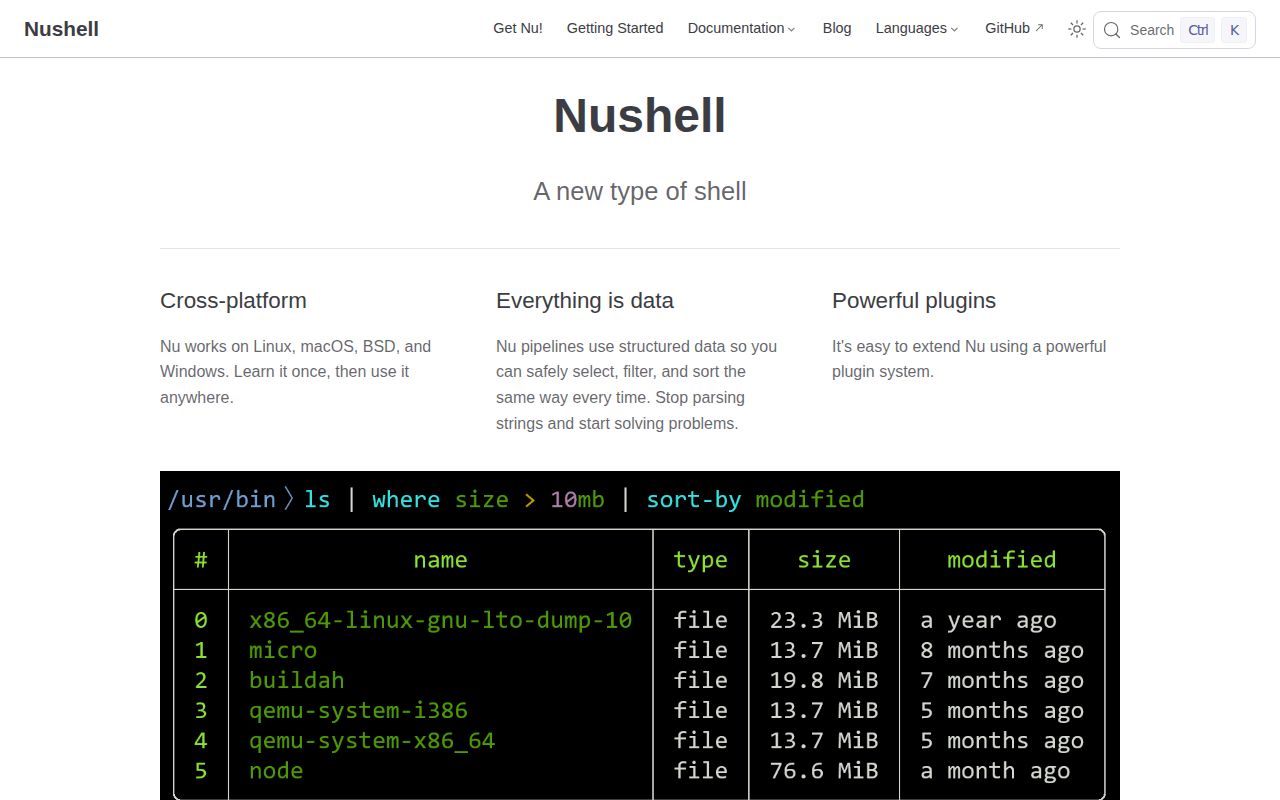
Filter directories with ls | where type == "dir". Nushell's README uses that example because ls returns rows with named columns, so you can ask for the type directly. The same where command filters process data. If you've spent an afternoon adjusting text filters after a command changed its output, the appeal is immediate: the shell knows which value you're asking about.
That convenience comes from a substantial Rust project. Our checkout contained 2,592 files, roughly 457,983 source lines, and occupied 18.3 MB before installation. Nushell also reads recognized file formats into structured values: open Cargo.toml | get package.version retrieves a field directly. I'd try it first for exploring configuration files and routine local data work, where you control the commands and can inspect the result.
What happened when we ran it
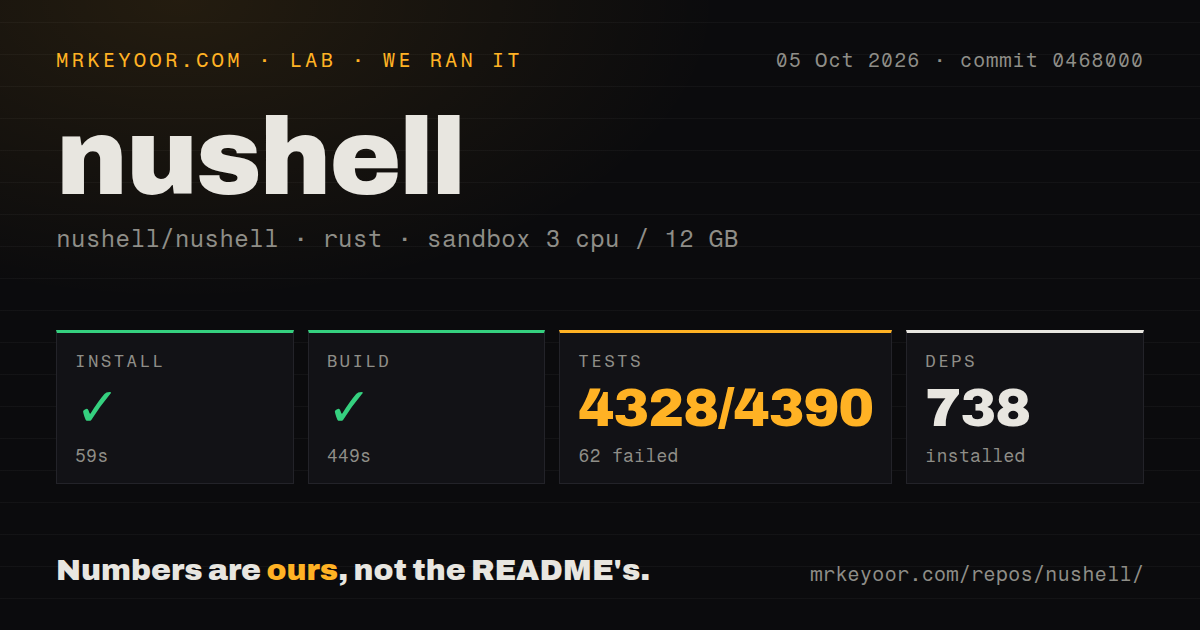
Our run installed Nushell commit 0468000 in 59 seconds, adding 738 packages, and completed the build in 449 seconds. We ran it on October 5, 2026, in a fresh Debian sandbox with 3 CPUs and 12 GB of RAM, using image lab-rust:1. The container had no secrets and ran without elevated privileges. Those are source-checkout results, not measurements of the release binaries.
The cargo test step exited with code 1 after 379 seconds: 4,328 tests passed and 62 failed out of 4,390. The log tail includes a narrower summary with 2,128 passed, 31 failed, and 21 ignored across 40 groups. That summary ended after 20.21 seconds and requested a rerun with --test tests. It describes part of the suite, rather than replacing the overall result.
Several alarming-looking names in the tail actually passed. They include local-socket fallback and plugin custom-value rejection, along with external-command cases checking semicolon, ampersand, and subcommand sanitization. The 62 failures remain a finding, but the excerpt doesn't identify their causes. Missing Debian packages, container restrictions, and project defects would all be guesses. Installation and compilation worked on this machine; the complete suite did not pass.
Release binaries avoid the source build we measured
The 449-second build is a contributor's cost on our sandbox hardware. For ordinary use, the README points to Homebrew and Winget, while the installation chapter provides release binaries and a Debian package source. Start with one of those routes unless you need to change Nushell itself. Our lab timings don't tell you how long that route will take.
A local shell needs no hosted service or API credential. Configuration lives in config.nu, whose location you can inspect with $nu.config-path. Contributors should expect more preparation than the README's quick commands suggest: the book documents Rust, a C compiler, and Debian's build-essential and pkg-config. Our install added 738 packages. The 18.3 MB checkout figure excludes those packages and says nothing about final installed disk use.
External commands still use Nushell's argument rules
The external-command guide explains that ^ls selects the executable on your PATH rather than Nushell's built-in command. Existing programs remain usable, but their arguments follow Nu syntax. Lists need the spread operator when passed as separate arguments. That's a concrete adjustment if your daily work depends on shell snippets copied from project documentation.
Keep Bash scripts with their Bash interpreter. Nushell has its own language, and the language guide documents differences in return values and environment scope. It also explains why generating a file and sourcing it in the same parsed expression fails. The build that passed in 449 seconds establishes that our checkout compiled; it cannot establish compatibility with your existing scripts.
Release 0.116.1 changes a flag used by TUI scripts
The October 4 release deprecates tui label --title in favor of --titlebar, with removal scheduled for 0.118.0. That's a specific reason to read release notes before upgrading scripted workflows. The README still describes the project as minimum viable and warns that some commands may be unstable. People do use it daily, but unchanged syntax isn't a promise you should build around.
For personal queries, a changed flag is usually manageable. For shared automation, pin the version and check the exact operations your team uses before moving it. Our 62 failed tests strengthen that recommendation without telling us which user workflows broke. I'd adopt Nushell willingly for interactive exploration and more cautiously for unattended jobs that publish transformed data.
An open flatten report describes colliding column names
Issue 19200 reports that flatten can lose a nested field when its renamed column collides with an existing column. The report identifies version 0.116.2 on a development branch, rather than the latest published release, 0.116.1. It was open on October 10, with a proposed fix in pull request 19201. This is a user report, not a failure reproduced by our lab.
Before using flatten for records you can't afford to lose, keep a collision example in your own checks and compare the output. Our 4,328 passing tests don't settle that case. Nushell also includes an MCP server mode in release 0.116.1; source compilation alone doesn't validate an agent's access or commands. A convenient data language still needs verification around the work you delegate to it.
October activity supports adoption, with checks around upgrades
The repository was pushed on October 10, 2026. GitHub listed 40,642 stars and 1,451 open issues and PRs, with recent discussion and changes involving duration parsing and table grouping. Our checkout had 12 CI workflow files and a tests directory. Taken together, those facts show ongoing maintenance. The combined issue count isn't a count of confirmed bugs, and active development doesn't erase our failed suite.
Choose fish for interactive suggestions and completion if data tables aren't the reason you're switching. Keep your current shell and add jq when JSON filtering is the whole problem. PowerShell is the alternative to examine if your organization already works with its object pipeline. Nushell earns the learning effort when named fields simplify work you actually repeat. Start with a configuration query you understand, and inspect every value it returns.