Mimi puts translated speech above any desktop application
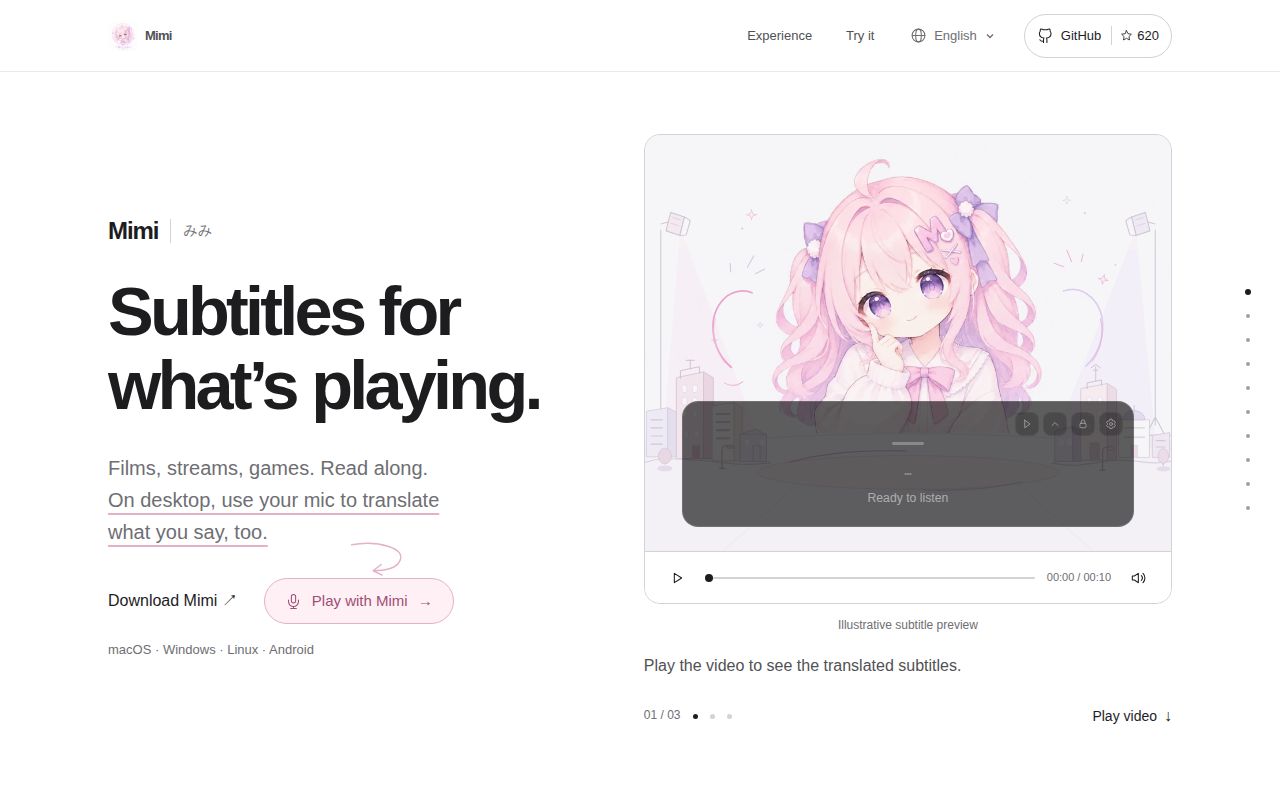
Mimi captures system audio, a microphone, or both, then displays original text, translated text, or a bilingual pair in a floating window. The overlay can change position, size, color, opacity, and click-through behavior. System and microphone input stay separate when both are enabled, with distinct recognition connections and subtitle colors. Users can optionally save text or WAV files, while recording and retention remain off by default.
The main README is written in Chinese. An English README, provider guide, and usage guide cover the same core setup, and the interface ships in several languages. Desktop packages target macOS 13 or newer, Windows x64, and Linux x86_64; Android has its own app. Selected-application audio capture works on macOS and recent Windows 11 builds, while Linux listens to the output monitor.
Cloud speech is the default, and each provider changes the bill
First setup asks for a speech configuration. The documentation recommends Alibaba Cloud or Google Gemini and lists built-in routes for several other providers, including OpenAI Realtime, Azure OpenAI, Volcano Engine, Tencent Cloud, Baidu, and custom compatible endpoints. Recognition and text translation may use separate services. Two active audio sources create separate usage because each gets its own recognition connection.
That flexibility has a direct privacy cost. Cloud recognition receives the chosen audio stream, and a remote text translator receives recognized text. Mimi itself is free, but service calls may not be. Issue 81 says a trustworthy in-app cost estimate is still pending because billing units, retries, free allowances, and provider-specific prices require separate accounting. Check the provider console rather than treating connection time as a bill.
What happened when we ran it
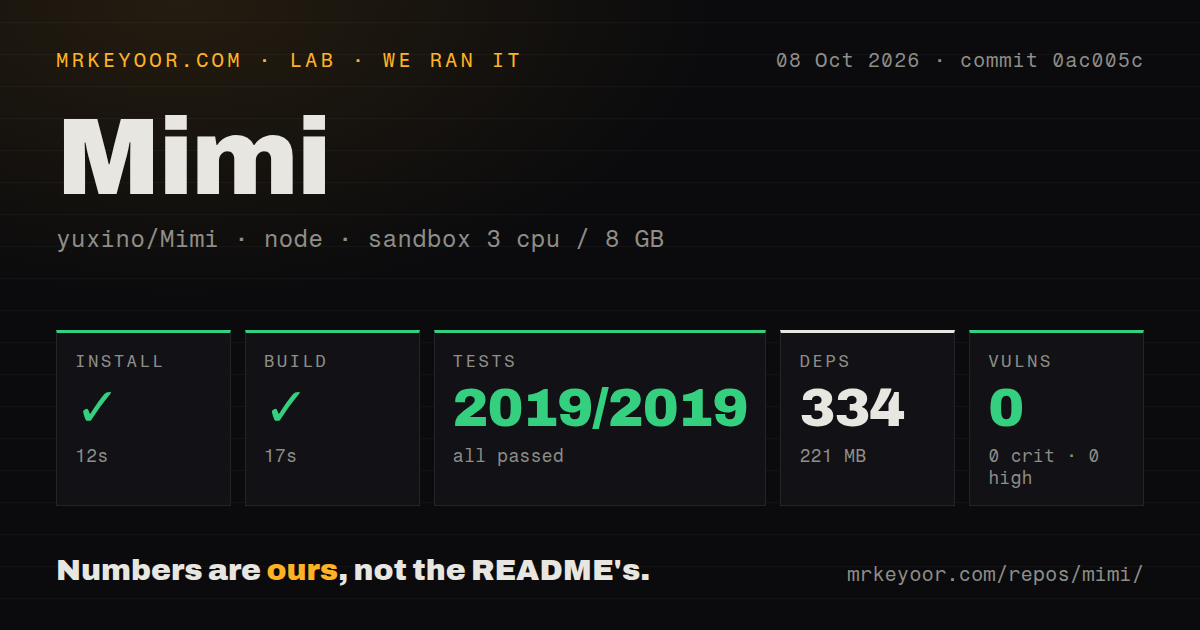
Our sandbox installed 334 npm packages in 12 seconds and used 221 MB on disk. The run checked out commit 0ac005c in a fresh unprivileged Debian container with 3 CPUs, 8 GB of RAM, Node 22, and no secrets. Npm audit reported 0 known vulnerabilities across critical, high, moderate, and low severities.
The production build passed in 17 seconds. Vitest then completed in 79 seconds with 2,019 tests passed and 0 failed. Those results cover the frontend suite supplied by the lab command. They do not measure speech accuracy, provider response time, audio capture, overlay behavior, Android, or the Rust desktop core. The repository scan found 4 CI workflow files and no tests directory, so its passing tests are organized outside a conventional root test folder.
The checkout had 1,038 files, about 177,351 source lines, and occupied 36.3 MB before installation. Dependencies expanded the working environment to 221 MB, a reasonable local cost for a Tauri and React desktop interface. The green build and 2,019 passing cases are solid repository signals, but they cannot stand in for a real film, meeting, or two-hour stream through a paid speech service.
Apple silicon can keep both stages on the Mac
Apple Speech is the clearest local route, but it has a narrow platform requirement: Apple silicon, macOS 26 or newer, and an available system transcriber. Users download a language resource and choose an explicit recognition language; automatic language detection is unavailable. Apple Translation is configured separately and needs its own source-target language pack. Neither path needs an API key.
Pairing those two services keeps speech recognition and text translation on the Mac. Mixing Apple Speech with DeepL or an OpenAI-compatible translator sends the recognized text to that remote service. Other desktop platforms currently depend on cloud or custom recognition. An open pull request is working on a simpler local model library, but an unmerged change should not drive an adoption decision.
Desktop credentials deserve attention too. The usage guide says they are stored in a private plaintext file protected by local file permissions. Existing operating-system credentials may be imported and then removed from the old store, but damaged or missing saved credentials do not fall back to Keychain. That design is workable on a single-user machine with sound file permissions; it may fail a corporate secret-storage policy.
Live captions still have meeting-shaped failure modes
Release v1.5.17 says a short live playback check produced bilingual captions and stopped normally, but the captions visibly trailed the video's embedded subtitles. The release explicitly says accuracy and end-to-end latency were not accepted or measured. Physical-device behavior, long sessions, Intel Mac runtime, and installed-updater transitions also remained unverified in that release note. Those limits are unusually candid and should shape expectations.
Issue 68 describes a one-hour, fast-paced English meeting on Windows 11. A pause of about 0.5 seconds could start a new sentence, changing the meaning, and each sentence was translated without enough surrounding context. The reporter also wanted speaker separation. Mimi can make foreign speech followable, but it is not evidence-grade meeting transcription and should not be trusted as the only record of a decision.
Platform edges vary. Current Windows installers are unsigned previews and may trigger SmartScreen. Mac DMGs are not Apple-notarized. Linux requires PulseAudio or PipeWire with a working output monitor, and Wayland may restrict always-on-top placement, click-through, and global shortcuts. Some Android playback apps block audio capture entirely. These are operational constraints, not language-model problems.
Version 1.5.17 shipped one day before our review
GitHub showed 620 stars and 6 open issues and pull requests on October 8, 2026, split into 4 issues and 2 pull requests. The repository was pushed that day. Version 1.5.17 arrived October 7 with Android interface-language work, immediate subtitle-style updates, clearer help, Windows application icons, and a first-run flow without a preset provider.
Mimi is easy to recommend for personal, supervised captioning after testing the chosen language pair with real material. The 2,019 passing frontend tests make the codebase easier to trust than a UI-only demo. The final decision belongs to the audio path: whether the provider may receive it, whether its cost is acceptable, and whether observed lag still lets you follow the conversation.