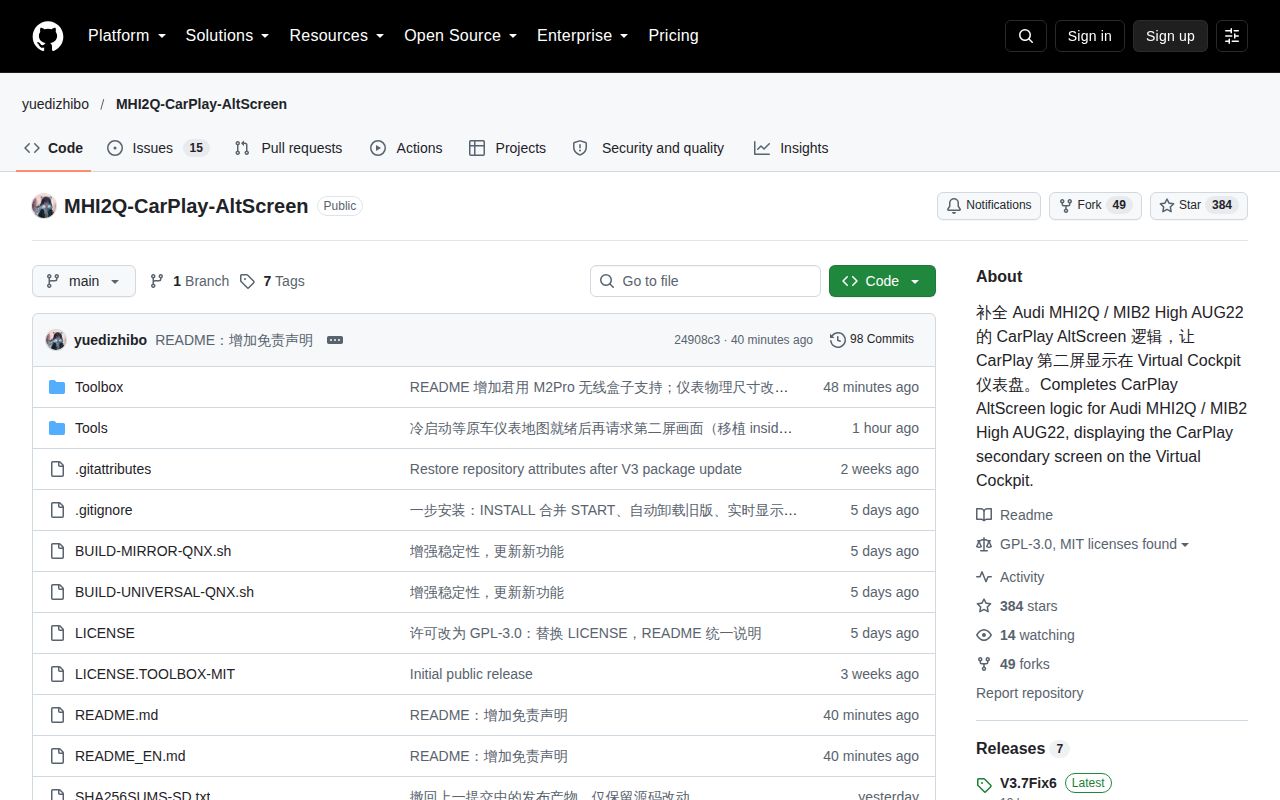
Only MHI2Q head units with AUG22 firmware qualify
MHI2Q-CarPlay-AltScreen puts CarPlay's separate navigation view on an Audi Virtual Cockpit, while the center display keeps its normal CarPlay role. The default README is Simplified Chinese, and a detailed English README exists. Before admiring the screenshots, check the head unit: the project supports MHI2Q with AUG22 firmware and explicitly excludes MHI2. A similar model name or an Audi badge is insufficient evidence that your car qualifies.
The documentation distinguishes the developers' China-region vehicle experience from user reports on some European firmware. It doesn't promise support for every European train or for US firmware. That is the right distinction for a worldwide audience. If your exact combination is outside the documented experience, you are helping establish compatibility. You shouldn't approach the installation expecting the same confidence as someone using the developers' own firmware and region.
What happened when we ran it
We did not run commit 24908c3: our harness found no supported ecosystem for this C project, and the repository had no Dockerfile. The October 14, 2026 lab record therefore supplies no installation, build, or test result. It cannot tell you whether the cluster picture works, whether recovery succeeds, or how much load the software places on a head unit. Those questions need the appropriate toolchain and vehicle hardware.
The source documentation calls for the QNX 6.5.0 SDP ARM cross-toolchain. A generic Debian container isn't a substitute for that environment, still less for an Audi display system. Our assessment of the display architecture and recovery process comes from source and documentation inspection. The developers' vehicle reports are attributed evidence. Their performance claims aren't our benchmarks, and none is necessary to explain the decision: this changes firmware behavior on a narrowly supported platform.
The native second screen differs from mirroring the center display
The project connects to CarPlay's private type111 secondary video stream and retains the stock AirPlay/OMX decoding path. A separate display process draws the decoded picture on the cluster, with Java HMI controlling the display context. GPU color conversion is part of that design. This is useful if you want a navigation view intended for the second screen rather than a duplicate of everything currently visible on the center display.
RGI, the route-guidance data integration, adds maneuver arrows and lane guidance. The installer lets you include it or choose the map-only mode. Steering-wheel zoom and Classic/Sport layout handling are documented too. Those details make a credible case for the project on supported hardware. They don't imply complete replication of every navigation feature: the README explicitly describes the cluster map without an ETA overlay. Read that boundary before judging the screenshots against a factory navigation package.
Installing the overlay depends on a working upstream Toolbox
The English installation guide requires an operational upstream MIB2 Toolbox. AltScreen is an overlay, and its files must be merged while retaining the upstream files. Its own package isn't a standalone installation through the red software-update menu. A missing upstream Update Toolbox script means repairing that base installation first, not repeatedly attempting AltScreen. This dependency adds preparation beyond copying an attractive GitHub release onto an empty card.
The SD card is also part of the recovery arrangement. Original files live in MMI-Cockpit-Carplay/backup, and upgrades need that retained backup. Issue #60 describes an owner formatting the installation card and then being unable to restore or upgrade. The issue remained open when checked. Its maintainer reply suggests reflashing matching firmware. That's a reported recovery problem, not proof that every missing-backup case ends the same way, but it gives the backup instruction practical weight.
Fix6 addresses LTE firewall changes without a confirmed vehicle result
Release v3.7-fix6, published October 13, 2026, targets a specific failure: establishing the LTE data link can switch the head unit to another firewall configuration, dropping the secondary-display stream. The installer now adds its pass rule to the relevant per-uplink configurations as well. The release notes distinguish the diagnosed cause from the outcome: the cause is supported by vehicle logs, while the fix itself still awaits vehicle validation.
Cold-start behavior has another dependency. The secondary display waits for the stock cluster map to initialize, and the README says that wait has no timeout. If the original map never appears, waiting longer for CarPlay won't resolve that prerequisite. The troubleshooting guidance points to the readiness log rather than recommending blind reinstalls. That's useful documentation, but it also means successful installation and a connected phone don't by themselves establish that the cluster should already show a picture.
Active maintenance doesn't replace a recoverable installation
The repository was pushed on October 14, 2026, and GitHub showed 384 stars and 15 open issues and PRs. Recent reports concern current installation and display behavior, alongside rapid fixes. That's active maintenance with unresolved operational questions. The English recovery guide is unusually explicit about matching the head-unit model and exact firmware train, preserving original files, and the limits of rescue restoration. It doesn't promise recovery from unrelated firmware damage.
I'd consider this only after confirming the supported train and preserving a separate copy of the original backup. For duplicating the center display, MMI Mirror is the more relevant project. For route guidance over the stock map, inspect Luka's MHI2Q integration. If you can't keep the backup intact or tolerate recovery work on your head unit, leave AltScreen uninstalled. A working center screen is worth more than an unproven second one.