Choose the workflow before handing over the change
Run /grill-with-docs when an agent keeps misunderstanding a feature, and you get an interview plus written project terminology and design decisions. With Matt Pocock's skills, you can address a particular engineering failure without adopting every workflow in the collection. The README separates commands you invoke yourself from reusable disciplines an agent can reach for. You still decide when requirements are settled and whether the resulting code deserves to ship.
Our measured checkout occupied 0.7 MB across 189 files, with roughly 504 lines of source. Much of the product is instruction text, which makes individual workflows practical to inspect and edit. A team can read what /implement tells its agent to do before granting repository access, then change the instructions to fit its own review and commit policy.
Setup writes project conventions your agent will use
The setup skill inspects existing agent instructions and asks where tickets belong. It can record GitHub, GitLab, local Markdown, or another described workflow. It also establishes where the glossary and architectural decision records live. This is useful configuration work: an agent creating tickets needs an actual destination, and terminology only helps if later sessions know where to read it.
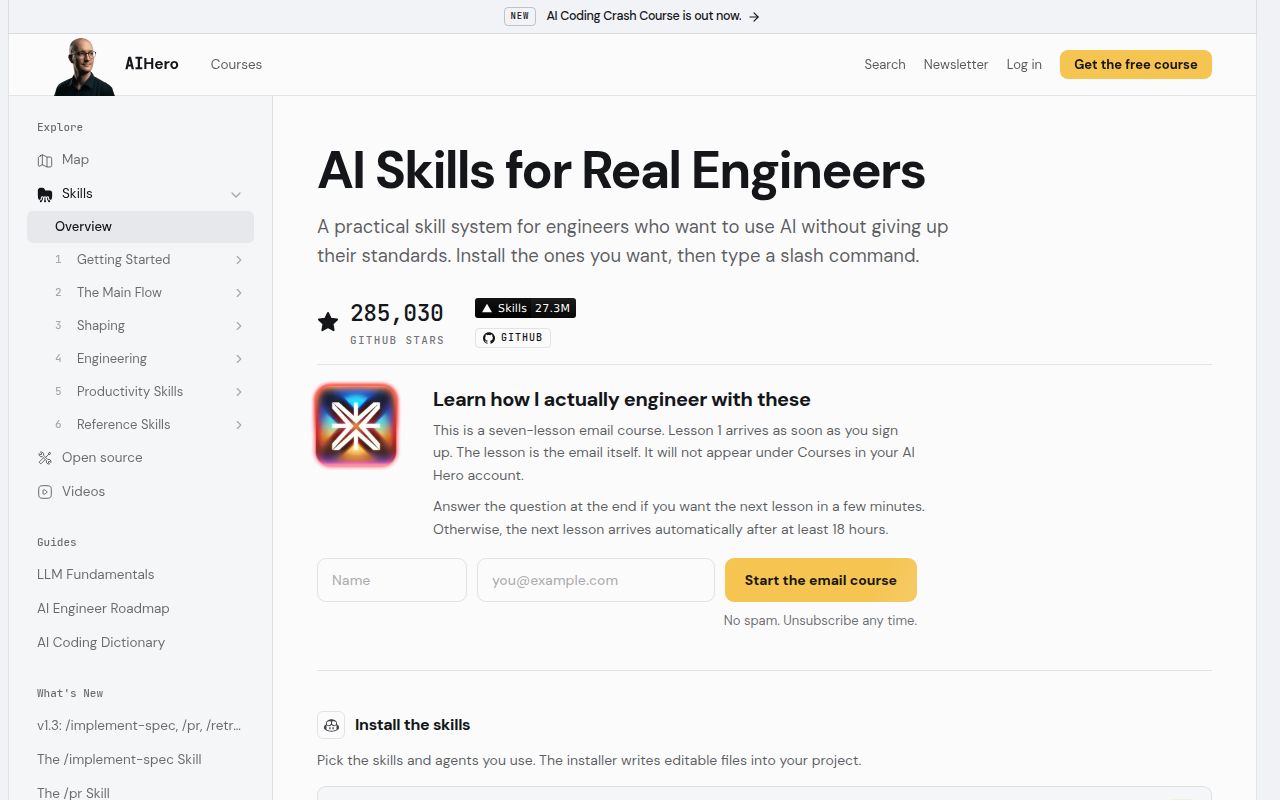
Our npm install finished in 11 seconds, but repository installation and configuring a working agent are separate tasks. You need an existing coding agent and its normal model access. Remote ticket workflows require the corresponding authenticated tools, while local Markdown avoids a hosted tracker. Choose either the updating plugin route or editable copied skills for each agent. The README warns that using both duplicates the skills, an avoidable source of confusing behavior.
What happened when we ran it
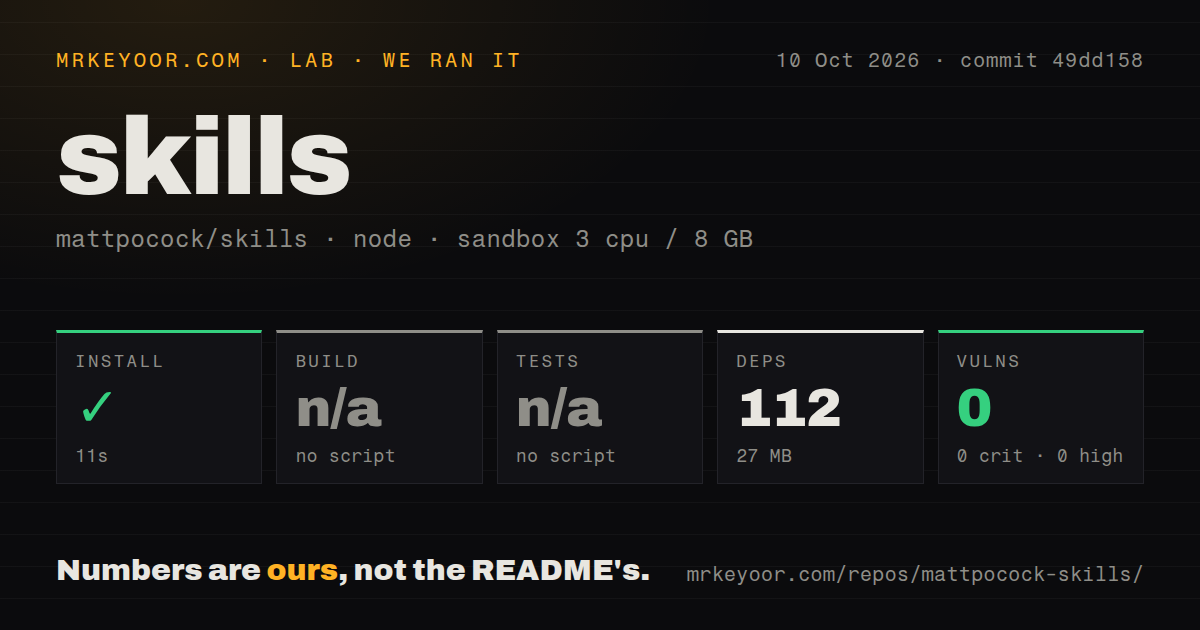
Our run installed mattpocock/skills at commit 49dd158 in 11 seconds, adding 112 packages and occupying 27 MB on disk. We cloned it on October 10, 2026, into an unprivileged Debian sandbox with 3 CPUs, 8 GB of RAM, the lab-node:22 image, and no secrets. Installation succeeded. The measurement setup establishes a modest repository dependency cost, without establishing how well an agent follows an interview or implements a feature.
The sandbox found no build script or target and no tests script or target, so both steps were skipped. npm audit reported 0 known vulnerabilities across all reported severity levels. The scan found 3 CI workflow files, no Dockerfile, and no tests directory. Skipped checks give us no evidence of passing builds or tests. The audit result concerns known dependency advisories in this run, rather than the safety of changes an agent might make later.
The TDD instructions require an agreed public boundary
The TDD skill tells the agent to agree with you on which public interfaces deserve tests before writing them. It rejects assertions that reproduce the implementation's calculation and tests tied to private internals. Work proceeds through one failing test and one implementation slice. Those are concrete review standards, especially when generated code can look finished while checking little beyond its own assumptions.
Our checkout's 3 CI workflow files do not demonstrate that an agent obeys those standards. You supply the application's feedback tools and inspect the result. The implementation skill requests regular typechecking, a final full suite, code review, and a commit on the current branch. A team that requires approval before commits should edit that instruction or enforce the boundary through its agent permissions before invoking it.
Interview answers can still be recorded incorrectly
Issue 1145 reports agents documenting their own recommendations instead of the user's answers and reopening supposedly settled decisions. That report concerns the interviewing workflow itself, so it cuts directly into the collection's promise. It is a user's account, not an outcome from our sandbox. Before relying on /grill-with-docs, compare the resulting glossary, decisions, and tickets with what you actually agreed to.
The 27 MB environment we measured makes the repository inexpensive to keep around, but it says nothing about the attention an interview consumes. Issue 1249 reports rounds written as statements rather than questions, and issue 1245 describes questions changing while background exploration returns. If your requirements are already precise and documented, start with a narrower discipline such as /tdd. Repeated interviewing can become extra review work rather than useful clarification.
October pushes show activity within a deliberately narrow scope
The repository's last push was October 9, 2026, and GitHub showed 165 open issues and PRs when checked on October 11. Release v1.3.1, published October 4, brought implement-spec into the engineering collection with parallel implementers and an integration branch. Recent interviewing and worktree reports show active use alongside unresolved behavior problems.
The 0.7 MB checkout is easy to fork, which fits the maintainer's scope policy. Workflow-specific preferences belong in your own instructions or fork. The policy also freezes the miscellaneous bucket and closes new-skill proposals. That is a concrete reason to walk away if you need upstream support for miscellaneous helpers or expect the maintainer to absorb your organization's process. The MIT license permits adaptation, but you own those adaptations.
Start with a skill whose output you can inspect
Superpowers is an alternative when you want a more prescribed development workflow, while GitHub Spec Kit suits teams that want specifications to organize the implementation process. Pocock's collection is easier to recommend when you already have a process and can name the part your agent gets wrong. Choose /grill-with-docs for unresolved requirements or /tdd for agreed behavior that needs a check, then judge the actual artifact it produces.
Installing 112 packages in our sandbox was the easy part of this decision. Before adding another workflow, open its instructions and identify the file, ticket, or code change you expect back. For an interview, read the saved decision before implementation starts. If it records the agent's preference instead of yours, correct that document before allowing the next command to build on it.