The app turns System Data into named, inspectable rows
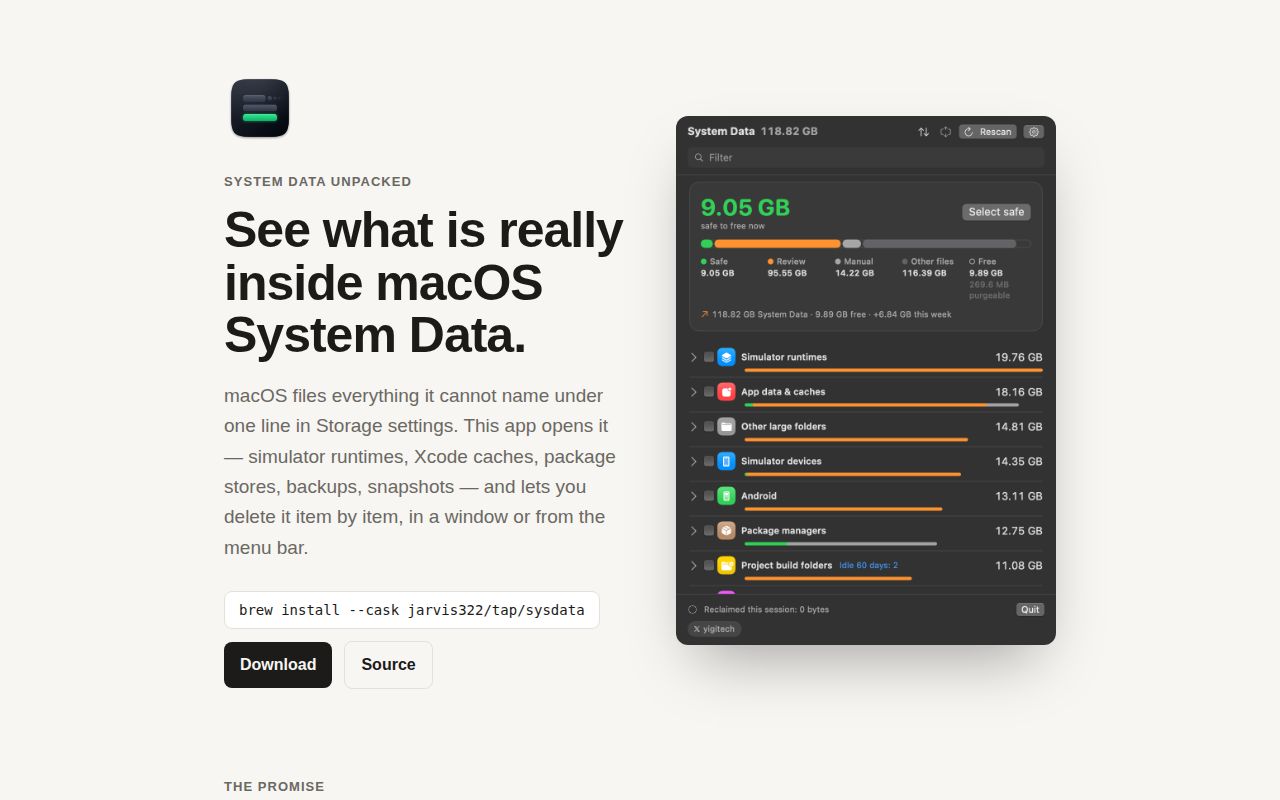
macOS can report a large System Data total without explaining what produced it. System Data Unpacked scans known locations and groups the result into simulator data, Xcode files, package-manager stores, logs, virtual machines, Docker resources, app data, project build folders, and a catch-all for large unexplained directories. The result is a storage inventory rather than a single promise to clean a fixed number of gigabytes.
Each row has a measured size and one of 3 practical labels. Safe means the item regenerates. Review means deletion has a cost such as downloading a runtime or signing in again. Manual means the app will only explain the command or settings path. The app also shows idle age, recent growth, and the 5 largest entries inside a row. Those details give you a reason to keep or remove something beyond its size.
What happened when we ran it
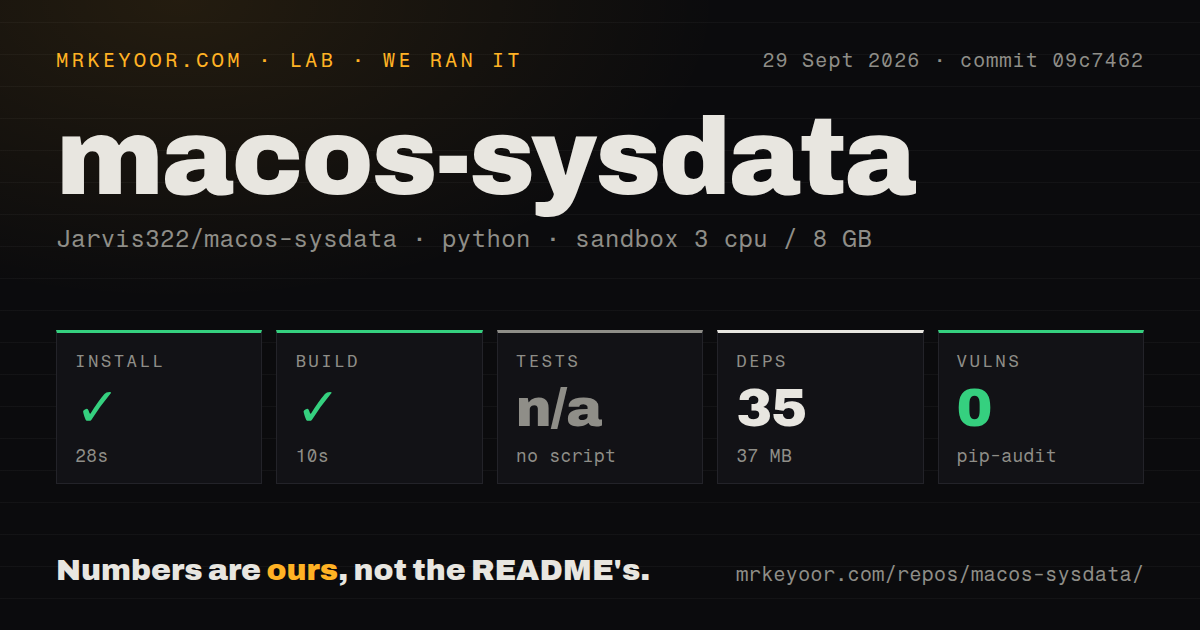
Our fresh Debian sandbox checked commit 09c7462. Installation finished in 28 seconds, added 35 packages, and used 37 MB on disk. The detected build succeeded in 10 seconds. The repository contained 129 files, about 11,130 lines of source, and occupied 2.9 MB. Pip-audit reported 0 known vulnerabilities. No CI workflow file, Dockerfile, or repository-level tests directory appeared in the scan.
Our runner found no standard test script or target, so it skipped tests. The repository documents its own shell-based quality command for builds, tests, lint, bundles, and localization, including an optional disk-walking mode. We did not run that bespoke path in the supplied lab result. The container also ran Debian, not macOS, so its successful detected build cannot validate the SwiftUI app, Full Disk Access behavior, Gatekeeper, or any real cleanup action.
Deletion stays visible, but some actions are still permanent
Before a batch runs, the confirmation displays every operation verbatim, including commands that require administrator access. Root work goes through one-time osascript prompts instead of a persistent helper, daemon, or kernel extension. Review items go to the Trash for an undo window. Safe items are normally deleted immediately because the app expects them to regenerate, though a setting can send those to the Trash too.
That distinction is helpful, not infallible. Project dependencies, simulator runtimes, Docker volumes, model files, and app containers can be expensive or impossible to reconstruct exactly. The app says volumes may contain databases and leaves source folders alone, yet the person clicking Delete still owns the decision. Start with Reveal, inspect the 5-entry breakdown, copy the proposed plan, and test one category before selecting everything marked Safe.
Full Disk Access improves coverage and raises the trust requirement
Without Full Disk Access, macOS hides protected app containers plus Mail, Safari, and Time Machine data. The app continues scanning and labels the inventory incomplete. Granting access expands what it can read, including paths recorded in local history. Administrator approval is separate and appears only when an action needs root. This is a sensible permission split, but both capabilities belong in a security review for a cleanup utility.
The project says scan history stays in ~/Library/Application Support/SysDataMenu/history.json, is capped at 6 months, and can be erased by disabling the history setting. The optional update check is off by default and is documented as the only network request. Updates must come from GitHub over HTTPS, pass Gatekeeper, and match the installed app's signing team. These constraints reduce exposure without making Full Disk Access a trivial grant.
Developer storage is where the categorization earns its keep
Generic disk maps can find a large node_modules tree. This app connects related costs across a project: dependency folders, web build output, Xcode DerivedData, and Docker images used by its Compose containers. It can mark projects idle after 60 days, note DerivedData whose project is gone, and archive generated material while leaving source and Docker volumes alone. The command-line binary can also emit a JSON inventory for separate analysis.
The catalog extends across npm, pnpm, pip, uv, Cargo, Gradle, CocoaPods, SwiftPM, Go, Playwright, local AI models, Android SDK components, and more. Breadth increases the chance of a useful find and the chance that a category rule meets an unusual setup. Treat the labels as informed defaults. A package cache on a fast network and the same cache on an offline build machine have different replacement costs.
The public source uses a proprietary license
The current license allows you to read the source and build it for yourself. Copying, redistributing, or publishing a fork requires written permission. Versions through v0.3.7 remain MIT under their original terms, but the current v1.6.0 code is proprietary. That distinction matters for companies that assume a public GitHub repository can be incorporated into an internal utility or redistributed to managed Macs.
GitHub showed 854 stars, 37 forks, and 0 combined open issues and pull requests on September 30, 2026. The repository was pushed on September 28, and v1.6.0 shipped the same day. It was created on September 5, giving it a short maintenance record despite frequent releases. The README openly records 2 earlier releases with broken updater behavior, which is useful candor and a reason to prefer the signed current build over an old installed copy.