Should you choose FIRERPA?
Choose it for a device lab that needs several Android control capabilities in one workflow and has time to validate the device service. The FIRERPA README describes a Python client connecting UI automation, remote operations, traffic capture, instrumentation, networking, and agents through one service. That integration is the reason to evaluate it. Our packaging results do not establish its reliability for those jobs.
For a narrower requirement, start with the alternatives below. There is no measured speed or reliability comparison here, and the README's claims of advantages over other tools are vendor positioning.
What our sandbox established
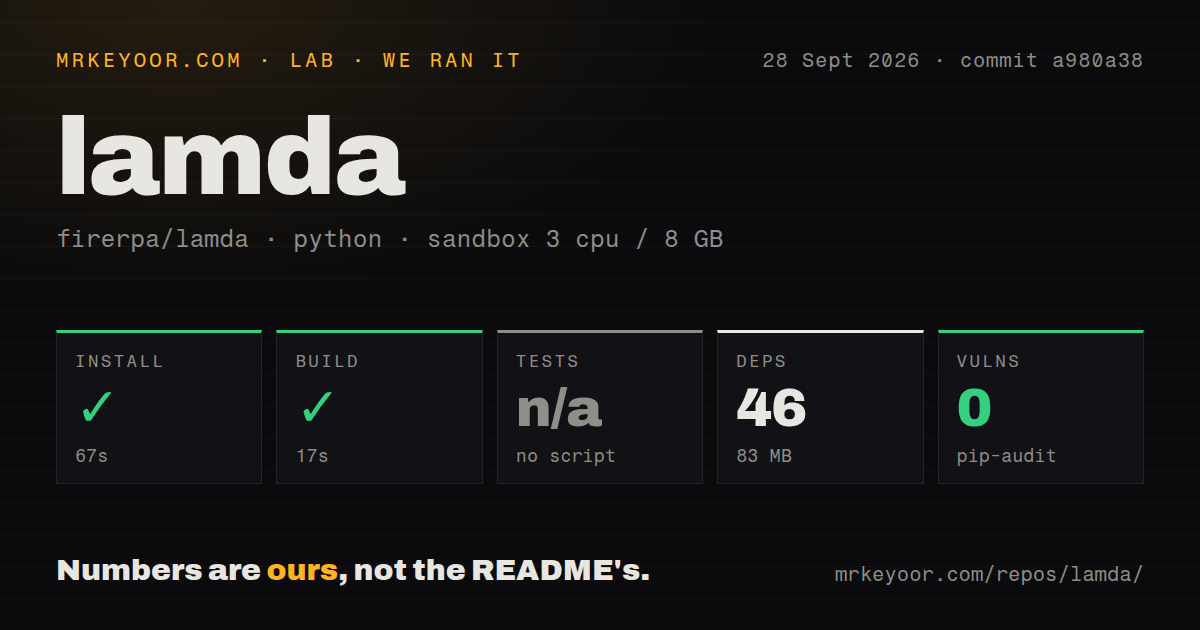
In our run on September 28, 2026, at commit a980a38, our sandbox recorded installation in 67 seconds and a build in 17 seconds. The full recorded commit is a980a38130ba00711311e509e3009301e8ff705a. The sandbox record specifies Python 3.12 on Debian Bookworm, 3 CPUs, and 8 GB of memory.
Our harness stores each command's success flag, elapsed time, exit code, and timeout status. Installation and build each returned exit code 0 without a timeout. The retained installation tail identifies a Python 3.12.12 environment; the build tail is empty. Those outcomes establish that the recorded commands completed, not that an Android workload or deployment was exercised.
Tests were skipped because the harness detected no script. It also detected no tests directory or CI workflow files. These findings describe this checkout and the harness's detection; they do not establish that the project has no testing elsewhere. There is no passing-test count to report.
The attached stored parser summaries record 46 dependency packages using 83 MB. They do not establish exhaustive unique test coverage. No new execution or complete-log reconciliation was performed for this correction.
What the audit cannot establish
The stored pip-audit result records 0 advisories and a package field of 0. Scan coverage is unknown. A recorded zero is not evidence that all installed packages were scanned, and it is not a security assessment of the Android service.
The MrKeyoor testing-methodology page explains command recording and the limits of dependency audits. The supplied copy describes the methodology in October 2026; it does not establish which methodology revision governed our September run. The dated sandbox record is the evidence for this review's command outcomes.
Device preparation remains untested
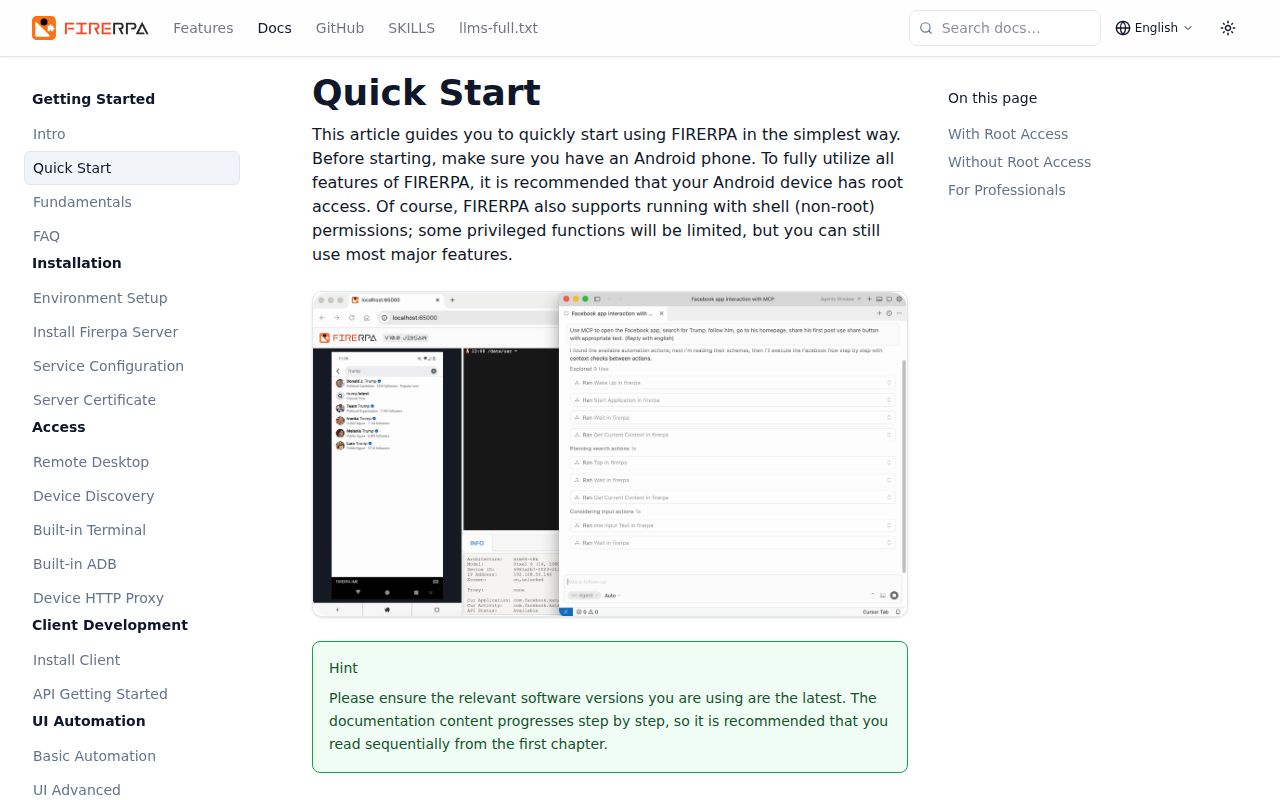
The README describes an Android service with root and shell identities, several deployment routes, service certificates, and configurable network services. It documents TLS and service-certificate access control for remote desktop and RPC, plus an optional WebUI password. These are documented capabilities, not controls we verified in the sandbox.
Start with a representative test device. Confirm the deployment route, access controls, connection, and one required UI task before adding capture, instrumentation, networking, or agent access. Our run did not test a handset or emulator, service installation, selector accuracy, video or audio, traffic capture, Frida, multi-device operation, or MCP tool calls.
Selector reports justify a device acceptance check
The README documents selectors, child and sibling chaining, virtual displays, OCR, and image matching. These provide different ways to address an app's interface, but our build result does not verify any of them.
Issue 112 reports sibling selection including child-level elements. The discussion also describes traversal problems, a collaborator's bug acknowledgement for a traversal example, and a suggested workaround using child instances. This is a specific reported problem, not proof that every selector is broken. Before adopting FIRERPA, check the hierarchy and selection behavior in the app you intend to automate and retain screenshots and XML when a step fails.
Choose alternatives by the job
Appium provides WebDriver-based automation across mobile, desktop, and IoT platforms. Choose Appium when your requirement is application testing across supported platforms using WebDriver clients. Its README explicitly says that the core server cannot automate anything by itself: you must install a driver for the target platform. It is an alternative for test automation, not evidence of a replacement for every FIRERPA networking or instrumentation capability.
scrcpy mirrors Android video and audio over USB or TCP/IP and supports keyboard and mouse control. Choose scrcpy when viewing and controlling a device from a computer is the main job. Its README says it requires neither root nor an installed device app, while documenting USB-debugging requirements and device-specific input permissions. It can also complement a separate automation stack; its screen-control role does not make it a replacement for FIRERPA's entire documented service.
How to read the scores
The retained scores use this editorial rubric: 1 means substantial documented obstacles, 2 means significant limitations, 3 means usable evidence with material qualifications, 4 means broad supporting documentation with specific gaps, and 5 means strong evidence across the dimension. These are judgments about the supplied evidence, not performance measurements.
Setup ease is 3 because client installation and build completed, while Android preparation remains outside our test. Documentation is 4 for the README's breadth, deployment descriptions, and linked English and Chinese documentation, qualified by the example and traversal questions in issue 112. Community is 3 based on visible user and collaborator discussion in that issue; it does not measure adoption or overall response quality. Maturity is 3 because the documented platform is broad, but our checkout supplied no detected test script, tests directory, or CI workflows, and we did not validate device behavior.