Ask about behavior when you do not know the symbol
Jevgrep answers a question such as where authentication happens before a request reaches a handler by returning source to read. The CLI walks the repository hierarchy, asks Jev which branches and files look relevant, and selects useful excerpts. You receive file locations and original code with line references. That is a practical starting point for an unfamiliar project, especially when a text search would require guessing the vocabulary its authors used.
Our checkout contained 257 files and about 18,802 lines of source in 7 MB. The README distinguishes supported declaration parsing for Python, JavaScript and TypeScript, Go, and Rust from the fallback used for other text. A location can survive even when Jevgrep cannot confidently supply an excerpt. Treat that output as a reading list: the agent still has to inspect the code and prove its change works.
What happened when we ran it
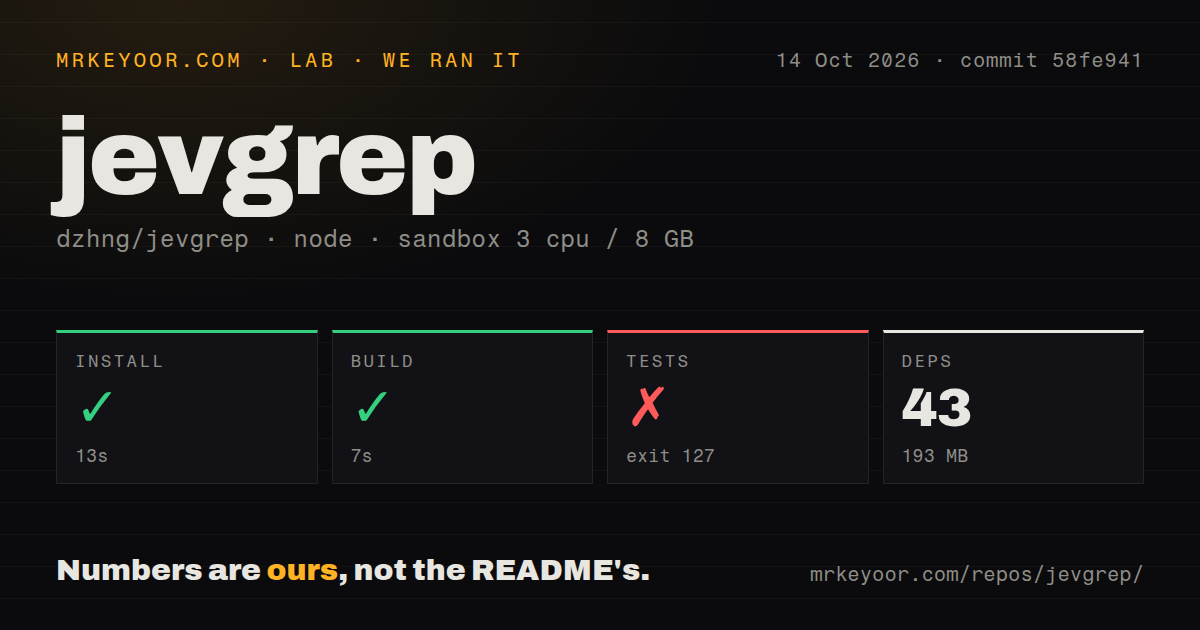
Our sandbox installed Jevgrep commit 58fe941 in 13 seconds, adding 43 packages and occupying 193 MB. The build succeeded in 7 seconds. The test step failed in 8 seconds with exit 127. Its final command invoked a Docker wrapper, and the log reported scripts/test-docker.sh: line 4: docker: command not found. That is a missing test prerequisite in our environment, not evidence of a failed application assertion.
The October 14, 2026 run used an unprivileged Debian container with 3 CPUs, 8 GB of RAM, the lab-node:22 image, and no secrets. The scan found two CI workflows, a tests directory, and workspace packages, but no Dockerfile. The README does say development verification includes Docker checks of the installed package. Our result leaves that verification incomplete and says nothing about retrieval quality or savings on a real coding task.
The CLI and its agent skill are separate installations
Node.js 22 or newer runs the published CLI on macOS, Linux, or Windows. Users do not need a separate Bun, Python, or ripgrep installation. From a source checkout, the development path uses Bun workspaces and Turborepo. Keeping those paths distinct helps explain why a working npm installation does not mean you have everything required to contribute to the repository or run its verification command.
The 193 MB we measured belongs to the source-install environment, rather than a promise about every global npm installation. Agent setup adds another step: jg skill delegates to the skills installer and needs npm/npx plus network access. Upgrading the CLI does not refresh project skill files. You must update those separately, and authentication remains a separate task even when the skill can arrange a missing executable.
A source-upload filter is not a secret scanner
The README says searches send eligible source content through your selected provider. Ignore rules and filename filters narrow that content, but the project explicitly declines to guarantee that all sensitive information has been removed. The local jg files command can inspect eligibility without a key or provider request. That is useful preparation, though a count of eligible files cannot establish that their contents are safe to transmit.
Open issue 51 reports API keys in ordinary configuration files reaching provider request previews, including files whose contents never appeared in the printed result. The issue describes v0.8.0, and related filtering fixes remained open PRs when checked. This is directly about Jevgrep's retrieval path. Our 43-package install does not test that report or prove those gaps are fixed. For a sensitive repository, use a deliberately selected root and inspect what can leave it.
Saved provider configuration controls every search
The CLI guide says jg auth stores the selected provider and key in a user configuration file. Searches use that saved choice until you authenticate again, while environment overrides for keys, endpoints, and models are ignored. That can surprise a team whose tools normally read credentials from the shell. A custom endpoint must also understand the expected decision requests. An ordinary chat-completions URL is not enough merely because it accepts a bearer token.
Our 7-second build did not establish access to any provider, because the sandbox had no secrets. Use jg doctor to check your configured service with synthetic input before sending repository content. Evaluation answers are cached locally by default. An incomplete search can still return useful code, but the guide says to read its diagnostics and fill the remaining gaps with ordinary tools rather than treating partial discovery as a complete map.
October activity does not settle the source-filter report
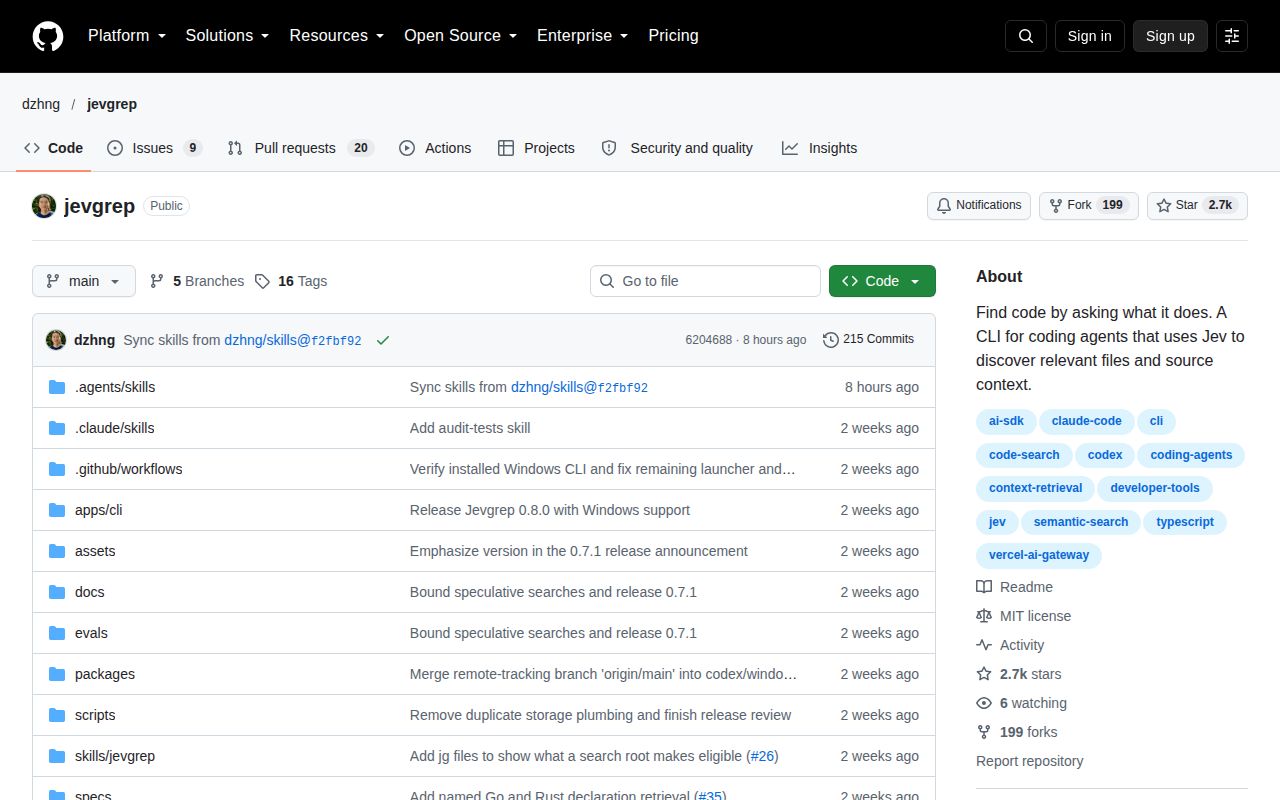
GitHub recorded a push on October 14, 2026, and showed 29 open issues and PRs. Release v0.8.0 arrived on October 1 with Windows support and request pacing. Recent discussion covers credential filtering, extensionless-script parsing, and provider support. Those dates show an actively changing project. They also mean the release tag alone cannot tell you whether an open filtering patch is present in the version you install.
I would use Jevgrep for the first pass through unfamiliar, approved-to-share code, then follow its references with direct reads and exact searches. Pick ripgrep when you already know the string, or ast-grep when you know the code pattern. The failed 8-second test step leaves a contributor check unfinished. Before making Jevgrep part of an agent's routine, resolve the source-sharing decision and verify the installed skill actually directs the agent to use it.