A Windows tray icon can replace several battery panels
A wireless headset and mouse from different brands often put their battery readings in different applications. HaloBattery puts supported devices in the Windows tray with individual icons, low-battery thresholds, and a charging indication. It reads through receivers, cables, or Windows Bluetooth instead of requiring each maker's application for the reading. The appeal is ordinary and useful: you can check your peripherals without opening separate control panels before starting a game or call.
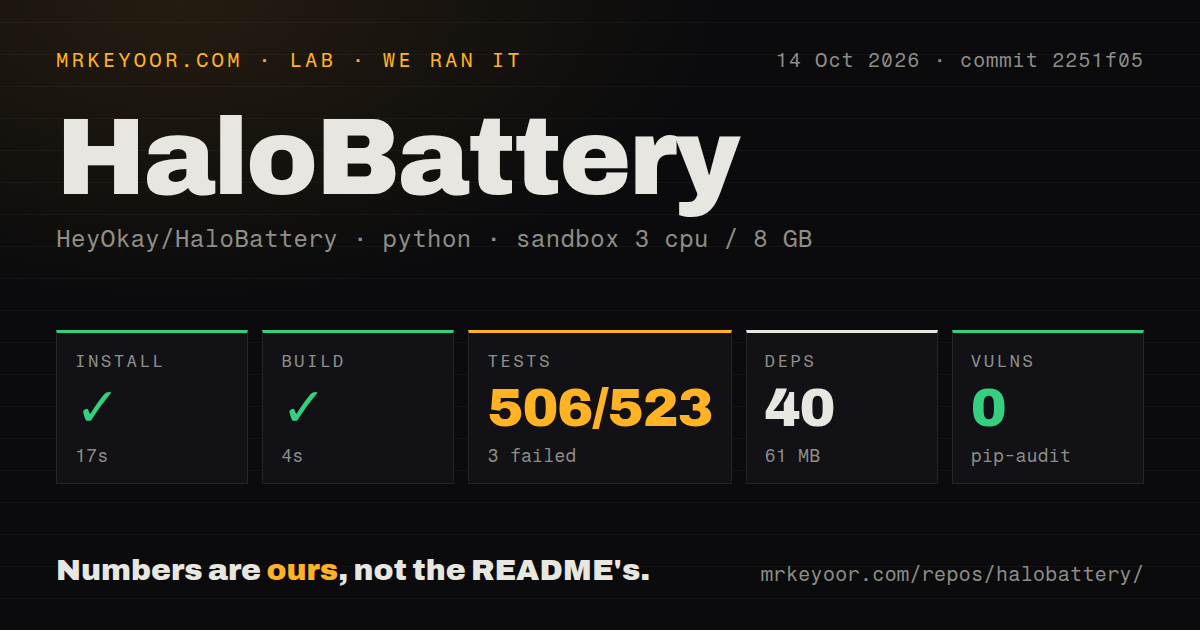
Our checkout was 2 MB, and the installed environment occupied 61 MB after 40 packages arrived. The small footprint makes it approachable as a Python project. It doesn't tell you whether your mouse will answer correctly. Device protocols, transport modes, and hardware reports drive the usefulness of a battery monitor. HaloBattery's documentation helps here by distinguishing devices seen working on hardware from entries inferred from related models or borrowed protocol implementations.
What happened when we ran it
Our sandbox installed commit 2251f05 in 17 seconds and built it in 4 seconds, but the test step failed with exit 1 after 12 seconds. The supplied summary reports 506 passed, 3 failed, and 14 collection/setup errors across 523 cases. We ran it on October 14, 2026, in an unprivileged Debian container with 3 CPUs, 8 GB of RAM, the uv Python 3.12 Bookworm image, and no secrets.
The 3 failed cases were in test_xinput.py and test_xinput_wired.py, covering Bluetooth-entry handling, coarse Xbox readings, and a wired-but-discharging case. All reported AttributeError involving a NoneType object's loader. The log also names tray-feature and tray-icon loader errors, plus Xlib DisplayNameError with an empty display name in test_updates.py. It does not explain why the loader object was absent. Pip-audit reported 0 known vulnerabilities. Our scan counted 118 files and about 25,984 source lines, found 1 CI workflow file and a tests directory, and found no Dockerfile. The command failed despite its many passing cases. The run does not validate Windows tray behavior or physical-device reading accuracy.
Whole-folder extraction matters for the Windows download
The README's installation steps tell users to extract the release ZIP and keep the executable beside its _internal folder. Copying only the executable or launching it from inside the archive is a documented source of startup trouble. Source users get a Windows batch-script route and a console probe for device discovery. No hosted-service credential is listed for the basic battery-reading path, though update checks contact GitHub for releases.
Our 17-second dependency install therefore isn't the effort a typical Windows user will encounter. They use the packaged download, which the README says is unsigned and can trigger SmartScreen. That is a concrete reason a managed Windows fleet may reject it. Public GitHub Actions build logs help someone inspect how a release was produced, but they do not change its signing status. For personal use, keep the extracted application folder together when moving or updating it.
Model and connection matter more than the brand list
The device table marks entries as verified, unverified, or likely, and lists their connection method. A Corsair Virtuoso SE reading over a particular receiver is verified while the XT is described as untried. A broadly supported family can still contain a model without an observed reading. Open issue 263 reports an EasySMX X20 connecting without a battery level, while issue 262 reports the same basic problem for a Lamzu Tachi.
The 506 passing cases from our run cannot resolve either hardware report. A sensible trial uses the exact connection you intend to keep, compares the reported level with another available reading, and checks behavior during charging and sleep. The README also says vendor software may hold a receiver, so close it during diagnosis. If the device remains missing, the built-in diagnostics report is the documented route to a useful issue rather than repeated reinstallations.
Bluetooth controller readings can conflict with game input
PlayStation controllers report battery status over Bluetooth in full-report mode. The device documentation says enabling that mode can make a controller disappear from DirectInput games until it is switched off and on again. HaloBattery avoids forcing the mode by default and may show the controller without a level until Steam or a game enables it. USB readings have a different path. Owners should read that note before assuming a missing Bluetooth percentage is simply a broken detector.
The 3 failed cases in our sandbox concern Xbox-related handling, not a measured PlayStation game conflict. Keeping those findings separate matters. Quiet-while-gaming settings hold notifications during full-screen use, while the diagnostics feature can expose Bluetooth MAC addresses and serial numbers in its report. The README tells users they can replace those identifiers before posting. A report should help identify the transport and protocol without publishing device identifiers unnecessarily.
October fixes show maintenance, with a same-version update wrinkle
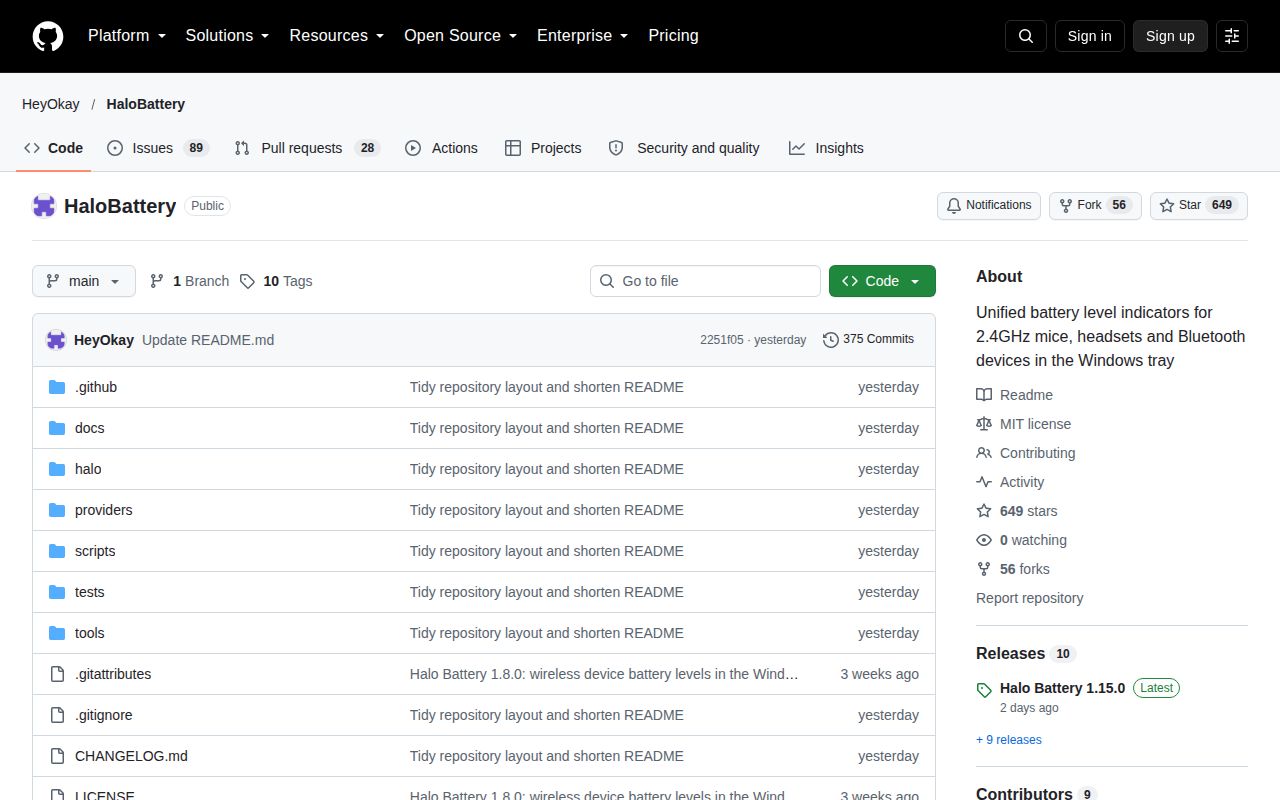
GitHub recorded the last push on October 12, 2026, with 649 stars and 117 combined open issues and PRs. Recent device reports accompanied release v1.15.0. Its notes say the download was rebuilt that day to fix startup hanging in an unwritable installation folder. The version stayed unchanged, and the release tag still points to the original commit. Users of the earlier archive must download it again because the app won't offer that rebuild as a newer version.
HeadsetControl fits supported USB headsets when you also need audio controls. Solaar serves Linux users managing Logitech devices. The 61 MB installed environment makes HaloBattery easy to keep locally, but a Windows trial needs the exact hardware path its table verifies. Before letting the tray icon replace another battery reading, check the device through charging, sleeping, and reconnecting on your own PC.