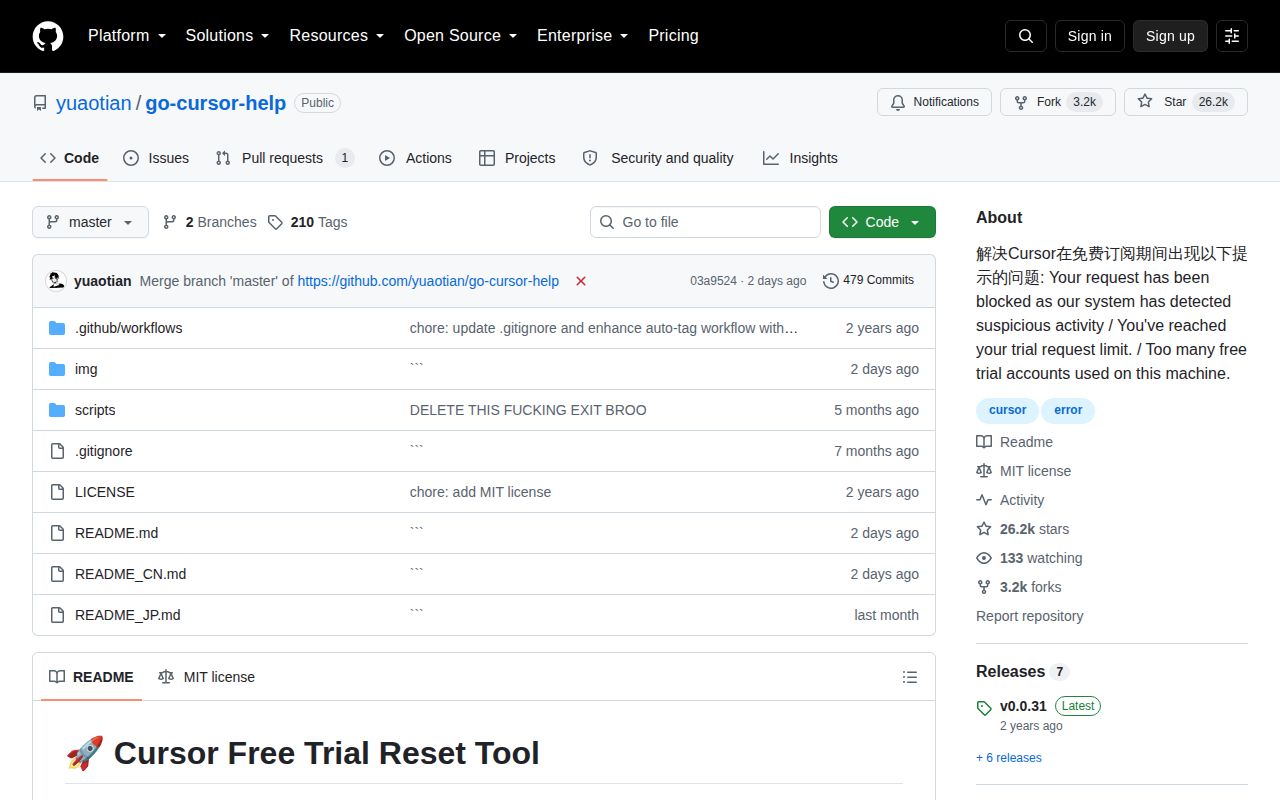
Cursor, the AI-native fork of VS Code, has earned a loyal following for its deep integration of language models into the development workflow. It offers a generous free tier, but for heavy users, the limits can be a frustrating barrier. Enter yuaotian/go-cursor-help, a project that doesn't just lower that barrier, it bulldozes it. With over 26,000 stars on GitHub, this collection of scripts promises a one-click reset for Cursor's free trial, effectively making it limitless. It's a wildly popular project that delivers on its promise with ruthless efficiency, but a closer look reveals a tool that is ethically questionable, commercially complicated, and, most importantly, a ghost ship in the fast-moving sea of AI development.
The Magic Trick
The core of go-cursor-help is its simplicity. There's no complex installation, no configuration files to edit. For a user on any major OS, Windows, macOS, or Linux, the process is the same: copy a single line of code from the README, paste it into a terminal with administrator privileges, and press Enter. The script, named cursor_..._id_modifier, hints at its mechanism: it almost certainly finds a configuration file or registry key where Cursor stores a unique identifier for the trial installation and modifies it, making the application believe it's a fresh start. The project's documentation is laser-focused on making this process foolproof, with special attention paid to Windows users, offering multiple methods for opening an elevated PowerShell terminal, complete with screenshots.
This ease of use, however, is a double-edged sword. The practice of piping a script directly from the internet into a shell with sudo or administrator rights (curl ... | sudo bash) is a well-known security risk. You are granting a script you haven't reviewed the highest level of permission on your machine. While the MIT license provides a degree of transparency, the project offers no technical documentation explaining which files are being modified or what data is being changed. Users are asked to trade security for convenience.
A Tool Within a Business
Perhaps the most surprising aspect of the project is the large, professionally designed advertisement that dominates the top of the README. This isn't just a donation button; it's a storefront. The author is selling tiered access to what is described as the "Codex Official API Package," complete with weekly and monthly plans, usage limits, and a dedicated payment portal. The sales copy promises stability, residential IPs, and a superior experience compared to "low-quality shared resources."
This turns the project's purpose on its head. The free tool that circumvents one company's paid service acts as a powerful lead magnet for the author's own commercial venture. It's a clever, if ethically gray, business model. The massive user base drawn in by the free trial reset is immediately presented with a paid offering, creating a direct monetization funnel from an open-source utility. Users should be aware that while the script is free, they are entering a commercial ecosystem.
The Ghost in the Machine
The most critical flaw of go-cursor-help isn't its security model or its business entanglements, but its age. The latest release, v0.0.31, was published on December 30, 2024. As of our review date in August 2026, the project has been dormant for over a year and a half. In the world of software, and especially in the hyper-fast world of AI tools, 19 months is an eternity. Cursor has undoubtedly released numerous updates in that time, any one of which could have changed the trial mechanism, rendering this script useless or, worse, causing unintended side effects.
The project's repository reflects this abandonment. There is only one open issue, and commit activity has ceased. The 26,000+ stars are a lagging indicator of past popularity, not a reflection of a healthy, active community. The README's claim to support the "Latest 2.x.x versions" is now a historical statement, not a current guarantee. Anyone using this tool today is gambling that the internals of Cursor haven't changed since late 2024, a bet that gets riskier with each passing day.
Verdict
go-cursor-help is a fascinating case study. It's a testament to how a simple script can solve a widespread problem and attract a massive audience. But it's also a cautionary tale. It encourages risky security practices, operates in a gray area of software ethics, and has been left to rust. While it may have been a viable, if questionable, solution in 2025, in late 2026 it's an unsupported relic. Using it is not a sustainable way to integrate a powerful tool like Cursor into your workflow. The real alternatives are clear: support the developers by paying for a Cursor subscription, or invest your time in a robust, community-supported open-source project like Continue. This ghost ship is best left at sea.