One binary crosses from discovery into exploitation
fscan starts like a network inventory tool. It finds live hosts, scans 133 common ports by default, identifies more than 20 service types, and fingerprints web servers, content systems, middleware, WAFs, and CDNs. It accepts IPs, CIDR ranges, domains, URLs, and target files, with exclusions and separate concurrency controls. Results can be written as text, JSON, or CSV. A Go SDK adds pause, resume, task IDs, and progress callbacks for embedding.
The same binary goes far beyond inventory. It can try weak credentials across 28 service types, run web proof-of-concept checks, test unauthenticated databases, execute authenticated SSH commands, and include modules for persistence, credential access, shells, and log clearing. That breadth saves setup time for a trained red team. It also makes the tool inappropriate for routine asset discovery unless dangerous modules are explicitly disabled and execution is bounded by written authorization.
Chinese is the working language, with an English path
The main README, newest release notes, and most open issue discussions are written primarily in Chinese. An English README is linked at the top, and the program can switch its interface between Chinese and English. A non-Chinese operator can learn the core commands, but subtle POC failures and maintainer discussions may require translation. That matters when deciding whether a result is a confirmed vulnerability, a parser error, or an expected timeout.
Documentation lists the default port groups, protocols, build commands, output formats, and safety disclaimer. It also labels the included lab as unfinished and describes SDK, plugin, and lightweight-client items under a roadmap. Those statements are aspirations, not shipped guarantees. Use the documented current commands and verify the binary's help output for the exact release rather than planning around roadmap entries.
What happened when we ran it
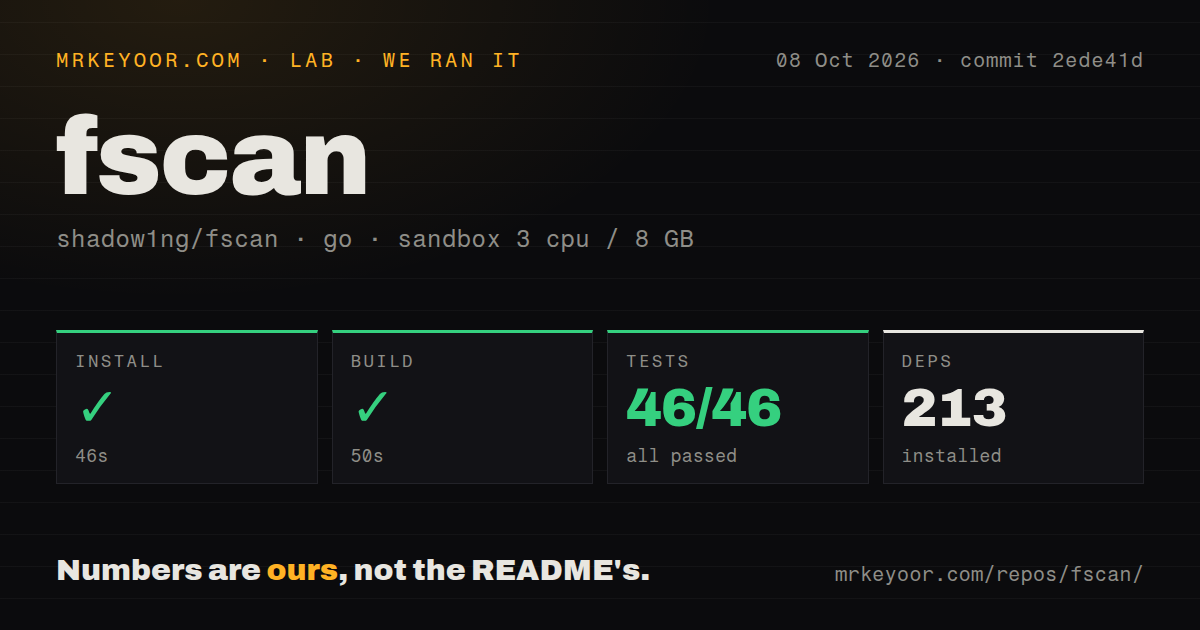
Our sandbox downloaded 213 Go packages in 51 seconds. The build completed in 47 seconds. go test then reported 21 passed and 0 failed in 136 seconds. We tested commit bf036fd in a fresh unprivileged Debian container with Go 1.24, 3 CPUs, 8 GB of RAM, and no secrets. The checkout contained 987 files and roughly 97,033 lines of source.
The repository had 3 CI workflow files and a tests directory, with no Dockerfile at the root. The successful build shows the source produced a binary in that environment. The 21 passing tests establish a clean automated baseline for the measured commit. We did not scan a network, attempt credentials, execute a POC, or measure packet rate and detection accuracy. No throughput or coverage conclusion follows from the 136-second test run.
v2.2.1 repairs missed ports but has a new POC report
Release 2.2.1 arrived on August 25, 2026. Its notes say the default global timeout was removed to prevent large or slow scans from ending early, while -gt remains available for an explicit limit. The release also says adaptive timeout behavior was changed after high-concurrency scans missed open ports. Other fixes cover SSH banners, VNC password behavior, Telnet validation, RDP crashes, TLS identification, and result cleanup on abnormal exit.
One day later, issue 605 reported widespread POC scan errors using the 2.2.1 Linux x64 binary. The supplied output includes expression compilation failures, undeclared helper names, and request timeouts. That mixture does not identify one cause. It does show that a full scan can generate substantial error output alongside normal findings. Operators need to separate a negative result from a check that never executed successfully.
Port results need confirmation from another scanner
Issue 214 reports seeing a target return SYN-ACK packets while fscan failed to list the port during a full-port scan. Issue 503 compares releases and says open ports were missed on a local machine and customer assets. Both reports predate 2.2.1, whose release notes describe fixes for missed ports under concurrency. They remain open, so a buyer should reproduce the relevant scan shape rather than assume the latest change covers every cause.
Confirm important ports with Nmap, a direct protocol client, or packet capture. Do the same for vulnerabilities: a POC result should carry the request, response, affected version, and a manual validation step. fscan's own options for rate, packet totals, thread counts, and timeouts help control a run, but an aggressive configuration can still overload a fragile service or hide results behind timeouts.
Active modules deserve least-privilege handling
Run fscan from a dedicated assessment host with a versioned target file and explicit exclusions. Use a low-privilege network position first. Disable password attempts unless the rules of engagement permit them, and do not package the persistence or credential modules into general IT inventory jobs. Logs and raw output should be retained even when a finding is later rejected, because they show which checks ran and which failed.
The MIT license is permissive, while the README's disclaimer limits intended use to legally authorized enterprise security work. Technical access is not authorization. In many environments, scanning a neighboring segment, trying a default password, or invoking an exploit changes the legal and operational risk sharply. A single all-in-one binary makes those transitions easy to miss in a rushed command.
August activity supports testing, not automatic trust
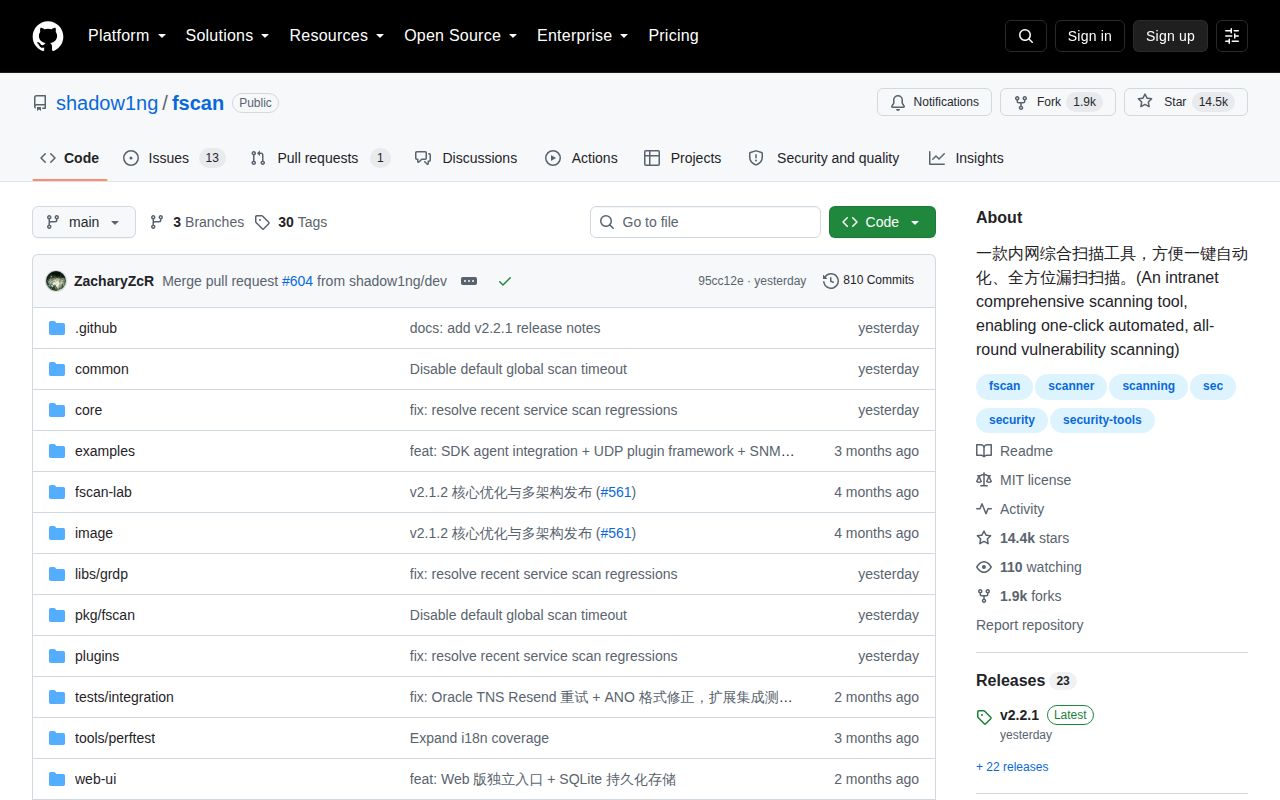
GitHub showed 14,450 stars, 14 combined issues and pull requests, and a last push on August 25, 2026. Version 2.2.1 was published the same day. The small open queue and recent release suggest active maintenance, while issue 605 shows that current users are still finding breakage immediately after release. Both facts belong in the adoption decision.
fscan is useful when a skilled team wants a portable internal assessment toolkit and accepts responsibility for every active check. Our 47-second build and 21 passing tests make the source easy to trial. The broad privilege and exploitation surface, Chinese-first support, and unresolved accuracy reports keep it out of routine administrator workflows. Start with discovery-only behavior in a lab, then enable modules one at a time under an approved test plan.