Fizgig covers the work after a LoRA finishes training
Most LoRA trainers concentrate on producing a safetensors file. Fizgig also gives that file a workbench. Repair Studio changes individual transformer blocks and saves a revised LoRA. LoRA Royale renders checkpoints against a fixed seed so you can compare epochs, then exports comparison sheets or short clips. The Profiler maps where identity, style, and detail appear, while Extract reduces rank. Those tools accept compatible LoRAs made elsewhere, which makes the application useful even if another trainer produced the original file.
The training side supports Klein 9B, Krea 2, and MiniMax H3. It can create standard LoRAs, LoKR adapters, or experimental full fine-tunes for Krea 2 and H3. MiniMax H3 datasets may combine still images, video, sound, and voice recordings. The bundled Gizmo utility prepares clips to H3's required frame counts, dimensions, and audio format. Output is intended to load in ComfyUI, and a separate utility can extract a smaller LoRA from a full checkpoint.
Three model families come with very different hardware costs
The README lists Windows 10 or 11 and Linux as the training platforms, with Python 3.10 through 3.13. NVIDIA RTX 30, 40, and 50 series cards have the most direct route. Windows AMD support uses a dedicated ROCm installer, while Linux ROCm is labelled highly experimental. macOS can handle captions and image preparation, but it cannot train because the training path requires CUDA or ROCm.
Fizgig says Krea 2 LoRA training can start at 8 GB of GPU memory, while Klein 9B and MiniMax H3 are listed at 16 GB. These are project claims, not numbers from our CPU sandbox. System memory matters too: the README recommends 32 GB and explains that H3 caption caching streams a 15.7 GB text encoder through RAM. A low-RAM failure can appear as a CUDA out-of-memory error even when the graphics card still looks free.
What happened when we ran it
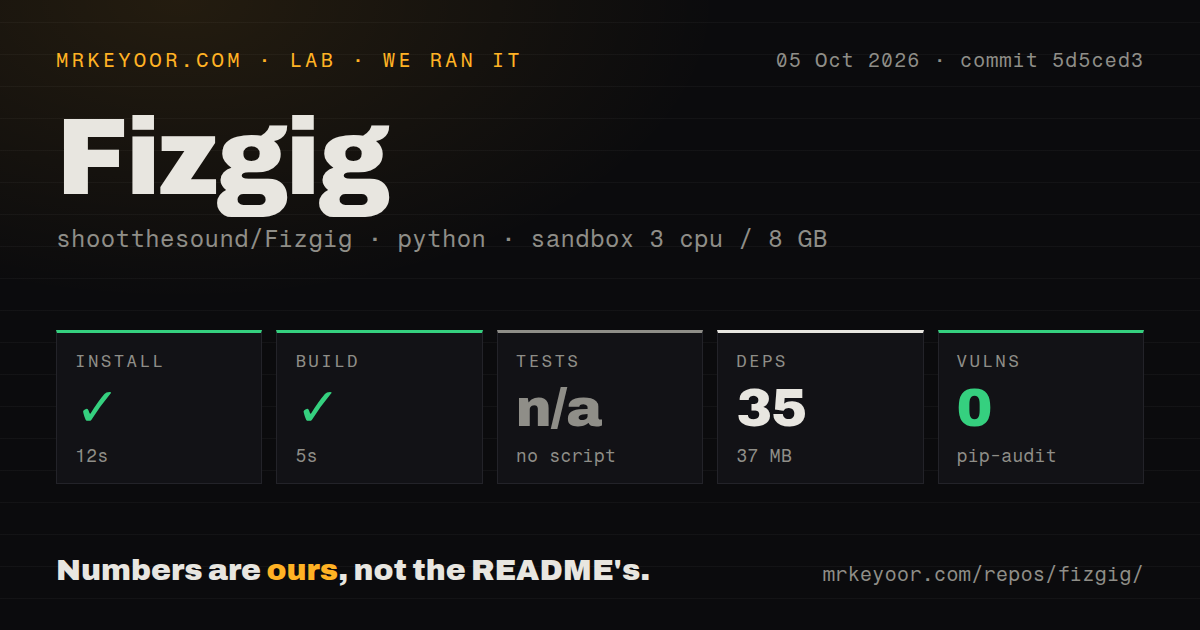
Our sandbox installed commit b7187b4 in 14 seconds. The Python environment added 35 packages and occupied 37 MB, and pip-audit found 0 known vulnerabilities. The build completed successfully in another 5 seconds. The checkout itself contained 239 files, about 91,439 lines of source, and used 24.2 MB before the installed environment.
The test step failed with exit code 3 after 5 seconds. Pytest reported 0 passed, 0 failed, and 5 collection or setup errors out of 5. The log ends inside tests/test_fetch_models.py, where module collection calls sys.exit(1 if fails else 0). Its summary includes FAIL pref keys match what the GUI reads, followed by SystemExit: 1. That log supports a narrow conclusion: the suite did not reach ordinary test execution in our fresh Debian container.
The repository has a tests directory and 1 CI workflow file, but no Dockerfile was found by our scan. The failed collection is still a release-readiness finding because a new contributor cannot use that pytest command as a clean baseline. The log does not prove whether the mismatch comes from packaging, generated preferences, or another condition, so assigning a cause would go beyond the evidence.
A 37 MB environment leads to roughly 40 GB of model files
The quick install result understates the real deployment. Fizgig's README budgets about 10 GB for its virtual environment and about 40 GB for model files. Three smaller helper models download during installation or first use. The main weights are separate: Krea 2 needs no account, while Klein requires a free Hugging Face token because of the model licence. Preferences can download and verify weights, or operators can provide paths manually.
Full fine-tuning raises the storage cost again. The documentation estimates about 21 GB for each H3 checkpoint and about 26 GB for each Krea 2 checkpoint. Saving Krea 2 once per 4-epoch cycle across 40 epochs can consume about 260 GB. H3 can spill its master copy to disk when RAM is tight, but Krea 2 does not, and the README says Krea 2 fine-tuning realistically wants at least 48 GB of system RAM.
Windows NVIDIA is the safest documented route
Windows NVIDIA users get a batch installer that creates a virtual environment, installs the CUDA 12.8 PyTorch stack, downloads InsightFace assets, and checks that PyTorch sees CUDA. Linux NVIDIA users run install_fizgig.py. Windows AMD requires Python 3.12 and pinned ROCm nightly packages, including a community bitsandbytes wheel. That mix deserves an isolated environment because running the wrong updater can replace the ROCm stack with CUDA packages.
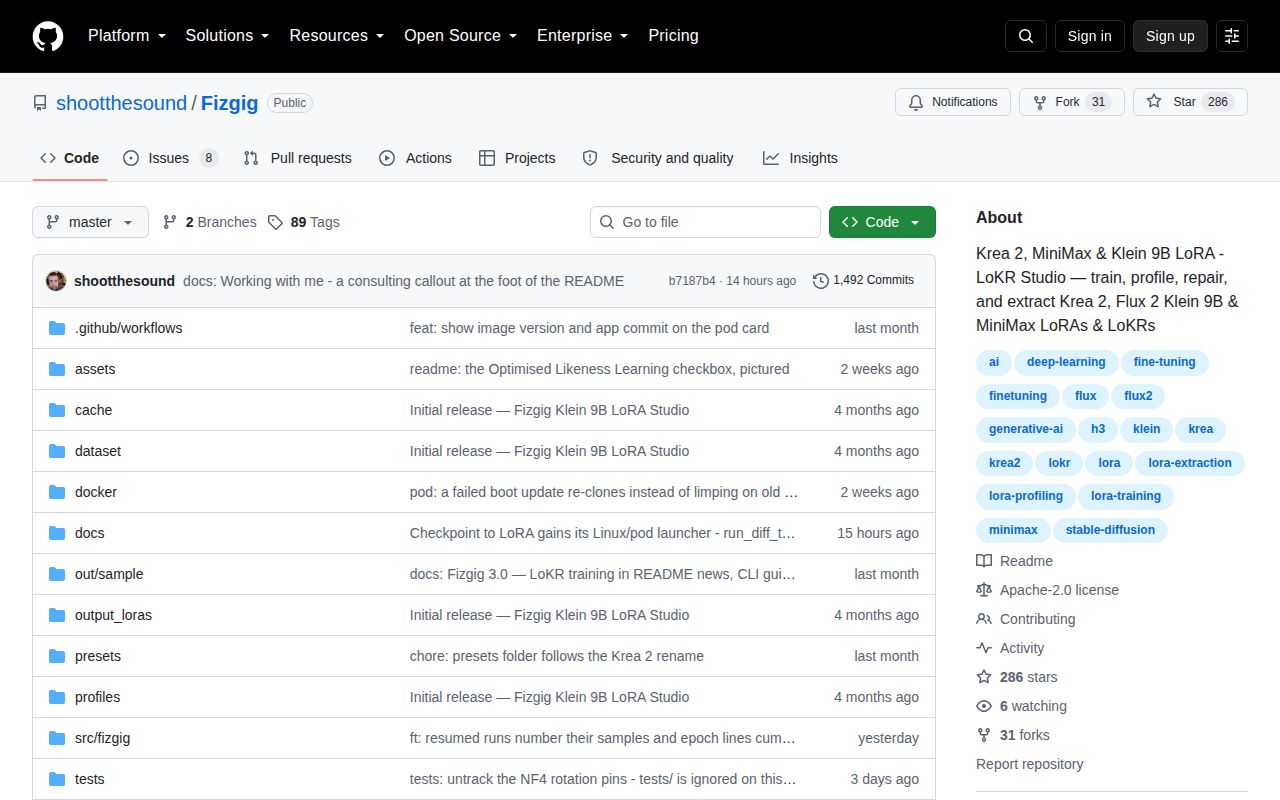
The open queue had 8 combined issues and pull requests when fetched. Issue 112 reports a KasmVNC IP blacklist while connecting to the cloud image, and issue 102 discusses HQQ quantization for 12 GB video cards. Those are specific edges around cloud access and small-card operation, not evidence that every path is broken. They do show why a buyer should test the exact local or rented GPU setup instead of treating one installer as proof for all platforms.
The August 30 push matters more than the failed test alone
GitHub showed 286 stars and a last push on August 30, 2026. Release v5.0.0 was published one day earlier and added experimental full fine-tuning for Krea 2 and MiniMax H3. The same repository activity includes recent issue discussion, so Fizgig looks actively maintained even though our test command failed. The combined GitHub count includes issues and pull requests, not just defects.
For the right user, the unusual value is post-training inspection and repair in the same interface as training. The price is a narrow model list, large weights, hardware-specific setup, and a test baseline that did not collect cleanly on our box. Start with an existing LoRA or a small disposable dataset. Do not begin with a long full fine-tune that writes dozens of gigabytes per save.