Enjoy is built for Chinese-speaking English learners
The repository's main language is Chinese, including its README, course links, FAQ route, and most issue discussions. There is no matching English user guide. The only English README we found under the Enjoy app says that it is an Electron application and gives yarn install plus yarn start. English-speaking developers can read the TypeScript, yet they will miss the product explanations and support context unless they can translate the Chinese material.
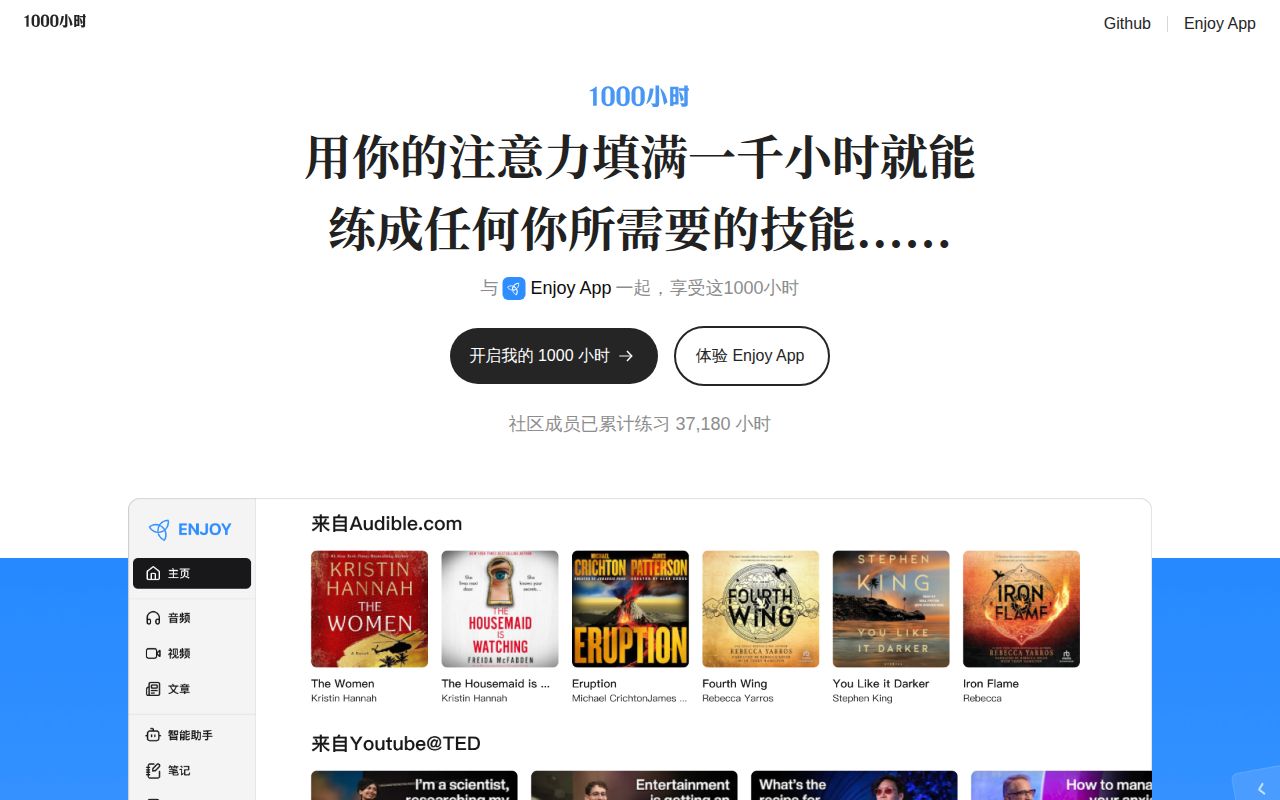
For its intended audience, the product covers more than a course reader. The hosted Enjoy interface shows separate video, ebook, flashcard, and course areas. A Chrome extension adds study features to YouTube and Netflix. The linked 1000-hour curriculum covers pronunciation, training tasks, reading, and self-directed practice, while the older book provides 8 chapters plus an introduction and afterword. This is a study system tied to a method, not a neutral collection of language APIs.
The browser product is the sensible first trial
The root README directs users to enjoy.bot, so no source checkout is needed to decide whether the workflow helps. That matters because the repository is a 3-workspace monorepo containing Enjoy, a documentation site, and a portal. The browser screenshots show imported media, reading material, vocabulary review, and courses in one account. The extension is already listed for YouTube and Netflix.
Try one real lesson before investing further. Import the kind of audio or text you normally study, record a full passage, inspect the recognized words, and repeat the session over your usual network. Issue #1410 says pronunciation evaluation captured only part of a completed reading. Issue #1400 reports course playback problems tied to a user's network and VPN setup. Neither report proves a universal failure, though both concern the core loop rather than a cosmetic edge case.
The desktop story needs careful wording. The root README says a new desktop version will be a wrapper and extension of the web version and will be released soon. That is the project's stated aspiration. The repository still contains an Electron workspace at version 0.7.9, and GitHub's latest release is also v0.7.9 from March 7, 2025. Readers should not infer that the announced new desktop experience is already available.
What happened when we ran it
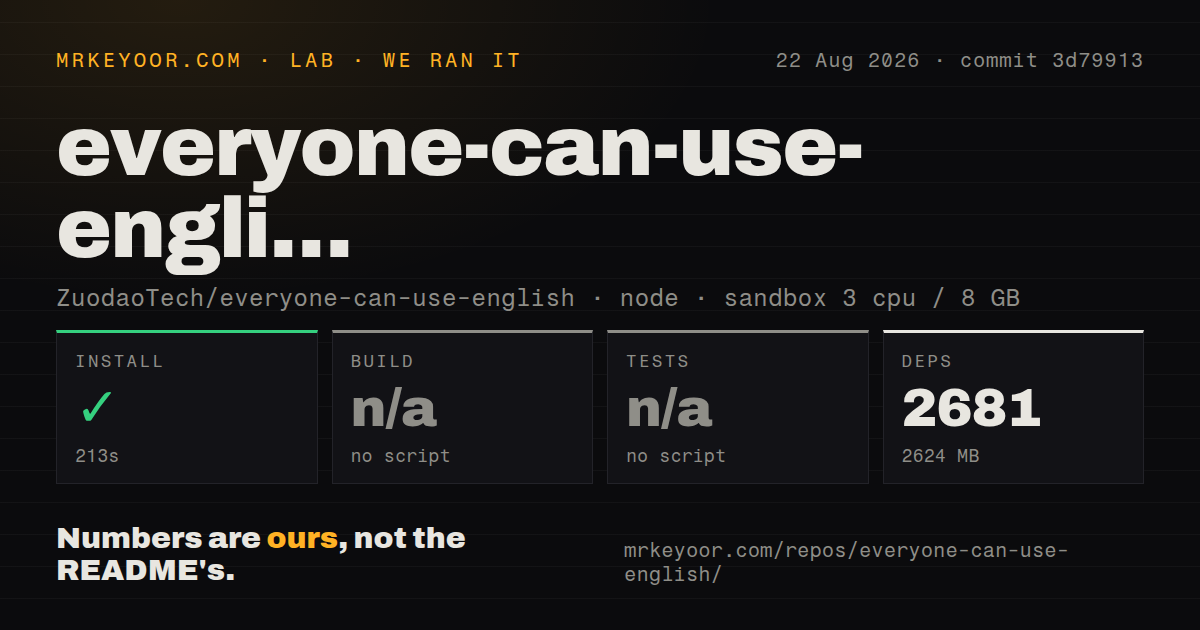
Our clean Yarn install took 213 seconds in a Debian container with 3 CPUs and 8 GB of RAM. It downloaded 2,681 packages and left 2,624 MB on disk. The checkout itself was 350.8 MB, with 3,510 files and about 62,834 lines of source. This is a substantial local commitment for an app whose easiest user path is a website.
The lab found no generic build script or target and skipped the build. It also found no generic test script or target, so no tests ran. We therefore have no measured claim that the web app, extension, and Electron workspace build together from commit 3d79913. The repository had 11 CI workflow files and declared monorepo workspaces, but it had no Dockerfile and no tests directory in the measured checkout.
The current root manifest requires Node 20 or newer and Yarn 4.6.0. Its workspace commands address the Enjoy app, docs, and portal separately. The Electron package's development command downloads dictionaries, clears generated output, supplies local web and WebSocket URLs, and starts Electron Forge. Packaging sets an 8,192 MB Node heap limit. Those details explain why a successful dependency install is only the beginning of contributor setup.
Speech and subtitle gaps affect the learning method
Enjoy's appeal depends on turning media into practice. Pronunciation evaluation, sentence alignment, text-to-speech, flashcards, and imported audio all feed that loop. A defect in recognition or alignment costs the learner time on every session, so these deserve more weight than a missing preference or visual glitch.
Issue #1408 compares the desktop and web experiences for IPA subtitles. The reporter says the desktop app can generate phonetic subtitles after importing a recording, while the web version requires manual sentence-by-sentence entry. The request asks for automatic IPA generation after speech recognition. If phonetic alignment is why you want Enjoy, verify this exact flow on the surface you plan to use.
Documentation is another practical limit. Issue #1409 says new users cannot readily discover the difference between web and desktop features, how to import audio, how to configure text-to-speech, or how the speaking and vocabulary modules work. The main README is only 2,760 bytes and largely points elsewhere. A motivated Chinese reader can explore the live app and FAQ, but contributors and evaluators lack one map of components, services, local configuration, and test expectations.
Development is active despite an old release tag
The repository's latest push was June 29, 2026. Issues continued receiving activity in August, including reports about recording recognition and subtitle alignment. GitHub listed 125 open issues and pull requests. That pattern does not look abandoned even though the latest GitHub release dates to March 2025; much of the user experience now lives on the hosted web product.
Enjoy is easiest to recommend as a browser trial for Chinese-speaking learners already convinced by its practice method. It is harder to recommend as a source project. Our 2,624 MB install, missing generic build and test entry points, sparse developer overview, and mixed web-versus-desktop story raise the cost of independent operation. Use Anki if flashcard durability is the priority. Use a focused video tool if subtitle study is the whole job.