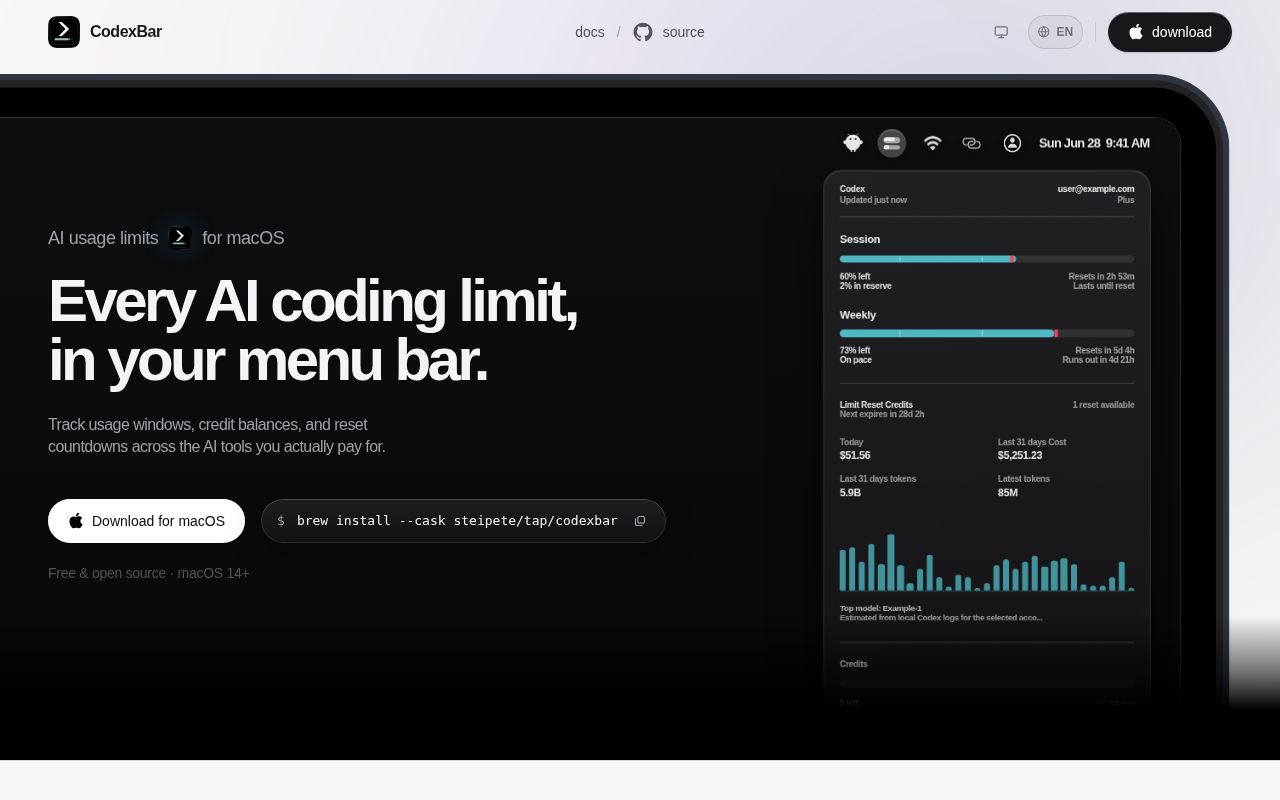
CodexBar turns 69 provider limits into one menu item
CodexBar solves a small irritation that becomes expensive once a developer pays for several AI tools. It puts usage windows, reset countdowns, credits, spend, and service incidents in the macOS menu bar. Providers can appear as separate status items or inside a merged icon with a switcher. The README names 69 providers across coding agents, model APIs, speech services, gateways, and cloud platforms. A bundled CLI extends the same data to scripts and Linux integrations.
The app is most convincing for someone who regularly changes tools as quotas fill. Codex, Claude, Cursor, Gemini, Copilot, OpenRouter, Bedrock, and many smaller services expose different notions of limits. CodexBar normalizes enough of that information to answer a practical question: can the next long task fit before the reset? It also supports provider status polling and optional notifications. The result is a monitor, not a broker; it does not route prompts or switch coding agents for you.
Each provider brings a different trust decision
CodexBar does not ask for provider passwords, but its data sources vary widely. Some integrations reuse OAuth or device-flow credentials. Others accept API keys, browser cookies, local SQLite data, JSONL logs, cloud profiles, or a running language server. The README says plain Adaptive refresh does not inspect agent activity. A separate agent-aware mode asks before reading the process list and bounded session metadata, then can keep a 5-minute active refresh cadence while Codex or Claude is working.
Permissions deserve a provider-by-provider review. Safari cookies can require Full Disk Access. Chromium cookie decryption can prompt for a Safe Storage Keychain item. Provider CLIs may trigger Files and Folders prompts based on their working directory. CodexBar documents manual cookies and API keys as alternatives where available, and an Advanced setting blocks CodexBar-owned Keychain access. That control does not restrict a provider CLI launched by the app. Security teams should approve the exact enabled sources, not the app name in the abstract.
What happened when we ran it
MrKeyoor has no install, build, or test result for commit 3cde772. The repository is written primarily in Swift, an ecosystem outside our current sandbox harness, and there is no Dockerfile that could provide a supported container route. Any timing, dependency count, test total, or audit result would therefore be invented, so none is reported. This gap lowers our confidence in setup and maturity compared with projects we compiled ourselves.
The available project signals are still specific. The README requires macOS 14+ and Swift 6.2+ for a source build. The package script produces an ad-hoc signed app, and another development script can run the sharded test suite before packaging. GitHub showed 20,582 stars, 129 open issues and pull requests, and a last push on August 26, 2026. Those facts indicate attention and current development, while they do not substitute for an independent run.
The macOS app is complete; Linux gets the CLI
Homebrew provides the shortest installation on a Mac, and GitHub hosts app releases. The first run asks users to enable providers and sign into the sources they already use. Linux receives CLI tarballs for glibc and static musl builds on two architectures, plus Homebrew and AUR options. The full menu interface remains a macOS product. Waybar, GNOME, KDE, COSMIC, Cinnamon, and other Linux surfaces come from separate community projects built on the CLI.
That split matters when standardizing across a team. A Mac-heavy group can share the app and a configuration policy. A mixed fleet needs to judge third-party desktop integrations separately or rely on JSON CLI output. Windows users are directed to Win-CodexBar, another repository. Localization is unusually broad for a developer utility, with a shared 21-language catalog and right-to-left support, but platform support is still asymmetric. The macOS requirement is a firm product boundary rather than a packaging inconvenience.
Provider breadth creates visible failure modes
Release v0.55.0 arrived on August 24, 2026 and includes fixes across Codex, Gemini, Grok, OpenRouter, Claude, Warp, Qwen Cloud, and Antigravity. One performance fix reduced the project's reported OpenCodex spend refresh from about 12 seconds to about 3 seconds on a 35,000-entry log. That is the maintainer's measurement, not ours. The same release also changed parsing, fallbacks, icon rendering, credential handling, and local cost ownership across several providers.
Current reports show why the pace is necessary. Issue #3194 says a configured 1-minute Codex refresh never fired even though a direct OAuth CLI fetch succeeded. Issue #3201 says every restart created a new Bartender identity and moved the item back to hidden. Issue #3024 describes related visibility trouble with Thaw after an update. These are narrow integration failures, yet a quota monitor succeeds or fails on timely, visible data. Test the providers and menu manager you actually use.
A local meter is worth it for subscription-heavy developers
CodexBar earns its place when checking limits has become a repeated interruption. The menu presentation is compact, refresh choices range from 1 minute to 30 minutes, and local Codex history is capped at 25,000 session entries and 256 MiB. Spend views can group recent estimates by currency, while reset times and incident badges stay close to the current task. Few alternatives cover this many providers in one interface.
The price is ongoing trust and maintenance. Every browser change, OAuth response, provider plan, local file format, and quota endpoint can alter what the meter means. Pinning is less useful here than reading release notes and checking suspicious values against the provider. Start with 2 or 3 providers, prefer official OAuth or API sources, and enable cookie or process access only when the extra field is worth it. That keeps CodexBar useful without turning a convenience app into an unchecked credential collector.